WoodMart Review: A Store Theme With Plenty Built In
WoodMart is a strong option if you want WooCommerce features without assembling a long list of plugins. Filters, wishlists, bundles and other store tools worked in our tests. Its demos are heavy, many features start switched off, and moving away becomes harder once your store depends on them.
We tested the theme without activating a license. License-only updates, the Patcher and premium support were not tested.
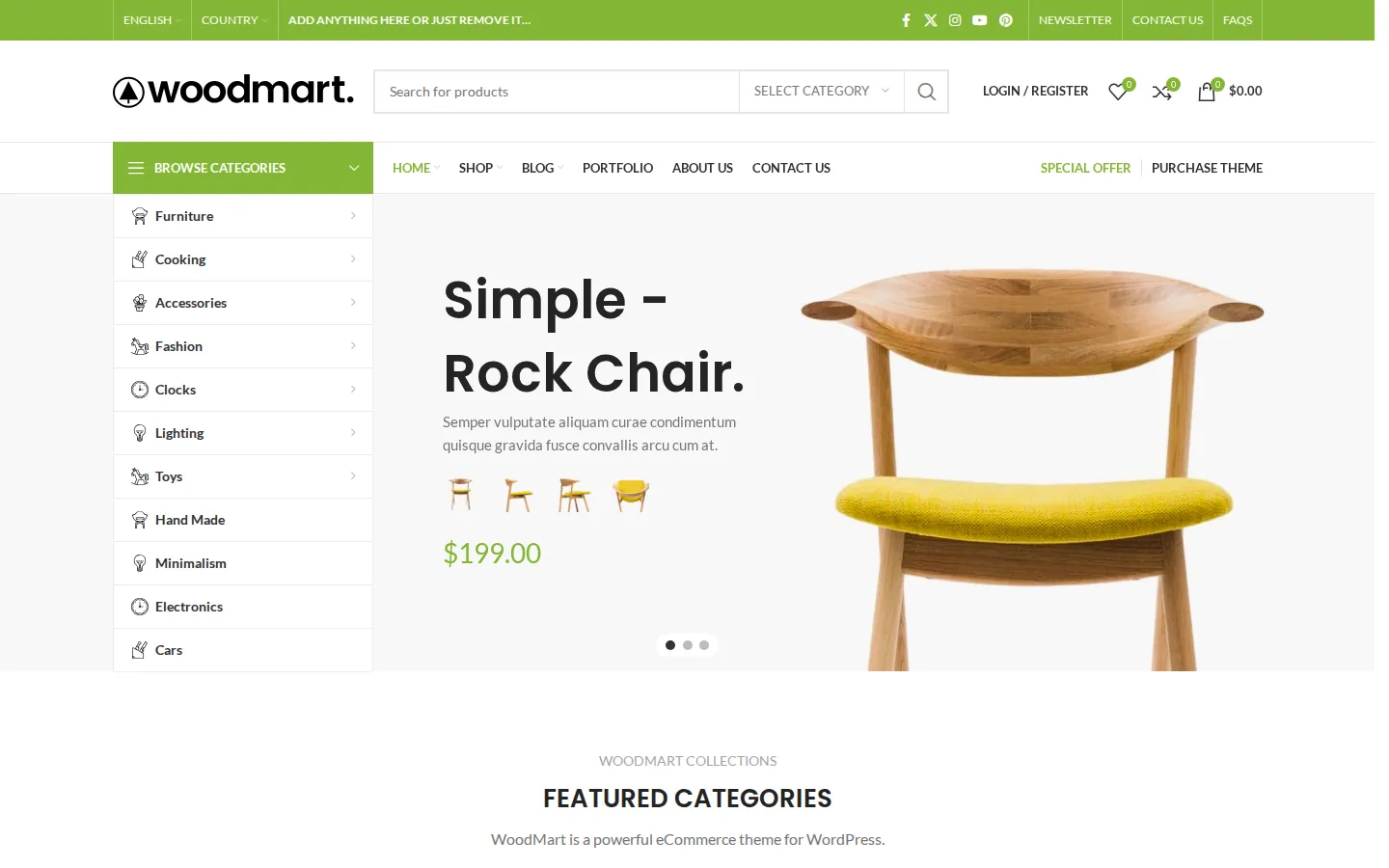
The WoodMart Main prebuilt website.
What Is WoodMart?
WoodMart is a WooCommerce theme from XTemos Studio. It is updated regularly, including security fixes, so staying current is part of maintaining a store built with it.
Unlike multipurpose themes such as BeTheme, WoodMart is built for online stores first. It can run a blog or a company site, but its real job is WooCommerce. XTemos says it powers more than 120,000 stores.
If you are still deciding between WooCommerce and a hosted store builder, read our Shopify vs WordPress comparison first. WoodMart only makes sense once you have chosen WooCommerce.
Setup Wizard and Demo Import
The setup wizard handles the child theme, builder, plugins and demo import. Our installation used Elementor without activating a theme license. The library offered 100 prebuilt websites, with partial imports available.
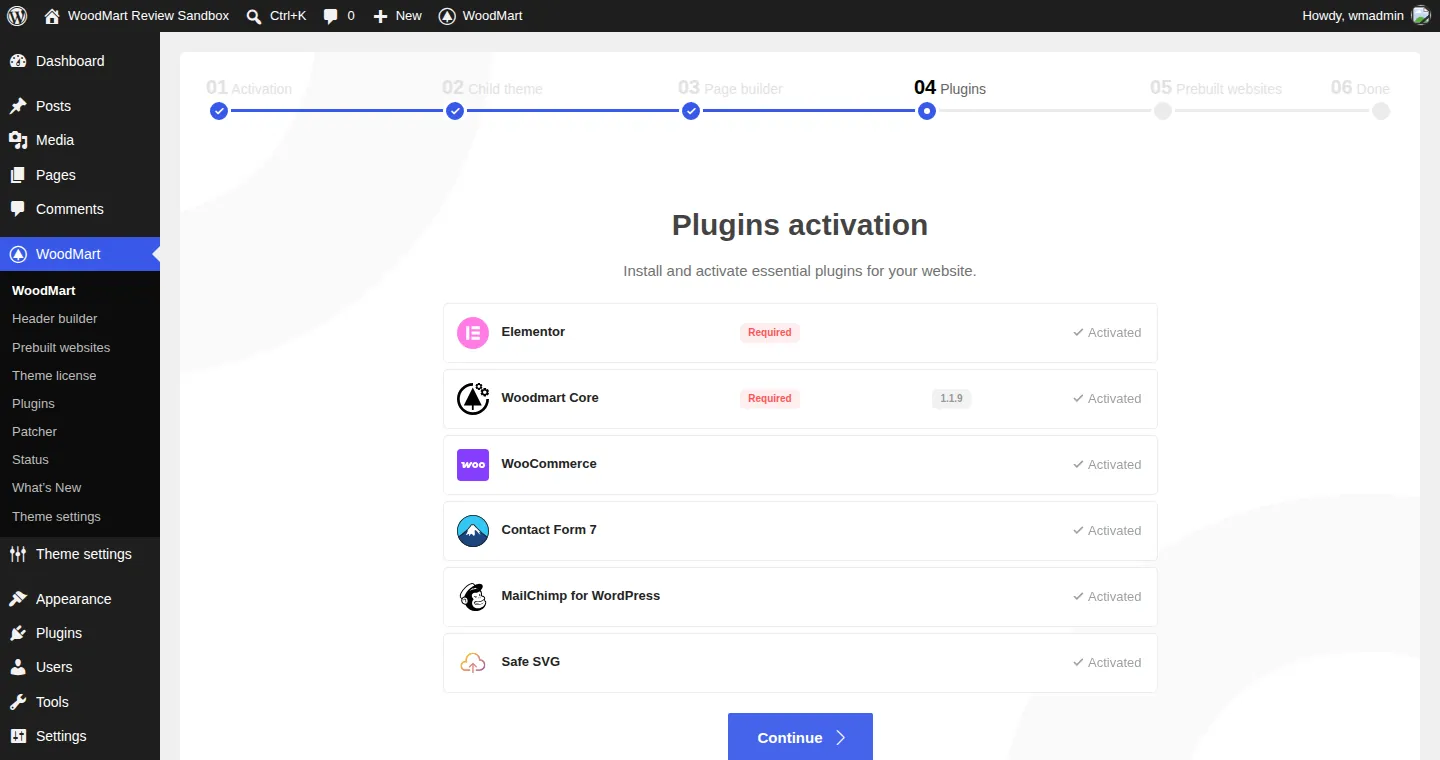
Step 4 of the setup wizard after “Install & activate all”.
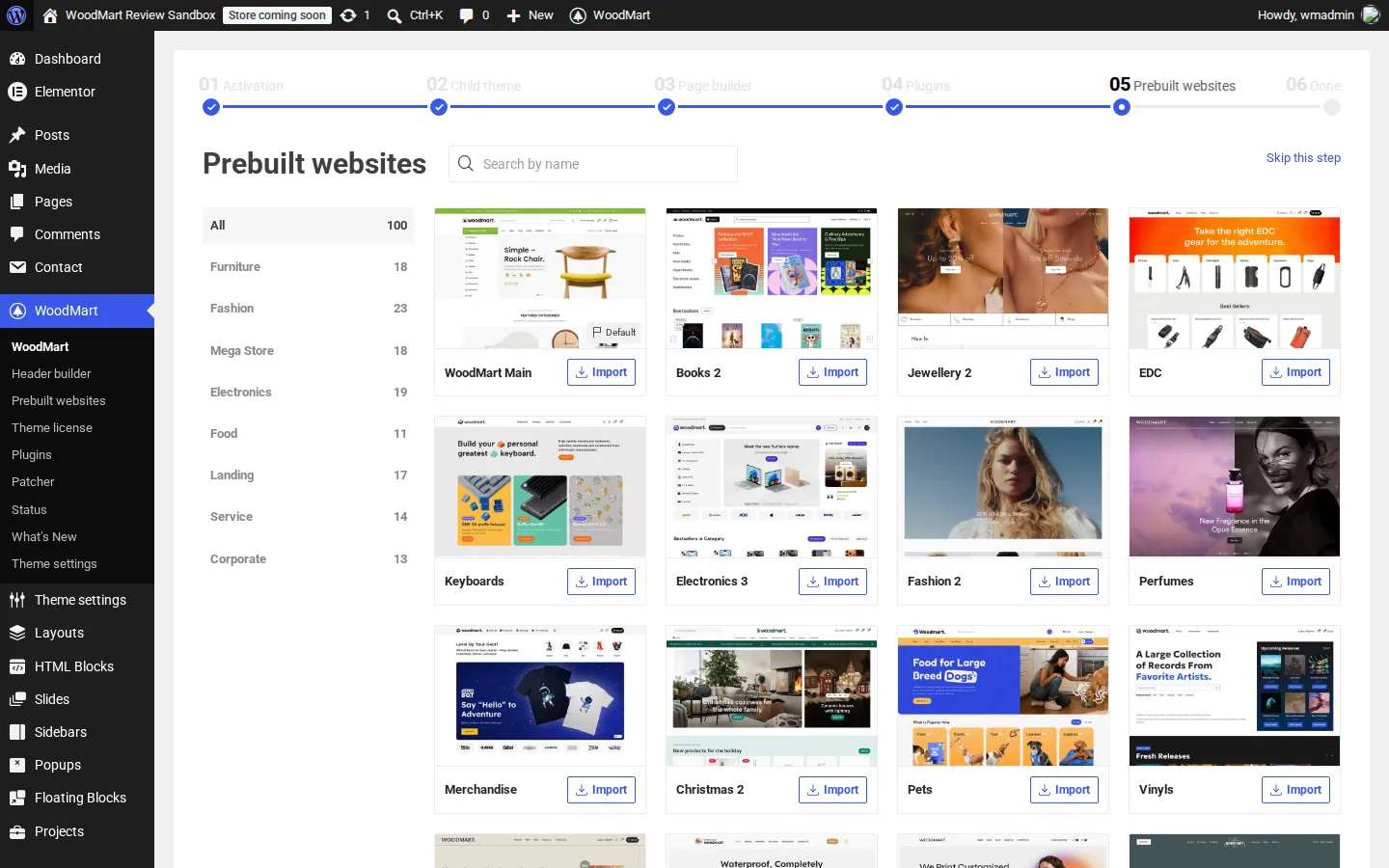
The prebuilt websites step of the wizard on our test install, with 100 demos.
WoodMart Main imported in about a minute and a half, including products, reusable blocks, menus and header designs. The result matched the demo, but it also added a lot of content and admin menus.
Keep the import tab open: interrupted attempts left us with incomplete content and empty menus. Use a fresh site or a backup. Afterward, review WooCommerce’s coming-soon setting, the enabled newsletter popup, vendor links and placeholder copy before opening the store.
Page Builders and Bundled Plugins
WoodMart works with three editors, and you choose one in the wizard:
- Elementor. With Elementor active, our install registered 141 WoodMart widgets, from banners and product grids to separate widgets for every part of the product, cart, checkout and My Account pages. The setup docs do not list Elementor Pro as required, and we did not need it.
- Gutenberg. WoodMart also registered 193 of its own blocks. XTemos added block versions of its demos in version 8.0 (November 2024). We did not build a Gutenberg site.
- WPBakery Page Builder. Offered as a download from XTemos’s server. We downloaded and scanned it, but did not activate it because we built with Elementor. XTemos says the bundled copy does not need a separate WPBakery license for updates when used with the theme.
Demos are built per editor, and the docs warn that content is not converted if you switch later, so pick carefully. XTemos says builders “not based on Gutenberg, Elementor or WPBakery” are not supported, which rules out Bricks, Divi and Beaver Builder. If you already use one of those, see our page builder comparison.
WoodMart Core, the plugin that holds most of the theme’s features, ships inside the theme zip, so it installs without an internet download. Slider Revolution used to be bundled, but XTemos removed it in version 8.4.1 (February 28, 2026). WoodMart has its own slider, and the Main demo used it for the homepage hero.
The WoodMart > Plugins page also offers two optional plugins:
- Image Optimizer. This is a cloud service, not a local tool. It sends images to an XTemos server for compression and WebP conversion, needs an activated theme license, and works on a storage quota with a paid upgrade. We did not test it. Our image optimizer plugin guide covers alternatives.
- WoodMart MCP. This lets AI agents such as Claude, Codex or Cursor manage the site through the Model Context Protocol (a standard way for AI tools to talk to software). When we activated it, it also installed and activated two more plugins from WordPress.org, AI and MCP Adapter. Its own page suggests using it on a staging site rather than a live one, which we agree with.
Theme Settings
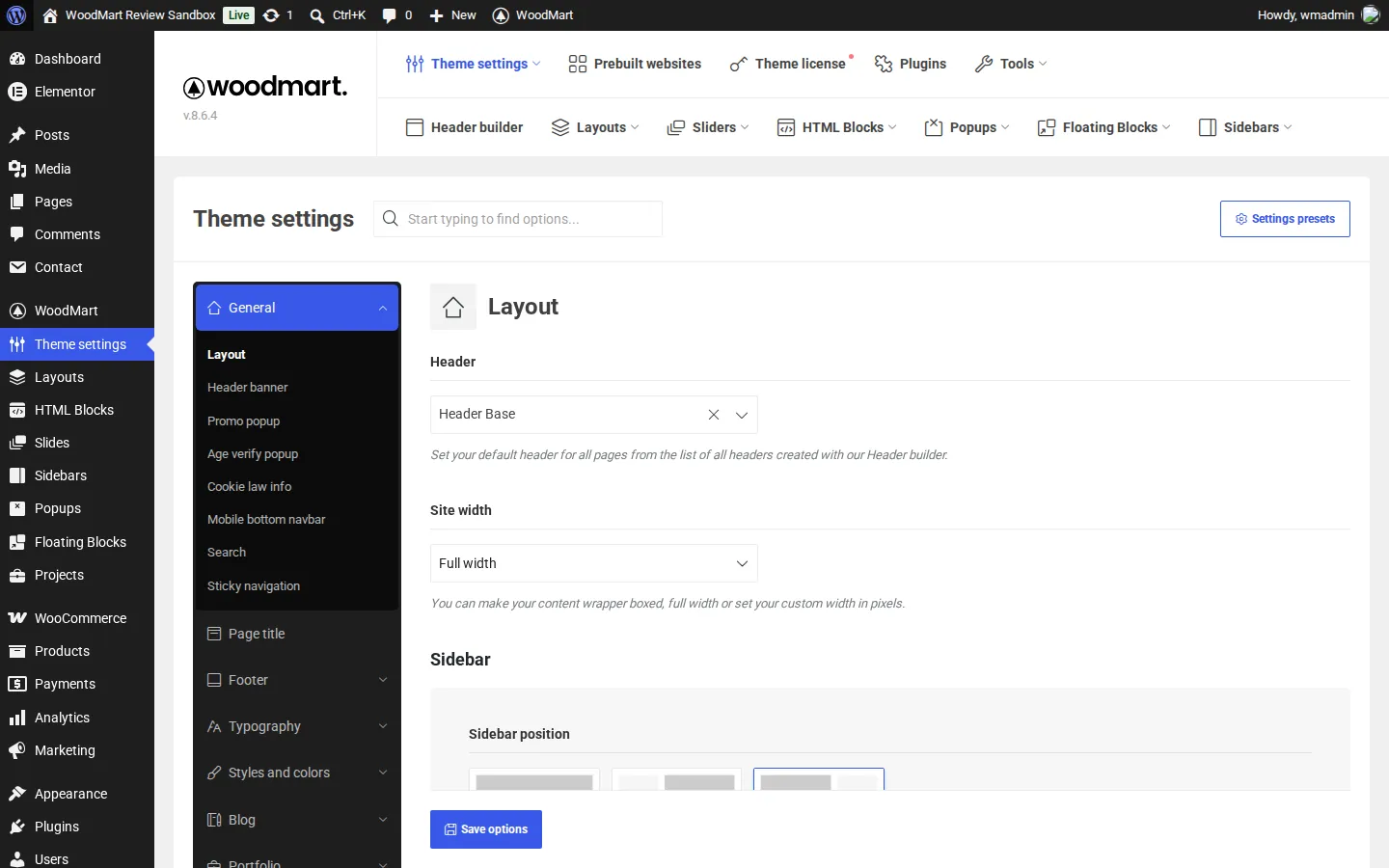
WoodMart Theme settings.
Global design and store options live in Theme settings, a separate panel rather than the WordPress Customizer. The left menu has about 20 sections (General, Page title, Footer, Typography, Styles and colors, Blog, Portfolio, Shop, Product archive, Single product, My account, Social profiles, API integrations, Performance, Maintenance, White label, Custom CSS and JS, and Import / Export / Reset), each with several subsections. A search box at the top finds options by name, which you will need: the settings store held more than 950 options on our install.
The Shop section is where most store features are switched on and configured, including the waitlist, price tracker, free gifts, free shipping bar, estimated delivery and abandoned cart.
It can do a lot, and it is busy. Beginners will lean on the search box, the guided tours and the docs.
Header Builder
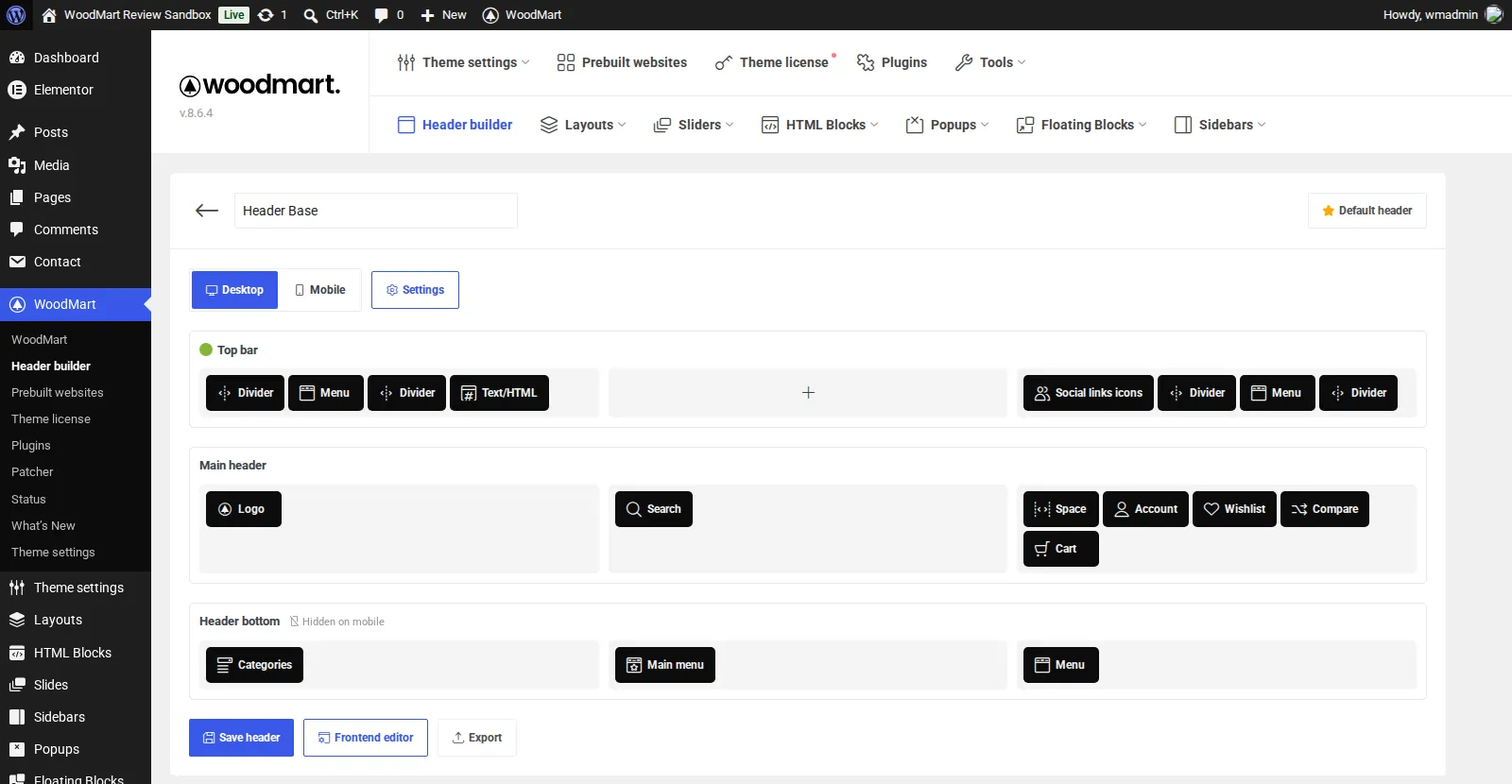
Editing the imported Header Base in the WoodMart header builder.
The header builder is a drag-and-drop editor with three rows (top bar, main header and header bottom), each split into left, center and right areas. Desktop and mobile headers are built separately on their own tabs, and each header has its own Settings panel. There is also a Frontend editor button.
Clicking a plus sign showed 18 element types: logo, main menu, secondary menu, mobile menu, cart, wishlist, compare, search, account links, categories dropdown, divider, space, text or HTML, HTML block, button, information box, social icons and sticky navigation. You can keep several headers and pick one per page. The Main demo came with four.
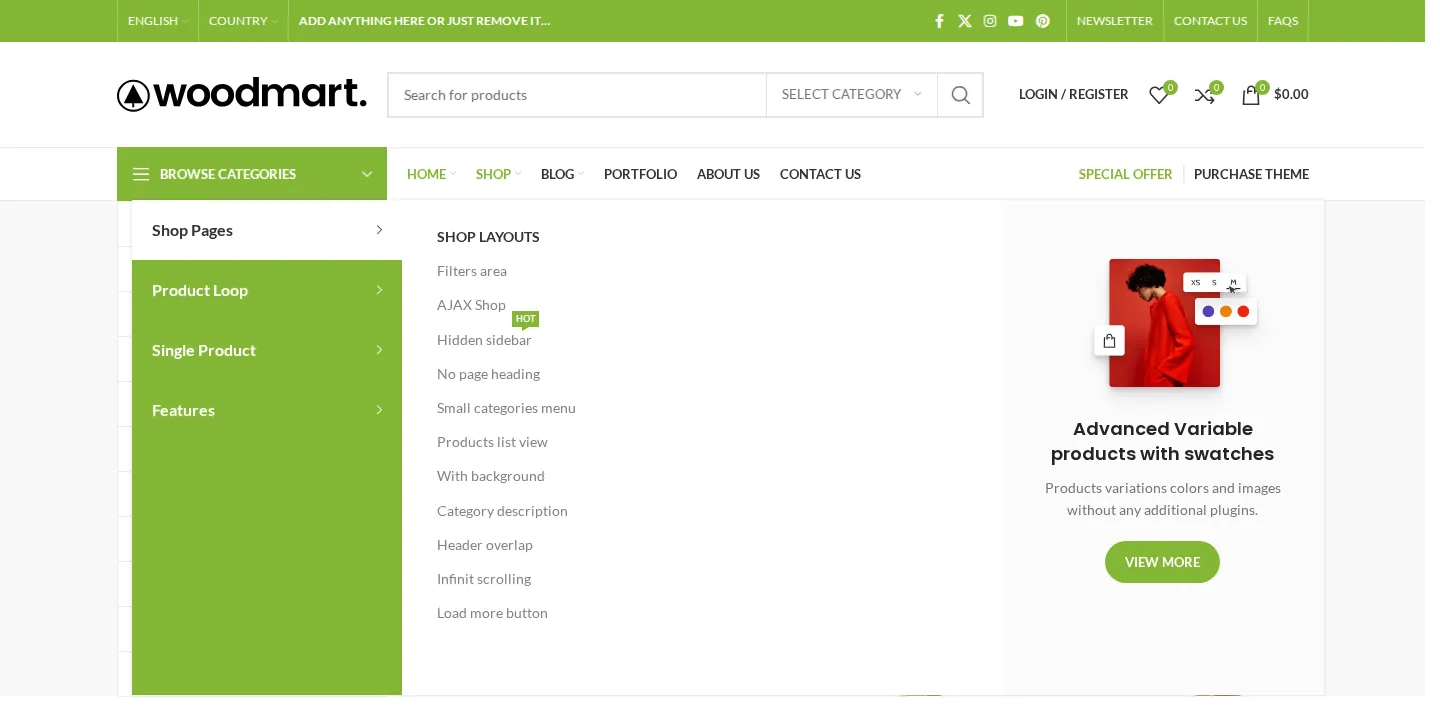
The imported Shop mega menu.
Mega menus are built from HTML blocks, so they can hold anything your page builder can make. The demo’s Shop mega menu opened on hover with no extra plugin.
Layout Builder
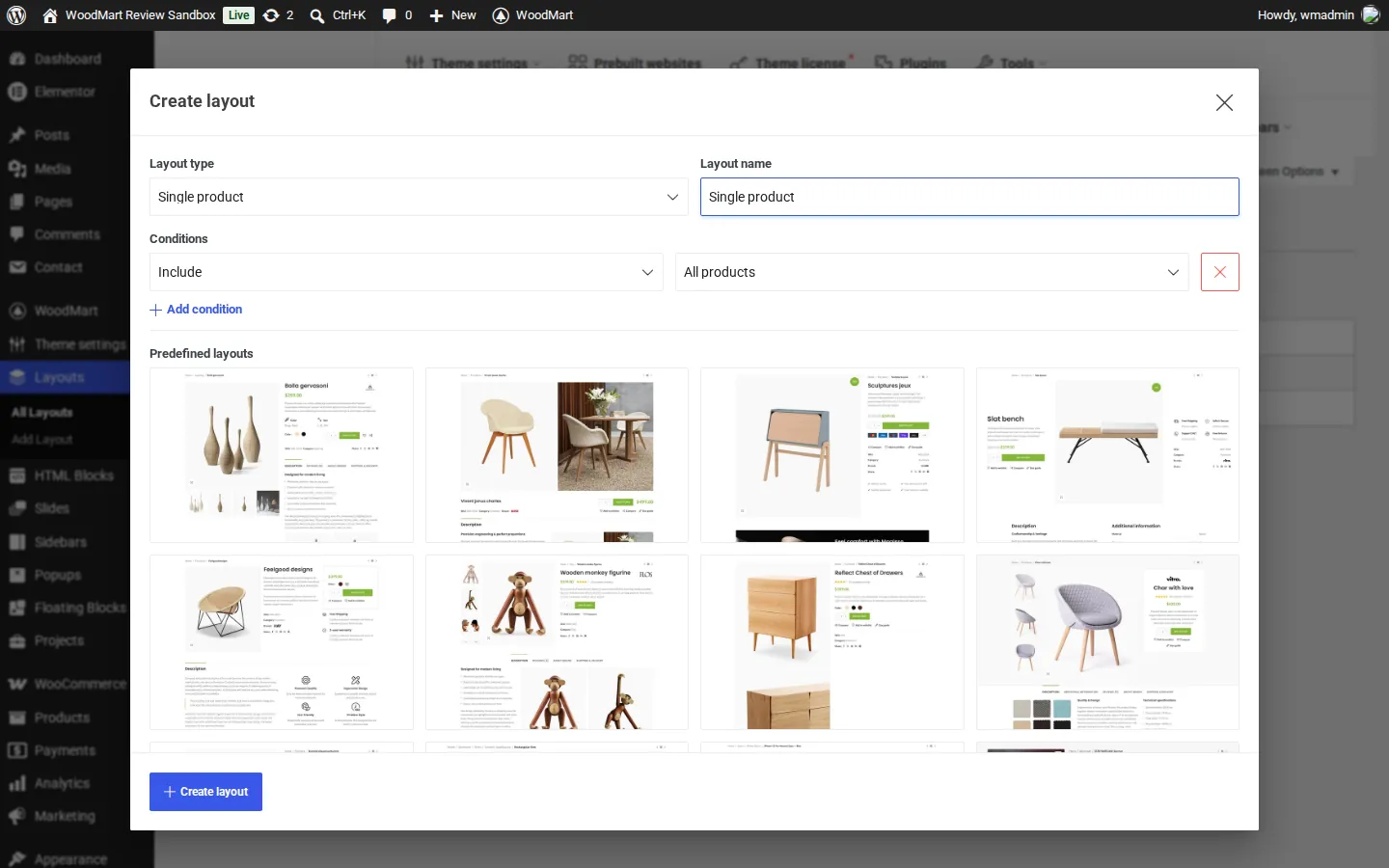
Creating a single product layout in the WoodMart Layout Builder.
The Layout Builder is WoodMart’s theme builder. Add Layout opened a dialog with 15 layout types: single product, products archive, cart, empty cart, checkout form, checkout top content, thank you page, My Account, login and register, lost password, single post, blog, single project, portfolio and product loop item (the card for each product in a grid).
Each layout gets display conditions, such as one product category, a brand, a product type or shop pages filtered by an attribute. A row of predefined layouts gives you a starting design. You then edit the layout in your chosen builder with WoodMart’s widgets. The demo we imported used the theme’s built-in templates rather than custom layouts, so the list was empty until you add one.
Version 8.6.0 also added support for WooCommerce’s newer Cart and Checkout blocks, according to the changelog.
Shop Features We Tested
We tested these as a logged-out shopper on the imported demo. Wishlist, compare, quick view, size guides and frequently bought together were already on. Almost everything else in this and the next two sections was off by default, even after the demo import, and we switched each one on in Theme Settings. Plan an hour to go through the Shop settings before launch.
Live search and AJAX filters
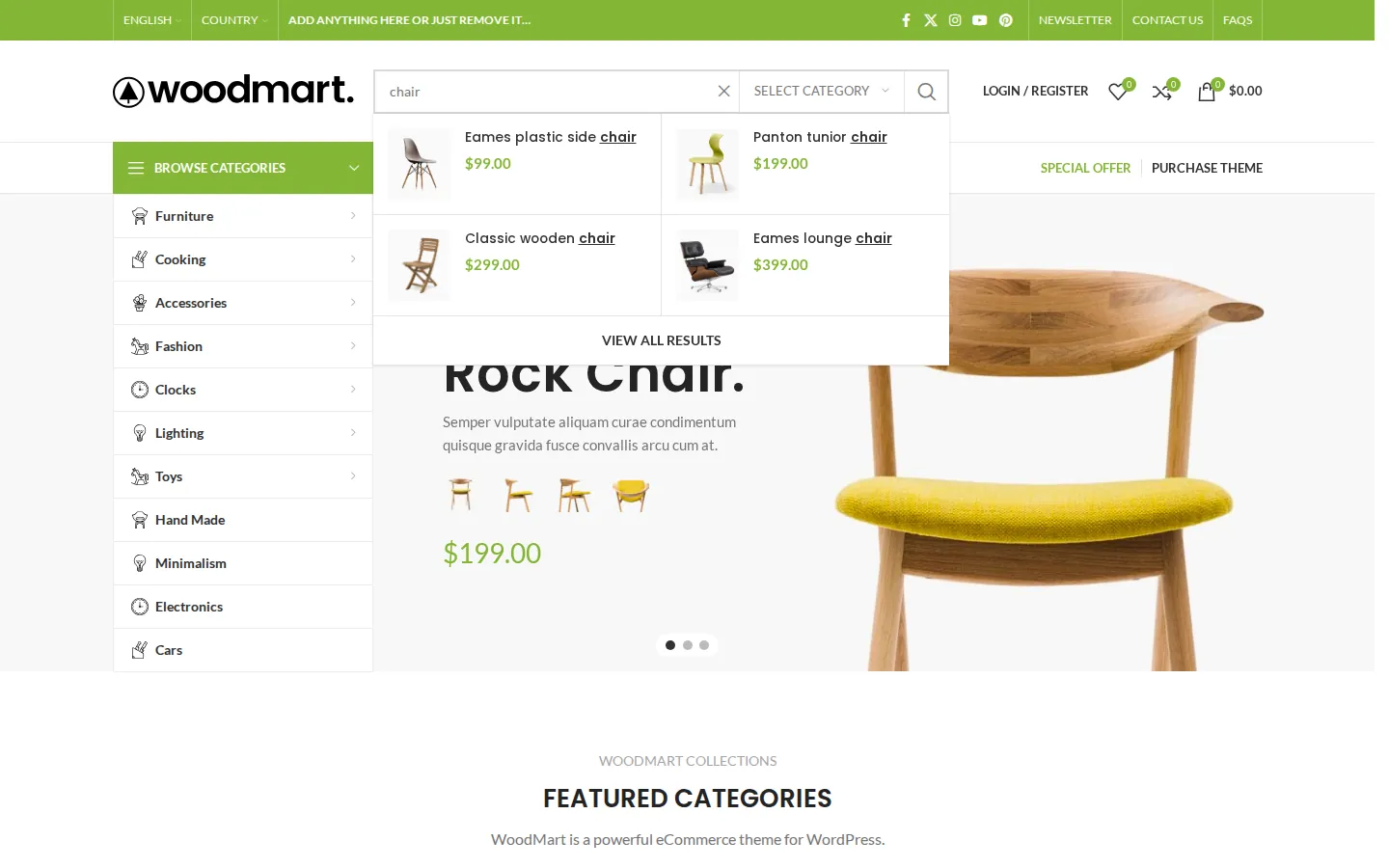
Live search results for “chair”.
Typing “chair” into the header search showed four matching products with thumbnails and prices before we pressed Enter, plus a “View all results” link.
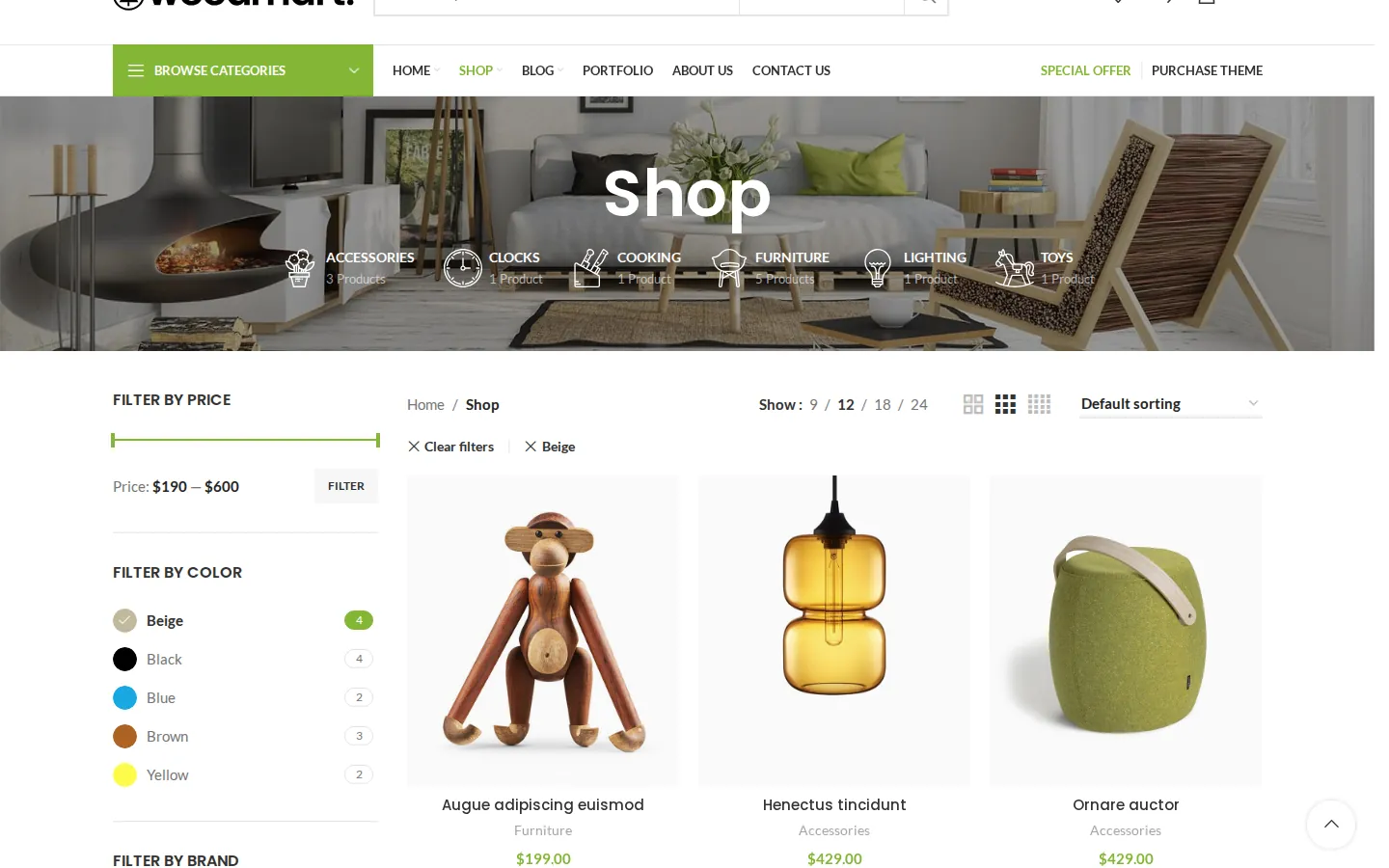
The shop page after clicking the Beige color filter.
The shop sidebar had filters for price, color (as swatches with product counts), size, brand and stock status. Clicking Beige changed the address to ?filter_color=beige and the grid from 12 products to 6 without reloading the page, and added “Clear filters” and “Beige” chips above the grid. Above the products you can switch grid columns and pick 9, 12, 18 or 24 products per page.
Quick view, wishlist and compare
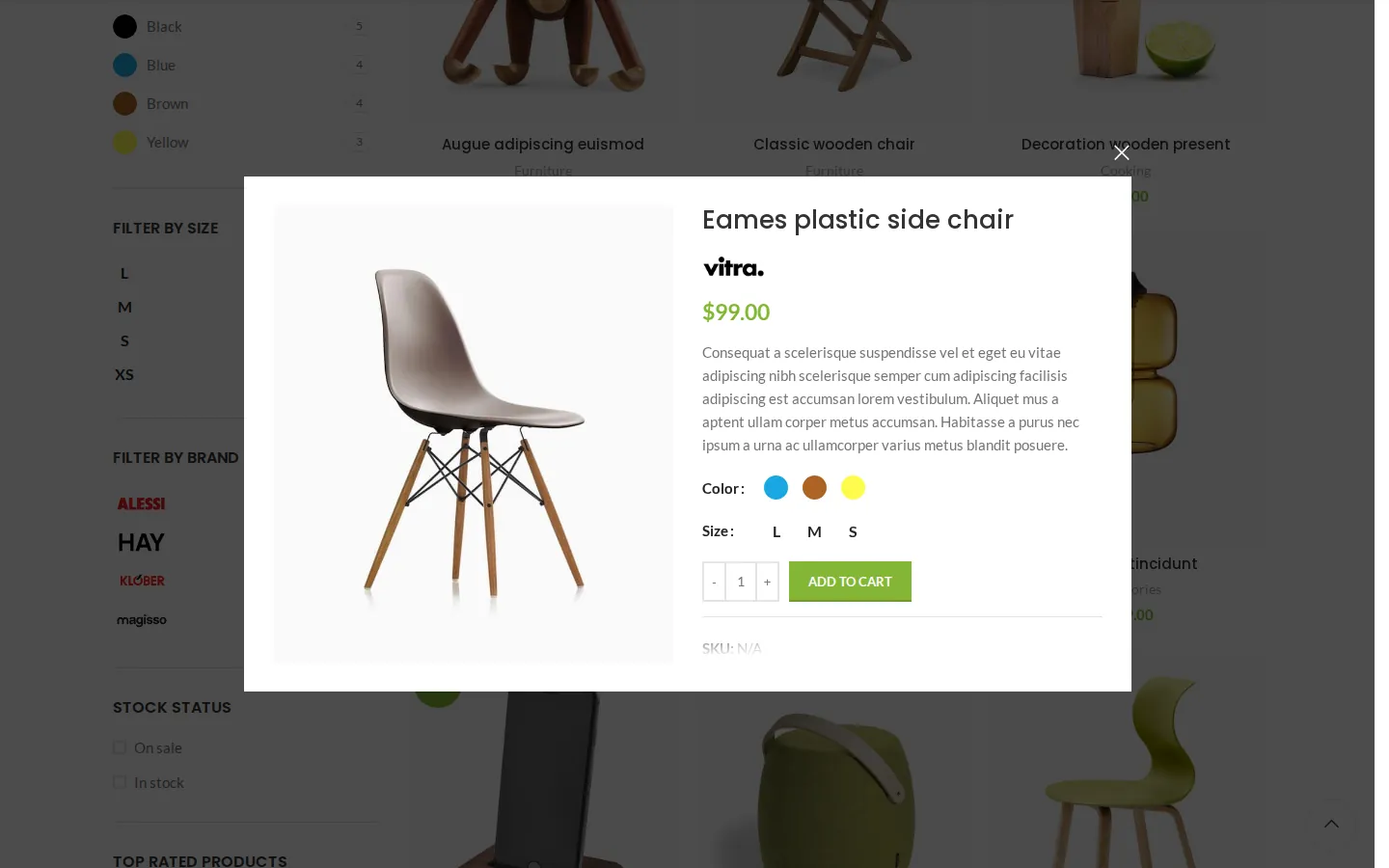
Quick view on a variable product.
Quick view opened a popup with the product image, brand logo, price, short description, color swatches, size buttons and an Add to cart button, so a shopper can pick a variation without leaving the grid.
As a guest, we added three chairs to the wishlist and to compare from the product grid. The header counters went to 3, and the Wishlist page listed all three with remove buttons. The Compare page put them side by side with price, add to cart buttons, description and stock.
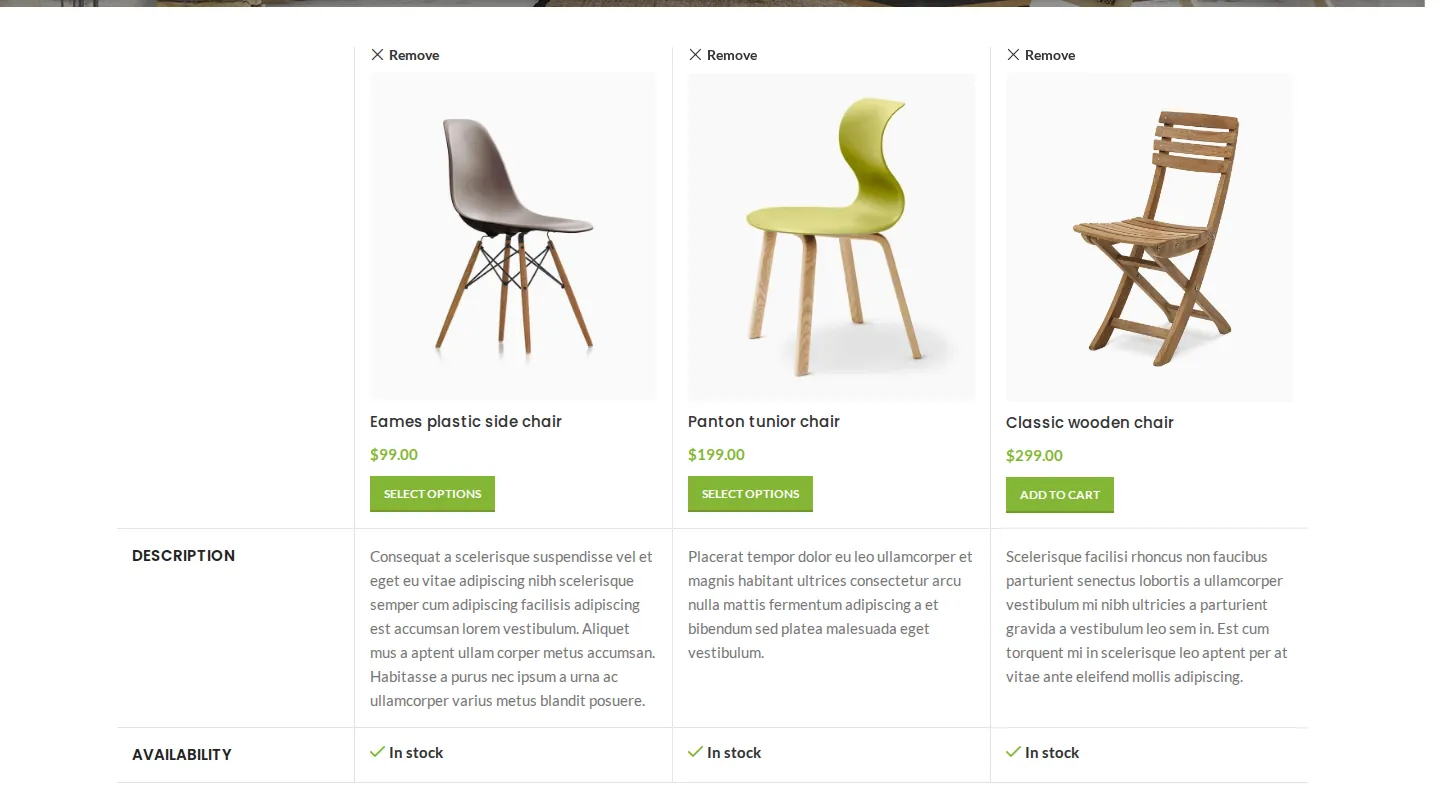
The Compare page with three products.
Product page, swatches and size guide
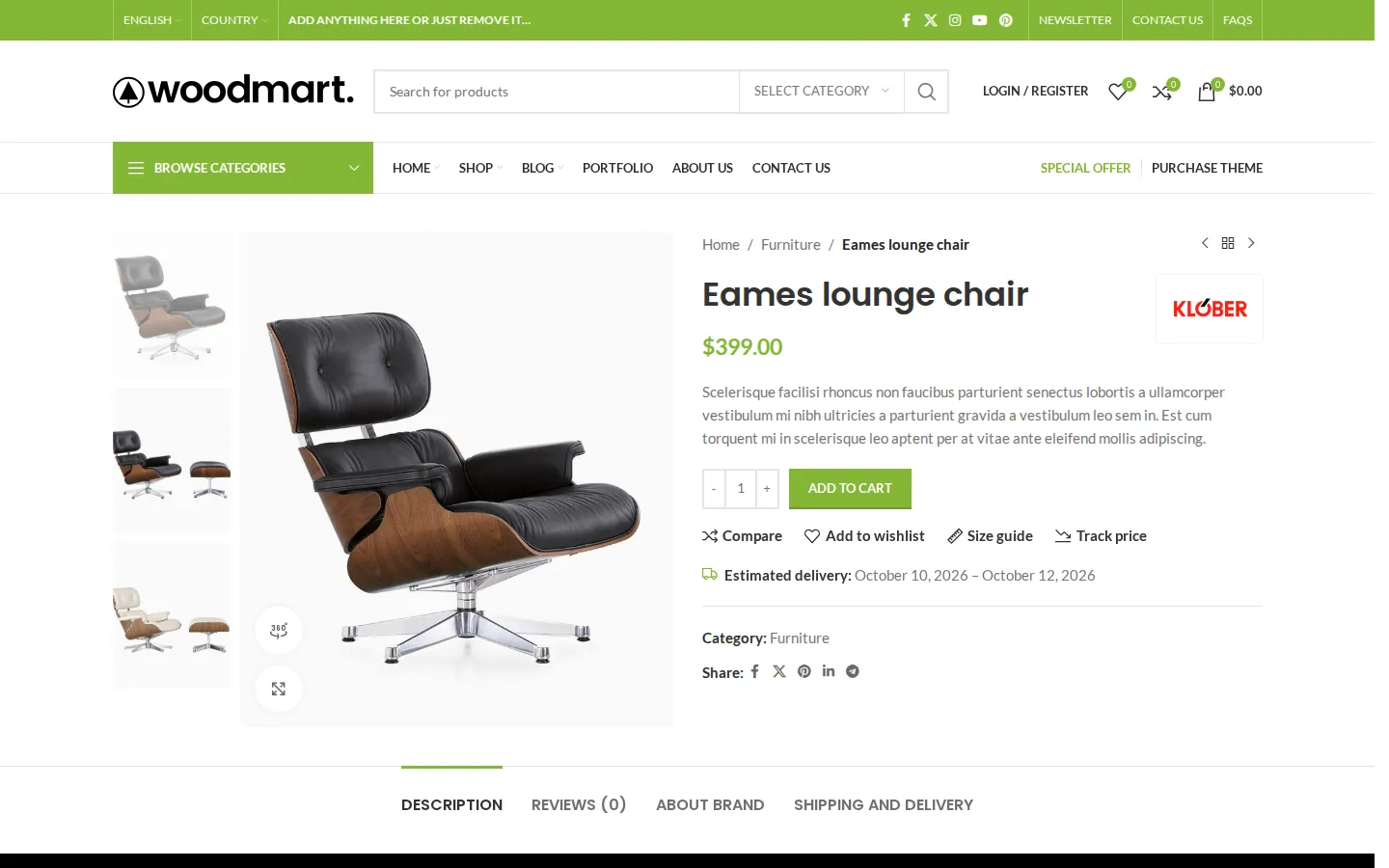
A product page on our test install after we turned on the price tracker and delivery estimates.
The demo product pages had a vertical gallery with fullscreen zoom and a 360-degree view button, a brand logo, previous and next product arrows, and tabs for description, reviews, brand and shipping. Variable products used color swatches and size buttons instead of dropdowns. The Size guide link opened a popup with a sizing table, built from the Size Guides section in the admin.
Selling More Per Order
Frequently bought together
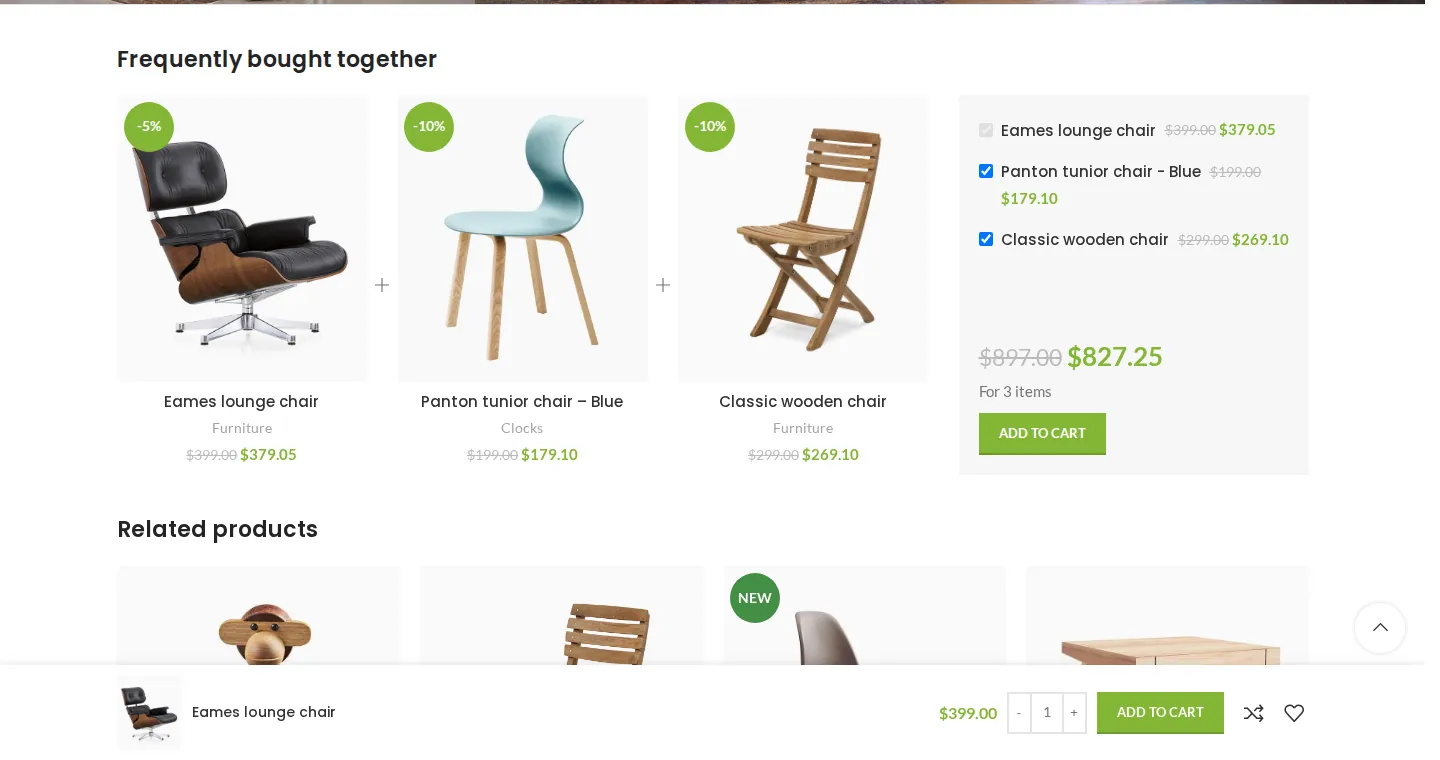
The bundle we built, with the sticky add to cart bar at the bottom.
We created a bundle under Products > Frequently Bought Together with 5% off the main product and 10% off two other chairs, then attached it to the Eames lounge chair. The product page showed the three products with checkboxes and a bundle price of $827.25 instead of $897. Shoppers can untick items they do not want.
Dynamic discounts, free gifts, free shipping bar and delivery dates
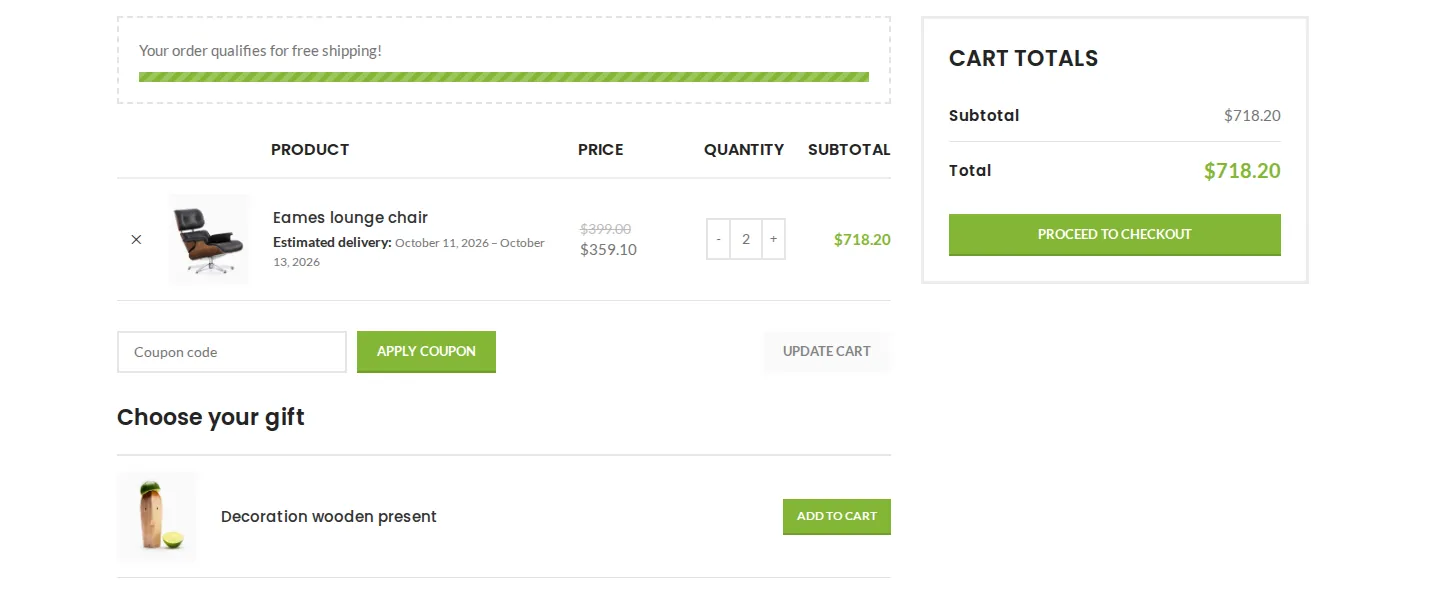
The cart with a quantity discount, free shipping bar, delivery estimate and free gift.
We set up three rules and then put two $399 lounge chairs in the cart:
- Dynamic discount: “buy 2 or more, save 10%”. The cart showed each chair at $359.10, no coupon code needed. Rules can be fixed or percentage discounts by quantity range, limited to products, categories, tags, attributes or brands.
- Free gift: a gift product offered once the cart passes $300. The cart showed a “Choose your gift” table. Gifts can also be added automatically.
- Free shipping bar: the demo threshold was $100, and the cart and mini cart said “Your order qualifies for free shipping!” with a full progress bar.
- Estimated delivery: a 3 to 5 day rule. The product page and cart showed actual dates, such as October 10 to October 12, 2026.
Sticky add to cart also worked once switched on: scrolling down a product page brought up a bar with the product, price, quantity and Add to cart button. Phones have a separate switch for it, which we left off.
Other selling tools in the settings include a sold counter, a “people watching this product” counter, countdown timers and Buy now buttons. We switched on the two counters, but with no real orders or traffic they had nothing to show.
Bringing Shoppers Back
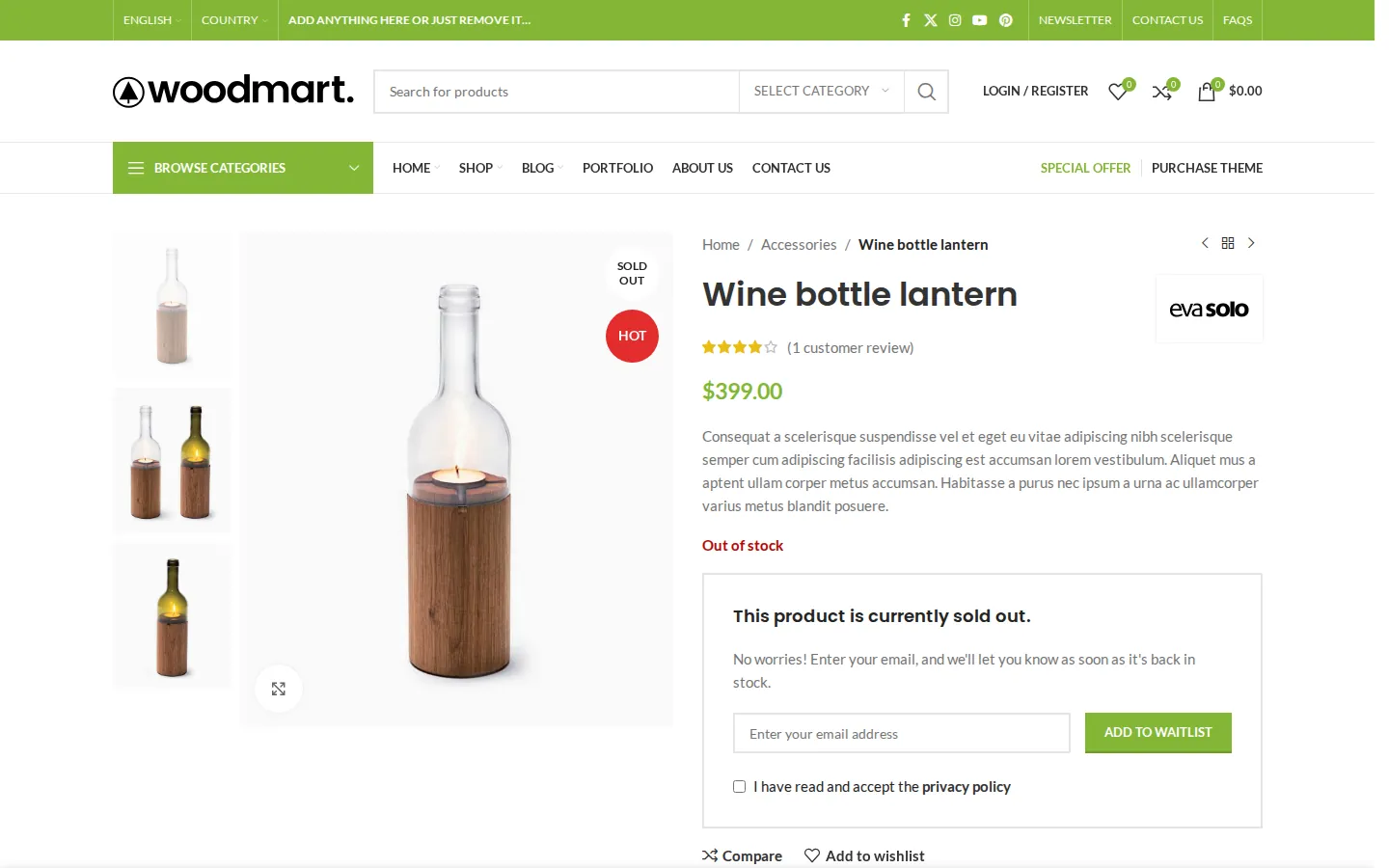
The waitlist form on an out-of-stock product.
- Waitlist (back-in-stock alerts). We marked a product out of stock. Its page showed a waitlist box with an email field and a privacy checkbox. Subscribing a test address showed “We added you to this product’s waitlist” and asked the shopper to confirm by email, which is good practice. Our sandbox had no mail server, so we did not see the emails.
- Price tracker. A “Track price” link appeared on product pages and opened a small form. Shoppers can be told when the price drops, and you can let them set a target price.
- Abandoned cart recovery and review reminders. Both switched on in Theme Settings, but both need real emails and time, so we could not test them.
- Email marketing consent at registration and checkout is also there.
These forms add personal data to your store, so mention them in your privacy policy.
Store Builders and Marketplaces
For marketplaces, XTemos lists built-in support for Dokan, MultiVendorX, WCFM, WC Vendors and the YITH multi-vendor plugin. We did not install any of them, so treat that as the vendor’s claim. The demo library has a marketplace demo if you want to see how one looks.
Mobile
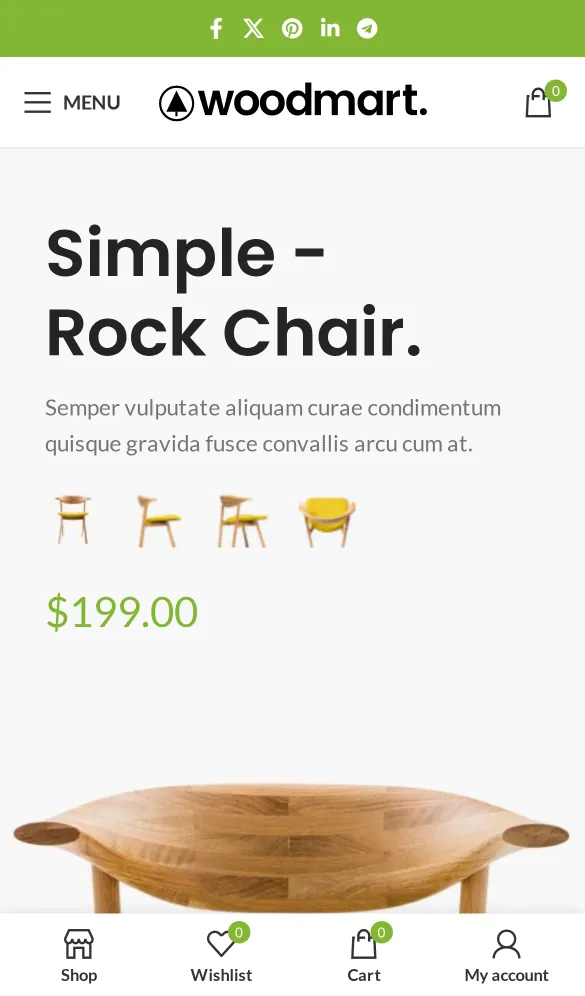
The demo homepage at phone size with the bottom toolbar.
At phone size the demo switched to its separate mobile header (menu button, logo and cart) and showed a bottom toolbar with Shop, Wishlist, Cart and My account. On shop pages the toolbar added a Filters button, which slid in the full filter sidebar.
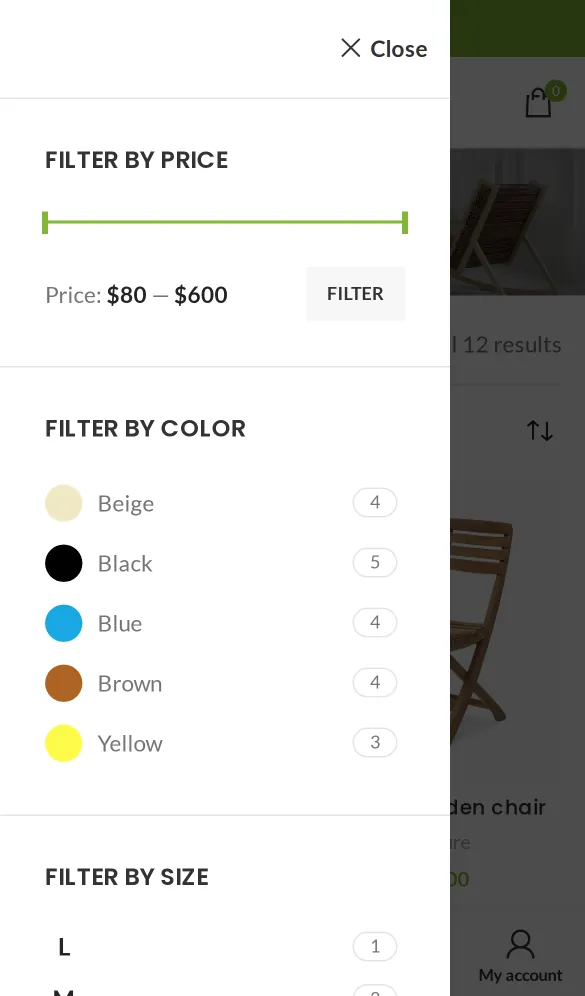
Off-canvas shop filters at phone size.
Performance
XTemos says WoodMart loads only the CSS and JavaScript each page needs and is built to pass Google’s Core Web Vitals. We measured the imported demo inside our sandbox, logged out, with the browser cache off. This is a local test with no page caching or CDN, so treat it as a guide to page weight, not to hosting speed.
The imported home page transferred about 2.5 MB across 288 requests on desktop and 1.6 MB across 247 requests on the phone profile. The shop and product pages were in a similar range. This is a feature-rich store demo with a substantial asset stack, rather than a minimal theme installation.
On the desktop homepage, images were 2,035 KB of the total in 86 requests. The code itself was not large: 113 KB of CSS, 263 KB of JavaScript (jQuery included) and 74 KB of fonts. But the CSS came in 129 separate small files, because WoodMart splits its styles into parts and loads only the parts a page uses. That keeps the CSS small, but it means a lot of requests. On a host with HTTP/2 or HTTP/3 and a caching plugin that combines files, this matters less.
Two good details: every file loaded from our own site, because WoodMart’s Local Google Fonts option (on by default) downloads the fonts to your server, and Lighthouse found almost no layout shift.
For a rough comparison, the Blocksy Garderobe shop starter site we measured the same way weighed 946 KB in 58 requests. The bare themes in our fastest WordPress theme test start under 100 KB. WoodMart’s demos are rich, image-heavy designs, and they weigh like it.
We also ran Lighthouse 12.6.1 on the homepage inside the sandbox. It could not give an overall performance score in our container setup, so here are the timings it measured:
Lighthouse measured the main content appearing after 2.9 seconds on desktop and 4.1 seconds on its simulated slow phone. It reported no blocking time and almost no layout shift. Our container setup could not produce an overall performance score, so these timings should not be presented as one.
On desktop, the largest element was a category image lower on the page that was set to lazy-load, which delayed it. Accessibility scored 96 on desktop and 93 on mobile. If you use a demo, swap in your own compressed images, turn on lazy loading in Theme settings > Performance, and use page caching and good managed WordPress hosting.
WooCommerce Compatibility
WoodMart replaces 40 WooCommerce templates with its own versions. WooCommerce’s status page marked five as outdated: the cart, mini cart, thank-you page, product meta and product reviews. Everything we tested in the cart and on product pages still worked. Keep the theme updated and check your store after WooCommerce updates.
Translation and RTL
XTemos says WoodMart is translated into 37 languages and works with WPML and Polylang. On our install, the theme zip contained only a translation template (woodmart.pot), and the WoodMart > Status page said: “Automatic translation updates require theme license activation.” So the ready-made translations come from XTemos’s server after you activate a license. Without one, you translate with a plugin such as Loco Translate.
Right-to-left support does not need a license. When we switched the site to Arabic, the layout mirrored correctly and WoodMart loaded 24 RTL stylesheets. The header, menus and category list flipped to the right side. One flaw on the demo homepage: part of the hero slide text slid under the category menu.
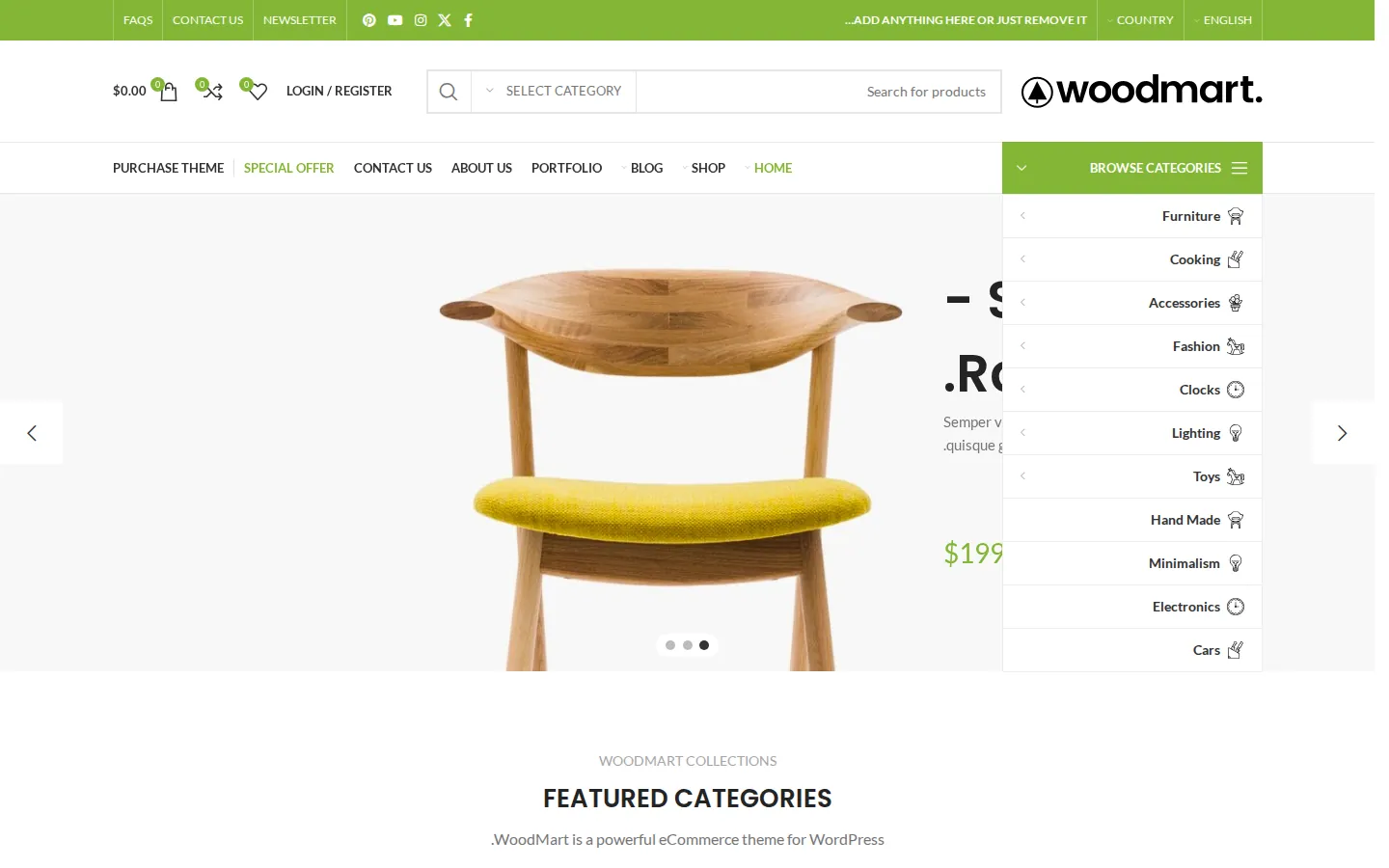
The demo homepage with the site language set to Arabic.
We did not install WPML or Polylang.
Requirements: Check PHP 8.3 First
WoodMart’s requirements are stricter than many themes. As of October 2026, the docs ask for:
- The latest stable WordPress version.
- PHP 8.3 or later.
- MySQL 8.0 or later, or MariaDB 10.11 or later.
- HTTPS.
XTemos also recommends PHP limits of 256M memory, 64M upload and post size, 180 seconds execution time and 10,000 input variables. The WoodMart > Status page shows your values next to these. Our sandbox ran PHP 8.3.35 and MariaDB 11.8 with no problems.
Some hosts still run older sites on PHP 8.1 or 8.2, so check your PHP version before you buy. If your host cannot meet these numbers, our managed WordPress hosting picks are a good place to find one that can.
What WoodMart Connects To
Our sandbox sent all outside traffic through a logging proxy, and a small plugin recorded every request WordPress made. Here is what we saw over the whole test:
- Your shoppers’ browsers do not contact XTemos. The demo pages we visited loaded everything from our own site, fonts included. The outside requests we saw came from WordPress or the demo content: Gravatar profile images in the blog, a YouTube player for a demo product video and OpenStreetMap tiles for the contact page map.
- The demo import downloaded 288 images from XTemos’s demo server.
- Plugin version checks. On theme activation and on many WoodMart admin screens, the theme asked xtemos.com for the latest versions of WPBakery, Image Optimizer and WoodMart MCP. These requests carried only the plugin name, plus WordPress’s normal user agent, which includes your site address.
- The Patcher page asked xtemos.com for patches for version 8.6.4 when we opened it, and reported none. We did not apply anything.
- Local Google Fonts. The theme downloaded the Lato and Poppins fonts from Google once, to serve them from your site.
- Admin screens load images from XTemos’s site (demo thumbnails and settings tooltips) and Google Fonts in your own browser.
- License activation, if you use it, sends your purchase code, domain and optional email to XTemos. We did not activate.
The theme made no request we could not explain, and none of its requests were blocked. The requests our allowlist did block came from WooCommerce, Elementor, WordPress profile images, the demo’s YouTube video and the browser itself.
Updates Without a License
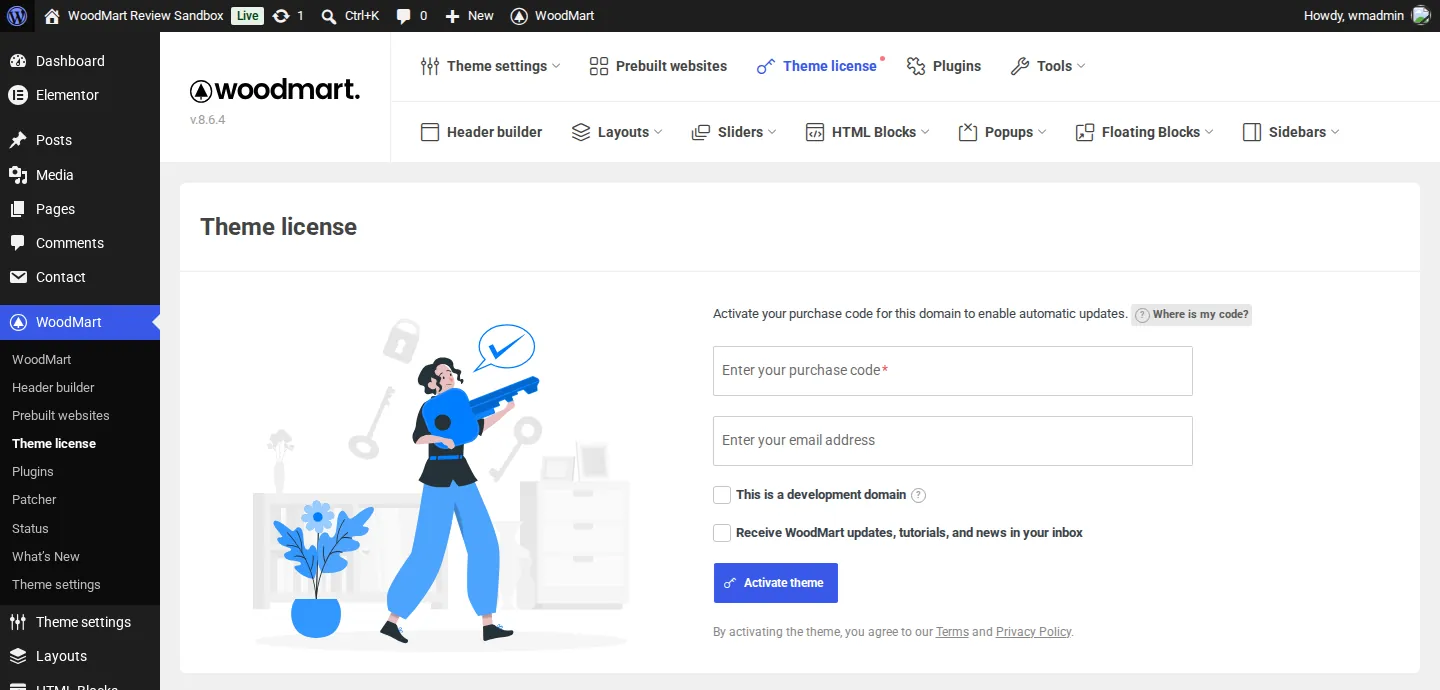
The Theme license page, which we left empty.
The license page says: “Activate your purchase code for this domain to enable automatic updates.” The theme’s code only hooks into WordPress’s update system when a license is active, so without one you will not see WoodMart updates under Dashboard > Updates. XTemos says copies from GPL clubs or pre-activated builds cannot get updates or support and may have modified files.
So “lifetime updates” is true, but only for an activated purchase code. With one, updates come from XTemos’s servers even after your support period ends. Without one, you would have to download each new version from ThemeForest and upload it by hand. For a theme that runs your checkout and had security fixes in October 2026, that is reason enough to buy and activate a real license.
Pricing and License Terms
WoodMart is sold only on ThemeForest. On October 7, 2026 the item page showed:
- Regular License: $69. Envato added a $3 handling fee and tax at checkout when we checked earlier in October.
- Extended License: $3,999. Envato’s rules say you need it only if your end users pay to use the end product, such as a site template you sell. A normal online store, where customers buy your products, uses the Regular License.
- Support extension: $21.38 to extend support to 12 months at purchase, shown against a $49.88 full price.
What the license includes, according to XTemos’s license FAQ and docs:
- One website project. A purchase code can be active on one live domain and one staging or development domain for the same site. Each extra client site or store needs its own license.
- Updates for the life of the theme. The license does not expire. After support ends, you can keep using the theme and getting updates.
- 6 months of support, which you can extend or renew from your ThemeForest Downloads page.
- Refunds follow Envato’s rules. XTemos’s refund page says it follows ThemeForest’s refund policy.
Moving a site? Deactivate the license on the old domain first (under WoodMart > Theme license) or remove the old domain from your XTemos account. The update docs say a stale activation after a move causes a “BAD_FORMAT” error. Our guide to moving WordPress to a new host covers the rest. If you test changes on a copy with one of the WordPress staging plugins we reviewed, tick “This is a development domain” when activating there so it does not use up your live activation.
Support and Documentation
Support runs through the WoodMart forum on xtemos.com, which had more than 34,000 topics in September 2026. XTemos’s terms say support covers setup, configuration advice and bug help, not custom work or third-party plugin conflicts. We did not use support, so we cannot judge response times.
The documentation is large and current, and the dashboard links to it from every screen, along with video tutorials and five guided tours, starting with replacing the logo in the header builder.
What We Could Not Test
- License features: one-click updates, translation downloads, the Patcher’s apply button and premium support.
- Image Optimizer, which needs a license and XTemos’s cloud service.
- Emails: waitlist, price tracker, abandoned cart and review reminder emails, because the sandbox had no mail server.
- WPBakery and Gutenberg sites. We built with Elementor.
- Marketplaces, WPML and Polylang, which need extra plugins.
- Real-world speed. Our numbers come from a local sandbox with no caching.
- Long-term use. We used WoodMart for a day on a test site, not for months on a live store.
WoodMart Alternatives
Flatsome is worth comparing if you prefer its dedicated UX Builder. Astra is a lighter starting point, but you will need separate tools for some of WoodMart’s store features. Uncode offers another design-led WooCommerce workflow.