Best Page Builder for WordPress (2026): 8 Builders Compared
Elementor is the easiest starting point if you want to try a visual builder for free. Divi and Bricks offer better long-term value for some people building many sites. If you mainly publish articles and simple pages, the WordPress block editor may already be enough.
Test Results: Page Weight and Effort
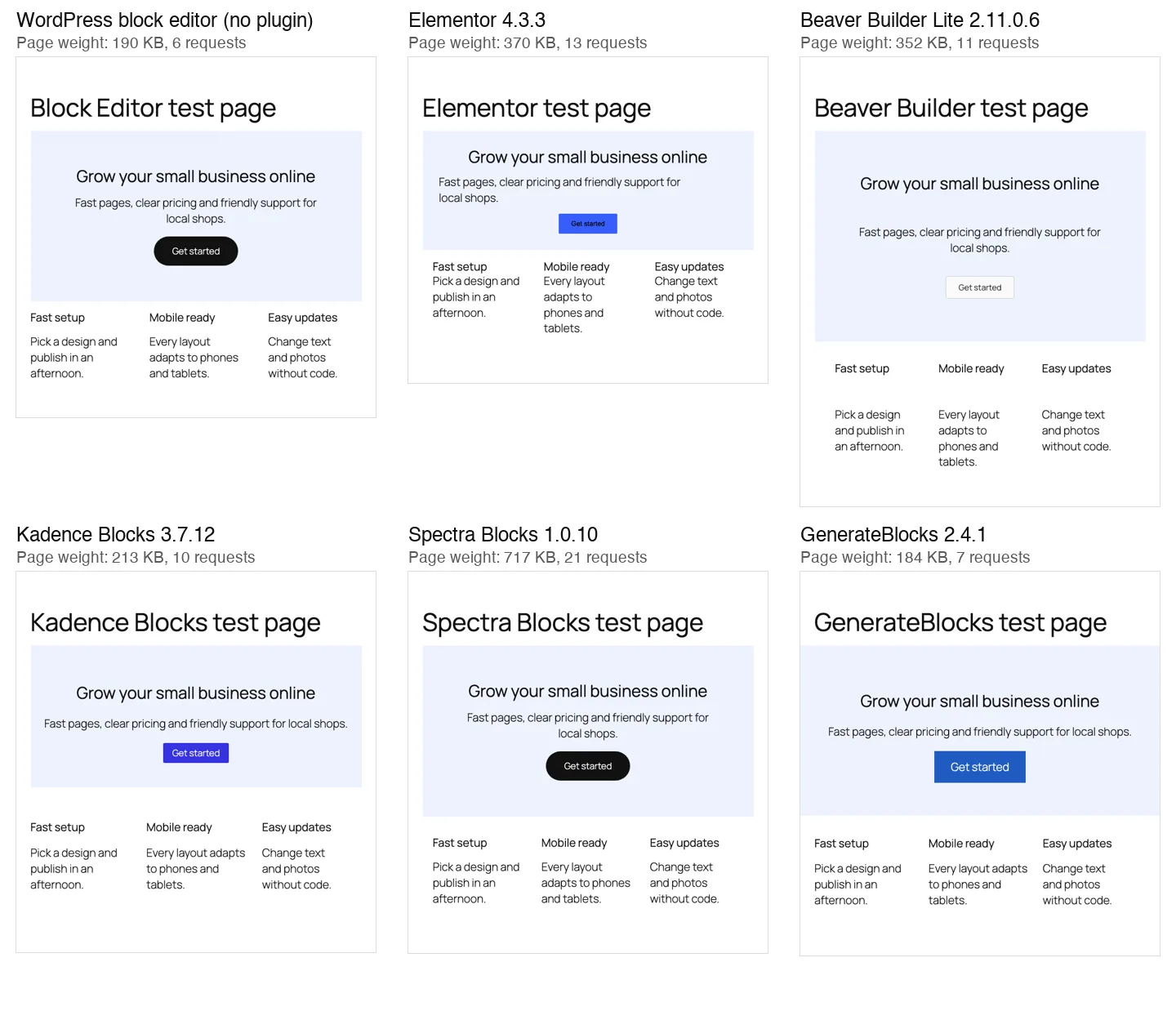
The block editor and GenerateBlocks produced the lightest pages in our test. The plain editor page transferred 190 KB, or 86 KB compressed, across six requests and took about 28 build actions. GenerateBlocks transferred 184 KB, also 86 KB compressed, across seven requests, adding one 0.7 KB stylesheet and taking the same approximate number of actions. Kadence Blocks needed 29 actions and produced 213 KB, or 91 KB compressed, across ten requests; its four stylesheets added 18 KB.
Beaver Builder Lite needed about 39 actions and transferred 352 KB, or 136 KB compressed, across 11 requests. It added jQuery, a 44 KB layout script and a 22 KB stylesheet. Elementor took about 27 actions and produced 370 KB, or 99 KB compressed, across 13 requests, including a 53 KB stylesheet and two Google Fonts stylesheets.
Spectra Blocks produced the heaviest page here: 717 KB, or 151 KB compressed, across 21 requests and about 33 build actions. Roughly 394 KB came from inline CSS, alongside animation and modal scripts. These results describe our matched test pages, not a promise about every layout built with these tools.
Page weight counts everything a first-time visitor downloads, including the theme’s own files (about 190 KB). Measured on a local test install. “Actions” counts elements added, text edits and setting changes.
What stood out:
- GenerateBlocks and Kadence Blocks added almost nothing. GenerateBlocks wrote one tiny stylesheet for the page. Kadence loaded only the CSS for the blocks we used.
- Elementor’s page was lean in markup but loaded Google Fonts. It pulled Roboto and Roboto Slab stylesheets from Google’s servers by default, even though our page never used those fonts.
- Beaver Builder loaded jQuery (about 99 KB with jQuery Migrate) on a page that has no interactive parts.
- Spectra Blocks was the heaviest by far. Version 1.0.10 added about 394 KB of inline CSS (about 35 KB compressed) to every page on our test site, even pages with no Spectra blocks on them.
- Effort was similar everywhere. Each build took 27 to 39 actions. Beaver Builder needed the most because every module opens its own settings window that you save separately.
One small test page is a rough guide, not a speed benchmark. Images and hosting usually matter more.
We built the same simple landing-page section with each free tool and measured it with other builders disabled. Divi and Bricks are covered from vendor documentation rather than matching test builds. The results describe these small default pages, not the weight of a finished site.
Elementor
Elementor has been around since 2016, its free version has 10+ million active installs on WordPress.org, and it has the largest market of add-ons, templates and freelancers. Its pricing page says it powers over 22 million websites.
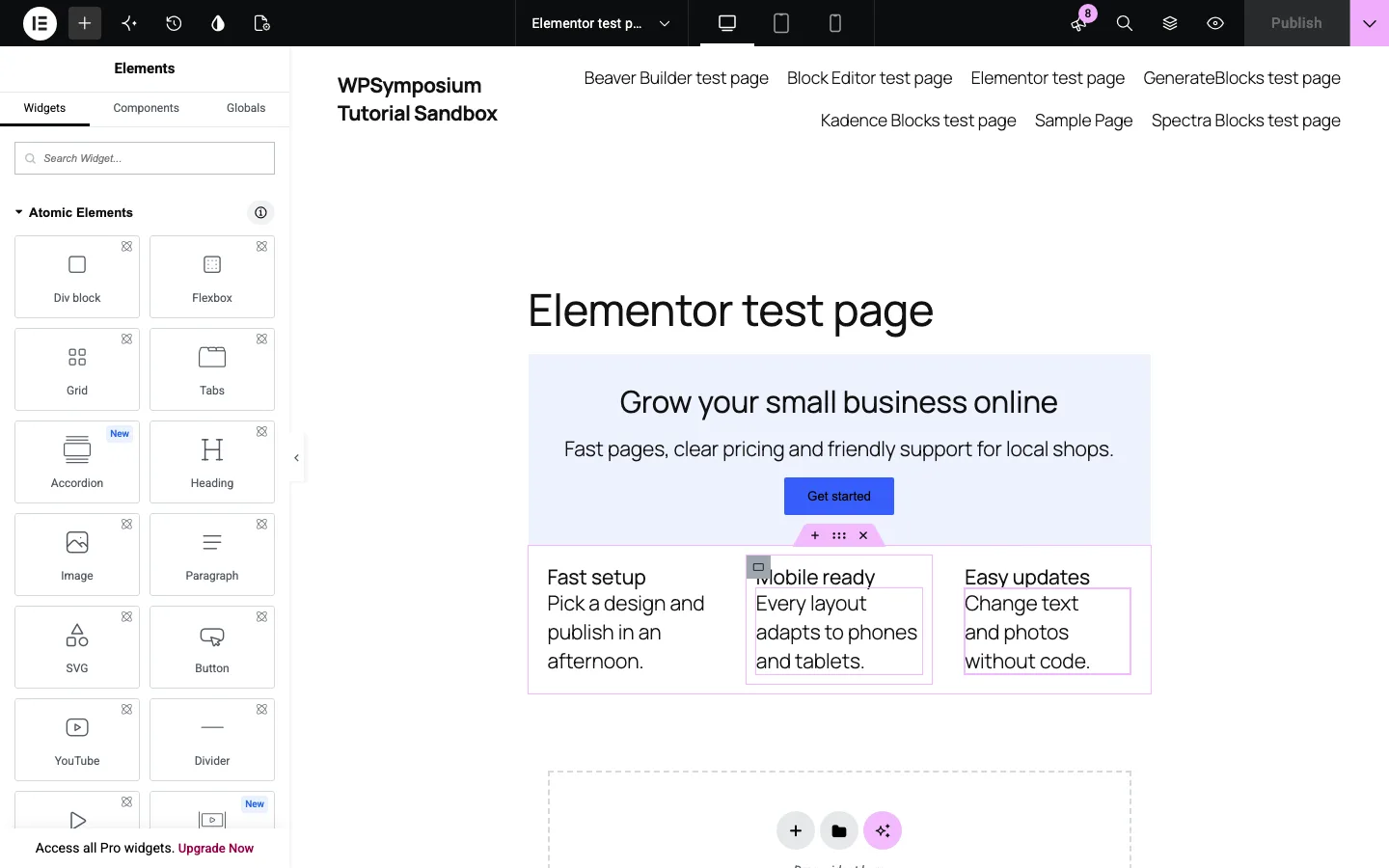
Our test page in the free Elementor editor on a test install.
On our test install: we built the page by dragging Elementor 4’s new Atomic Elements (Flexbox, Heading, Paragraph, Button) onto the canvas, and duplicating the first feature card saved time. A new Flexbox lays items out in a row by default, so we had to switch it to a column. The panel showed 143 widgets, nearly 100 of them locked behind Pro, and the Quick Start screen alone had four upgrade prompts. Elementor also adds an “Edit with Elementor” button and “Generate with Elementor AI” links to the regular block editor.
Pricing (as of October 2026). Elementor sells “Editor Pro” plans, billed yearly:
Elementor Essential costs $60 a year for one site and includes Theme Builder and forms, but leaves out popups, custom CSS and WooCommerce features. Advanced Solo adds those features for $84 a year on one site. The same feature set costs $108 a year for three sites on Advanced or $204 a year for 25 sites on Expert.
The separate Elementor One bundle costs $180 for the first year (renewing at $228) for one site and adds AI credits, image optimization and accessibility tools. All plans have a 30-day money-back guarantee, and there is no lifetime option. Store owners need at least the $84 plan for WooCommerce design.
Divi
Divi, from Elegant Themes, is both a theme and a visual builder. Divi 5, a full rebuild of the editor, left beta on February 26, 2026, and the current version is 5.14. Elegant Themes says Divi 5 loads only the JavaScript each page uses and no longer stores pages as shortcodes, which was the main complaint about Divi 4.
Pricing is simple: $89 a year or $249 once, and both cover unlimited sites. Divi Pro, at $277 a year, adds Divi AI, cloud storage and faster support. There is no free version, but there is an online demo of the builder and a 30-day refund.
Divi is the strongest pick if you build many client sites and want to stop paying every year. The $249 lifetime plan costs little more than one year of Elementor’s 25-site plan ($204). The trade-off: you are tied to Divi’s theme, and older Divi add-ons may not work with Divi 5 yet.
Beaver Builder
Beaver Builder is the boring, reliable choice: clean output and few surprises. Read our full Beaver Builder review for more detail.
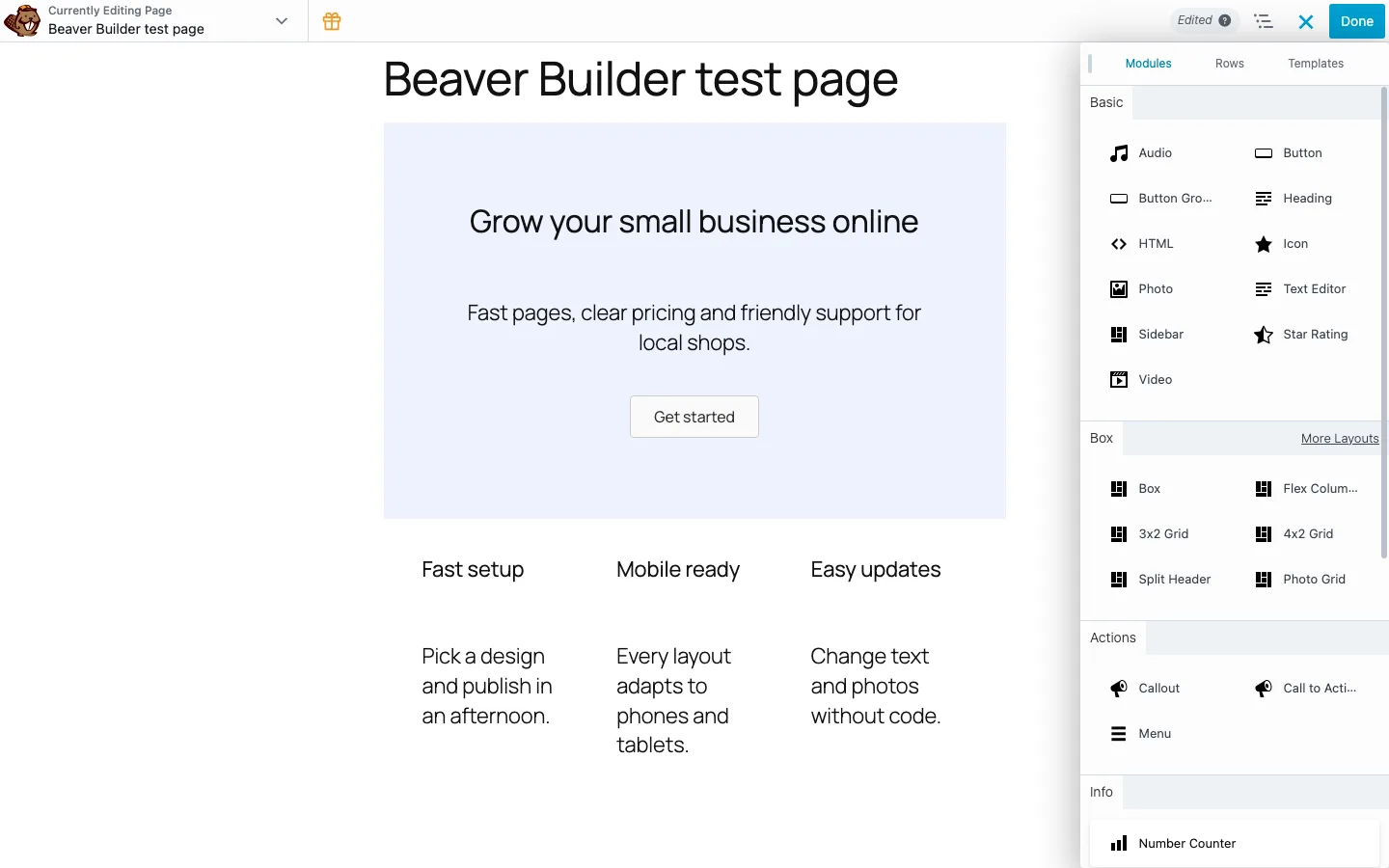
Our test page in Beaver Builder Lite on a test install, with the Modules panel open.
On our test install: the free Lite version offered a guided tour, then let us drop a row layout and drag modules into it. Each module opens a settings window that you save, which is slower than Elementor’s always-open panel but makes accidental changes unlikely. Lite has 21 free modules and shows 22 more marked “PRO”. Its default spacing is generous, so our page came out taller than the others.
Pricing (as of October 2026). Every paid plan bundles the builder plugin, the Beaver Builder Theme and Beaver Themer, with a 30-day refund:
- Starter: $89/year, 1 site
- Plus: $179/year, 3 sites
- Professional: $299/year, 50 sites
- Unlimited: $546/year, unlimited sites
There is no lifetime license. Beaver Builder suits agencies who want client sites that keep working for years.
Bricks Builder
Bricks, now at version 2.4.2, is the developer favorite among the newer builders. It is a theme with a built-in visual builder, it outputs lean HTML, and every plan includes every feature, including WooCommerce, popup and query loop builders. See our full Bricks Builder review.
Pricing is per site rather than per feature: $79 a year for one site, $149 for three, $249 for unlimited sites, or $599 once for unlimited sites with all future updates. There is no free version, and the online playground needs an account. A 60-day money-back guarantee, twice what Elementor and Divi offer, covers your first purchase.
Pick Bricks if you are comfortable with CSS classes, want full control over markup, and like the idea of a one-time payment. Our Bricks vs Elementor comparison puts the two head to head.
WordPress Block Editor
The block editor ships with WordPress and costs nothing. With a block theme like Twenty Twenty-Five, it can design whole sites. If you are thinking about leaving WordPress for a design tool, see how Webflow compares with WordPress.
On our test install: Group, Heading, Paragraph, Buttons and Columns built our page with no extra plugin or files, and the color and spacing controls were enough. On bigger designs you get fewer controls for hover states, breakpoints and complex grids than in Elementor or Bricks. That is the gap Kadence Blocks and GenerateBlocks fill.
Kadence Blocks
Kadence Blocks adds layout and design blocks to the normal block editor instead of replacing it. The free plugin, version 3.7.12, has 600,000+ active installs. See our Kadence theme review for the theme side.
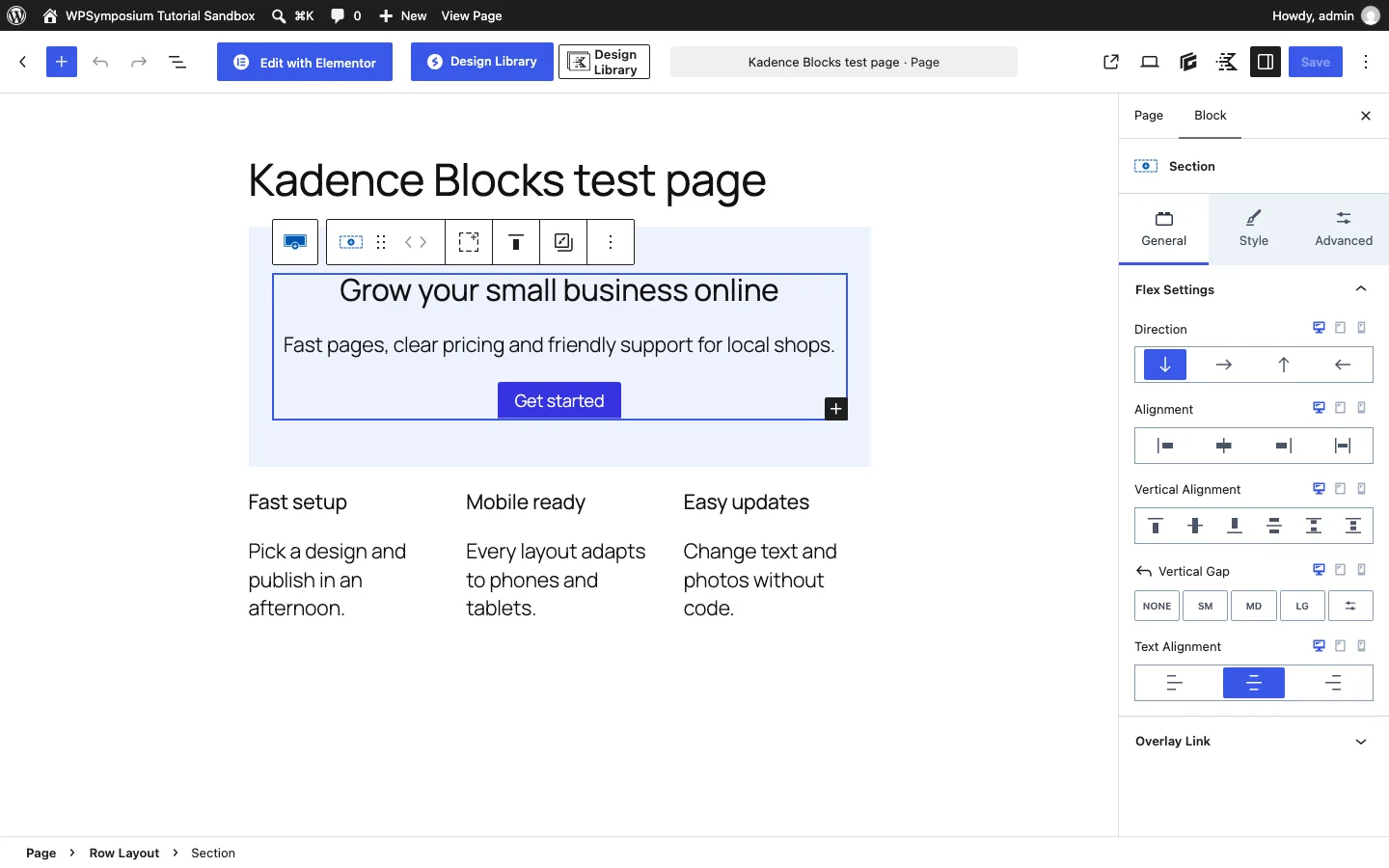
Our test page built with Kadence Blocks on a test install. The extra buttons in the top bar come from the other builder plugins we had active.
On our test install: Kadence felt like the most complete free toolkit. The Row Layout block asks you to pick a column layout when you add it, and its Section block has a single Text Alignment setting that centered everything inside it. Padding uses size presets (SM, MD, LG) by default instead of pixel values, which is quick but less exact. The free plugin added 29 blocks to the inserter without any locked ones, and its only prompt was an optional request to share usage data.
Pricing and ownership. In May 2026, Liquid Web folded the Kadence brand into its own software portal, and kadencewp.com now redirects there. Plans are Essentials at $99 a year (theme plus Kadence Blocks Pro features), Pro at $299 and Elite at $499. Some existing users reported a rough license and support transition.
GenerateBlocks
GenerateBlocks, from the team behind the GeneratePress theme, takes the opposite approach to Kadence: a handful of flexible blocks instead of dozens of special ones. Version 2.4.1 has 200,000+ active installs and about 3.8 million downloads on WordPress.org.
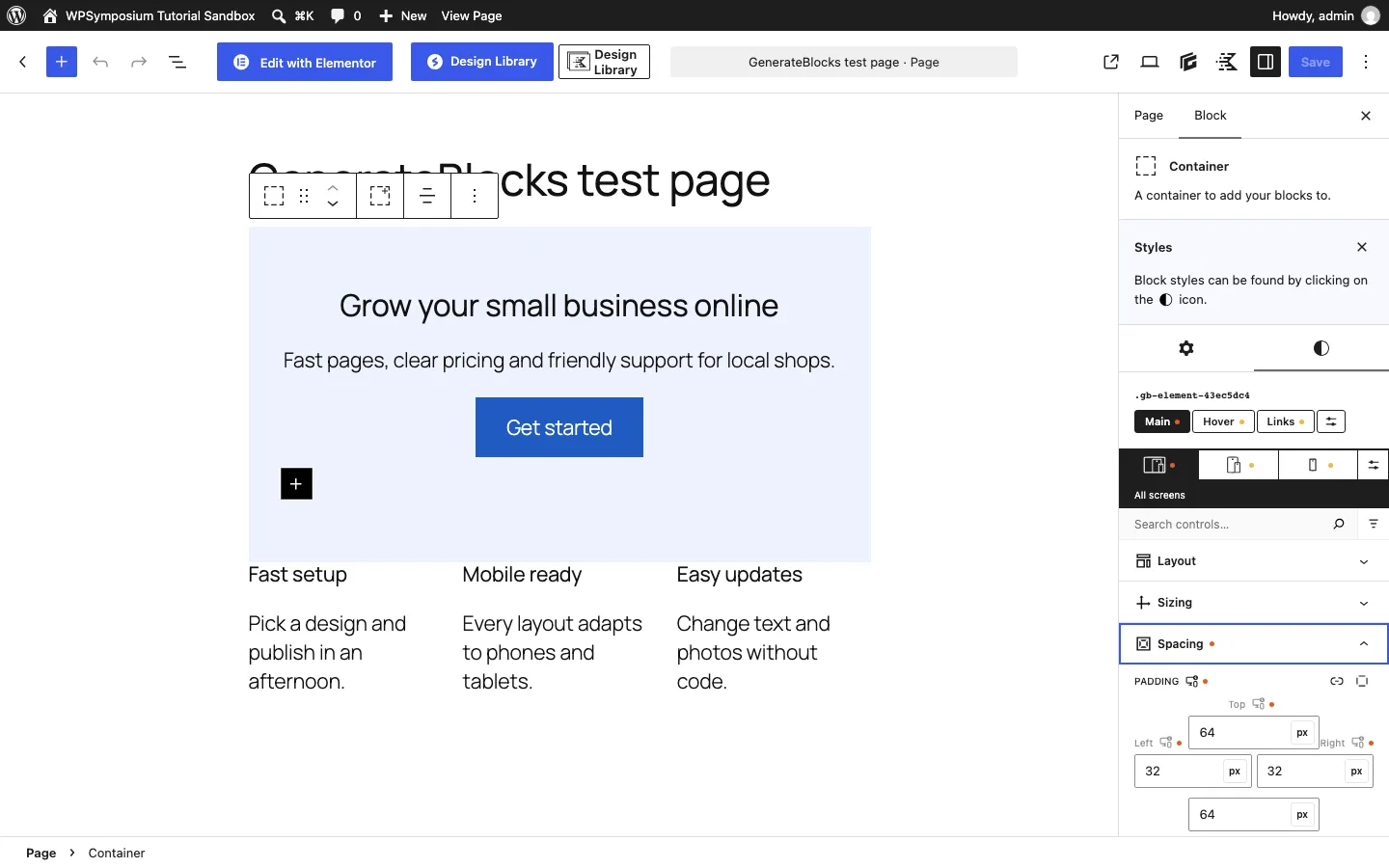
Styling a Container with CSS-style controls in GenerateBlocks on a test install.
On our test install: the free plugin showed eight inserter items: Container, Grid, Text, Headline, Button, Image, Shape and Query (Headline and Button are presets of Text). Styling works like filling in CSS: you open a section such as Spacing or Typography and type real values. That is precise if you know CSS and confusing if you do not. The Grid block starts with two columns; switching to three took one click on a preset.
Pricing. GenerateBlocks Pro costs $99 a year for up to 500 sites and adds Navigation and Site Header blocks, Accordion and Tabs, mega menus and ready-made patterns. GeneratePress One bundles it with the GeneratePress premium theme for $149 a year.
Spectra
Spectra, from Brainstorm Force (the makers of the Astra theme), went through a big change in 2026. The original plugin is now called Spectra Legacy (version 2.20.4, 1+ million installs) and gets security and compatibility fixes but no new features. New development happens in a separate plugin, Spectra Blocks (version 1.0.10, 50,000+ installs), so that is the one we used.
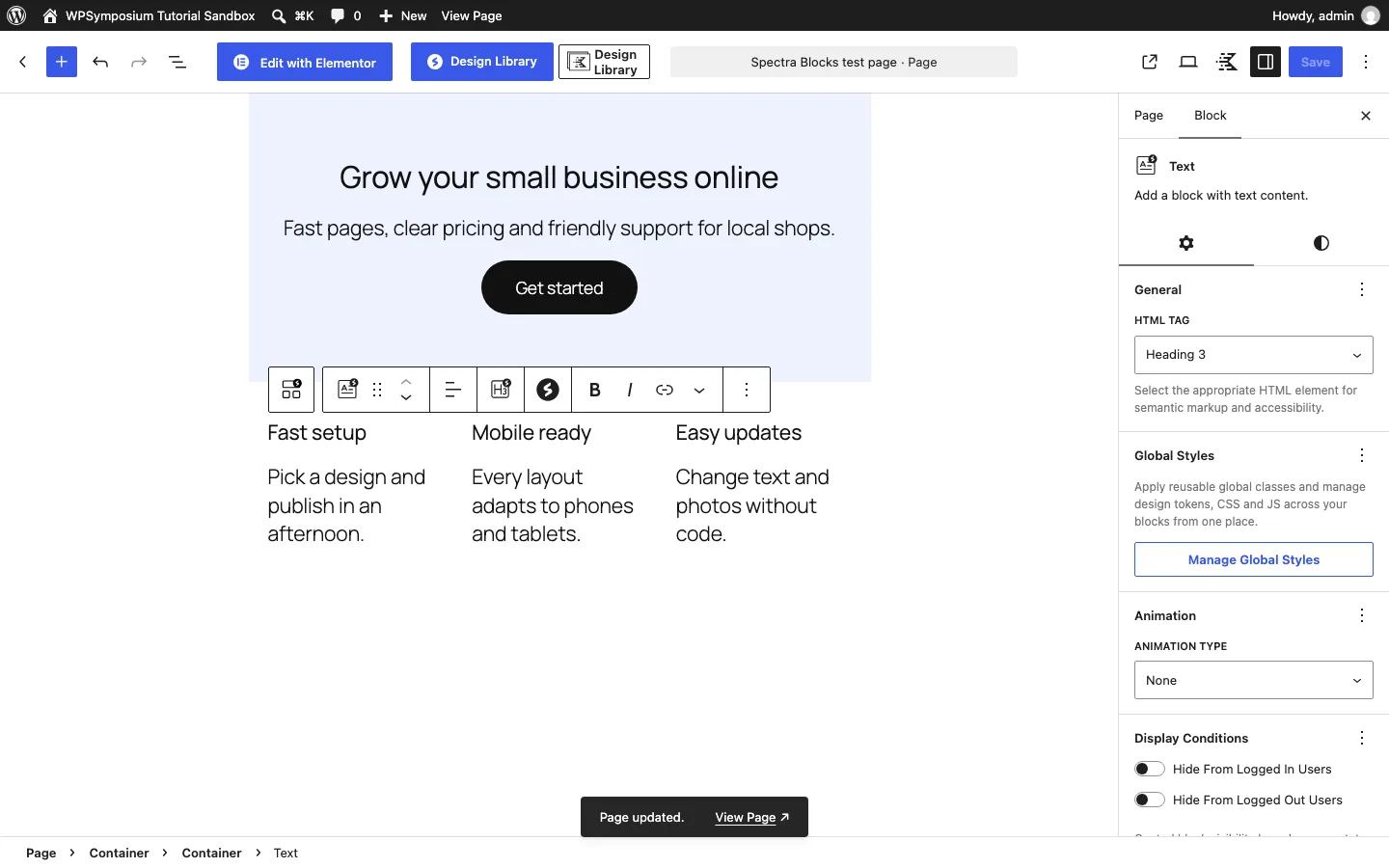
Our test page built with Spectra Blocks on a test install.
On our test install: activating Spectra Blocks opened a five-step setup wizard: an email sign-up, a feature list where seven of the nine features shown were marked Pro, starter templates, and an offer to install five more plugins from the same company. Every step could be skipped. The free plugin has 14 blocks, including Container, Text, Buttons, Slider, Tabs and Modal, and one Text block handles both headings and paragraphs. The Container block defaults to full width, so we switched both containers back to normal width.
The big caveat is weight. Version 1.0.10 inlined about 394 KB of CSS on every page of our test site. That may improve in later releases, but for now we would not pick Spectra Blocks for a speed-focused site.
Pricing. Spectra Pro is $69 a year for three sites, or $319 once (on sale from $349) as of October 2026.
Other Builders
Many lists also include Breakdance, Oxygen, WPBakery, Thrive Architect, Brizy and Page Builder by SiteOrigin (still updated, with 400,000+ installs). We did not cover them in this update, but we installed the free versions of Breakdance and Oxygen for our separate Breakdance review and Oxygen Builder review.