10 Best WordPress Image Optimizer Plugins (2026, Tested)
EWWW Image Optimizer is a good free choice if you want local compression without an account or monthly cap. ShortPixel offers stronger paid options, and Optimole handles delivery through an image CDN. Pick one optimizer and check the results on your own images before bulk processing.
What our image tests showed
We processed the same six source images and their thumbnails with each plugin that worked without an account, resetting the library between tests. The results are a small comparison, not a large-library benchmark. Lossy and lossless modes are different quality choices and should not be ranked by savings alone.
WebP produced the largest reductions in our JPEG samples, while EWWW and Smush Basic produced identical lossless JPEG results. Converter for Media made WebP copies quickly without changing originals. reSmush.it saved more by discarding image data, so inspect the visual result before a bulk run.
Local tools use your server while processing; cloud tools send images to the vendor. WebP is a practical default, with AVIF available in some paid options and fallback formats still important. Avoid overlapping optimizers that repeatedly process the same files.
1. EWWW Image Optimizer: Best Free Plugin
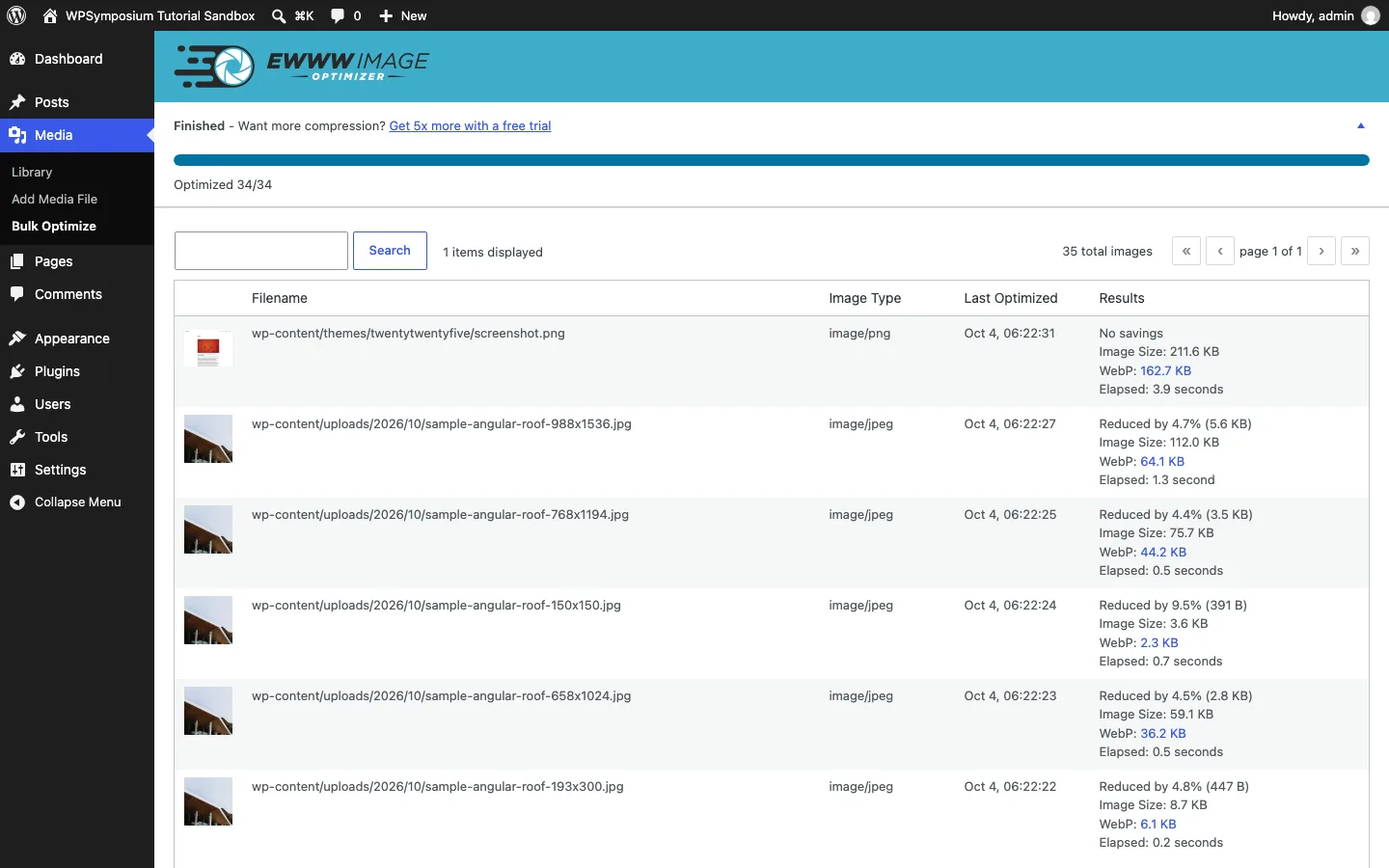
EWWW’s Bulk Optimizer after compressing our six test images on a test install.
EWWW (1M+ active installs, updated September 24, 2026) is the only plugin here that compresses images on your own server for free with no limits and no account. It uses standard tools such as jpegtran, optipng, pngquant and cwebp. If your host does not allow that, the paid Compress API does the work in the cloud instead.
On our test install, a short wizard asked for our goals and offered “free mode”. Lossless JPEG and PNG compression plus WebP conversion were all available for free. The bulk run took about a minute and a half and cut our originals by 18.3%, mostly thanks to a 49% saving on the PNG photo. It also created WebP copies that were 78% smaller than the JPEG and screenshot originals.
One snag worth knowing: our test server runs on an ARM processor, and EWWW’s bundled tools are built for standard x86 servers. Until we installed the usual Linux image packages, it optimized nothing and showed “Install jpegtran” in its recommendations. Most shared hosts run x86, but check this on ARM-based cloud servers.
Free features also include lazy load, resizing on upload and local backups. The paid Standard plan ($80/year or $8/month) adds premium lossy compression, AVIF, the Easy IO CDN and 30-day cloud backups.
Best for: anyone who wants unlimited free compression without sending images to a third party.
2. ShortPixel: Best Paid Plugin
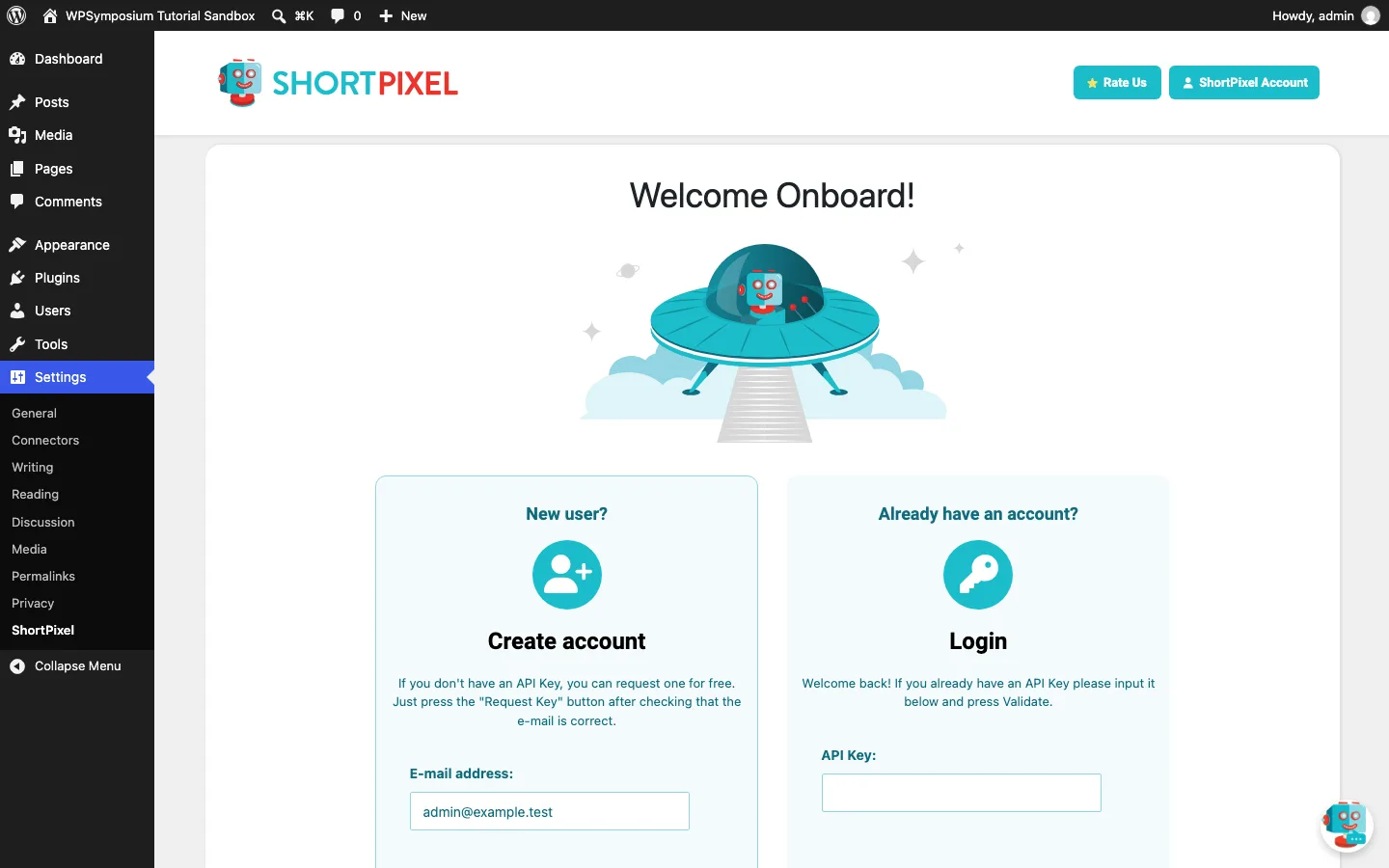
ShortPixel’s welcome screen on a fresh install. Nothing can be optimized until you add an API key.
ShortPixel (300K+ installs, updated September 9, 2026) does all compression on its own cloud servers, so your hosting resources are not used. On our test install, the settings page opened on a “Welcome Onboard” screen that asks for an email address to request a free API key, or an existing key. We did not create an account, so we could not run it.
According to the WordPress.org listing, it offers lossy, glossy (high-quality lossy) and lossless compression for JPG, PNG, GIF, WebP, AVIF and PDF files, converts images to both WebP and AVIF, includes lazy loading and handles files up to 100 MB. Paid plans now include a built-in CDN for WebP and AVIF images, CSS and JavaScript. Images that shrink by less than 5% do not use a credit.
The free plan gives 100 image credits a month. The vendor lists an unlimited monthly plan at $9.99 and one-time credit packs from $19.99 that never expire, which suits sites that optimize a large library once.
Best for: site owners who want the best compression and AVIF without paying per image.
3. Smush: Easiest Dashboard
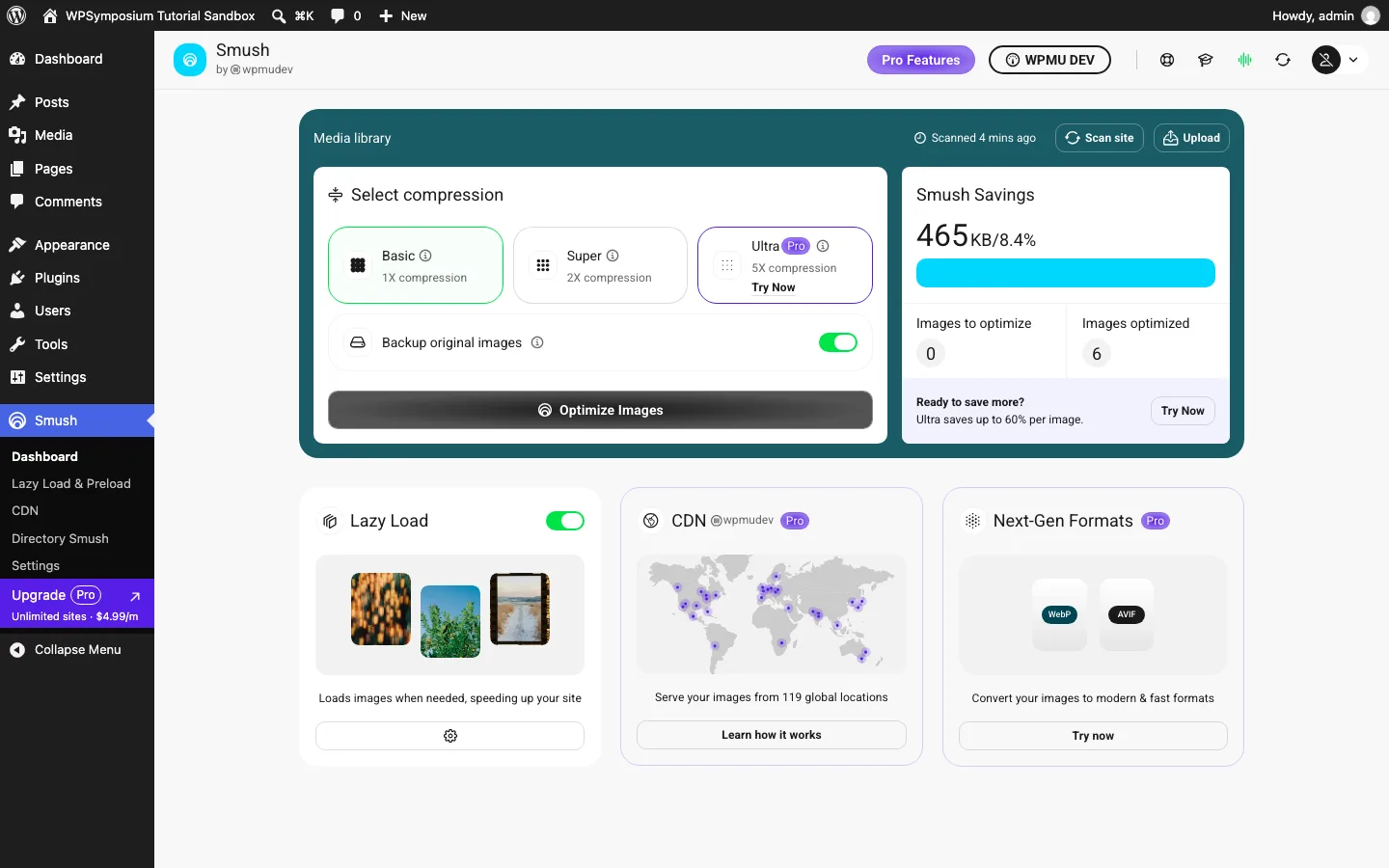
The Smush dashboard after a Basic bulk run on our test site.
Smush (1M+ installs, updated September 29, 2026) has the most polished dashboard here. It compresses images on WPMU DEV’s servers; the plugin’s code sends files to the WPMU DEV Smush API.
The 2026 version changed how the free plan works. On our test install, the setup wizard turned on “Super 2X Compression” by default, then asked us to connect a WPMU DEV account. Clicking “Optimize” with Super selected showed “Connect to WPMU DEV to 2X Smush your images”. Switching to Basic (1X) let the bulk run proceed with no account. It took about three minutes and saved 465 KB (8.4%), with JPEG savings identical to EWWW’s lossless mode. The free version also skips files over 5 MB.
Lazy load is free and was on by default. WebP, AVIF, the 119-location CDN and Ultra compression are Pro features. Smush Pro costs $50/year for one site, $75 for three or $100 for ten. Our full Smush review has per-image results and the free vs Pro details.
Best for: beginners who want a clean dashboard and free lazy load, and do not mind a free WPMU DEV account for stronger compression.
4. Imagify: Generous Free WebP and AVIF
Imagify (1M+ installs, updated September 7, 2026) comes from WP Media, the team behind WP Rocket. It compresses in the cloud with “Smart Compression” (lossy tuned automatically) or optional lossless mode, keeps backups, and converts to both WebP and AVIF on every plan, including the free one.
On our test install, Imagify’s settings page said “Options page isn’t available until you enter your API key”, so we could not run it without signing up. It also warned that another optimizer was active when we tried it next to TinyPNG.
The free plan covers 20 MB of images a month, which the vendor says is roughly 200 images, with a 2 MB cap per image. Paid plans are $5.99/month for 500 MB or $11.99/month for unlimited images ($4.99 and $9.99 a month billed yearly).
Best for: small sites that want free AVIF and add only a few images a month.
5. Optimole: Best Image CDN
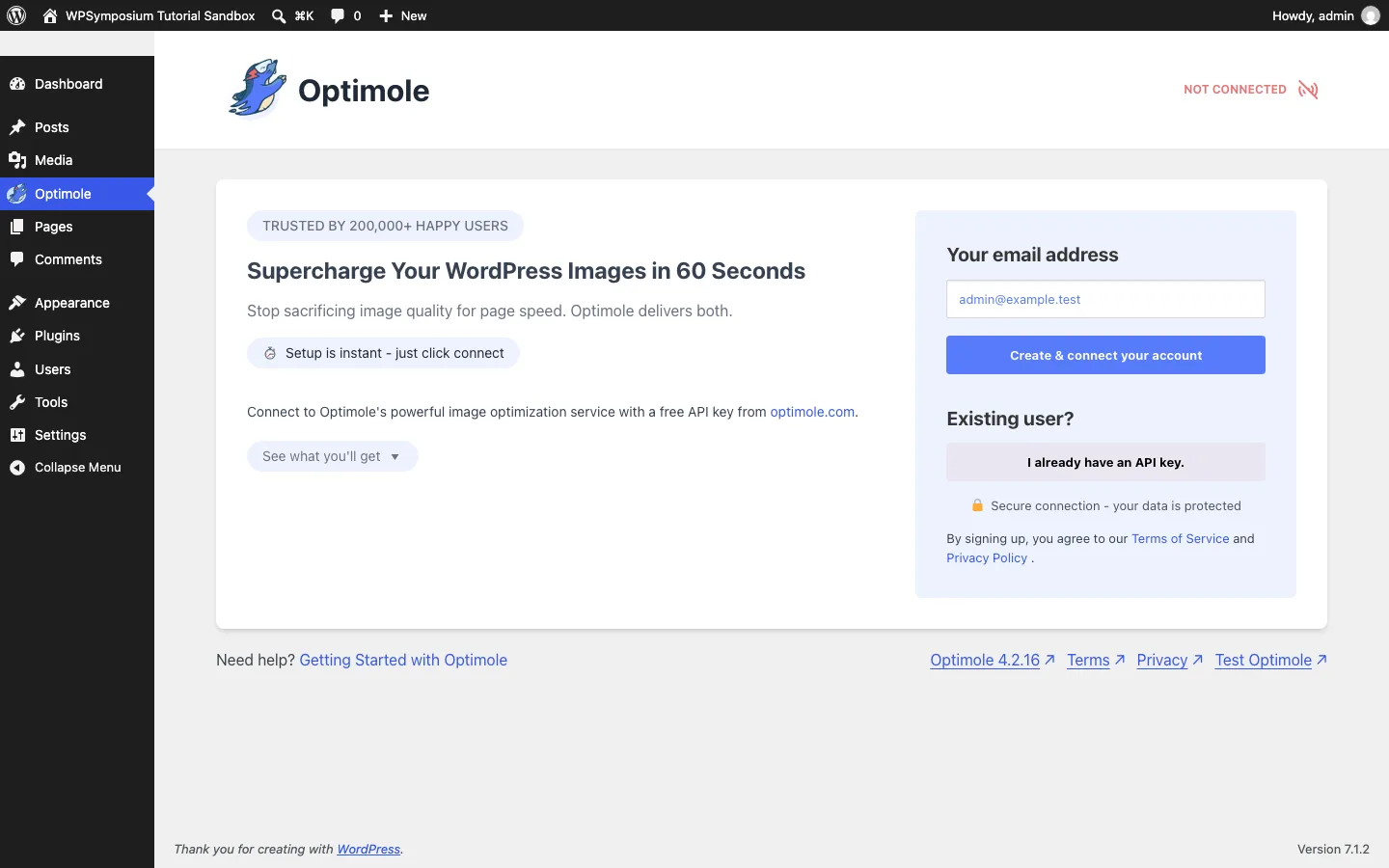
Optimole on a fresh install before connecting an account.
Optimole (200K+ installs, updated October 1, 2026) works differently from the rest. It leaves your files alone and swaps your image URLs for its own CDN, built on Amazon CloudFront with 450+ locations according to the vendor. Each visitor gets an image resized for their screen and served as WebP or AVIF when their browser supports it. Lazy loading is included.
On our test install, the plugin showed “Not connected” and asked for an email to create an account or an existing API key, so it does nothing until you sign up.
The free plan includes every feature for sites with up to 2,000 visits a month (down from 5,000 in 2020). Paid plans start at $22.90/month, or $19.08/month billed yearly, for 48,000 visits.
Best for: sites that want resizing, modern formats and a CDN in one step, and have low traffic or a budget for the paid plans.
6. Converter for Media: Fastest WebP
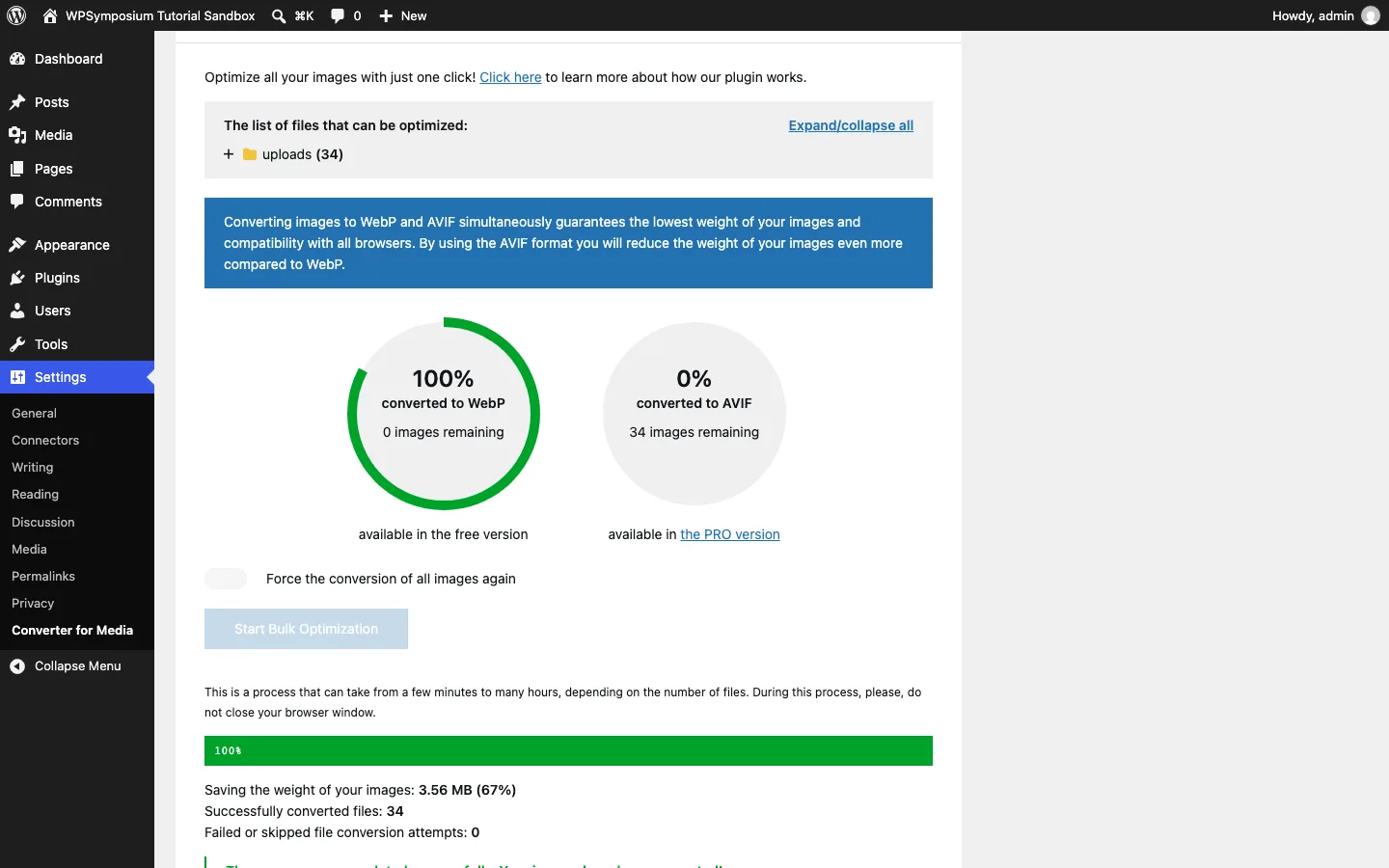
Converter for Media after converting our test library to WebP on a test install.
Converter for Media (500K+ installs, updated August 18, 2026) does one job: it creates WebP copies of your images and serves them to browsers that support WebP, using rewrite rules so your image URLs stay the same. Your original files are never changed. The free version converts locally with PHP’s GD or Imagick library.
On our test install, clicking “Start Bulk Optimization” first brought up two upgrade pop-ups about AVIF. After dismissing them, it converted all 34 files in about five seconds and reported 3.56 MB (67%) saved, which matched our own measurement. That was the fastest run in our test.
AVIF and conversion on the developer’s remote server are Pro features. Yearly plans start at $50 (listed down from $60) for 120,000 conversions a year on unlimited sites. Nginx servers need extra configuration.
Best for: adding WebP to a site that already compresses images, or pairing with a lossless optimizer.
7. Robin Image Optimizer: Unlimited Free Cloud Compression
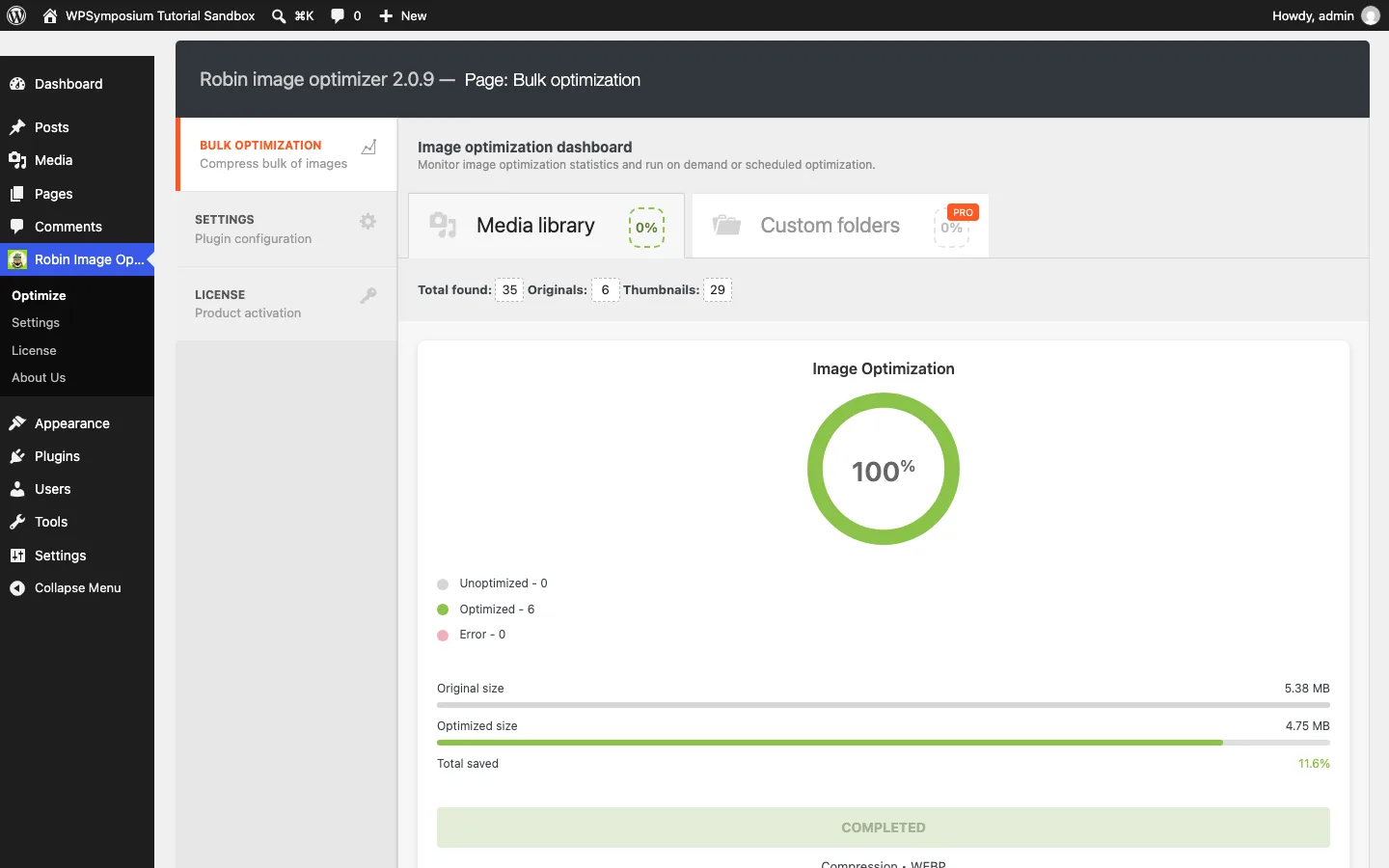
Robin’s bulk optimization dashboard after a run on our test site.
Robin (100K+ installs, updated September 29, 2026), now owned by Themeisle, compresses images on its own service with no API key, account or image limit, then writes the results back into your media library.
On our test install, the defaults were Lossless mode, backups on, WebP off, and only two thumbnail sizes selected. We turned on WebP and all sizes. The “Optimize now” run took about two minutes and cut our originals by 20.0%. The plugin reported 11.6% saved across all files, close to our 11.8%. Even in Lossless mode, JPEG originals shrank 22% to 35%, so it changes image data more than EWWW’s lossless setting. The PNG photo was not reduced at all. WebP copies were 75% smaller.
AVIF, the PageSpeed mode, custom folders and true background processing need Robin Pro, from $49/year.
Best for: free, unlimited cloud compression with WebP and no sign-up.
8. TinyPNG: Pay As You Go
TinyPNG (100K+ installs, updated August 25, 2026) uses the same Tinify API as the TinyPNG website. It now handles JPEG, PNG, WebP and AVIF files and can convert to WebP or AVIF.
On our test install, the settings page asked us to register with a name and email or paste an API key. It also showed a useful estimate: with the default image sizes, “you can compress at least 62 images for free each month.” That is because every thumbnail size counts as one compression, and conversion to WebP or AVIF costs one more per size.
The free plan includes 500 compressions a month. After that, the vendor charges $0.009 per compression for the next 9,500 and $0.002 each beyond 10,000, or you can buy prepaid credit bundles.
Best for: low-volume sites that want simple, strong lossy compression and only pay for what they use.
9. reSmush.it: Simplest Free Option
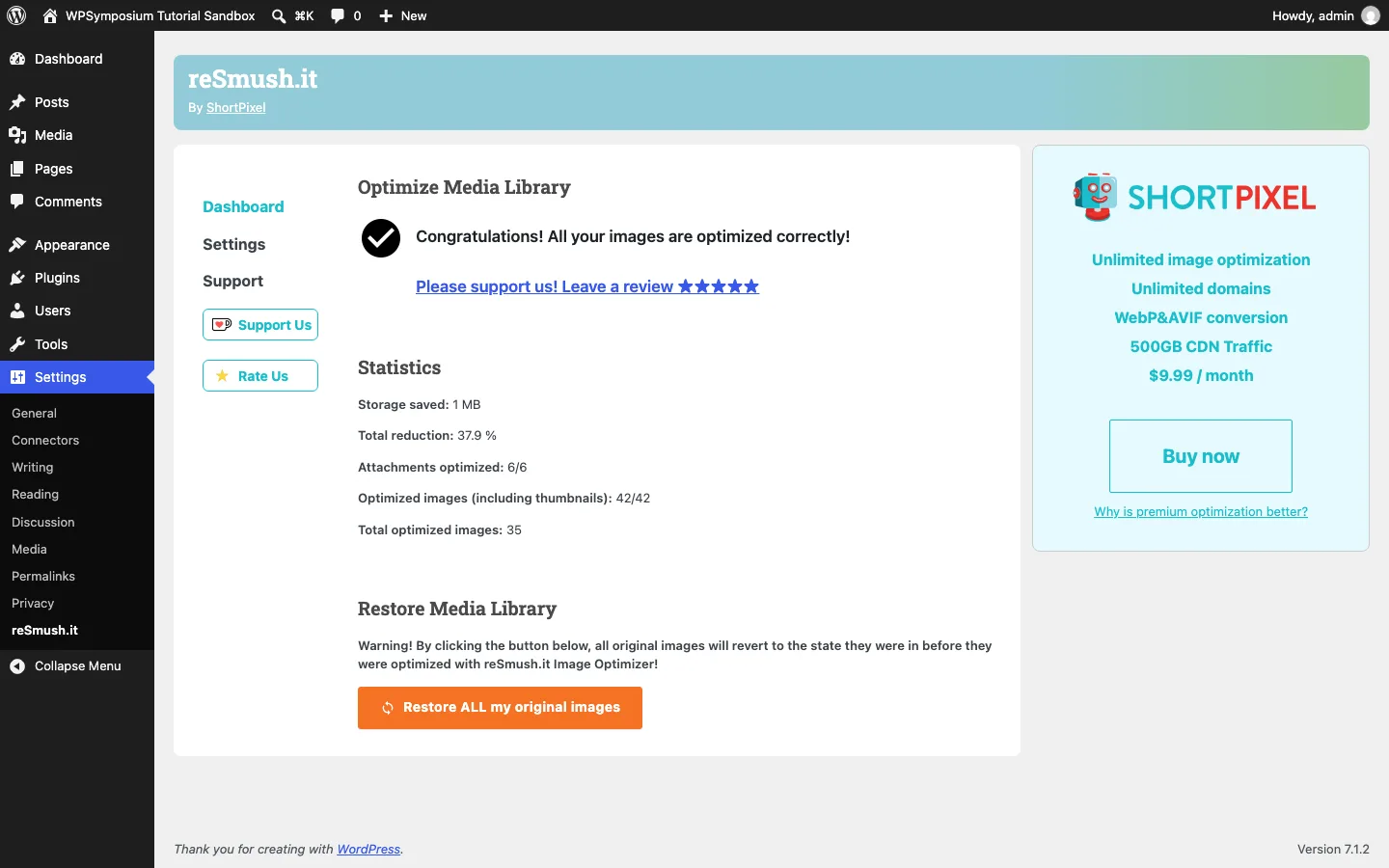
reSmush.it statistics after a bulk run on our test site.
reSmush.it (100K+ installs, updated August 20, 2026) is a free cloud compressor that needs no API key. It is now maintained by ShortPixel, and its settings page carries a ShortPixel upgrade box.
On our test install it saved the most of any plugin: 53.5% on the originals and 41.6% across all files (the plugin’s own counter said 37.9%). That is because its default quality setting is 74, which is lossy. During the run, the progress counter stuck at 1 of 6 and our debug log recorded a PHP error, but all six images were compressed and the statistics were correct after a page reload. It keeps originals as backups you can restore.
There is no WebP or AVIF, lazy load or CDN.
Best for: small blogs that want big savings for free and are fine with lossy compression.
10. Imsanity: Resize Huge Uploads
Imsanity (200K+ installs, updated August 20, 2026) is a free resizer from the same developer as EWWW. It scales down uploads larger than a set size (1920 x 1920 px by default) and can convert BMP and PNG uploads to JPEG.
On our test install, its bulk resize shrank the two images that were over 1920 px, saving 14.0% on our originals. It does not compress images that are already within the limit, and it replaces the original file. Use it alongside a compressor, not instead of one.
Best for: sites where people upload full-size camera photos.