Wix vs WordPress: Which Should You Choose in 2026?
Wix is the easier route to a small site with hosting and business tools in one place. WordPress takes more setup but gives you greater control over design, hosting and future features. Choose for the site you expect to run, including the maintenance you are willing to do.

Cost of Ownership Over Three Years
Wix’s pricing starts with a free plan, but it carries Wix ads and a Wix-branded URL, which rules it out for anything but a hobby project. On our free-plan test site, the editor’s preview showed a bar across the top of the page reading “Upgrade your website to remove Wix ads”, and the dashboard and editor kept advertising 50% off select premium plans. The Light plan removes ads at $17/month billed annually, and it’s a reasonable choice for a simple content site. Ecommerce, Wix Payments, and most business features require the Core plan at $29/month billed annually, or $348/year.
Over three years, Light runs around $650 including domain renewals, and Core runs around $1,080. Business, needed for more advanced store features, runs around $1,440. Monthly billing costs 40% or more on top of these figures, since Wix’s advertised prices assume an annual commitment.
WordPress costs depend entirely on the hosting you choose, since the software itself is free:
- Budget route: Shared hosting starting around $3-8/month, a GeneratePress Premium license at $59/year, and a $15/year domain. Three-year total: roughly $350-$500.
- Mid-range route: Managed hosting through a provider like Cloudways or SiteGround running $15-30/month, the same theme license, and a domain. Three-year total: roughly $760-$1,300.
- Premium route: Fully managed hosting from providers like Kinsta or WP Engine starting around $30/month, an Astra Pro license at $99/year, and a domain. Three-year total: roughly $1,400-$2,150.
Budget and mid-tier WordPress hosting comes in at or below what Wix’s Core plan costs over three years, and unlike Wix, you’re not paying a recurring platform fee just to keep the lights on if you later want to switch hosts. Wix’s all-in-one pricing is easier to budget for up front, but it doesn’t get cheaper as your needs shrink, and it caps out at what Wix decides to offer at each tier.
Ease of use
Wix’s Aria assistant generated a coherent site with sample products, blog posts and service pages on the free plan. We could then edit visually or ask for changes. It reduced the blank-page problem more effectively than a WordPress theme import.
Its draft still needed close review. It invented contact details, added a bookings page we had declined and included a misspelled product name. AI-generated pages should be treated as drafts, not business facts ready for publication.
WordPress has no equivalent builder in its core, although hosts and plugins add AI tools. Our free theme and starter design produced a usable site, but required separate form and SEO plugins and left placeholder content. The three-way comparison explains that trade-off. Wix takes less setup; WordPress gives you more control over the pieces.
Design Flexibility
Wix’s editor gives you real freedom to move elements around the canvas, which is more flexible than Squarespace’s fixed block system. If you are choosing between the two builders, our Squarespace vs Wix comparison picks a winner for each type of site. But you’re still building inside Wix’s proprietary editor and hosting environment. There’s no way to export a Wix site’s design, install a third-party template built outside the platform, or move your exact design to another host.
WordPress imposes no such limit. Thousands of themes, dozens of serious page builders, and full access to the underlying code mean there’s no ceiling on what you can build. Themes like Astra and GeneratePress match Wix’s visual polish while giving you far more control over performance, structure, and customization once you need it. If you expect your design needs to grow more specific over time, WordPress won’t box you in the way a proprietary editor eventually will. If you are a designer who wants pixel-level control in a hosted tool, our Webflow vs WordPress comparison covers the builder most often weighed against WordPress.
SEO Capabilities
Wix’s SEO tools have improved substantially over the years and now cover the fundamentals well: clean URLs, editable meta tags, structured data for common content types, and a built-in SEO checklist that walks you through setup. For a straightforward business site, Wix’s built-in tools are enough.
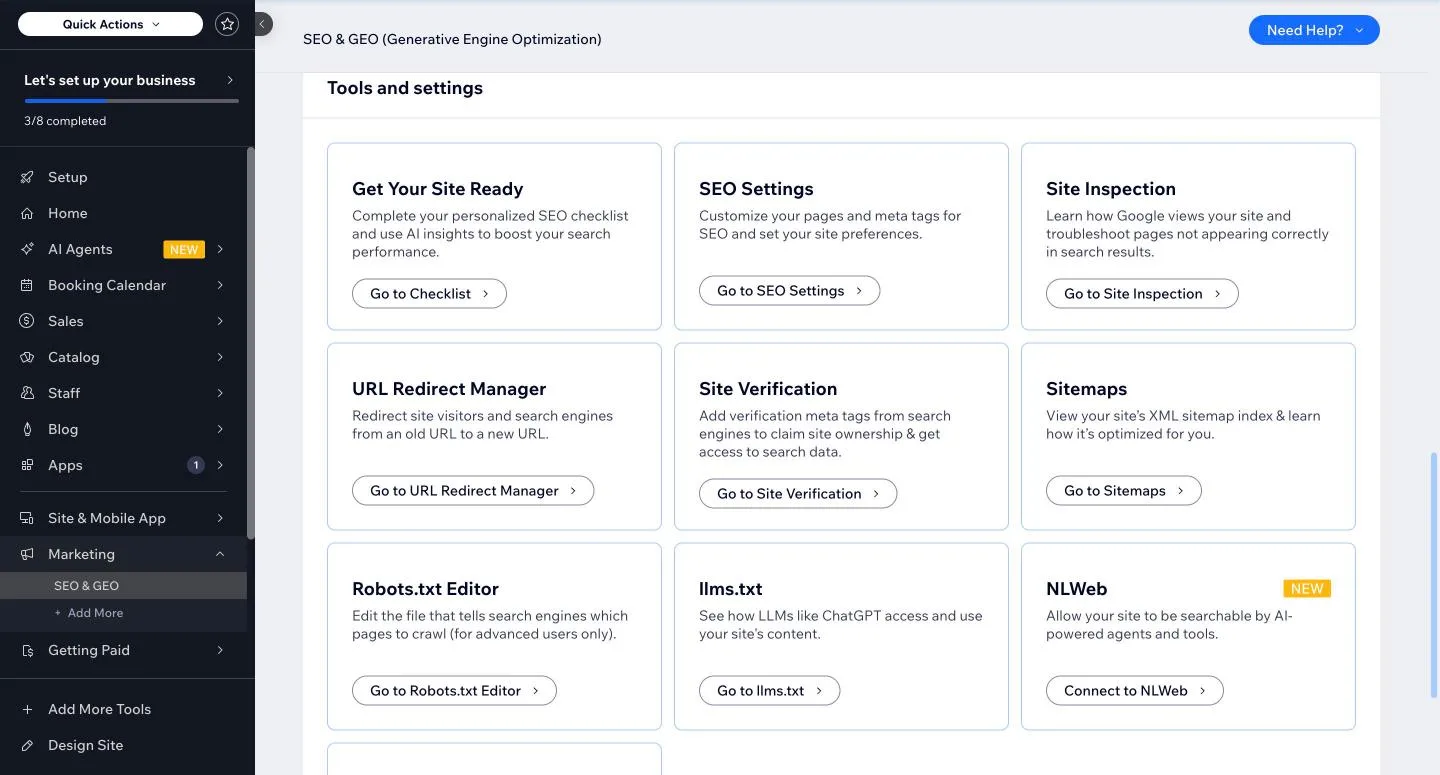
The “Tools and settings” part of Wix’s SEO & GEO dashboard on our free-plan test site.
On our free-plan test site, Wix’s “SEO & GEO” dashboard listed an SEO checklist, SEO settings for pages and meta tags, a site inspection tool, a URL redirect manager, site verification, sitemaps, a robots.txt editor, an llms.txt page for AI tools, and a panel that tracks visits from AI crawlers. The blog post editor has its own SEO assistant that asks for a focus keyword and flags tasks such as a missing meta description. That is more built in than WordPress offers before you install a plugin.
WordPress’s advantage is depth. Plugins like Yoast SEO or Rank Math give you granular control over schema markup, redirect management, content scoring, and internal linking, all without waiting on a platform update to add a feature. For content-heavy sites, publishers, or any business investing seriously in organic search, WordPress’s plugin ecosystem is a meaningful, measurable advantage over what any closed platform can offer.
Ecommerce
Wix Stores charges no platform transaction fee, a genuine advantage over Shopify, which adds a fee when you use another payment provider, but ecommerce and Wix Payments are only available starting on the Core plan and above. You’ll still pay standard payment processing fees (around 2.9% plus $0.30 per transaction with Wix Payments), which every platform charges in some form.
On the free plan you can still build the store. Aria added nine sample products to our test site, and we added a $34 mug in about a minute from the Products page. Taking real orders is where the free plan stops: the Accept Payments page showed Wix Payments as “Not Connected”, and Wix’s pricing page lists selling online only from the Core plan up. We did not connect payments or publish the site, so we could not run a test checkout.
WooCommerce, the free WordPress plugin that powers most self-hosted WordPress stores, charges no platform fee either, and it’s not tied to a specific plan tier. It supports unlimited products out of the box and has an extension library covering subscriptions, memberships, bookings, and multi-vendor marketplaces that goes well beyond what Wix Stores offers. For a simple shop with a handful of products, Wix Stores is faster to set up. For anyone planning to build a serious ecommerce business, WooCommerce’s depth and lack of tier-gating make it the stronger choice. If your main goal is sales funnels rather than a full store, see how ClickFunnels stacks up against WordPress.
Content Ownership and Portability
This is the clearest structural difference between the two platforms. Wix hosts your site entirely on its own infrastructure. There’s no way to download your design, export your site’s code, or move it to another host while keeping the layout intact. If you leave Wix, you’re rebuilding from scratch, even with Harmony’s AI assistance speeding up that rebuild.
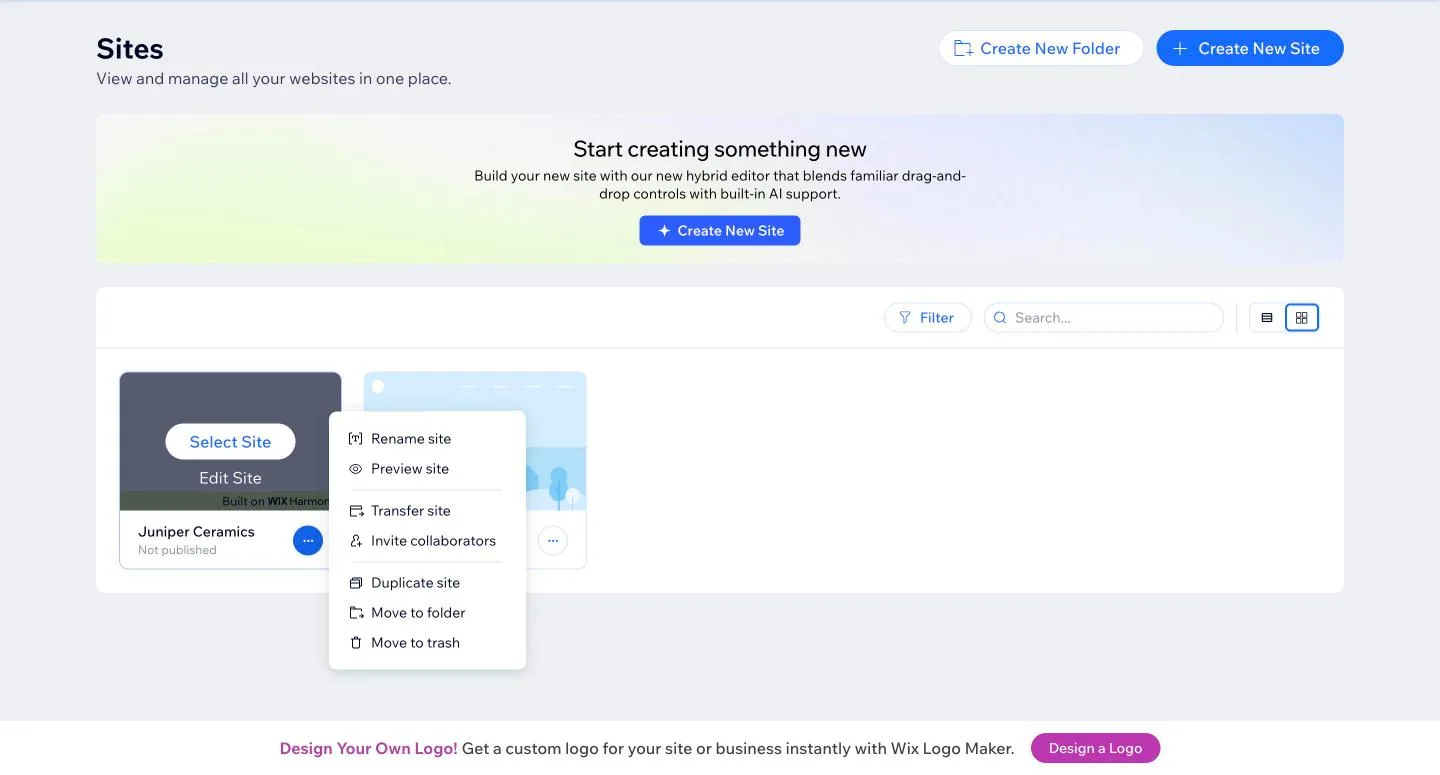
The site actions menu for our Wix test site. You can duplicate a site or transfer it to another Wix account, but not download it.
We looked for a way out on our test site. The site menu offers rename, preview, transfer to another Wix account, duplicate and trash. None of them gives you a file. The blog posts Aria wrote stayed inside Wix too, which matches Wix’s own help center: blog posts cannot be exported to other platforms.
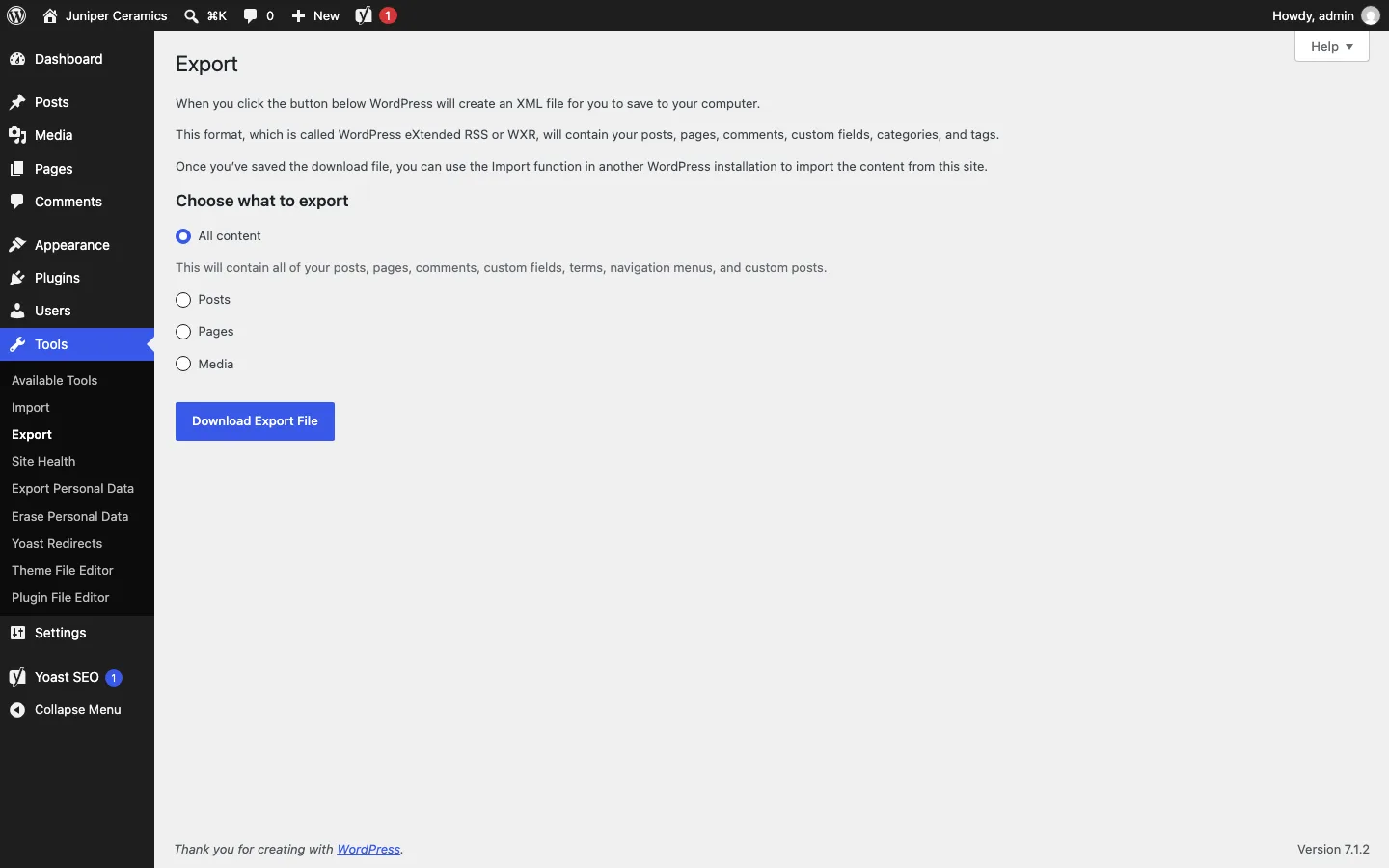
The built-in Export screen on our WordPress test install.
WordPress has the opposite default. Every install has a Tools > Export screen that saves your posts, pages, comments, custom fields, categories, tags and menus as one XML file that any other WordPress site can import, and your host gives you the files and database as well.
WordPress is open-source software you install on hosting you control. You own the files, the database, and the domain outright, and you can move hosts, switch themes, or migrate providers at any time without losing your site’s content or history. WordPress currently powers well over four in ten websites on the internet, and that portability is a core reason why: no single company can hold your site hostage. If you’re building something you intend to own for the long run, that difference matters more than any editor feature. If you are weighing a free blogging service instead, see our WordPress vs Blogger comparison.