ClickFunnels vs WordPress (2026): Costs, Funnels and Which to Pick
ClickFunnels bundles funnels, email, courses and checkout into one service. WordPress costs less to start and gives you more ownership, but you assemble and maintain the tools yourself. Choose ClickFunnels for convenience, or WordPress if content, flexibility and control matter more.
The Basic Difference
ClickFunnels is a hosted platform built around sales funnels: a short series of pages (opt-in, checkout, one-click upsells, thank you) that walk a visitor to a purchase. Email, courses, a CRM and a store live in the same account. The vendor says it has 100,000+ users.
WordPress is a general website builder that, according to W3Techs, runs 40.2% of all websites. Plugins add the funnel parts: WooCommerce for products and payments, CartFlows or FunnelKit for sales pages, checkout and upsells, plus email and course plugins. So the real choice is one subscription that does it all, or a cheaper kit of parts you own and maintain.
ClickFunnels in 2026: Plans and Prices
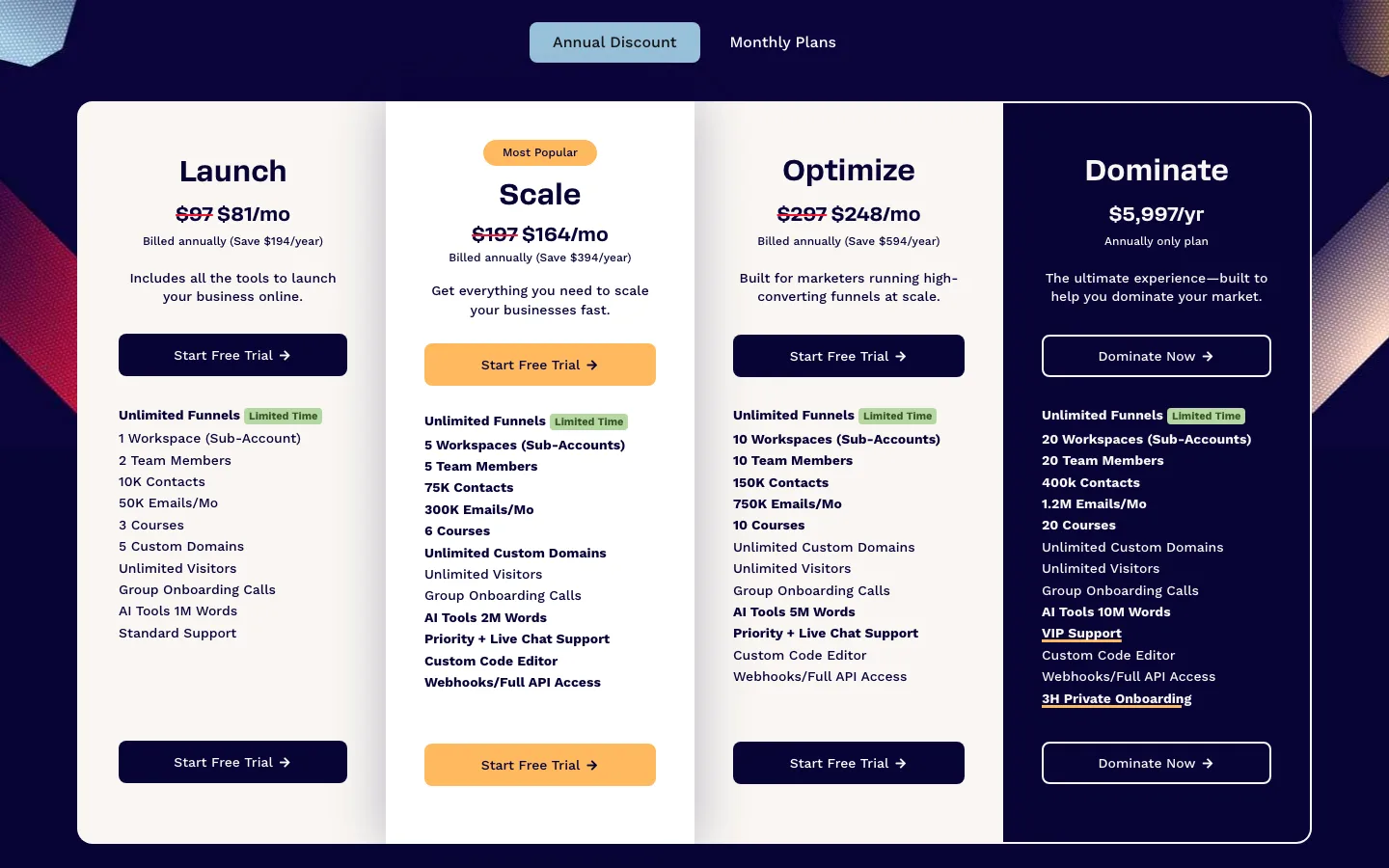
ClickFunnels’ public pricing page with annual billing selected.
The product once called ClickFunnels 2.0 is now just ClickFunnels. The old Basic ($97) and Platinum ($297) plans, sold in 2020, are gone. Here is the current lineup:
Launch costs $97 monthly or $970 yearly, roughly $81 a month on annual billing. It includes one workspace, two team members, 10,000 contacts, 50,000 monthly emails, three courses and five custom domains.
Scale costs $197 monthly or $1,970 yearly, roughly $164 a month. It raises the limits to five workspaces and team members, 75,000 contacts, 300,000 monthly emails, six courses and unlimited domains. Optimize costs $297 monthly or $2,970 yearly, roughly $248 a month, with ten workspaces and team members, 150,000 contacts, 750,000 monthly emails and ten courses.
Dominate is listed at $5,997 yearly, with 20 workspaces and team members, 400,000 contacts, 1.2 million monthly emails, 20 courses and unlimited domains. No monthly price was listed.
Prices from clickfunnels.com/pricing and the ClickFunnels help center.
Details worth knowing:
- Unlimited funnels is marked “Limited Time” on every plan. Visitors are unlimited on all plans.
- Higher plans add tools, not just limits. Scale adds priority and live chat support, a custom code editor, and webhooks and API access. Launch gets standard support.
- Trial and refunds. ClickFunnels’ help center says all plans include a 14-day free trial, and the pricing page offers a 30-day money-back guarantee. You can change plans during or after the trial.
- No cut of sales. The pricing FAQ says ClickFunnels does not take a percentage of your sales. You still pay your payment processor’s card fees.
- Hosting is included, with a free yourname.myclickfunnels.com address and SSL on connected domains.
- Pausing costs money. The help center says a paused account costs $17 a month and keeps your pages but lets you build nothing.
What is included
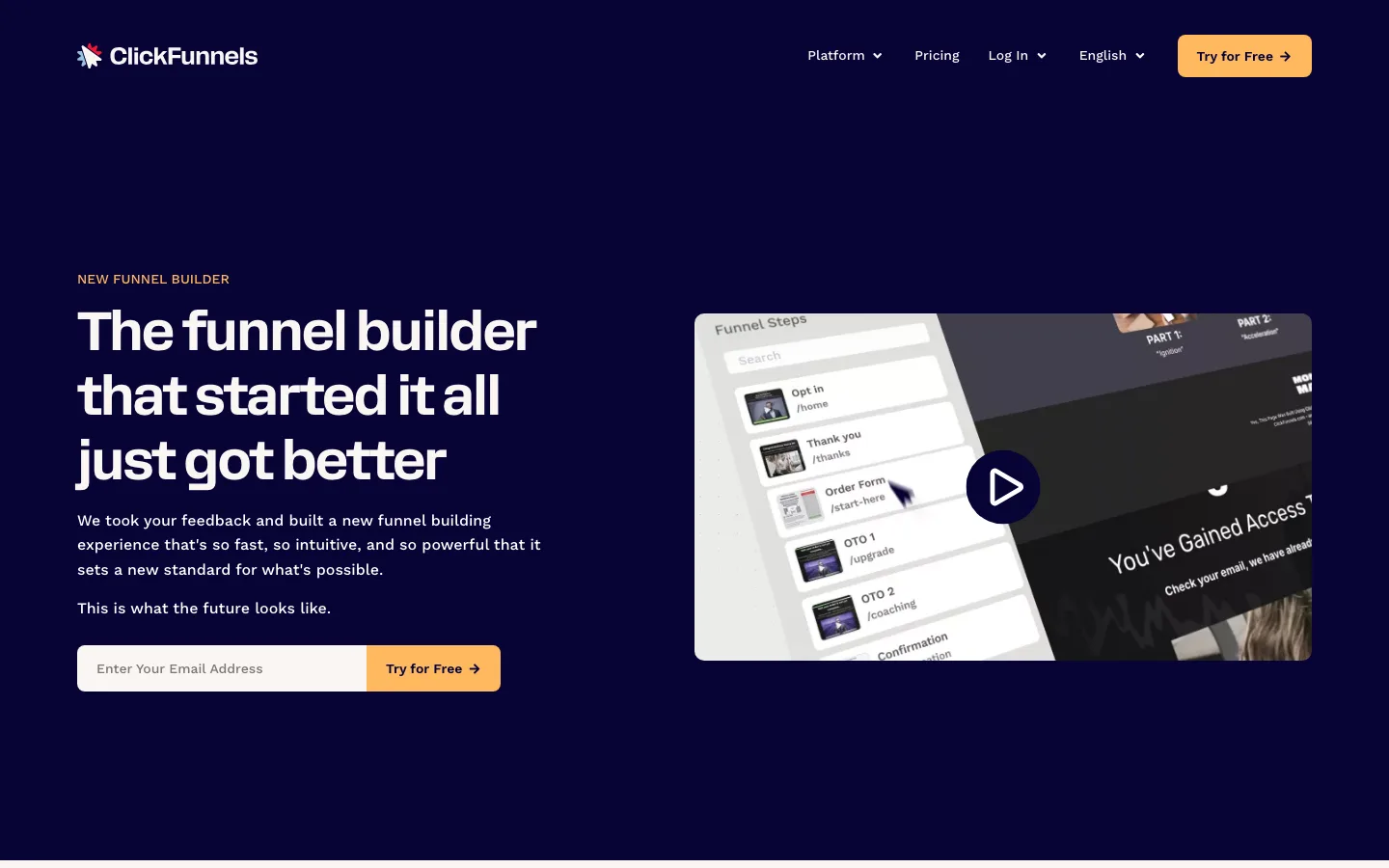
The ClickFunnels funnel builder feature page, with funnel steps such as Opt In, Order Form and OTO (one-time offer) pages.
The plans bundle the funnel builder and drag-and-drop editor, Smart Checkout, A/B testing, landing pages, a website and blog (the Site app), a store, courses, a community, email marketing, automations (called Workflows), a CRM, appointments, analytics and discounts. The help center lists a few extras, such as Countdown Funnels and the Affiliate Center, only on higher plans. The sales funnels page describes expanding a funnel “with upsells, cross-sells and follow-up sequences”.
That bundle is ClickFunnels’ biggest strength. On WordPress, each piece is a separate plugin with its own updates and upgrade prompts.
Is There Still a ClickFunnels WordPress Plugin?
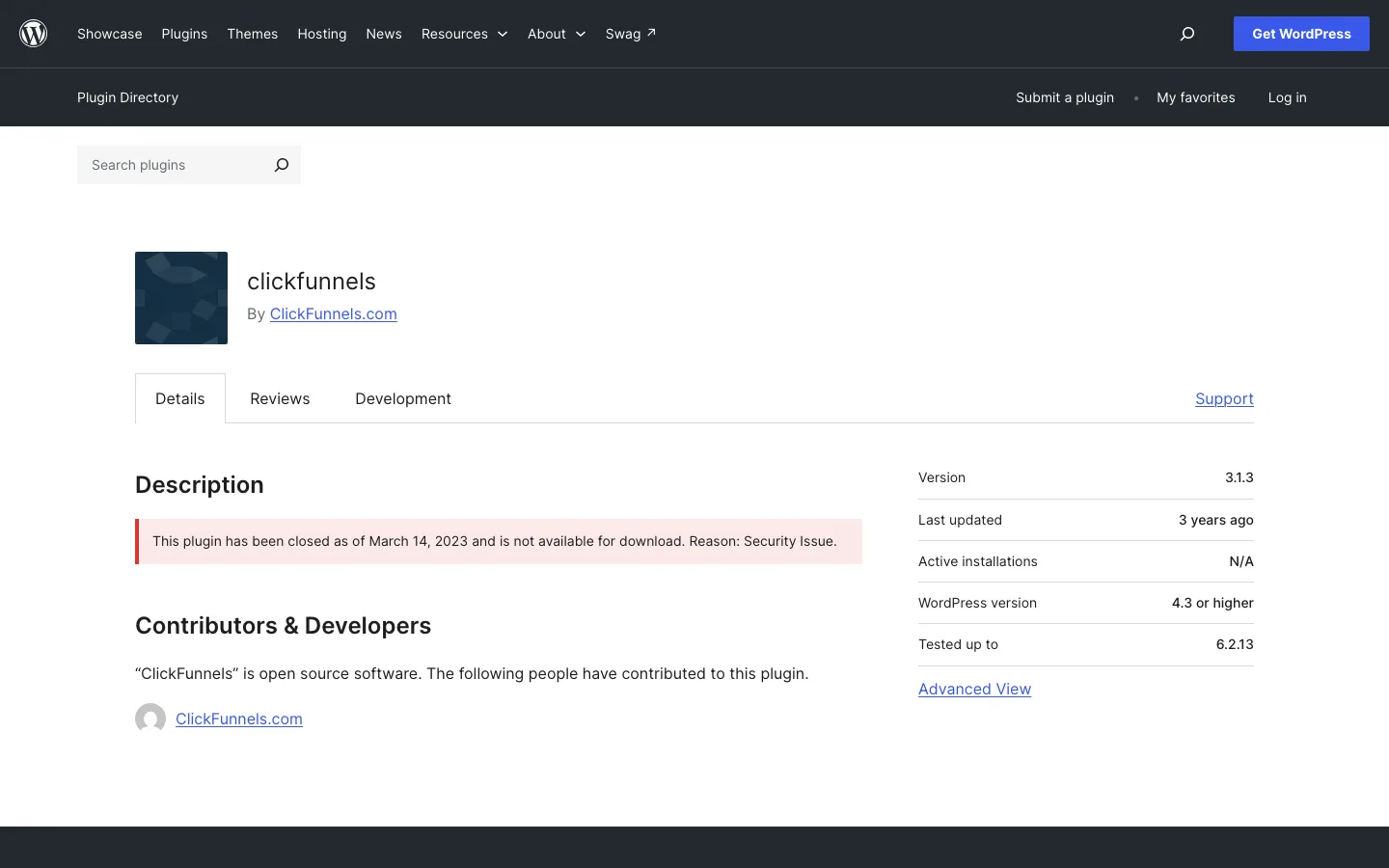
The ClickFunnels plugin page on WordPress.org.: closed since March 14, 2023.
No. The official ClickFunnels plugin, which let ClickFunnels Classic users show funnel pages on a WordPress domain, was closed on WordPress.org on March 14, 2023. The listing gives the reason as “Security Issue” and says it is not available for download. Its last version was 3.1.3.
On ClickFunnels’ own feedback board, a request for a WordPress plugin “similar to the one that used to exist for classic” is marked open, with 127 votes when we checked. Several commenters say they only discovered this after signing up or coming back to ClickFunnels.
What still works:
- Use a subdomain. Keep WordPress on yourdomain.com and connect a subdomain such as offers.yourdomain.com to ClickFunnels (its help center covers the DNS setup). Then link to your funnels from WordPress menus and buttons.
- Connect the data. Automation tools can pass leads or orders between the two, and ClickFunnels offers webhooks and API access from the Scale plan.
If you want funnel pages that are actually part of your WordPress site, use a WordPress funnel plugin instead.
Building a funnel with WordPress
Free CartFlows gave us a sales page, checkout and thank-you page connected to a WooCommerce product. A logged-out test purchase reached the thank-you page and appeared in the store’s orders. It used an offline payment method, so this does not verify a live card transaction. ClickFunnels itself was assessed from its published plans and documentation, without an account trial.
The WordPress route needs more attention. CartFlows’ wizard preselects several optional plugins and promotes paid features throughout. Its free templates still need real copy, images and links. Upsells, order bumps and A/B testing require Pro; the cheaper Starter plan does not include them. Pro lists at $199 in year one and $299 at renewal for three sites.
Two checkout problems needed fixing. Plain WordPress permalinks made the Buy Now button return to the sales page; changing to Post name fixed it. A phone field labeled optional still blocked checkout until filled in. Test the complete buying path and correct the field settings before launching.
FunnelKit is the main alternative. Its Plus plan includes funnels, bumps, upsells and A/B testing at $149.50 in year one for two sites, renewing at $299. Basic improves checkout but does not include sales funnels. We inspected its setup rather than completing a funnel purchase.
WordPress also needs hosting, email and any course tools. Our store comparison explains the WooCommerce side. The lower bill comes with responsibility for keeping those pieces working together.
Year 1 Cost for a Small Online Business
Take a typical small business: one $49 course, a sales page with an order bump and a one-click upsell, an email list under 2,500 contacts, and the course delivered on the same site. Card processing fees are left out because they depend on your payment processor and apply on both platforms.
ClickFunnels Launch costs $970 each year with annual billing or $1,164 a year when paying $97 monthly. That includes hosting, funnels, upsells, email and three courses in one account.
Our WordPress setup using Hostinger Premium, WooCommerce, free CartFlows, free MailPoet and free Tutor LMS costs $47.88 in year one and about $152 in year two. It includes a first-year domain but has no order bumps or upsells.
Adding CartFlows Pro and FluentCRM Pro brings the example to $349.88 in year one and about $580 in year two. CartFlows costs $199 initially, then $299, for upsells, bumps and A/B tests; FluentCRM costs $103, then $129, for email automation. Adding Tutor LMS Pro at $199 a year brings the totals to $548.88 and about $779.
Year 2 assumes Hostinger Premium renews at $10.99 a month ($131.88) and about $20 for a .com renewal. Prices as of. from each vendor’s pricing page.
A few notes on the WordPress column:
- Hosting. Hostinger’s Premium plan is $3.99 a month on a 12-month term, with ecommerce support and a free domain for a year. Our Hostinger review covers the renewal price. A busy store will want stronger hosting.
- Email. MailPoet is free up to 1,000 subscribers, including its sending service. FluentCRM’s free plugin has unlimited contacts and campaigns, but it sends through your site’s email setup, so you will want an email sending service, a separate cost we did not price. FluentCRM Pro’s one-site plan is $103 for the first year with the current discount, then $129.
- Courses. Tutor LMS’s free version allows unlimited courses and lessons. If you would rather pay once for a course plugin, see our WP Courseware review.
- Checkout tools. If you mainly need a strong hosted checkout with upsells, a dedicated cart tool like ThriveCart is another route.
Even the full premium WordPress stack costs a little over half of ClickFunnels Launch billed yearly. What you pay instead is time: setup, updates for six or more plugins, and fixing snags like the two we hit.
Website Building, Blogging and SEO
ClickFunnels has grown beyond funnels. Its Site app builds full websites, and its blog feature page promises “built-in SEO tools and mobile optimization.” ClickFunnels used to be awkward for homepages and about pages, but that matters less now that it has a dedicated Site app.
WordPress is still the stronger content platform, with thousands of themes, including multipurpose themes like Divi, and the page builders in our best page builder guide. SEO plugins such as Yoast SEO and Rank Math add title and description controls, schema and sitemaps. If search is how customers find you, WordPress gives you more control.
If you are weighing WordPress against other all-in-one builders too, our Wix vs WordPress guide and Webflow vs WordPress comparison cover those, and our Squarespace vs Wix comparison puts the two biggest builders head to head.
Ownership, Maintenance and Support
ClickFunnels handles hosting, security and updates. Launch includes standard support; Scale and up add priority and live chat support. The help center also points to email support and an official Facebook group. The trade-off is lock-in: your funnels live on ClickFunnels’ servers, and we found no tool in its help center for exporting pages to WordPress, so plan on rebuilding them if you leave.
WordPress is free software you own. You can move hosts or swap any plugin. You also maintain it: our funnel test site ended up with seven active plugins to keep updated, from a setup that started with two. Support comes from your host, each plugin vendor, and the WordPress.org forums.