GeneratePress Review: Ultimate All-In-One Theme?
GeneratePress is a strong choice if you want a light, straightforward WordPress theme. Its free version works well for a simple blog; the paid tools add more design control. It suits people who prefer a clean starting point over a theme packed with effects.
What Is GeneratePress About?
GeneratePress is a lightweight, dependency-free theme built to be a foundation rather than a finished design. It ships with no jQuery and keeps its own footprint minimal (7 KB of theme files on our fastest WordPress theme test page), then leaves the visual work to the WordPress Customizer or to its companion plugin, GenerateBlocks.
The Starter Sites library gives you fully-customizable pre-built designs you can import and adapt, which makes getting a working layout fast even if you don’t want to design from scratch.
There are no bounds to what you can make with GeneratePress: you can use it to build a site for a brick-and-mortar store, a portfolio, an eCommerce store, or a blog.
More than ten years after launch, GeneratePress remains one of the most stable and best-supported themes available for WordPress, and it continues to receive regular updates.
GeneratePress Review
GeneratePress is the go-to lightweight WordPress theme for many. Here’s why:
Design And Style
GeneratePress’s Starter Sites have a modern look, but you can just as easily make a minimal, flat, or playful website with it.
It’s a matter of using the right fonts and images. The extensive customization options let you put your own spin on any template rather than being locked into a fixed look.
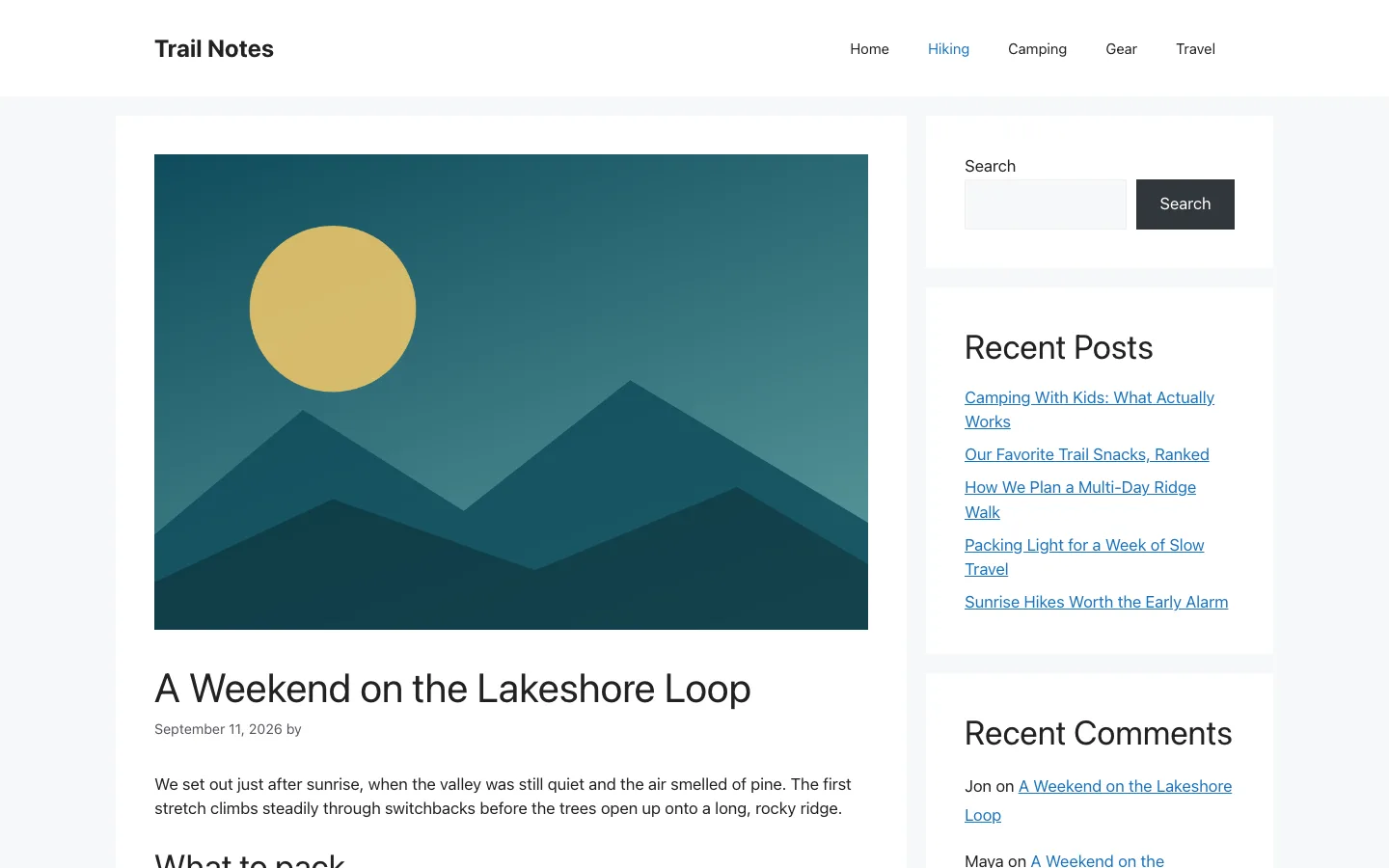
A single blog post in GeneratePress with the default right sidebar.
Basic Theme Features
Colors & Typography
You can adjust the colors and typography of your site right from the Customizer, with styling options for most visible elements. The premium version adds a local, self-hosted font library, which avoids the third-party font requests that can trip up GDPR compliance.
Layout Control
You can control padding, margins, and sidebar layouts for desktop and mobile independently.
Page Builder Friendly
GeneratePress works with Gutenberg, Beaver Builder, and Elementor, and its own block editor plugin, GenerateBlocks, is built specifically for it.
Plugin Compatibility
The developers of GeneratePress coded the theme to meet WordPress’s standards, which helps it play well with most WordPress plugins.
Performance
One of GeneratePress’s defining features is that it ships with zero dependencies and no jQuery. Rather than quote a single loading-time benchmark, which varies enormously by hosting, plugins, and content, it’s more useful to point at why the theme tends to perform well: a small, clean codebase with no render-blocking scripts baked in. To see how it stacks up against Astra, read our Astra vs GeneratePress head-to-head.
SEO Friendliness
GeneratePress ships with validated HTML and built-in schema.org structured data, which gives you a clean foundation for on-page SEO. The theme itself won’t rank you, but it won’t get in your way either.
Theme Options
You don’t need to purchase a page builder if you have GeneratePress. The WordPress Customizer gives you a lot of control over how your page looks.
The Site Identity menu is standard: you set the title and tagline of your site here, and upload a logo and site icon.
Layouts
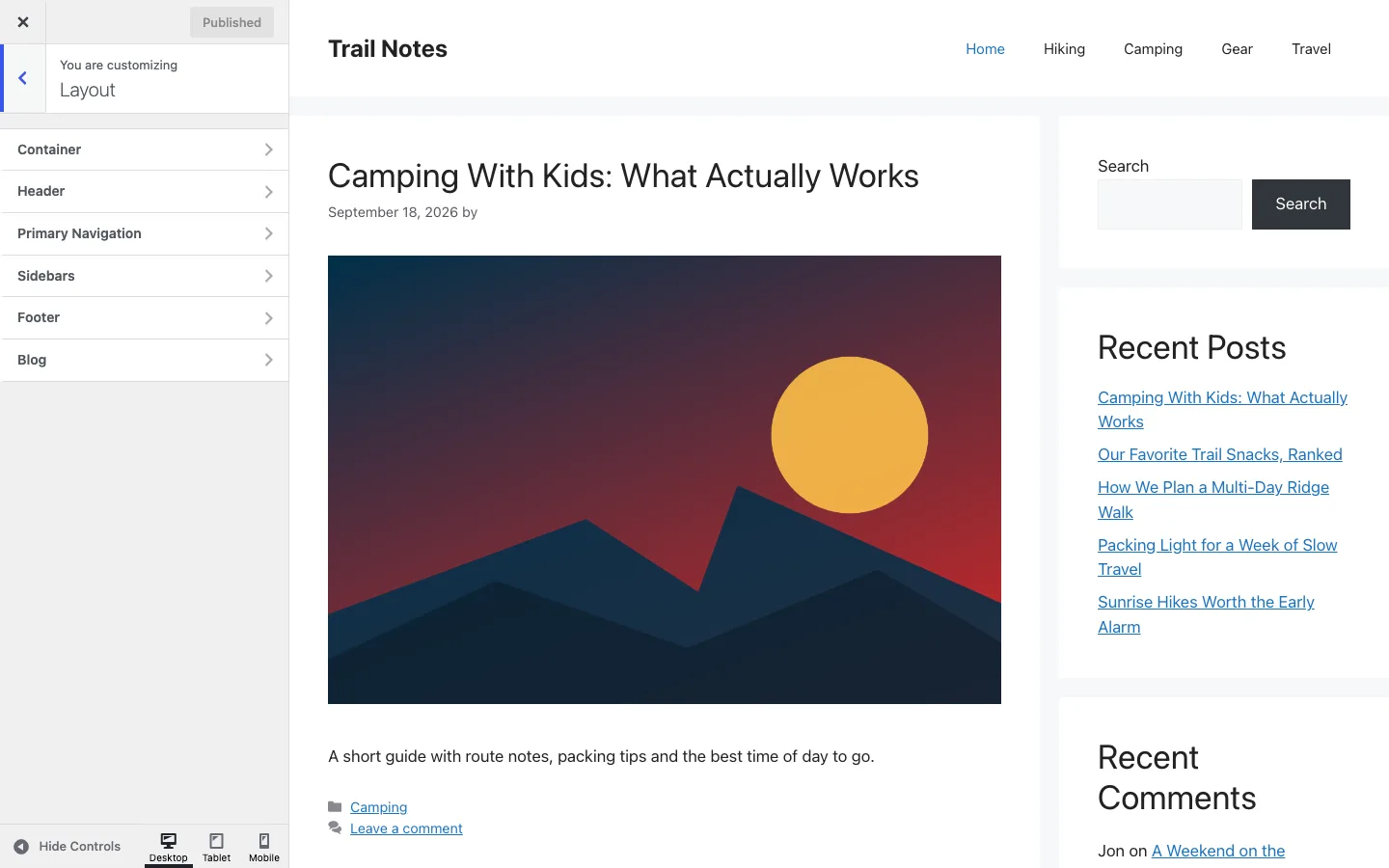
The Layout panel in the Customizer, with sections for the container, header, navigation, sidebars, footer and blog, GeneratePress.
GeneratePress gives you a lot of control over page layout. You can set container width and customize container alignment and content layout.
You can pick from several header presets, edit the header’s width and inner width, and customize its alignment.
The navigation bar is another element you have full control over. Aside from width and alignment, you can set up dropdown animations and toggle the navigation search bar on or off.
GeneratePress also lets you add a second navigation bar with the same options as the primary one.
Sidebar customization is a plus if you’re building a blog. The theme offers several sidebar layouts and allows different layouts on different pages.
Footer widths are adjustable, and you control how many widgets appear in the footer, plus whether the “back to top” button shows.
The blog module gives you control over your archives and single posts: featured image sizes, which elements to hide, and content type.
Colors & Typography
Setting background and text color, and picking font weight, style, size, and spacing, is handled in these menus.
Menus
You can add and remove menus, and customize their look, location, and type.
Widgets
GeneratePress’s widget options are more extensive than many competing themes. You can place widgets in the header, sidebar, and top bar. For a side-by-side look at one of those competitors, see how OceanWP compares with GeneratePress.
In addition to all this, you can add your own CSS in the Customizer and make a template your own.
You can also choose between showing a static homepage or your latest posts, toggle caching for dynamic CSS, and combine the site’s CSS to reduce file requests.
Additional Features Of GeneratePress
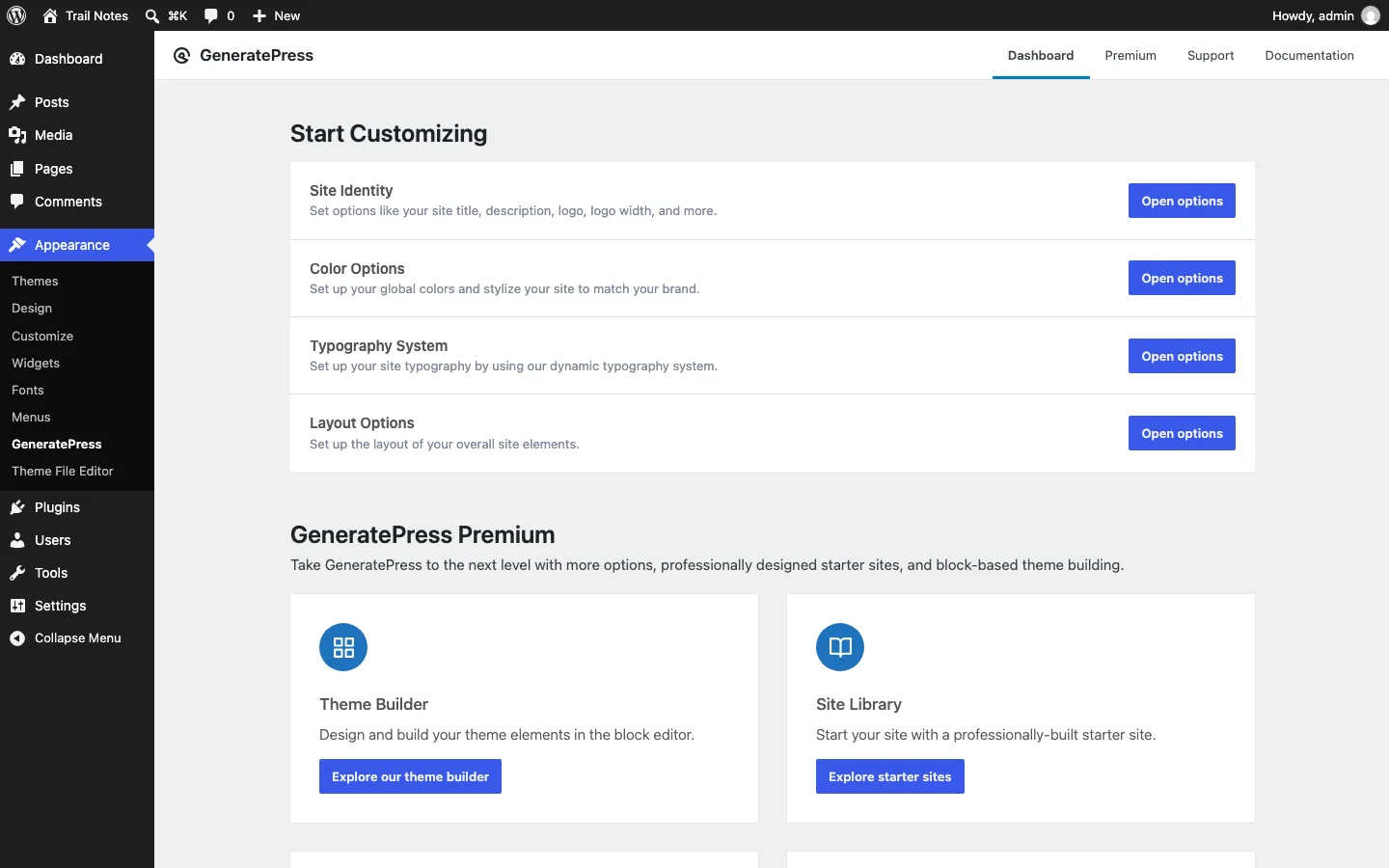
The GeneratePress dashboard under Appearance, with quick links to the main options and the GP Premium modules such as the Site Library.
Starter Sites
The Starter Sites library gives you access to importable demo sites that you can customize freely. GP Premium includes 60+ of them, and the GeneratePress One bundle unlocks 80+ sites and 200+ patterns.
GenerateBlocks
The biggest addition since the theme’s early years is GenerateBlocks, a companion block editor plugin now in its 2.0 generation. It rewrote its core blocks for better performance, added a dynamic tag system that can pull in post meta and other data, and introduced container query support in the Pro version. GeneratePress and GenerateBlocks together are positioned as an alternative to full site editing rather than an implementation of it: the team’s stated position is that this combination already delivers the design control FSE promises, with better performance and more CSS control.
Better Customization
The premium version gives you dozens of color and typography options, dynamic page heroes, custom theme layouts, sticky navigation, mobile headers, off-canvas navigation, spacing controls, and an advanced hook system, plus image controls, columns, masonry, and infinite scroll.
Disable Elements
You can turn off various theme elements on specific pages to improve loading speed without altering the rest of the site.
Copyright
The premium version lets you replace the copyright message in the footer.
Hooks And Filters
If you know how to code, you can extend almost anything using GeneratePress’s list of filters and hooks.
Translation and RTL
The theme is translated into more than 20 languages out of the box and is RTL-ready.
Support And Documentation
GeneratePress’s features are extensively documented, covering installation through debugging.
If you have a pre-sale question or an account issue, the support page gets a fast response in most cases. If you’re stuck building your site, the support forum is the place to ask.
GeneratePress Pricing
A free version of GeneratePress is available on WordPress.org, though it has limited customization options and no access to the Starter Sites library. You can install it from your dashboard in about a minute.
The premium version, GP Premium, is $59/year. It includes all premium modules, the full Starter Sites library, unlimited site use, and a year of updates and support.
If you also want GenerateBlocks Pro and GenerateCloud (the team’s newer products), the GeneratePress One bundle covers all of it for $149/year and includes access to future products under the same license. There’s no lifetime option; all plans are annual subscriptions.
If GeneratePress isn’t for you, there’s a 30-day money-back guarantee, which makes it a low-risk purchase.