TheGem Theme Review (2026): Demos, Builders, WooCommerce and Pricing
TheGem suits freelancers and store owners who want polished demos with Elementor or WPBakery. Its shop and design tools offer a lot in one purchase. The cost is complexity and a larger commitment to the theme: switching later can mean rebuilding pages.
What Is TheGem?
TheGem is a premium multipurpose WordPress theme made by CodexThemes. It launched on ThemeForest in 2016 (the changelog goes back to version 1.1.0 in September 2016) and has been one of the marketplace’s steady sellers since. The ThemeForest listing calls it a “Creative Multi-Purpose & WooCommerce WordPress Theme”.
“Multipurpose” means it is not built for one niche: the same theme can run an agency site, a restaurant, a blog or an online store.
TheGem has changed a lot in recent years:
- Two editions. TheGem now ships as two separate themes in one download: one built for Elementor and one built for WPBakery. You pick one per site.
- Builders for every part of the site, from headers and footers to product pages and checkout.
- Far more demos. The library grew from about 150 demo pages to 400+ full demos, according to the vendor.
- TheGem Blocks, a bundled plugin with 500+ ready-made sections.
- Direct sales. CodexThemes now sells TheGem on its own site, with a cheaper single-site license and multi-site bundles.
Demos and Pre-Built Websites
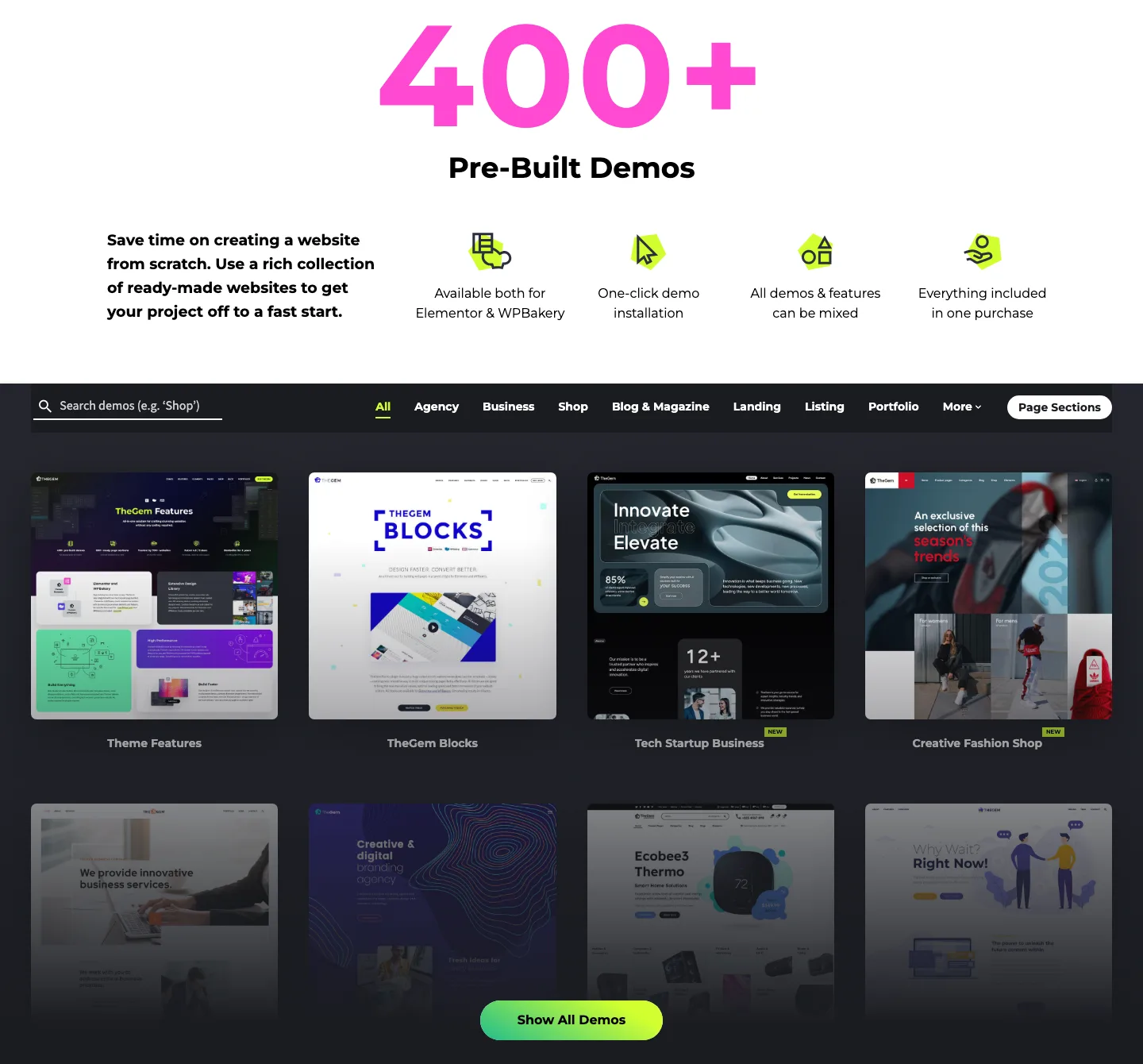
The pre-built demo library on the official TheGem site (vendor page).
The demo library is the main reason people buy TheGem. CodexThemes says there are more than 400 pre-built demos, and its demo browser filters them by type: agency, business, shop, blog and magazine, landing pages, listings, portfolio, one-pagers and niches such as restaurants, real estate, gyms, hotels, lawyers and medical practices.
New demos arrive with most updates. The 2026 releases added AI Creative Agency, AI Solutions 02 and Smart Home Solutions (February), Car Detailing, Law Firm and Cleaning Services (June), and Accounting Company and Car Repair Services (August).
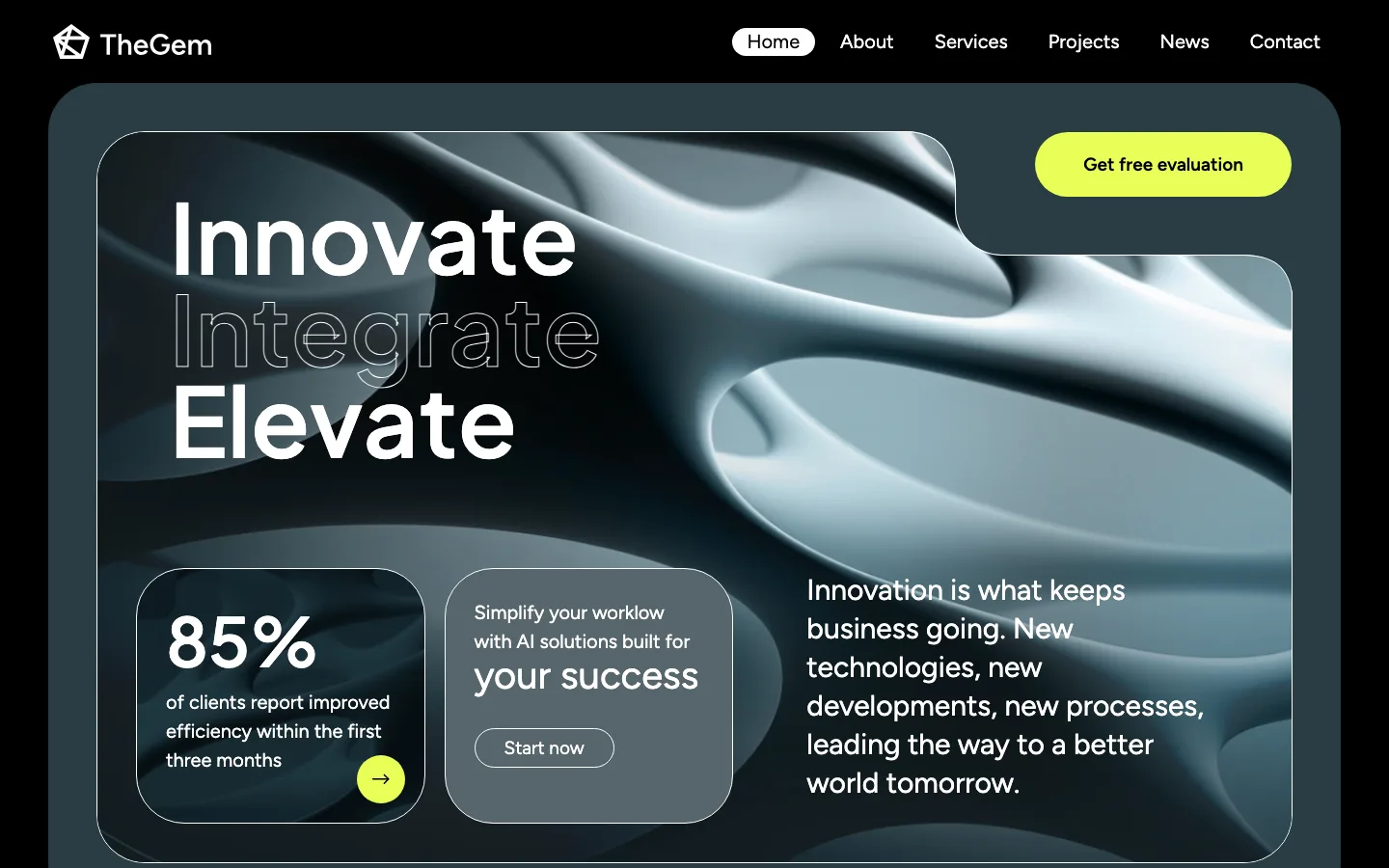
The official Tech Startup Business demo, one of the newest TheGem designs (Elementor edition).
The newer designs look current, with large type, rounded cards and dark modes. Some older demos in the library look dated, so look for the ones tagged “new” if you want a modern starting point.
The vendor says every demo exists in both an Elementor and a WPBakery version, demos can be mixed on one site, and one purchase covers the whole library, with no separate demo subscription. You can browse every demo for free before you buy, which is the best way to judge whether there is a design close to what you need.
Elementor or WPBakery: The Two Editions
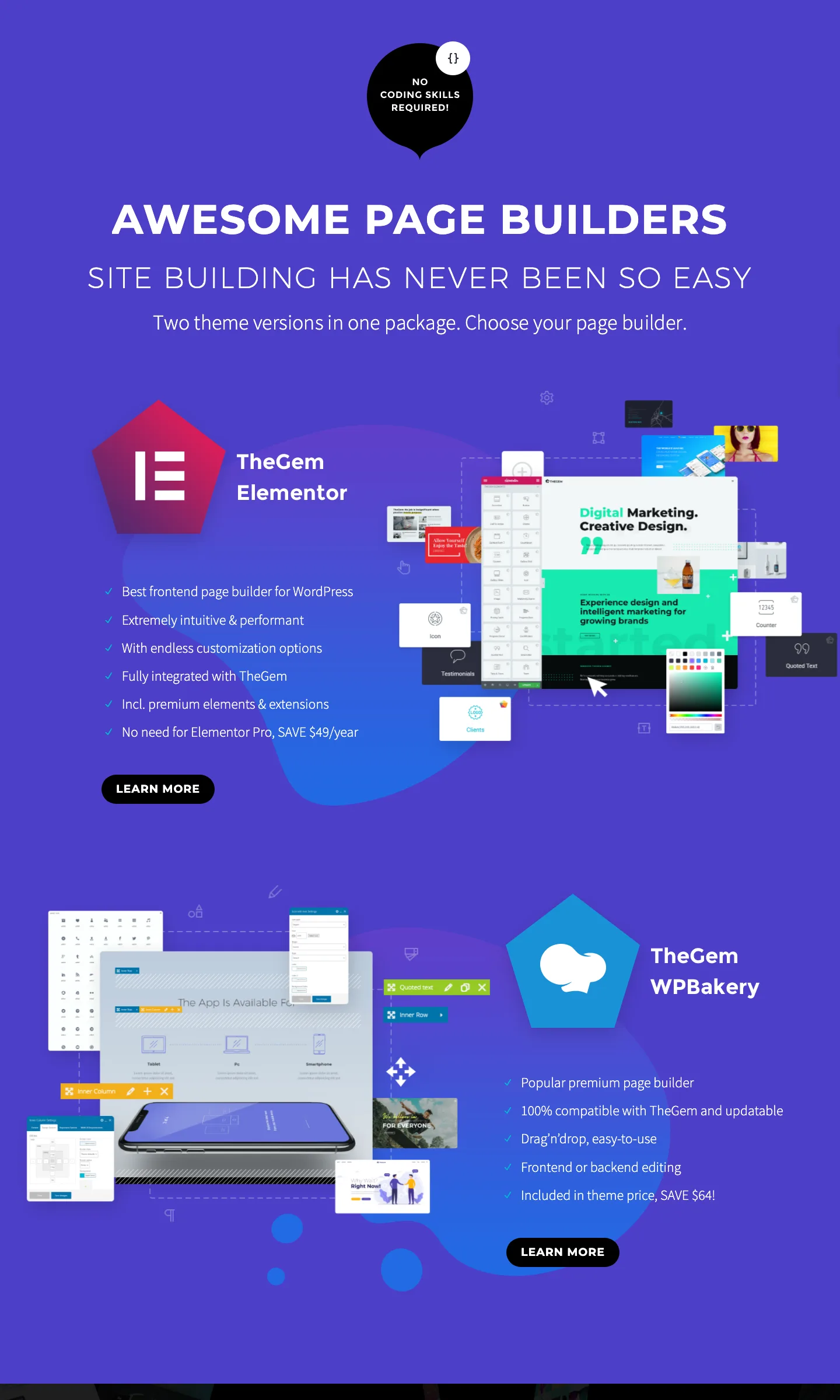
TheGem’s page builders overview, “Two theme versions in one package” (vendor page).
This is the biggest difference between TheGem and many of its rivals. When you download TheGem, you get two themes: TheGem for Elementor and TheGem for WPBakery. Each has its own required plugin (TheGem Theme Elements) with the theme’s elements, extensions and custom post types.
TheGem for Elementor works with the free Elementor plugin. The vendor says it adds over 30 extra widgets with preset skins, dynamic tags, section parallax, custom breakpoints and a custom CSS field for every element. Because TheGem has its own header, footer, template and popup builders, the vendor says you do not need Elementor Pro.
TheGem for WPBakery bundles the WPBakery Page Builder plugin, so you do not need to buy it separately. You can edit in the backend (blocks in the admin) or on the front end. Salient and Uncode also build on WPBakery if you want to compare.
Which should you pick? For a new site, the Elementor edition is the easier choice for most people. Elementor is more widely used and there are more tutorials for it. Recent changelog entries list most new TheGem features for both builders, so you are not giving anything up. Choose WPBakery if you already know it or are moving an older TheGem site.
Two cautions:
- Pick one edition and stay with it. Layouts built in one edition do not carry over to the other. Switching later means rebuilding pages.
- Theme lock-in still applies. TheGem’s own elements and templates only work while TheGem is active. If you switch themes later, expect to rebuild those parts. With the Elementor edition, plain Elementor sections survive a theme change better than WPBakery shortcodes do.
Builders, Theme Options and Design Tools
TheGem’s pitch is that you can design every part of a site with your page builder, without extra plugins. As of October 2026 the vendor lists these builders:
- Header and Footer Builder with separate layouts for desktop, tablet and mobile, sticky and transparent headers, display conditions, and 80+ pre-built header and footer templates.
- Mega Menu Builder with 50+ pre-built mega menu templates (per the changelog).
- Templates Builder for single posts, archives, page sections and custom post types.
- Loop Builder for custom listings, which the vendor pitches for directories, real estate and rental sites.
- Popups Builder with display rules.
- WooCommerce builders for product pages, shop archives, cart and checkout (covered below).
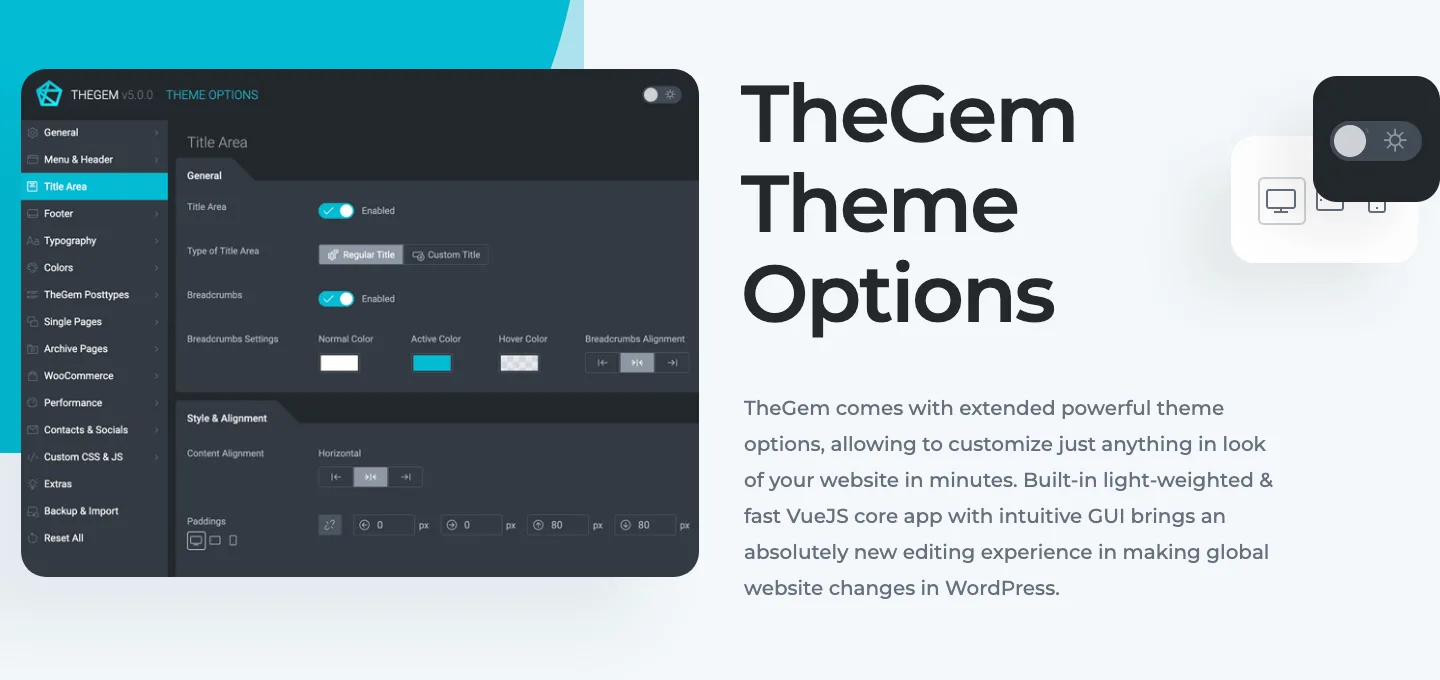
TheGem’s Theme Options panel, as shown on the official Theme Options page (vendor image).
The Theme Options panel handles site-wide settings such as header, footer, typography, colors, WooCommerce and performance. Page Options override them on a single page.
Other design tools worth knowing:
- TheGem Blocks: a free bundled plugin with 500+ pre-designed sections (hero, services, contact, FAQ, shop and more), each in multicolor and dark modes.
- 60+ content elements in 250+ styles, according to the vendor, including grids, counters, pricing tables, image compare and hotspots.
- Dynamic content and ACF: pull custom fields into templates.
- Effects: parallax, video backgrounds, animated headings, fullpage scrolling and, since June 2026, scroll color transitions.
- Translation and privacy: WPML certified, Polylang compatible, RTL ready, plus a built-in GDPR consent tool.
- Accessibility: version 5.11.0 (November 2025) brought what the vendor calls major improvements aimed at WCAG 2.2.
- Bundled premium plugins: Slider Revolution and LayerSlider, plus WPBakery in that edition.
That is a lot of options, and beginners should start from a demo or a block rather than a blank page.
WooCommerce Features
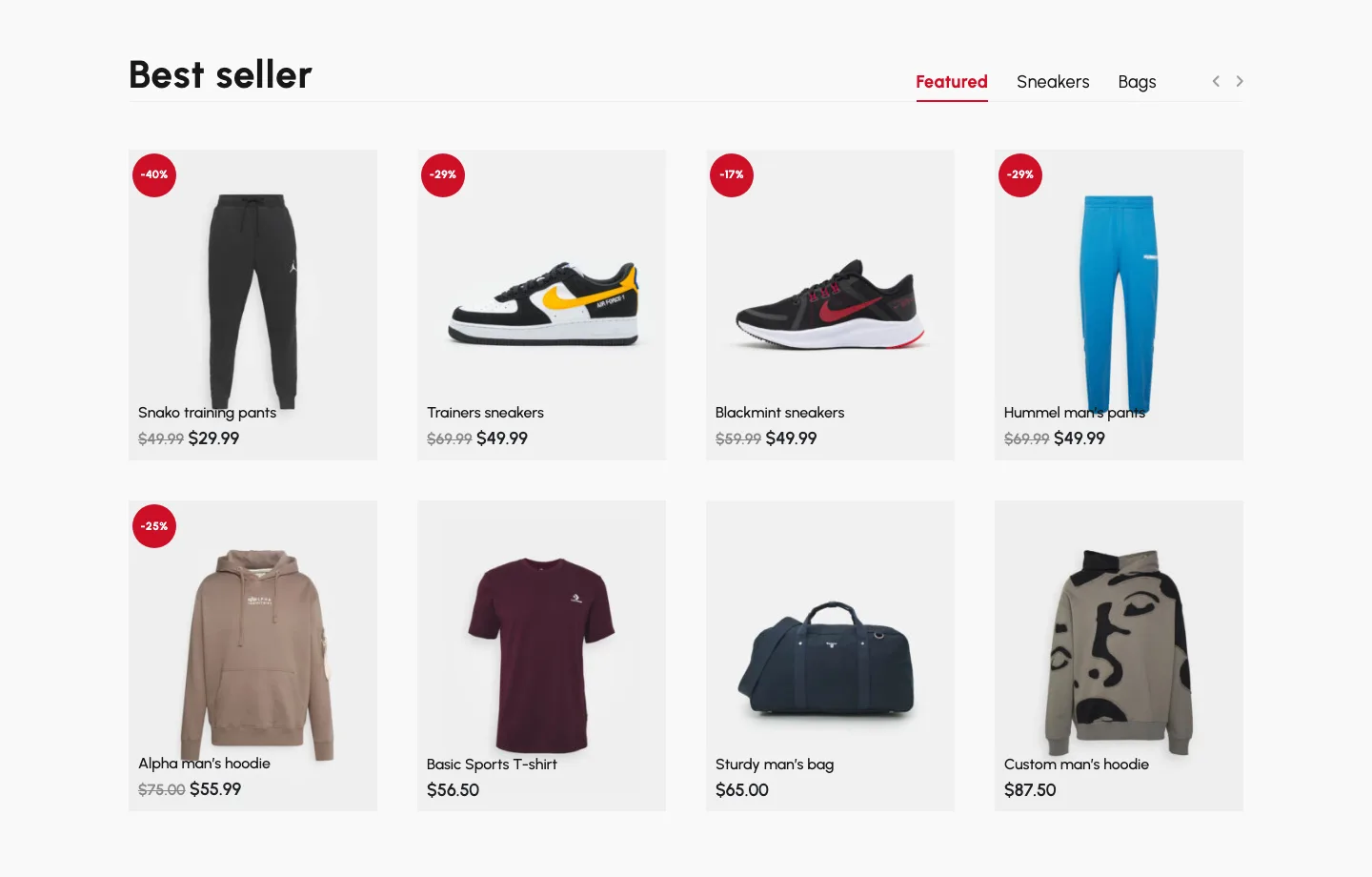
The best seller product grid on the official Creative Fashion Shop demo (WPBakery edition).
WooCommerce is one of TheGem’s strongest areas. As of October 2026 it includes:
- Single Product Builder with 15 pre-built product templates, according to the vendor.
- Shop archive and category builders for custom shop pages.
- Cart and Checkout Builder with pre-built cart and checkout designs.
- AJAX product filters (sidebar, horizontal or hidden), variation swatches in product pages and grids, and an AJAX live search that can search by SKU.
- Products Grid element for creative product loops on any page, plus carousels, product tabs and “products by status” sections.
- Wishlist, catalog mode (a shop without checkout) and a customizable My Account page.
- Product video in the gallery, with a setting added in August 2026 to choose its position.
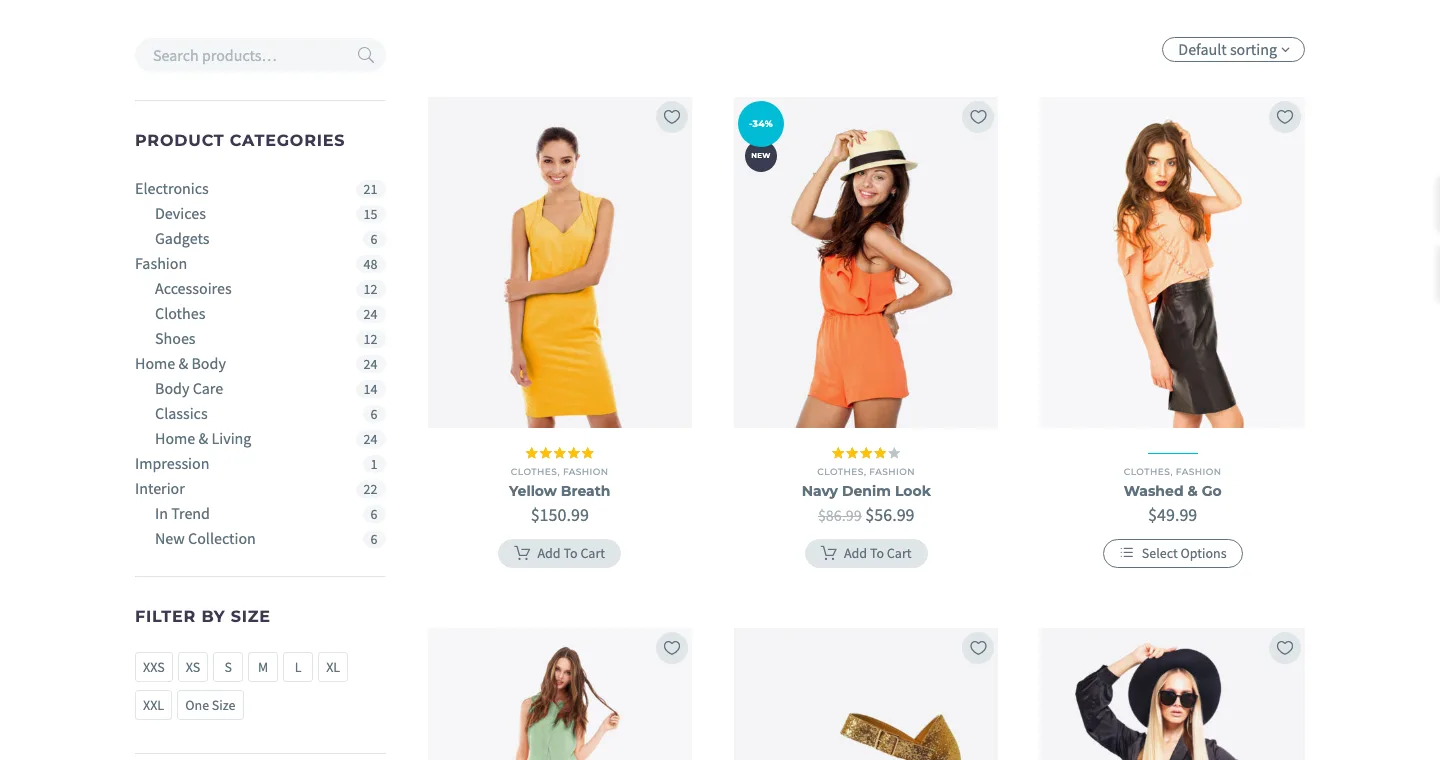
The official TheGem shop demo with sidebar category, size and color filters.
The ThemeForest listing marks TheGem compatible with WooCommerce 6 through 10. As with any feature-heavy shop theme, test product pages, filters and checkout on a staging site after each update.
If your site is purely a store and you do not need TheGem’s agency and portfolio designs, the store-focused Flatsome and WoodMart are also worth comparing.
Performance: Lighthouse on Two Official Demos
TheGem’s marketing says the theme loads only the CSS and JavaScript each page needs, and that a one-click optimization tool in Theme Options turns on caching (it sets up the WP Super Cache plugin, per the documentation), CSS and JS minification, and delayed JavaScript. The vendor goes as far as saying the highest PageSpeed scores are “guaranteed”. We would not rely on that word for any theme.
To get real numbers, we ran Lighthouse 13.5 on two of the official demo homepages on October 4, 2026. Mobile figures are the median of three runs; desktop is one run each.
The Elementor Tech Startup Business demo scored 75 on mobile with largest content at 5.3 seconds, and 93 on desktop with 1.2 seconds. It transferred about 1.0 MB across 60 mobile requests.
The WPBakery Creative Fashion Shop scored 69 on mobile with largest content at 6.9 seconds, and 93 on desktop with 1.5 seconds. It transferred roughly 4.0 MB across 81 requests. These different designs do not isolate the builder’s contribution to speed.
LCP (Largest Contentful Paint) is how long the biggest element, usually the hero image or heading, takes to appear. Google treats 2.5 seconds or less as good. Lighthouse’s mobile test simulates a slow 4G connection and a mid-range phone, so mobile numbers always look worse than desktop.
- Desktop is fast on both demos. Both scored 93, with no blocking time and almost no layout shift.
- Mobile is middling. On both demos the LCP element was the full-screen hero (a Ken Burns background on the startup demo), and it took well past Google’s 2.5-second target to appear. The shop demo sends about four times the data of the startup demo; about 3.5 MB of its 4 MB is images.
- These are demos, not your site. The demo servers run older software (the fashion demo reports WordPress 6.0 and WooCommerce 6.6.1), and we cannot see their caching settings. Your hosting, images and plugins will change the numbers.
- The SEO score is not meaningful here. Lighthouse gave both demos 50 for SEO because the demo sites are set to block search engines, which is normal for theme demos.
For context, the free lightweight themes in our fastest WordPress theme test all scored 98 to 100 on a simple test page. That is not a fair head-to-head, since a full demo with large photos is a much heavier page, but it shows the trade-off: TheGem gives you rich designs, and you pay for them in page weight. Compress your images, use good hosting, keep sliders out of mobile hero sections (the vendor’s own docs say the same), and run the one-click optimization.
SEO
TheGem has no SEO suite of its own, and it does not need one. The vendor says it is compatible with Yoast SEO and other SEO plugins, uses proper heading and image markup, and includes Google Analytics integration and social sharing. The vendor also says good rankings are “guaranteed”. Treat that as marketing: rankings depend on your content and links far more than on your theme.
Support, Updates and Documentation
Support runs through CodexThemes’ own ticket system (a help desk on Ticksy), in English, German or Polish, according to the vendor. It is included for 6 months with a single-site license and 12 months with a direct multi-site license. The documentation is detailed, with separate sections for the Elementor and WPBakery editions, screenshots for most settings and video tutorials.
Updates are free for life with every license. The changelog shows seven releases between January and August 2026, including three security updates (5.11.1, 5.12.1.1 and 5.12.3.1). There had been no new release between August 20 and our check on October 4. Update promptly when security releases come out.
TheGem Pricing (as of October 2026)
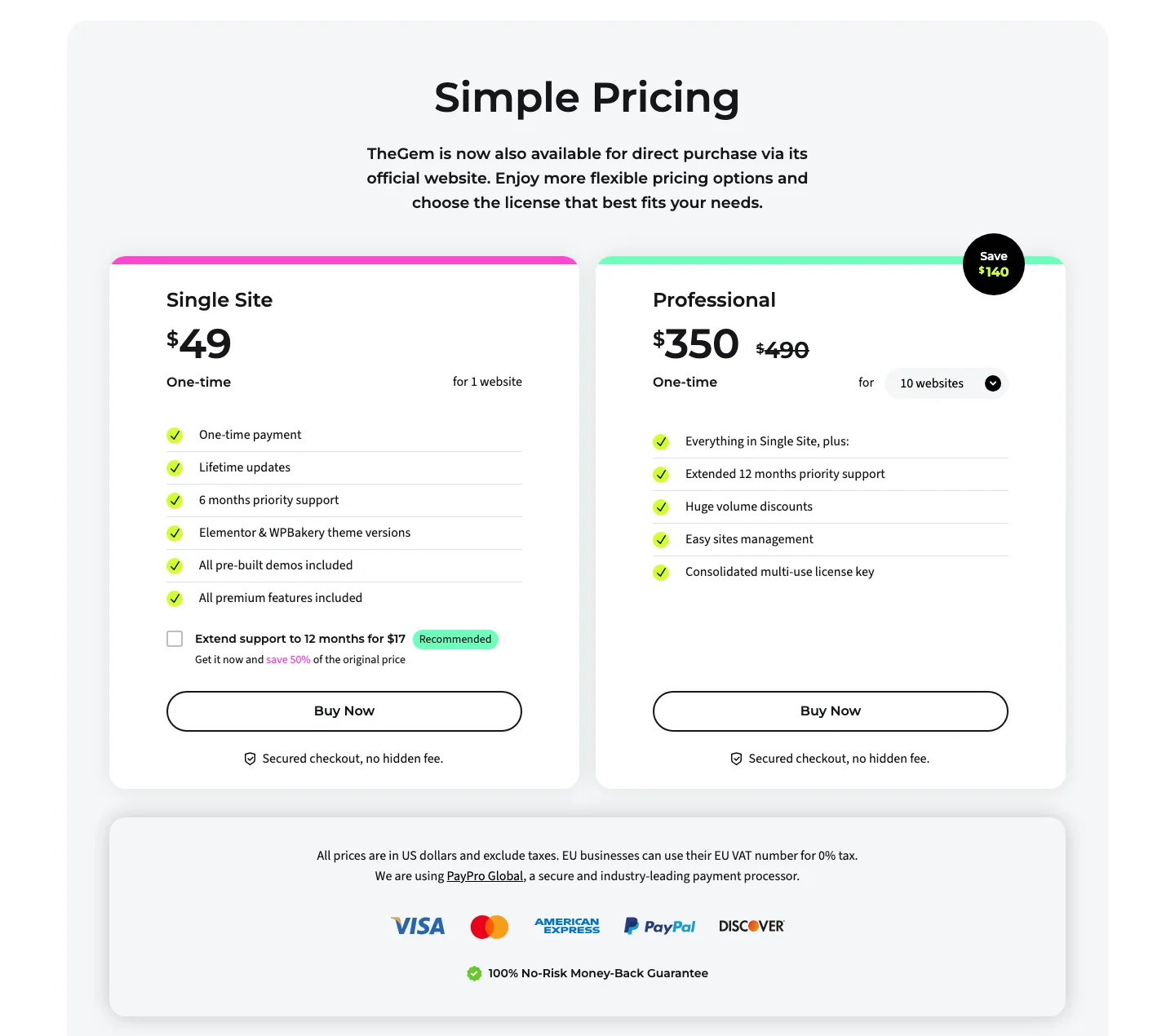
TheGem’s direct pricing on the official site (vendor page).
TheGem is a one-time purchase whichever way you buy it, with lifetime updates. Prices exclude tax.
Direct from CodexThemes
Direct single-site access costs $49 once with six months of support, extendable to twelve for $17. Professional licenses cost $127 for three sites, $195 for five, $350 for ten or $590 for 20, each with twelve months of support.
Every direct license includes both theme editions, all demos and all features. A single-site license covers one live site plus one local copy and one staging copy. Direct purchases come with a 14-day no-questions refund, according to the vendor.
On ThemeForest
- Regular License: $59 for one end product that users are not charged for. It includes 6 months of support and lifetime updates. Extending support to 12 months cost $17.63 extra at checkout when we checked.
- Extended License: $2,900. You only need this if end users pay to use the site you build, such as a paid membership product. A normal business site or online store does not need it.
The theme files are identical either way. ThemeForest purchases follow Envato’s refund rules, which are stricter than the direct 14-day refund.
Which should you buy? For one site, the $49 direct license is the cheapest way to get TheGem. Buy on ThemeForest only if you prefer to keep your purchases in an Envato account. For agencies, the multi-site bundles are a big improvement: 10 sites cost $35 each instead of $59. This is one of the better multi-site deals among premium multipurpose themes, since several rivals have moved to yearly subscriptions.
TheGem vs Other Premium Themes
TheGem costs $49 direct or $59 on ThemeForest and suits demo-led business sites and stores using Elementor or WPBakery. Uncode costs $59 on ThemeForest with a customized WPBakery workflow aimed at agencies and portfolios, while Salient costs $60 for a similar editor family and creative layouts.
Avada costs $69 and uses its own builder with a large ecosystem. Flatsome costs $59 and focuses on WooCommerce through UX Builder. The editing workflow is a more useful distinction than the small differences in purchase price.
- TheGem vs Uncode: Uncode is tied to its own WPBakery builder; TheGem lets you pick Elementor. See our Uncode review.
- TheGem vs Avada: Avada has a far larger user base; TheGem has more ready-made demos and is cheaper per site. Read our in-depth look at Avada.
- TheGem vs The7 and BeTheme: both also support Elementor and have big demo libraries. The7 has moved new versions to a yearly subscription, and BeTheme offers annual and lifetime plans plus 700+ demos.
- Lighter options: if speed and portability matter more than built-in designs, Astra or Kadence with Elementor or the block editor is an easier starting point. Our guide to the best page builder for WordPress can help you choose the builder first.