The7 WordPress Theme Review (2026): The7 15, Pricing and Builders
Our verdict: The7 is still one of the most flexible multipurpose WordPress themes you can buy. It suits people who want a large library of pre-made websites, deep design controls, and the freedom to build with Elementor, WPBakery or the block editor. It also suits anyone who already runs a The7 site. Skip it if you want a lightweight theme, a free option, or a simple one-time purchase. In July 2026 The7 moved new versions to a yearly subscription: $39 for the first year, then $49 a year for one site (as of October 2026). The old ThemeForest version is now a legacy product called “The7 Classic.”
The7 Quick Facts
Facts below were checked on the7.io, the The7 changelog and the ThemeForest listing on October 3, 2026.
| Item | Details |
|---|---|
| Developer | Dream-Theme (selling The7 since 2013) |
| Current version | The7 15.0.4 (released August 14, 2026) |
| Legacy version | The7 Classic 14.5.0.2 on ThemeForest (updated September 2026) |
| Price (direct) | 1-Site: $39 first year, then $49/year. Unlimited: $199 first year, then $249/year |
| Price (ThemeForest) | The7 Classic: $69 one-time, includes 6 months of support |
| Support | Included while a direct plan is active; priority support on Unlimited |
| Sales and rating | 337,348 ThemeForest sales, 4.75 out of 5 from about 9,300 reviews |
| Page builders | Elementor, WPBakery Page Builder, block editor (full site editing) |
| Pre-made websites | 75+ |
| Best suited for | Agencies, freelancers, business sites, WooCommerce stores, and existing The7 users |
What Is The7?
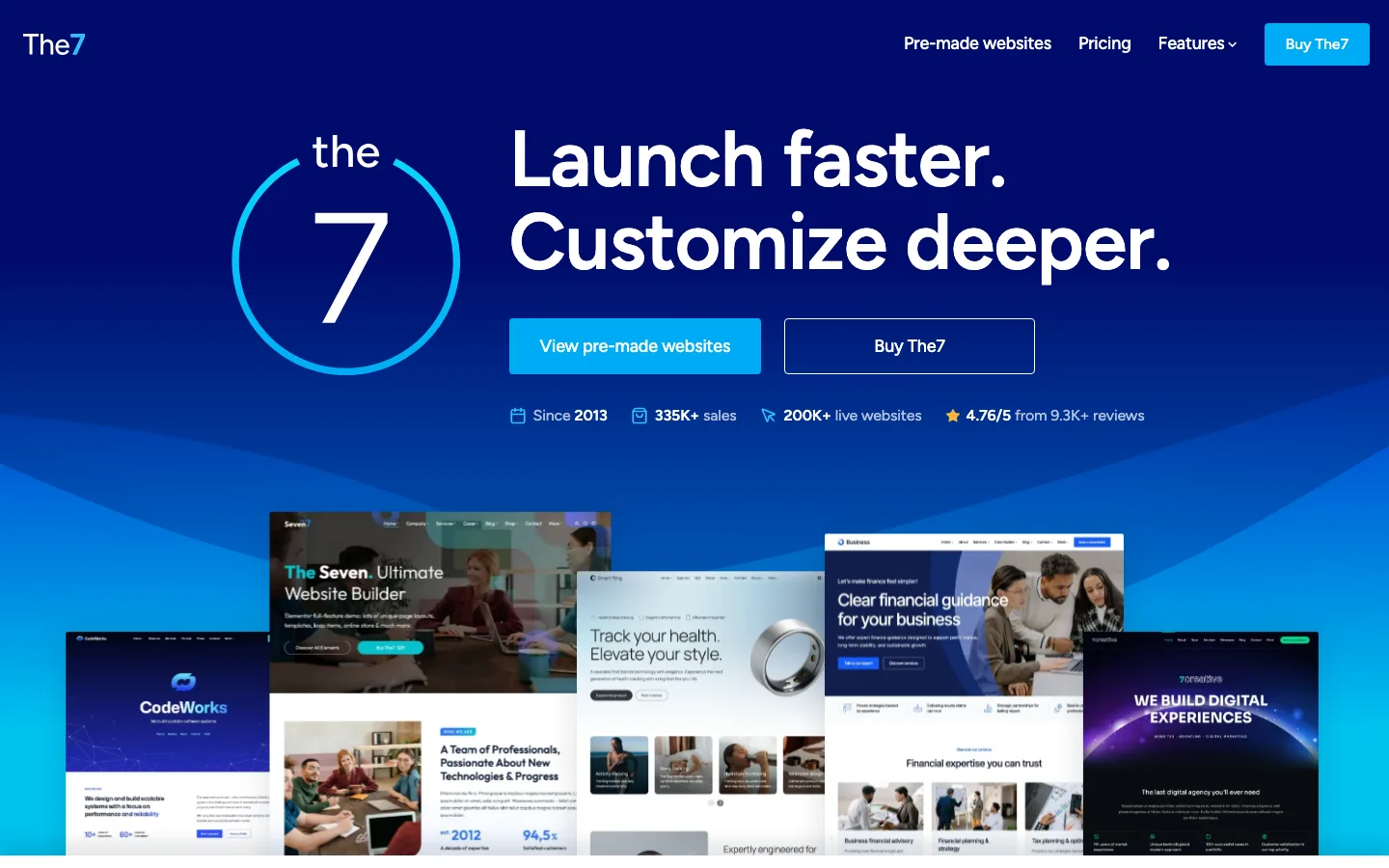
The official The7 homepage, October 2026.
The7 is a multipurpose WordPress theme made by Dream-Theme. “Multipurpose” means it is not built for one kind of site. You can use it for a company site, a portfolio, an online store, a course site or a landing page. In that sense it competes with themes like Avada, BeTheme and Uncode.
The theme launched on ThemeForest in 2013 and became one of the best-selling themes on that marketplace. Dream-Theme says it now runs on more than 200,000 live websites.
What makes The7 different from most rivals is that it does not force its own page builder on you. Instead, it plugs into the builders people already use. You pick a mode when you set up the theme, and The7 adds its own widgets, templates and design settings to that builder.
People search for this theme in many ways, such as “the 7 theme” or “the7 wp theme.” They all mean the same product.
The Big 2026 Change: The7 15 vs The7 Classic
This is the most important thing to know before you buy, and most older reviews do not mention it yet.
On July 22, 2026, Dream-Theme released The7 15 and moved new development off ThemeForest. The7 15 is sold directly on the7.io as a yearly plan. The ThemeForest item was renamed “The7 Classic” in September 2026.
Dream-Theme gives two reasons on its update policy page. ThemeForest sales fell sharply in 2026, and Envato changed its author terms on July 1, 2026. The developer says that change raised its fee from 12.5% to 50% of each sale.
Here is what the split means in practice:
- The7 15 is the current product. It gets new features, new pre-made websites, and compatibility updates for new versions of WordPress, PHP, WooCommerce, Elementor and WPBakery.
- The7 Classic (version 14) keeps working and gets security and essential maintenance updates. Dream-Theme says it is no longer tested against new major versions of WordPress, PHP or the main plugins. It also says Classic updates depend on Envato’s API, so they will stop if that API is shut down.
What existing The7 owners should know
- If you bought on ThemeForest less than 12 months ago, you can upgrade to The7 15 for free. You get updates until 12 months after your purchase date.
- If your ThemeForest purchase is older than 12 months, your site keeps working, but you need a direct plan to move to The7 15.
- If you bought a direct lifetime license through Freemius (the7.io’s checkout provider), nothing changes. It still includes The7 15 and lifetime updates.
- The upgrade is a one-click button in the dashboard. Dream-Theme says sites do not need to be rebuilt and existing child themes still work. Take a backup first anyway.
Pre-Made Websites
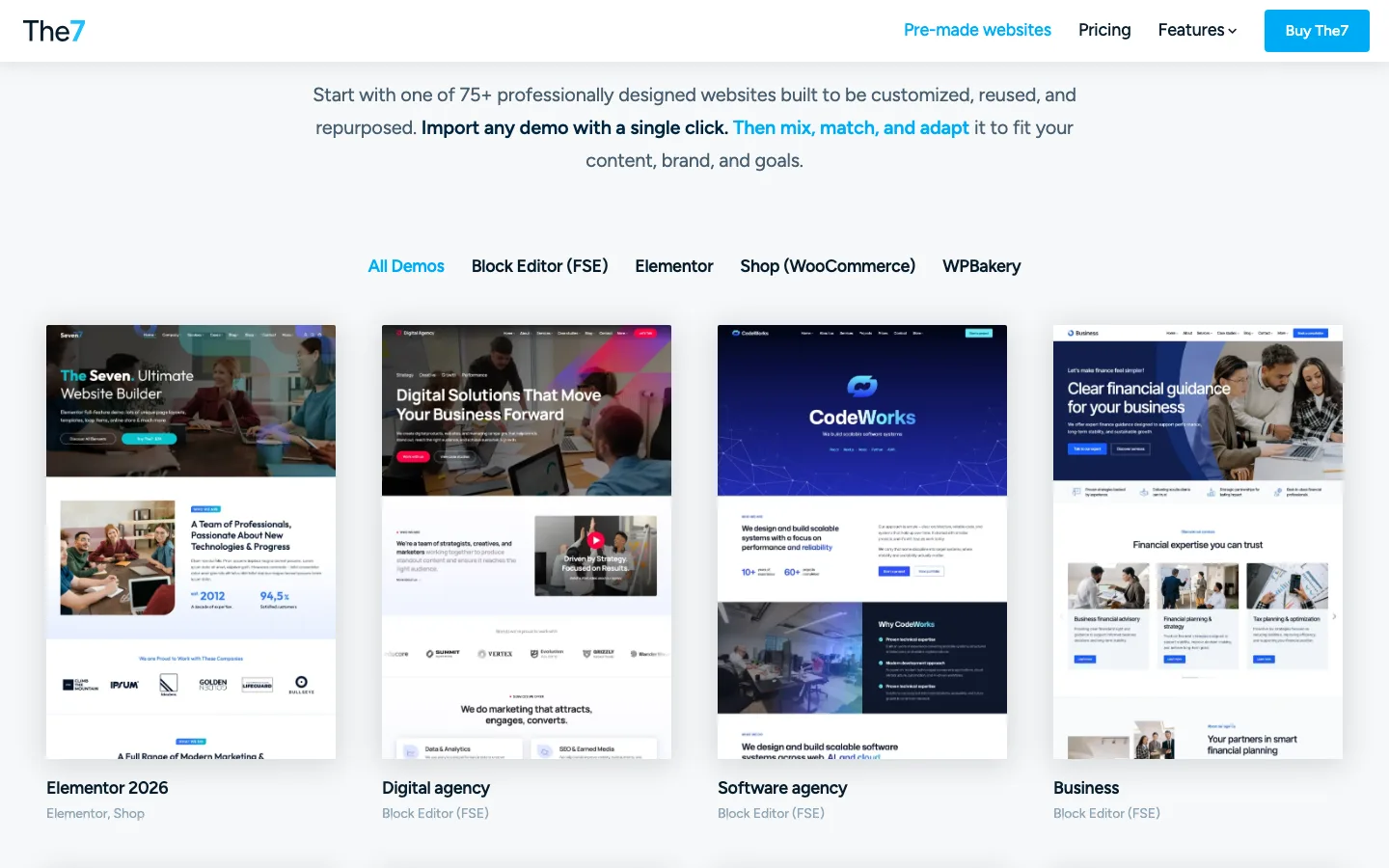
The pre-made website library on the7.io, filtered by builder, October 2026.
The7 includes more than 75 pre-made websites (often called demos or starter sites). Each one is a full site with pages, menus, headers and sample content that you import with one click and then edit.
The library is split by builder. You can filter it by Block Editor (FSE), Elementor, WPBakery and WooCommerce shop. Recent examples include Elementor 2026, Digital Agency, Software Agency, Business, Corporate, Creative Dark, AI Online Course and Online Shop Classic. Most of the newest designs are built for the block editor, which shows where the theme is heading.
You can also mix pages from different demos. That helps if you like the homepage of one design and the shop layout of another.
Two licensing details matter here:
- Importing new premium pre-made websites needs an active plan. ThemeForest buyers of The7 Classic get 12 months of library access.
- Anything you already imported stays on your site if your plan ends.
Page Builders and The7 Elements
The7 works in four modes: Elementor, block editor (full site editing), WPBakery, and a stripped-down Custom mode for developers. Pick one mode early. Pages built in one builder do not convert to another.
The7 with Elementor

The Elementor 2026 pre-made website, The7’s main Elementor demo, October 2026.
Elementor mode is the most complete option for new sites today. The7 adds a lot on top of Elementor:
- More than 70 exclusive The7 widgets
- Theme building for headers, footers, mega menus, single posts, archives, search results and the 404 page
- Sticky headers that change size and color on scroll
- A slideshow builder inside the Elementor editor
- Bulk editing of site fonts
- A simple custom post type builder
- A hover builder for images
Much of this overlaps with Elementor Pro’s theme builder. Because The7 covers many of those features, some sites can get by with free Elementor. That depends on which widgets you need. The7 15 also adds better support for Elementor version 4.
The7 with the block editor (full site editing)
Full site editing (FSE) lets you edit your whole site, including headers, footers and archive pages, inside WordPress’s own block editor. The7 added early FSE support in version 12 in September 2024. The7 15 goes further and is now built “FSE-first,” meaning the block editor is the main foundation for future work.
Dream-Theme says its FSE mode adds responsive controls, hover animations and AJAX filtering for query loops without needing extra plugins. If you prefer the native WordPress editor over a page builder, this is the mode to try.
The7 with WPBakery
The7 has shipped with WPBakery Page Builder (formerly Visual Composer) from the start, and Dream-Theme calls it the best-selling theme for that builder. In WPBakery mode you get the classic Theme Options panel, which Dream-Theme says has more than 2,000 settings. You also get 7 post types, 50+ exclusive shortcodes, and the Ultimate Addons plugin. The7 15.0.1 added support for WPBakery 9.
WPBakery mode makes most sense if you maintain an older The7 site. For a brand-new site, Elementor or the block editor is the better long-term pick.
What is The7 Elements?
The7 Elements is the free companion plugin that comes with the theme. You install it from The7 > Plugins in your dashboard. It does two main jobs:
- It adds The7’s custom post types, such as portfolio, team, testimonials, logos and photo albums. The custom post type builder also needs it.
- It powers many of the extra “The7” elements you see in your builder. The Elementor list includes widgets like The7 Loop Masonry & Grid, The7 Loop Slider, The7 Simple Posts Carousel and The7 Product Categories Grid.
You can turn off post types you do not use in The7 > My The7 > Settings. Dream-Theme’s own speed guide says to deactivate The7 Elements completely if you do not use its post types. That is a good habit, because every unused feature adds code.
Bundled premium plugins
A The7 license includes Slider Revolution, WPBakery Page Builder and Ultimate Addons, plus other recommended plugins. You install them from the theme dashboard instead of buying them separately. None of them are required, so only install the ones you will use.
WooCommerce Features
The7 is a strong pick for online stores, especially in Elementor mode. Dream-Theme says it adds more than 40 WooCommerce widgets to Elementor. You can design storefronts, product pages, product lists, product scrollers and filters, and add videos to products. Cart, checkout and account pages can be styled too.
Several pre-made websites include a full shop, such as Elementor 2026, Corporate, Consulting and Online Shop Classic. The ThemeForest listing says it works with WooCommerce 9.x. It also lists support for Easy Digital Downloads and WP EasyCart.
If you are building a store-first project with thousands of products, a theme built only for shops may give you more store features. For a business site that also sells, The7 covers most needs.
Performance and Speed
We have not run our own speed tests on The7 15, so we will not quote load times or scores.
Here is what we can say from the vendor’s own information:
- Dream-Theme says The7 15’s theme package is about 30% smaller than The7 14.
- It ships with a tuned setup for Fast Velocity Minify, a free plugin that combines and shrinks CSS and JavaScript files.
- Its FSE mode is designed to add little extra code to the page.
The7 is still a large, feature-rich theme. Speed depends mostly on how you set it up. Dream-Theme’s own speed guide recommends:
- Use one page builder only.
- Turn off The7 post types and legacy features you do not use.
- Deactivate bundled plugins, like Slider Revolution, if you have no sliders.
- Keep only the icon sets and Google Fonts you need.
- Add a caching plugin and compress your images with a plugin such as Smush.
Fast hosting matters too. A heavy theme on cheap shared hosting will feel slow no matter what you change.
Customization and Other Features
The7 has long called itself “the most customizable WordPress theme.” The amount of control is real, though the settings now live in different places depending on your builder. In Elementor mode, much of the styling sits in Elementor’s site settings and The7’s widgets. In WPBakery mode, it sits in the big Theme Options panel.
Other features worth knowing:
- Headers and menus: many header layouts, including side headers and overlay menus, plus mega menus and separate mobile headers.
- Translation: works with WPML, Polylang and standard WordPress translation tools.
- White labeling: you can rename The7 and change its branding in the dashboard when you hand a site to a client.
- Compatibility: the ThemeForest listing names Elementor Pro, WPML, Gravity Forms, The Events Calendar, bbPress and WooCommerce.
- Security updates: 2026 releases fixed several security issues, including one where users with Contributor access could see password hashes (fixed in 15.0.4 and Classic 14.4.8). Keep the theme updated.
The trade-off is a learning curve. There are many panels and options. Beginners do best when they import a pre-made website, set global colors and fonts, and then edit content, rather than opening every settings screen.
Pricing and Support Terms
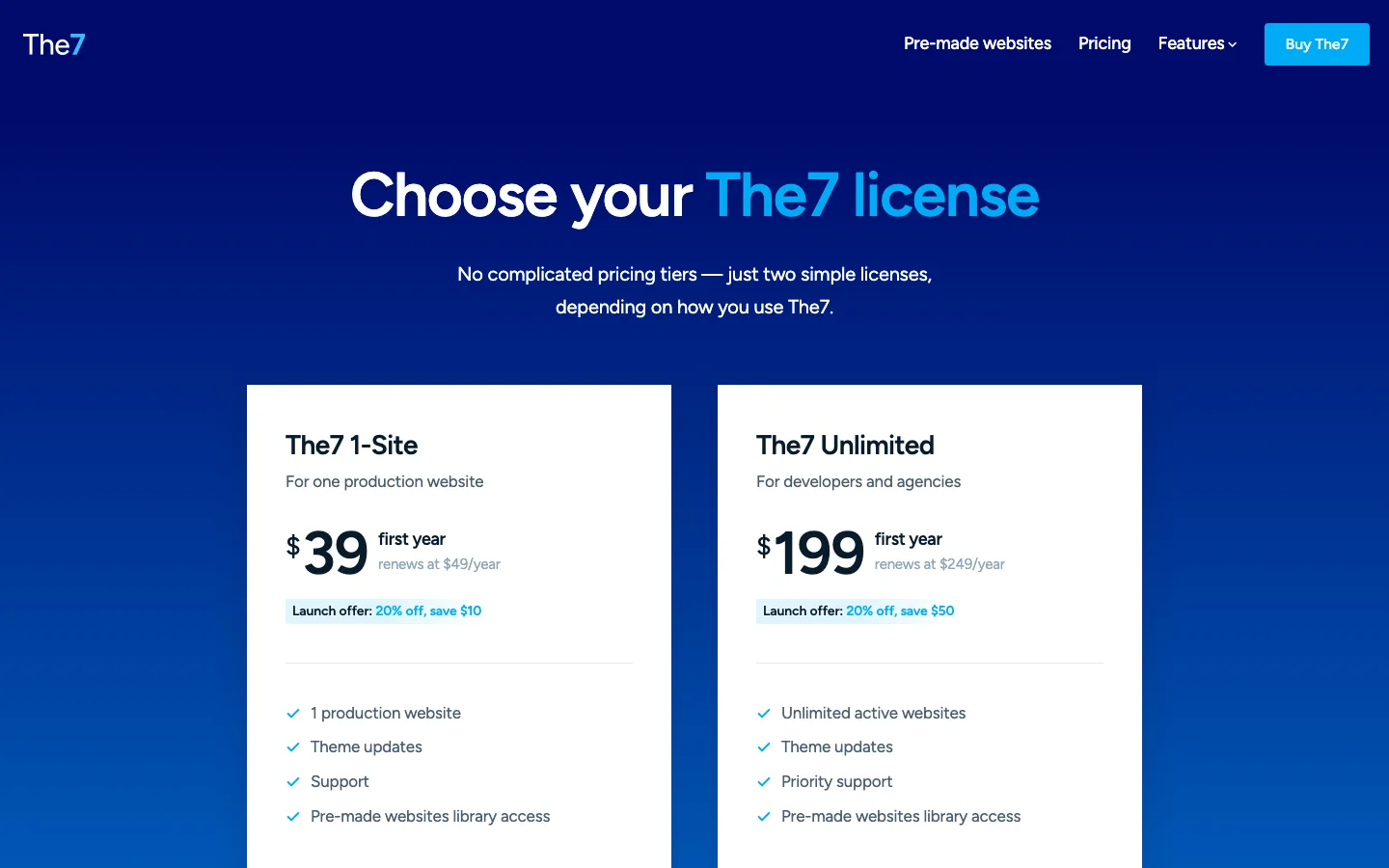
The7’s direct pricing page with the two yearly plans, October 2026.
As of October 2026, you can buy The7 in two places.
Direct from the7.io (The7 15):
| Plan | First year | Renewal | Sites | Support |
|---|---|---|---|---|
| The7 1-Site | $39 | $49/year | 1 production site | Support |
| The7 Unlimited | $199 | $249/year | Unlimited active sites | Priority support |
The first-year prices are a launch offer of 20% off. Both plans include theme updates, support and access to the pre-made website library while the plan is active. A 1-Site plan can be used for a client site, and staging or development copies of the same project are allowed. Dream-Theme says client handoff licenses for the Unlimited plan are planned but not available yet.
If you cancel, your site keeps working with the version you have installed. Updates, support, new site activations and new demo imports stop.
On ThemeForest (The7 Classic):
- Regular license: $69 one-time, which includes Envato’s $12 buyer fee
- Extended license (for a product end users pay for): $3,550
- 6 months of support, which you can extend to 12 months at checkout
- Security and maintenance updates only, plus 12 months of pre-made website access
For a new site, the direct 1-Site plan is the better deal. It costs less up front and gets the current version. ThemeForest only makes sense if you need a one-time purchase and accept that Classic is in maintenance mode.
Support runs through the Dream-Theme help desk on business days from 8:00 to 17:00 GMT. Requests are usually answered within 24 hours. Reviews on the official site often praise support speed, and The7 has a large online user guide and knowledge base.
Pros and Cons
Pros
- Works with Elementor, WPBakery and the block editor, so you are not locked into one builder
- 75+ pre-made websites, many of them updated in 2025 and 2026
- Deep design controls and 70+ extra Elementor widgets
- Strong WooCommerce tools
- Slider Revolution, WPBakery and Ultimate Addons included
- Active development, with an easy upgrade path for existing sites
- Low first-year price for a single site
Cons
- No longer a one-time purchase for the current version
- The ThemeForest version only gets maintenance updates now
- Many options and modes, which means a learning curve
- Can get heavy if you leave unused builders, plugins and features switched on
- No client handoff licenses on the Unlimited plan yet
- No free version or trial
The7 Alternatives
- Avada: the best-selling ThemeForest theme, with its own builder instead of Elementor or WPBakery.
- BeTheme: a huge library of pre-built sites. See our BeTheme review.
- Uncode: a creative theme popular with agencies and portfolios. See what Uncode offers.
- Astra: lighter, with a free version and a big starter template library. Read our Astra review.
- Kadence: a fast, block-first theme with a generous free version. Read our Kadence review.
- Divi: an all-in-one theme and builder with a lifetime option. Read our Divi review.
Not sure which builder to use with your theme? Our guide to the best page builder for WordPress compares the main options.
FAQ
Is The7 theme free?
No. There is no free version or trial. As of October 2026, the direct 1-Site plan costs $39 for the first year and $49 a year after that. The ThemeForest version, The7 Classic, costs $69 one-time.
Is The7 a one-time purchase?
Not anymore for the current version. Since July 2026, The7 15 is sold as a yearly plan on the7.io. You can still buy The7 Classic once on ThemeForest, but it only gets security and maintenance updates. If you stop paying for a direct plan, your site keeps working, but updates and support stop.
What is The7 Elements?
The7 Elements is the companion plugin that comes with the theme. It adds custom post types like portfolio, team and testimonials, and powers many of the extra The7 widgets and elements. If you do not use those post types, Dream-Theme suggests turning them off or deactivating the plugin to keep your site lean.
Does The7 work with Elementor?
Yes. Elementor is one of The7’s main modes. The7 adds more than 70 of its own widgets, a header and footer builder, mega menus and more than 40 WooCommerce widgets on top of Elementor. It also supports WPBakery and the WordPress block editor.
What is the difference between The7 15 and The7 Classic?
The7 15 is the current version, sold directly by Dream-Theme. It gets new features and compatibility updates. The7 Classic is the legacy version 14 sold on ThemeForest. It keeps working and gets security fixes, but it is not tested against new major versions of WordPress, PHP or the main plugins.
Is The7 good for beginners?
It can be, if you start with a pre-made website and only change what you need. The number of options can feel like a lot at first. If you want something simpler, a lighter theme like Astra or Kadence is easier to learn.