Flatsome Review: High-Performance Multipurpose Theme?
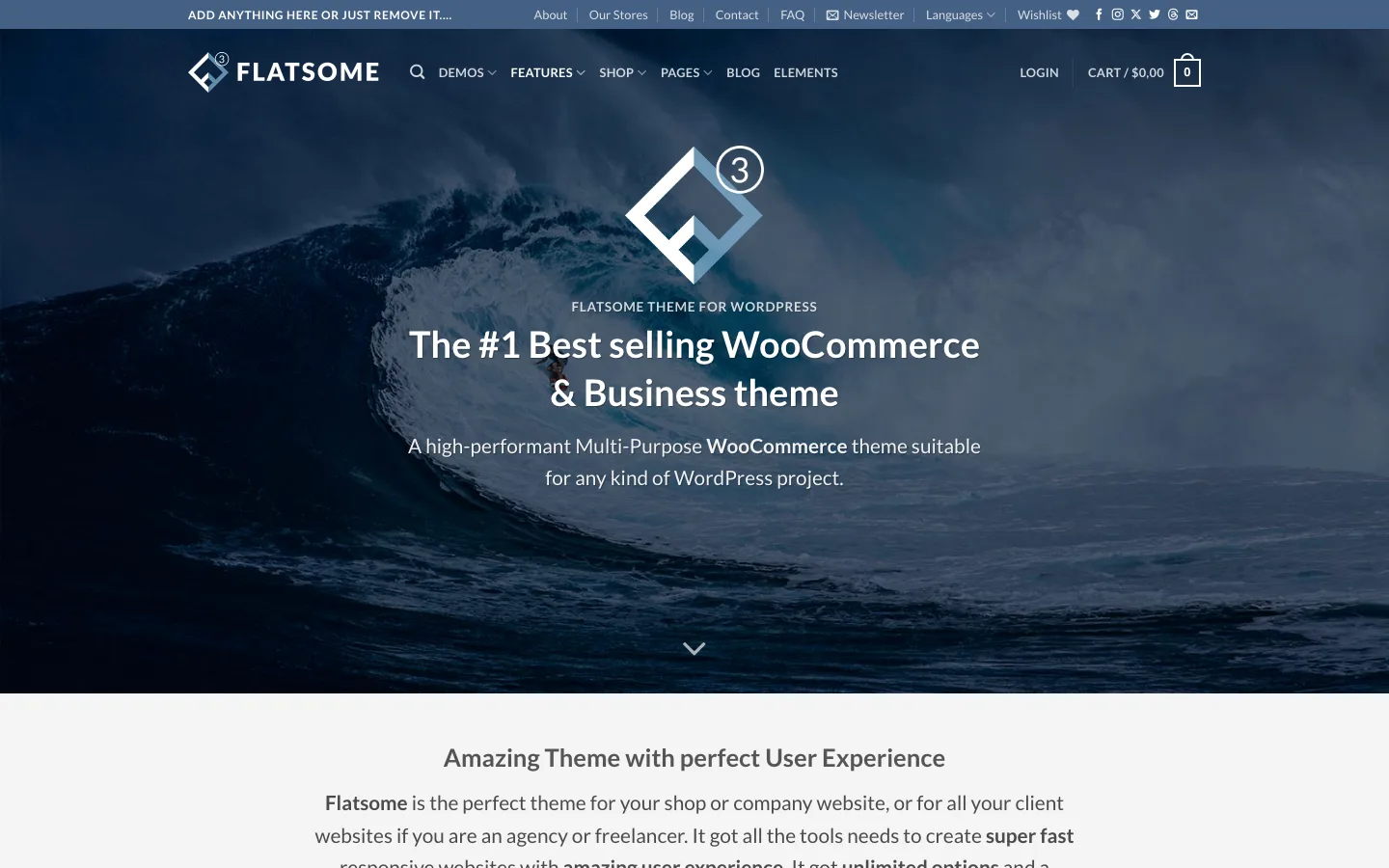
The main Flatsome demo site at demos.flatsome.com, October 2026.
| Quick Facts | |
|---|---|
| Latest version | 3.20.8 |
| Price | $59 regular license, $2,950 extended license |
| Marketplace | ThemeForest |
| Sales | 265,000+ |
| Last vendor update | July 2026 |
| Best suited for | WooCommerce stores that want a fast, builder-driven theme with active support |
There is no shortage of stellar multipurpose themes for WordPress, Avada among them. Most offer a slew of customization options and tons of attractive templates.
Flatsome is the standout among them for WooCommerce specifically – it’s ThemeForest’s top-selling WooCommerce theme, with more than 265,000 sales.
It has always marketed itself as one of the faster multipurpose themes around – but with light, single-purpose themes like OceanWP and Astra available, that claim is worth checking rather than taking at face value.
Is it still fast? And more importantly, is it worth the $59 in 2026?
We’ll review its current features, compatibility, and pricing to find out.
What is the Flatsome Theme About?
Flatsome is a multipurpose theme built around a modern, clean design. Its primary focus is a smooth visitor experience, achieved through subtle transitions and animations, light and tinted colors, thin lines, and sans-serif fonts.
It ships with a dozen-plus demos, all fully customizable, and can be used for blogs, portfolios, agency sites, and eCommerce shops alike.
The design leans toward retail and lifestyle brands right out of the box, but since it’s customizable, you can push it toward a more corporate or editorial look by changing fonts, sections, and colors.
UX-Themes develops and maintains Flatsome. The company first appeared on ThemeForest back in 2013. Flatsome is their only product for sale, and they put all their resources into maintaining and upgrading it. They also built the UX Builder, the page builder bundled with Flatsome.
The UX Builder is exclusive to Flatsome and isn’t sold or usable outside of the theme.
Flatsome Review

The Agency demo, one of Flatsome’s business demos, October 2026.
Flatsome is marketed as a high-performance theme, but it doesn’t skimp on integrations or customization options. You get the full feature set you’d expect from a mature premium theme.
Setup is quick. After installing from the .zip file downloaded from ThemeForest, a setup wizard walks you through your child theme, logo, and the plugins the theme needs to run properly.
Features
The theme gives you a strong starting point through its demo library. These are fully customizable, so you rarely need to start from a blank page.
You can import any demo in one click and start customizing from the theme options.
Customization options include parallax effects, CSS animations, mobile-optimized sliders, sticky sections, and more.
User Interface
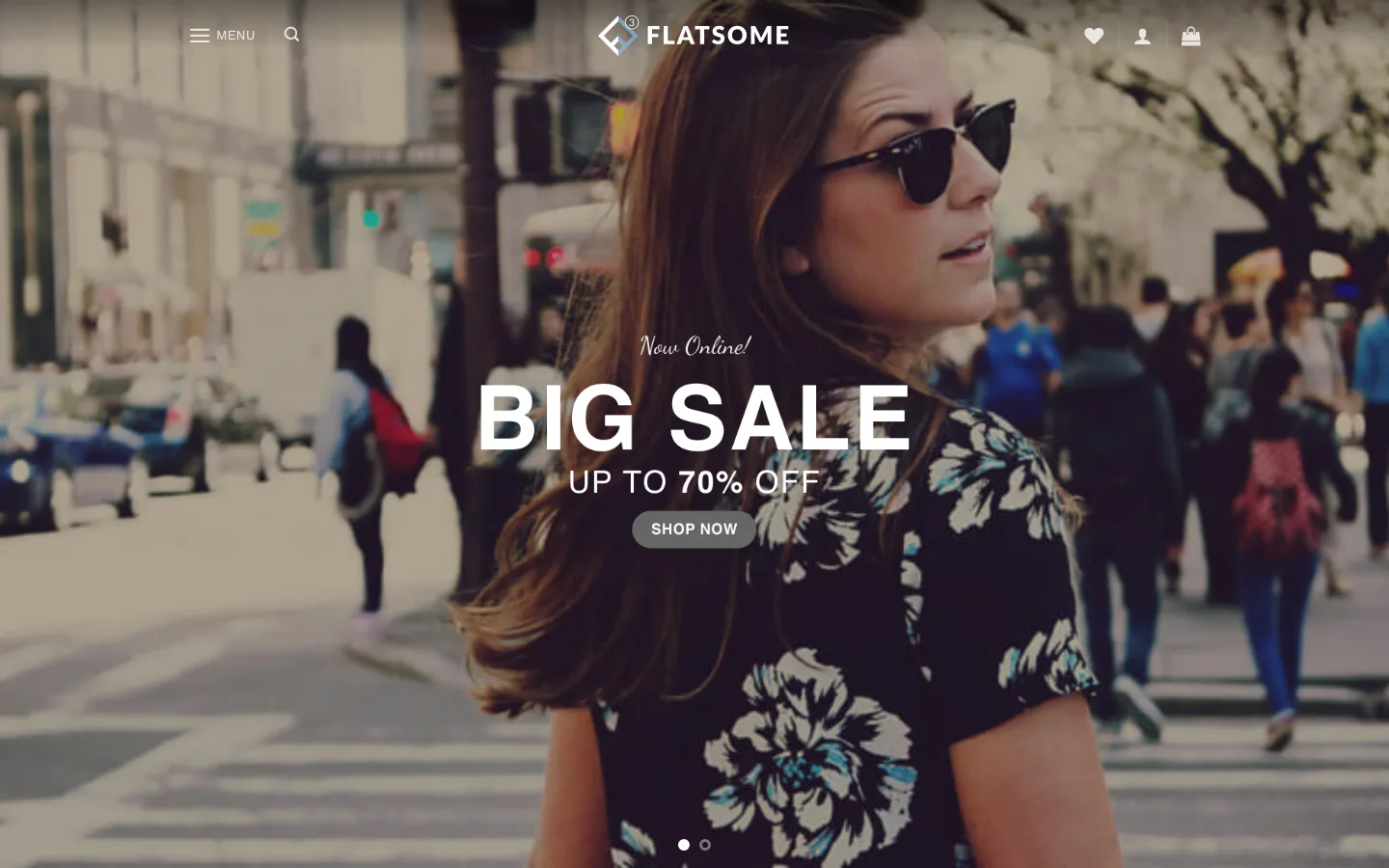
The Fullscreen Fashion demo, one of Flatsome’s clothing store demos, October 2026.
Unlike some other themes, Flatsome doesn’t add its own top-level item to the main WordPress navigation menu. You’ll find it under the WordPress toolbar instead.
The primary way you’ll interact with the theme is through the Customize panel under the Appearance tab, which is heavily built out with enhanced controls that make configuration straightforward.
The other way you’ll interact with the theme is through the UX Builder, accessible from any page or post editor. When you open a page, an “Edit Page” button appears on the toolbar; clicking it opens the UX Builder.
The UX Builder is intuitive and extends WordPress’s editing capabilities well beyond the default block editor. The page builder holds up well against dedicated builders like Beaver Builder or Elementor.
Third-Party Integration
The theme supports the WordPress block editor (Gutenberg) out of the box, but with the UX Builder available, most Flatsome users stick with it instead.
It also supports Elementor if that’s your preferred builder, and the theme is built with GDPR compliance in mind, which helps if you need to manage visitor data responsibly.
Strong WooCommerce integration remains Flatsome’s core selling point. If you are still deciding between WooCommerce and a hosted store, our Shopify vs WordPress comparison covers the costs and trade-offs. It ships with multiple shop demos and product variation swatches that make setting up an eCommerce store fast.
It also works with Contact Form 7 out of the box, with a few form presets included, plus straightforward Mailchimp integration for capturing subscribers.
Performance
UX-Themes has continued to invest in performance: the current release ships a reduced JavaScript footprint (around 56KB gzipped) and includes accessibility improvements aimed at WCAG 2.2 compliance.
We haven’t run our own benchmark against Flatsome’s current build, and any specific load-time number quoted for a multipurpose theme is only meaningful in the context of your own hosting, images, and installed plugins. What we can say is that Flatsome remains one of the leaner options among full-featured multipurpose WooCommerce themes, with lazy loading and built-in optimization handled by default. If raw speed on a simple site is your only priority, a minimalist theme like Astra or OceanWP will still have less to load than any builder-driven multipurpose theme.
Settings
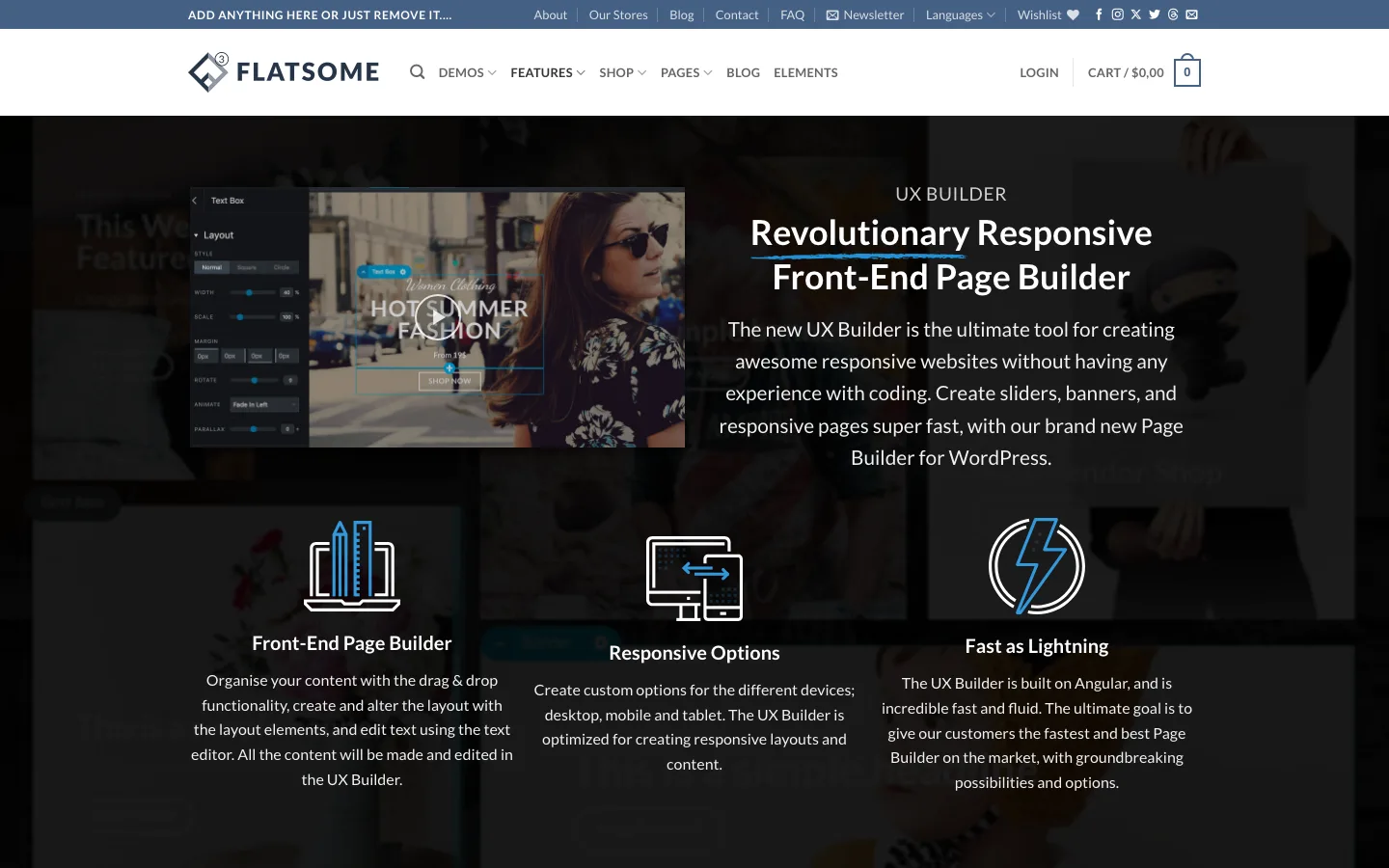
The UX Builder feature page on the Flatsome demo site, October 2026.
The theme options let you change global default colors, edit page CSS, preview changes live, and set global layout modes.
That’s not all. You can also set a custom site width, customize fonts, overhaul the header, edit dropdown styles, modify the footer, edit menus, add widgets, customize the mobile banner height, set up static front pages, and more.
Dedicated menus for blogs and shops add further customization specific to those content types.
The UX Builder gives you access to Flatsome Studio, which offers 300+ pre-built layouts and sections, so you can assemble a site that matches your style quickly.
It also gives you Flatsome’s full element library, letting you add sliders, banners, buttons, banner grids, share buttons, icons, tabs, testimonials, and more wherever you need them.
The UX Builder itself lets you customize individual elements down to the detail, adjusting parallax effects, borders, backgrounds, dividers, and the layout of rows, columns, and sliders.
Between the theme options and the UX Builder, you get thorough control over every part of your site. If you’re in a hurry, the pre-built sections still get you to a finished-looking page fast.
Overall, the theme remains formidable, and building a site from start to finish with it is still simple and direct.
Additional Features for Flatsome
Translation Ready
The theme is translatable to a dozen-plus languages out of the box and supports WPML, so localizing your site is straightforward.
If you’re running an online shop, localizing it can meaningfully boost conversions in non-English markets.
Mobile Optimized Design
No matter how you customize your site, it stays responsive and looks correct on phones and tablets.
Banner Focus Point
Large banners don’t always crop well on small screens. Flatsome’s Banner Focus Point feature lets you set which part of a banner image stays in frame when it’s resized for mobile.
Full Typography Control
You can change text color and fully customize the height, weight, and size of fonts across the site.
Built-In Live Search
Live search comes built into the theme, so you don’t need a separate plugin to add a working search bar with instant results.
Support and Documentation
Flatsome is documented extensively. UX-Themes’ Knowledge Base covers everything from basic installation to development guides, and video tutorials help newer users get up to speed.
You can get support by opening a ticket through the theme’s ThemeForest page. UX-Themes also runs a Facebook community where moderators and other users answer questions quickly.
Support quality remains on par with the better-supported ThemeForest themes.
Flatsome Theme Pricing
Flatsome’s regular license costs $59 and includes six months of support from UX-Themes. Updates are free for the life of the license, and the purchase includes demo PSD files and assets.
Support covers usage questions, bugs, and third-party asset compatibility, but not custom installation or customization work.
Extending support to a full year costs extra at checkout; check ThemeForest for the current add-on price, since Envato’s support-extension pricing is tied to the item price and can shift over time.
If you’re building a store that charges other people, or a product built on top of Flatsome, you’ll need the $2,950 extended license instead.
Verdict: Is Flatsome Worth It?
Flatsome still strikes a good balance between features, design, and performance, and since it’s customizable and comes with a large demo library, building a site with it stays quick and approachable.
It’s not the leanest theme available for WordPress, but it’s still efficient for a full-featured multipurpose theme, and the July 2026 release shows UX-Themes keeps shipping updates rather than letting the product stagnate. If you want to compare it with another multipurpose theme, see how The7 stacks up.
If you’re building a WooCommerce store and want a theme with an active update history, real support, and a proven sales track record, Flatsome remains one of the safer picks on ThemeForest. If you build in Elementor or the block editor, our WoodMart review covers the other big WooCommerce theme there. If your site isn’t store-focused, our BeTheme review covers another option worth considering.