OceanWP Review: Best Multipurpose Theme?
OceanWP offers detailed design controls and useful WooCommerce options while working with popular page builders. It suits owners who want that flexibility, but its extra settings and extensions take more attention than a leaner theme.
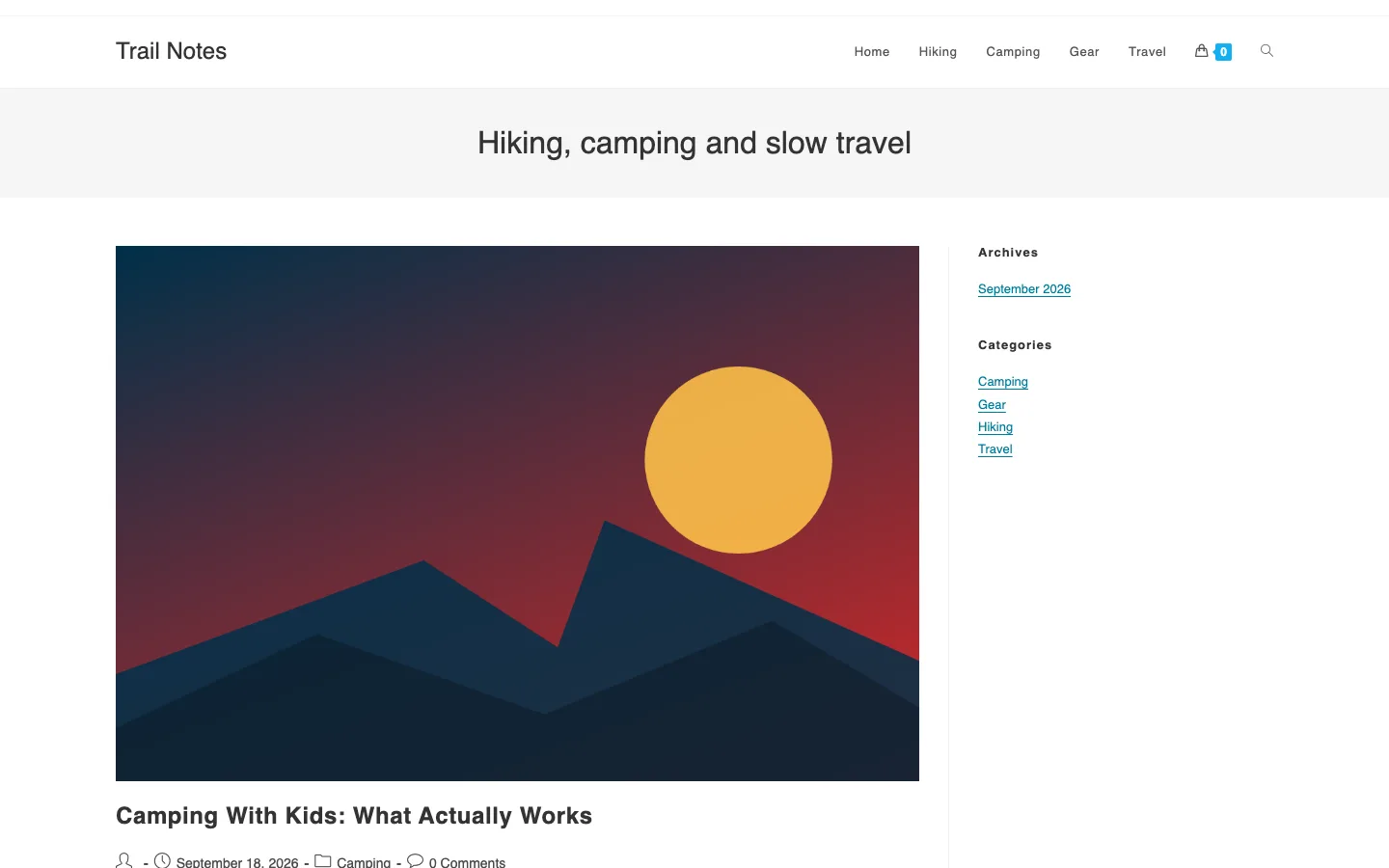
What Is OceanWP About?
OceanWP has been around since 2016 and, per its current WordPress.org listing, is active on more than 400,000 sites (down from 500,000+ earlier in 2026). That figure counts free installs, not paying customers, so treat it as a popularity signal rather than a revenue indicator.
You can use OceanWP to build virtually any kind of website, from an eCommerce store to a portfolio. Since the demo designs are easy to customize, adapting an existing demo into a different-looking site is straightforward.
Alongside the theme, OceanWP also maintains companion plugins like Ocean Extra to add functionality.
OceanWP Theme Review
OceanWP is designed to be helpful right from install. The setup wizard walks you through picking and importing a demo in a single click, then calculates the plugins that demo needs and asks permission to install them. Most required plugins are free and built by the OceanWP team itself.
From there, you customize your site: add a logo, set the title, and adjust colors to fit.
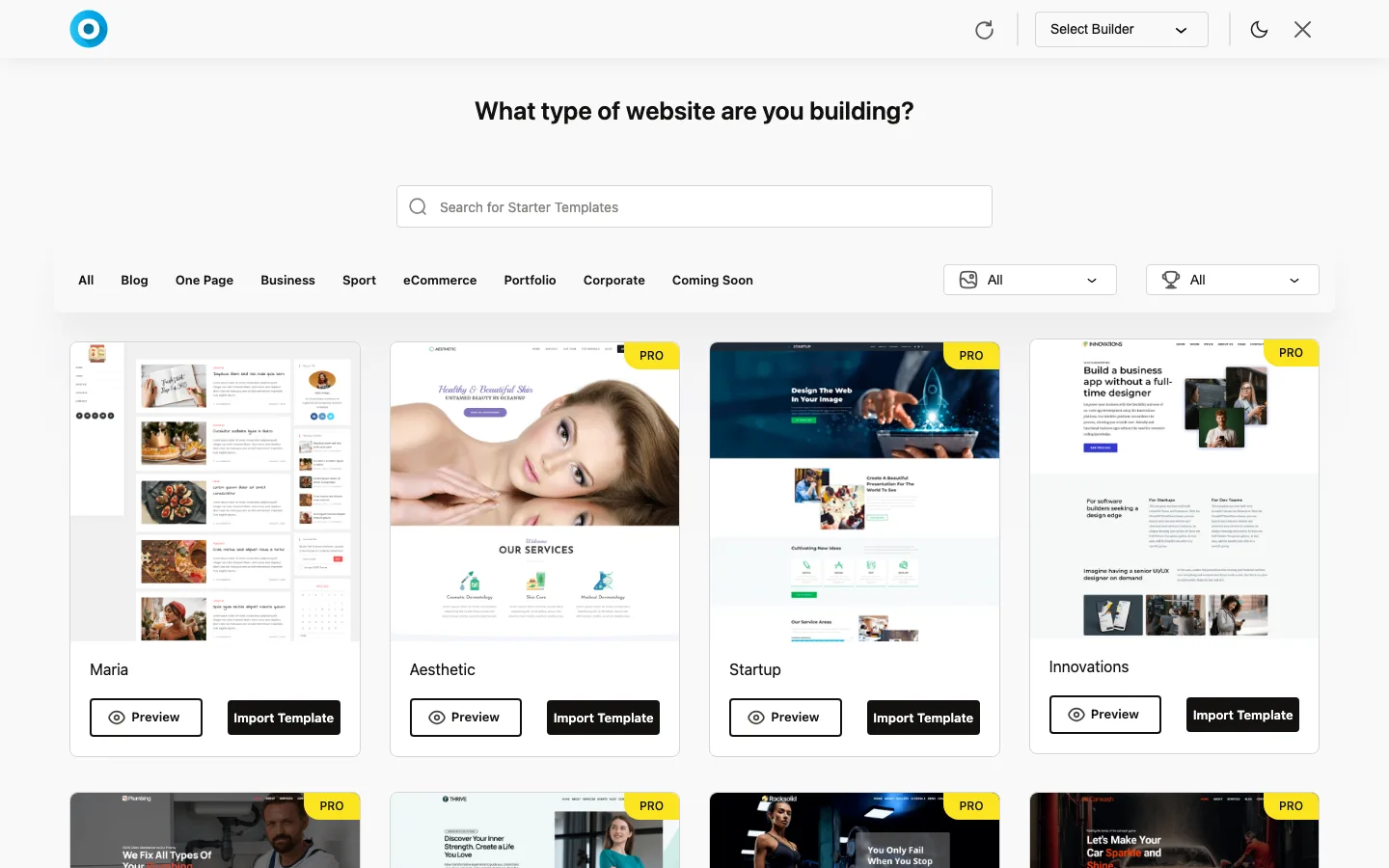
The Install Demos screen in the OceanWP Panel, with free and PRO templates, OceanWP with Ocean Extra.
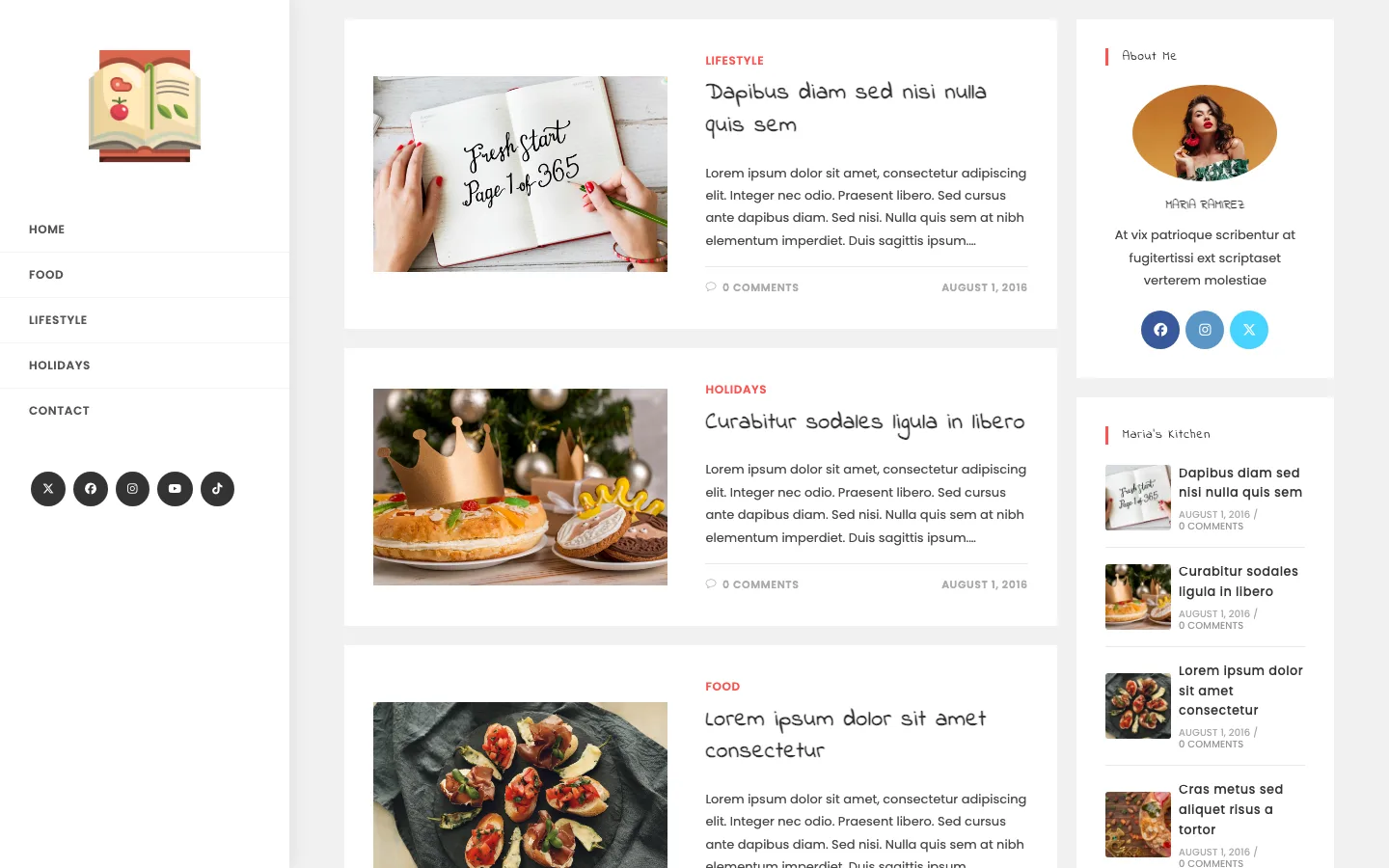
Maria, one of the free OceanWP demos you can import, shown on OceanWP’s demo site.
Design and Style
OceanWP’s demos lean vibrant and modern, with animations and distinct sections in most of them. Since the theme is fully customizable, you’re not locked into any one demo’s look; you can reshape a demo to fit your own brand through the Customizer or the OceanWP block available on individual pages.
Theme Features
eCommerce Support
WooCommerce support is one of OceanWP’s strongest areas. The theme adds features like a native cart popup that appears after a visitor adds an item to their cart, intended to improve conversion without needing a separate plugin.
You can also add a floating “Add To Cart” bar without installing anything extra. Off-canvas filters and a product quick-view feature round out the eCommerce toolkit.
Page Builder Compatibility
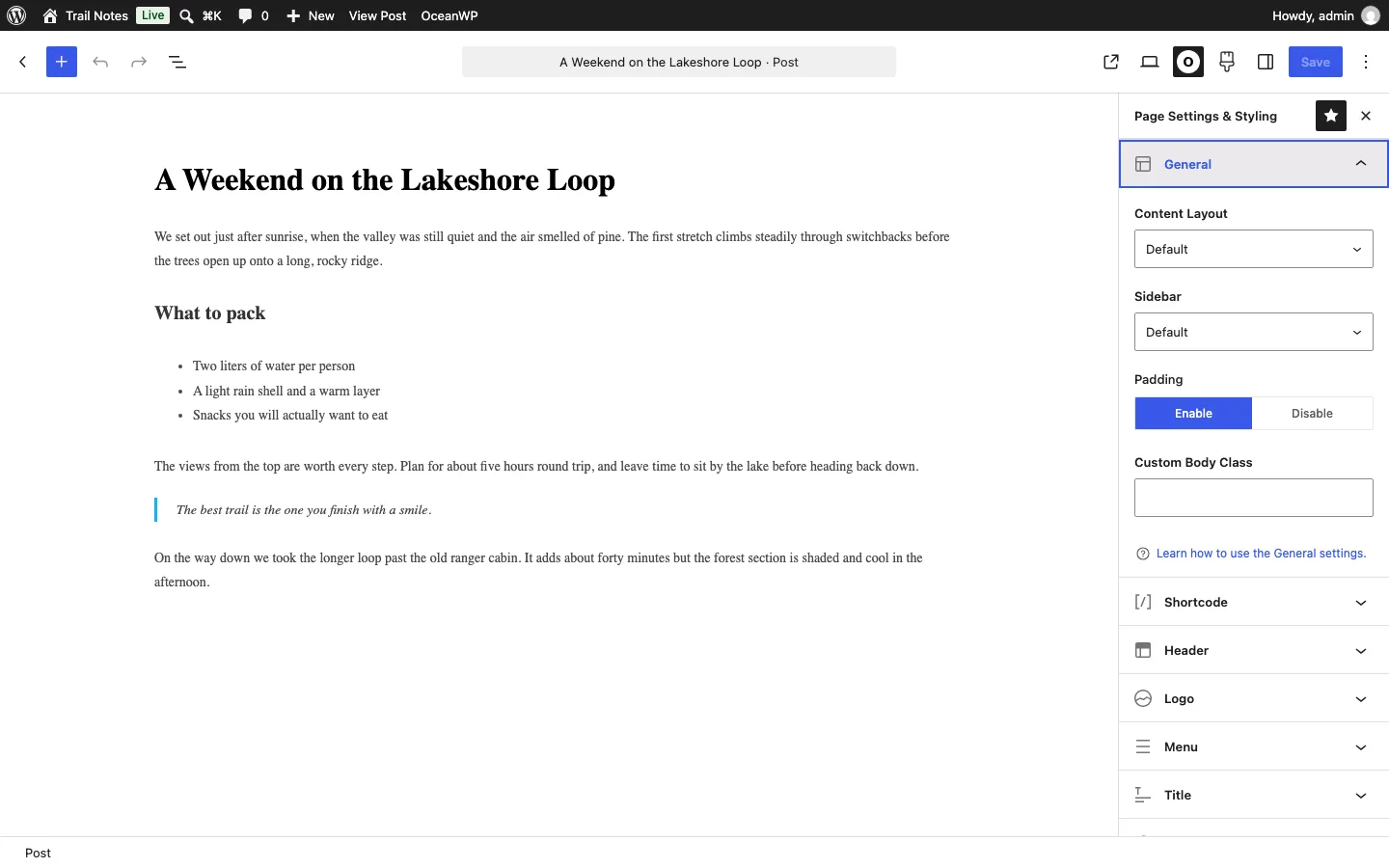
OceanWP’s per-page settings panel in the block editor, with content layout, sidebar and padding options, OceanWP.
The WordPress Customizer gives you a lot of control over your site’s design on its own, but OceanWP also works with major page builders, including Elementor, Beaver Builder, Visual Composer, and the Divi Builder, among others.
Performance
OceanWP is coded to WordPress standards and updated regularly, both for security and for compatibility with current WordPress releases.
You can disable scripts and styles you don’t need on a per-page basis, which is the main lever OceanWP gives you for trimming page weight without a caching plugin. As with any theme, actual load times depend on hosting, plugins, and media, so treat specific benchmark numbers (including any quoted in older reviews) as approximate at best. To see how it stacks up against a close rival, read our OceanWP vs GeneratePress comparison.
SEO Friendliness
OceanWP is search-engine-friendly out of the box and gives you options to improve it further: post-name permalinks, SSL support, Google Search Console integration, and compatibility with Yoast SEO.
A mobile-friendly, responsive design helps keep bounce rates down, which indirectly supports SEO performance.
Theme Options
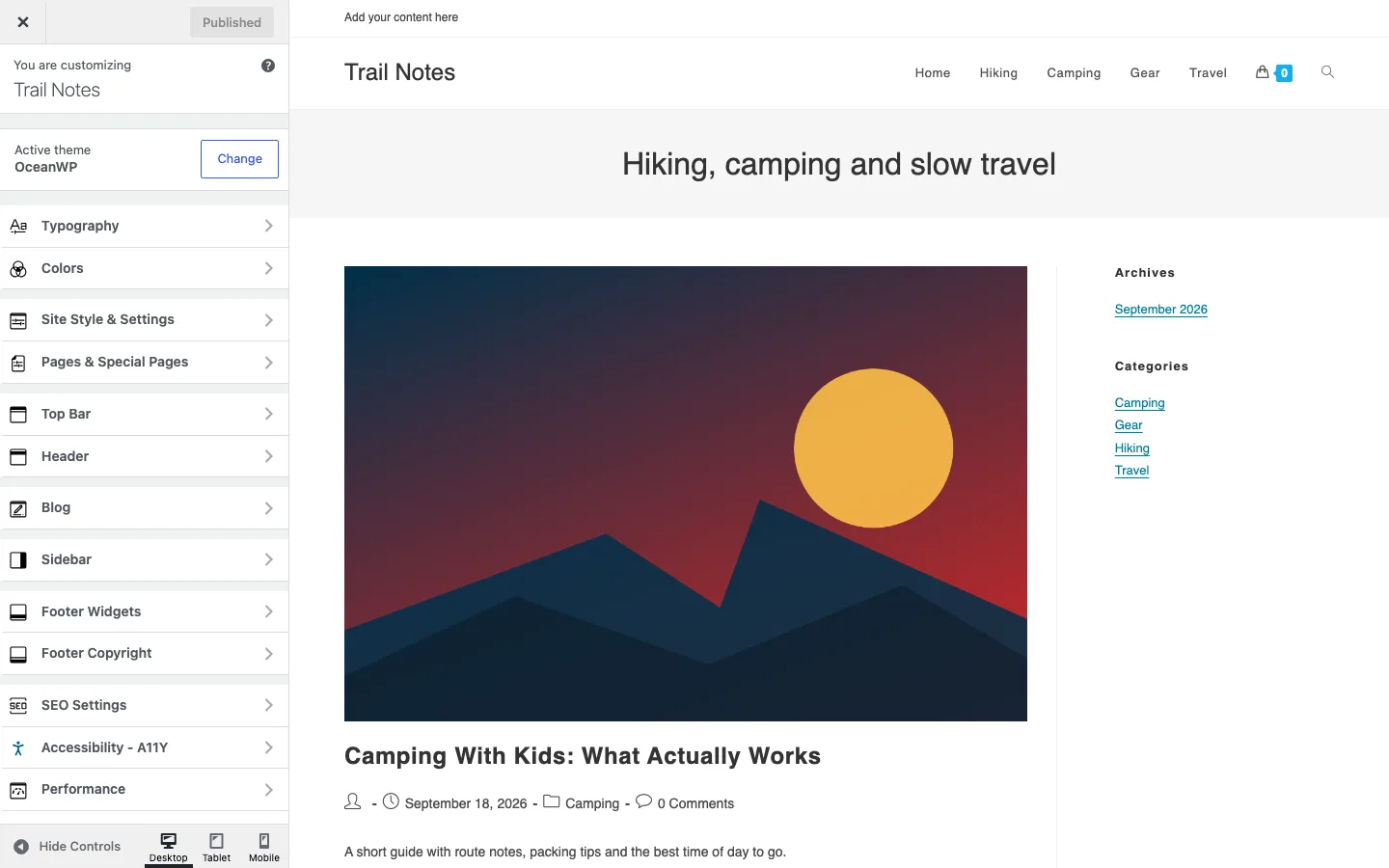
OceanWP’s Customizer panels, from Typography and Colors to Footer, SEO Settings and Performance.
The theme gives you control over most visible elements: site icon, menus, forms, a 404 page, a scroll-to-top button, and layout switching.
You get a large set of typography options covering your logo text, headers, and menu text. Top bar visibility per page, sidebar layout and content, and footer design and widgets are all editable from the Customizer.
If you’re comfortable with JS or CSS, you can add your own code for finer control over the site’s look.
Additional Features of OceanWP
Translation & RTL Ready
OceanWP is translation-ready out of the box and supports RTL languages.
Fully Responsive
The theme is fully responsive, and you get control over how individual elements display on different screen sizes.
Extensions
OceanWP ships with a set of extensions that add specific functionality: a Sticky Header and Sticky Footer, a Cookie Notice extension for GDPR compliance, a Popup Login extension for adding login/register forms anywhere, and a Portfolio extension for showcasing work.
Exact extension availability shifts over time as the team adds and retires them, so check the current list on the official site before assuming a specific one is included.
Support and Documentation
Paid OceanWP plans include a year of support and updates, which is standard for a WordPress theme in this price range.
Free users have access to a dedicated support forum to get started, and paid users can use a ticket system for faster responses. A priority support add-on is also available for an additional fee if you want faster turnaround; check the current price on OceanWP’s site, since it’s not fixed across their pricing pages.
OceanWP’s documentation covers the basics but isn’t as deep as some competitors’, so budget extra time if you’re troubleshooting something unusual.
OceanWP Pricing
You can build a full site on the free version alone. Paid plans add the full library of pro demos, the premium extensions, and a year of updates and support, and are priced by number of sites:
- Starter: $52/year for 1 site
- Personal: $64/year for up to 3 sites
- Business: $105/year for up to 10 sites
- Agency: $189/year for up to 300 sites
Those are the list prices as of October 2026. The pricing page usually shows a discount (for example $42 for Starter and $51 for Personal), and lifetime licenses run from $210 to $699, so check the current price before buying.