Hello Elementor Review: A Blank Canvas for Your Site
Hello is a sensible choice if Elementor will control your whole site. The theme itself is very light, but most of a finished page’s weight comes from the builder and content. Choose a fuller theme if you want ready-made blog layouts or a header builder without relying on Elementor.
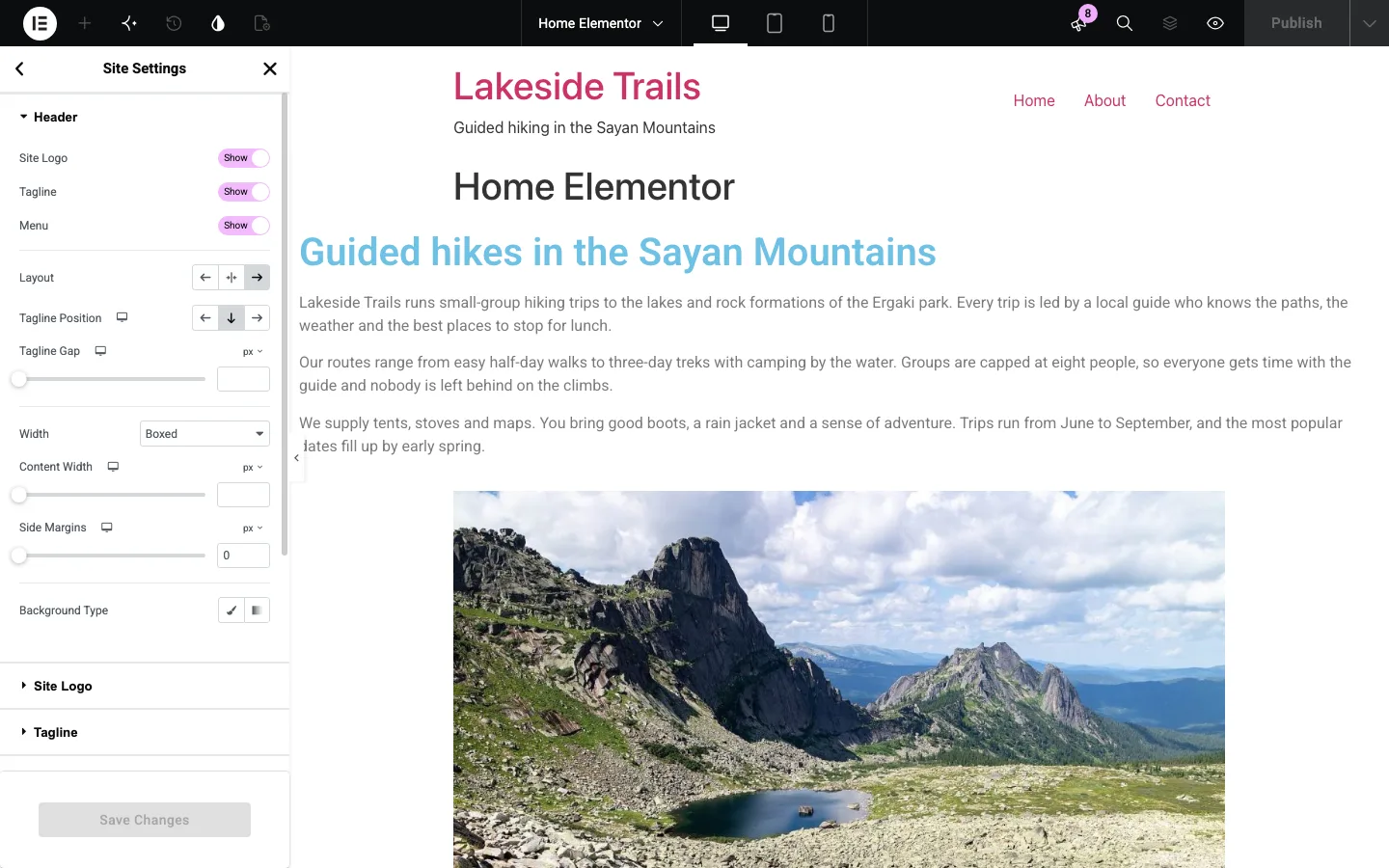
Hello’s header settings inside Elementor’s Site Settings panel on a test install.
What Is Hello Elementor?
Hello Elementor, often just called “Hello” or “the Hello theme”, is a free starter theme made by the team behind the Elementor page builder. It first appeared on WordPress.org in May 2019 and now has more than a million active installs.
It is almost empty on purpose. There is no header builder, no blog layout options, no color or font panel and no starter sites. It loads a small CSS reset and a little basic styling, then gets out of the way so Elementor can control the design. Elementor’s help center describes it as a blank canvas that “includes only basic browser compatibility styling.”
That makes Hello a different kind of product from Astra, GeneratePress or Kadence. Those themes design your header, footer and blog for you. Hello leaves all of that to Elementor.
Installing Hello Elementor: What Happens
Hello is available in the WordPress theme directory. It immediately promotes installing Elementor, but the free editor worked without connecting an account or buying Pro.

Our block-editor homepage on Hello with no plugins and no menu assigned.
Without Elementor, the result was very plain. The theme printed a page title above our content, which created duplicate H1s until we hid it, and navigation only appeared after assigning a menu.
Use a child theme if you plan to edit theme files or add custom code. Designs made entirely in Elementor do not require one.
Hello’s Settings and the Customizer
Hello has very few settings, and they are spread across three places.
The Hello settings page
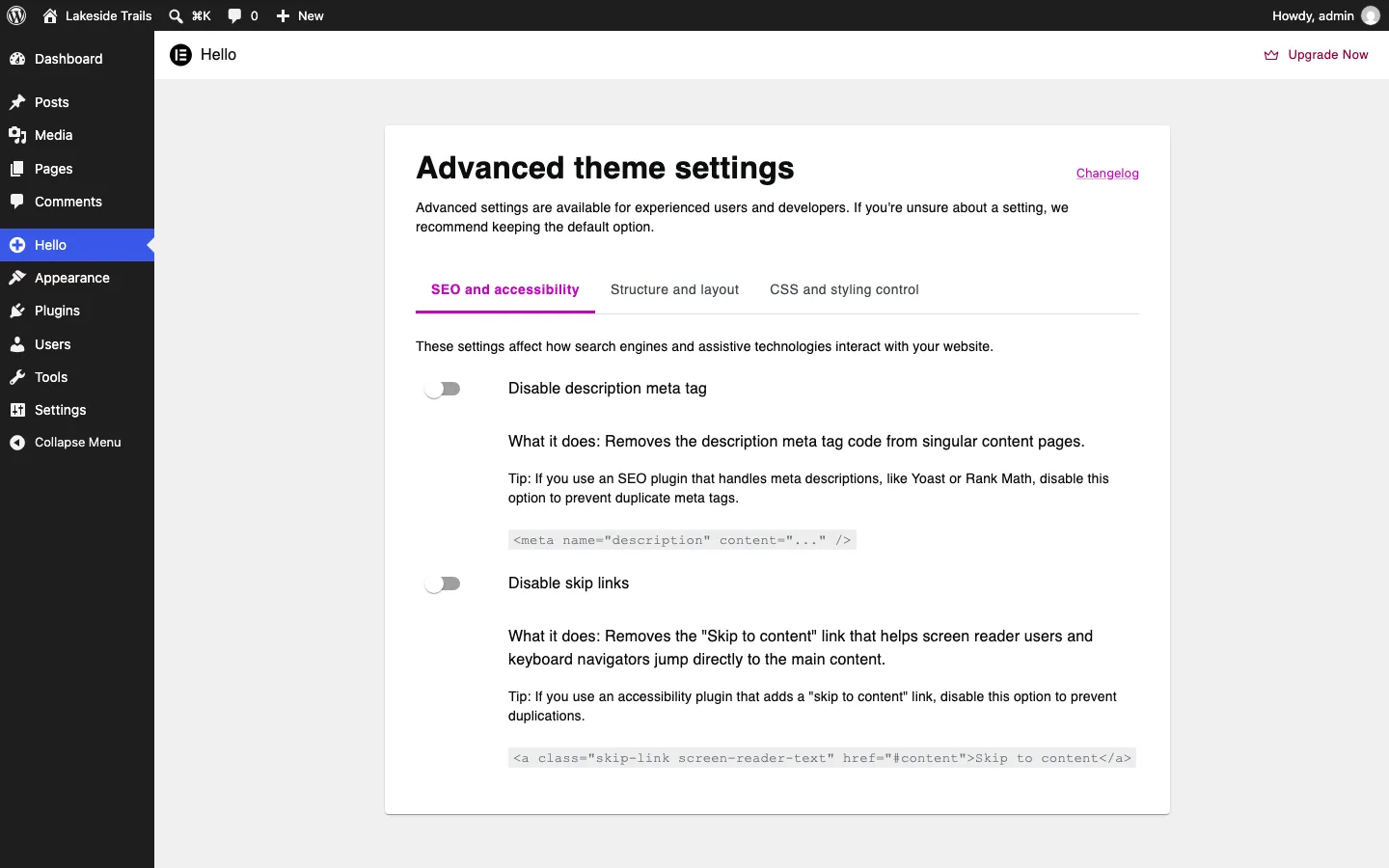
The Hello menu’s “Advanced theme settings” page.
The Hello admin menu opens a single page called “Advanced theme settings”. It has six switches in three tabs, all off by default:
Start with the settings that prevent duplicated output. Disable Hello’s description meta tag if an SEO plugin writes it, hide the page title if your content already has an H1, and disable the theme header and footer if you build replacements. Only disable skip links when another tool supplies them. The stylesheet switches are for sites that deliberately replace Hello’s reset or component styling.
The meta-description setting matters more than it looks. Hello adds its own tag. If you also run Yoast, Rank Math or another SEO plugin, turn that switch on so the page does not get two descriptions. Elementor’s help center warns that some of these switches “may break your site”, so try them on a staging copy first.
The settings page also promotes Elementor Pro.
The Customizer
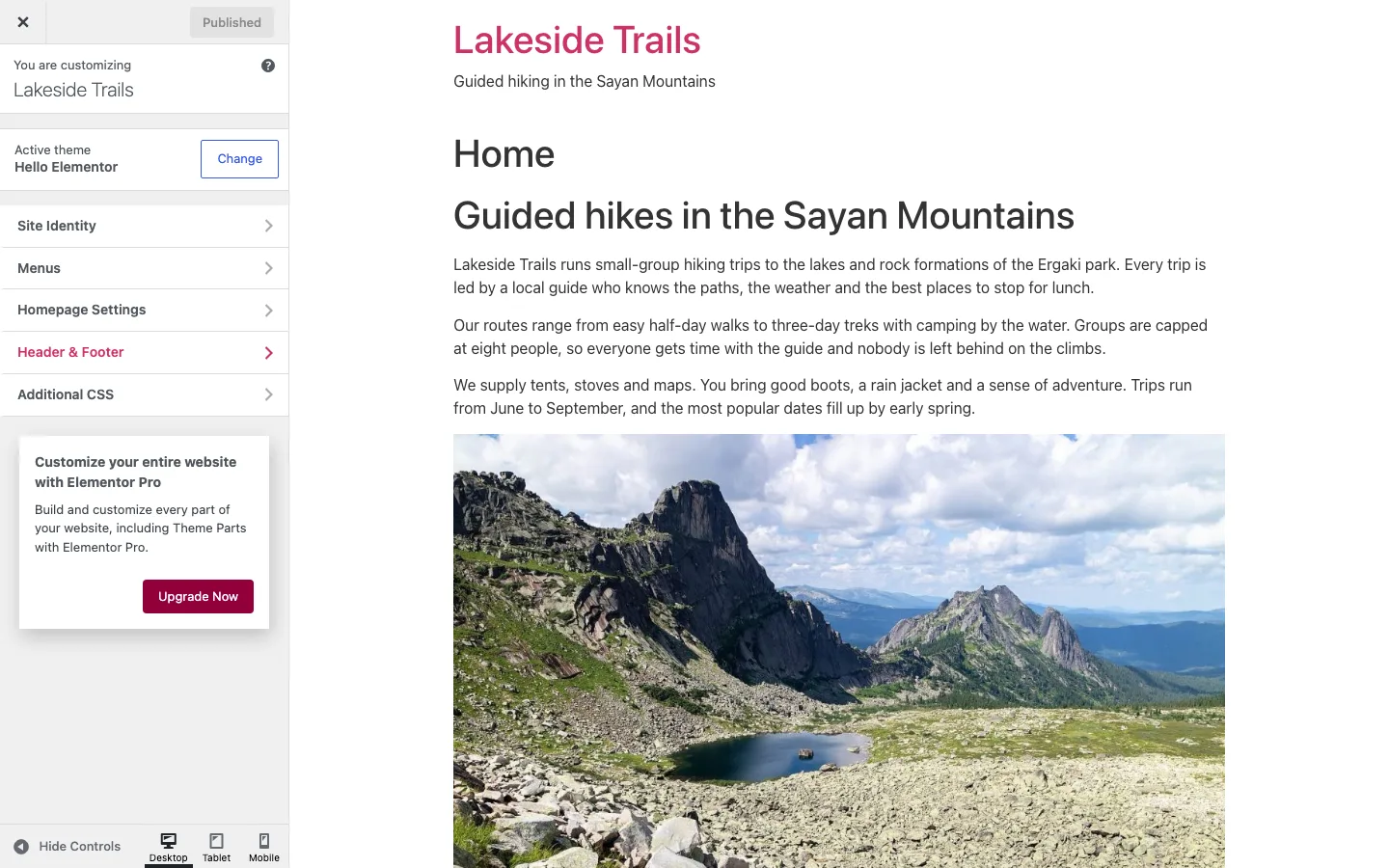
The Customizer with Hello active and Elementor not yet installed.
The Customizer shows WordPress’s standard sections (Site Identity, Menus, Homepage Settings, Additional CSS) plus one from Hello called “Header & Footer”. Below them sits a box selling Elementor Pro.
The Header & Footer section has no settings of its own. Without Elementor, it only showed an “Install Elementor” button. With Elementor active, it showed a “Start Designing” button that sends you to Elementor’s Site Settings.
Header and footer settings in Elementor
This is where Hello’s real options live. With Elementor active, the editor’s Site Settings panel gains two sections, “Hello Theme Header” and “Hello Theme Footer”. In the header section, shown at the top of this review, you can:
- Show or hide the site logo, tagline and menu
- Pick one of three layouts: default, centered or inverted
- Set the tagline position and gap
- Choose a boxed or full-width header, with content width and side margins
- Set a background color or gradient
The footer section works the same way. That is enough for a simple site with a logo and a menu. You cannot add a button, a search bar, a phone number or a second row. The panel ends with a “Create custom headers” box that points to Elementor Pro.
Speed: Hello vs Twenty Twenty-Five
Elementor’s Hello page says the theme is “under 30KB” and loads “in under 1/4 second”. Its help center says Hello uses “only 6KB of resources” and two requests. We wanted to see what that means once Elementor is involved, so we measured five setups on the same test site.
We compared the same small page built in the block editor and free Elementor, using the middle mobile Lighthouse result from three local runs. There was no caching plugin or assigned menu.
Hello by itself used just 24 KB of code, compared with 94 KB for the same block-editor page on Twenty Twenty-Five. Activating Elementor on that block page raised Hello’s code to 54 KB. Once we rebuilt the page in Elementor, Hello used 180 KB of code and Twenty Twenty-Five used 249 KB.
On the simulated phone, the Elementor page’s main content appeared in 2.6 seconds with Hello and 3.6 seconds with Twenty Twenty-Five. Their mobile scores were 96 and 85. The bare Hello block page scored 100, but that is a much simpler setup than a finished Elementor site.
Sizes are compressed transfers. The same photo was used throughout, and these local lab results do not predict loading times for every finished site.
What the numbers show:
- Hello on its own is tiny. Its three stylesheets added up to 5.7 KB, close to the “6KB” Elementor claims, though over three requests rather than two. The only JavaScript on the page was WordPress’s own emoji script. Twenty Twenty-Five sent four times as much code, mostly its 53 KB Manrope font file.
- Activating Elementor adds weight even to pages you don’t build with it. With Elementor switched on, our untouched block page gained 6 requests and 30 KB. That came from Elementor’s main stylesheet, its site settings CSS, WordPress’s full block stylesheet and two Google Fonts stylesheets, which Elementor loaded straight from Google’s servers.
- An Elementor page is where the weight comes from. Our Elementor page loaded jQuery, jQuery Migrate and jQuery UI Core (42 KB together), about 59 KB of Elementor scripts, and the Roboto font from Google (37 KB). The theme’s share stayed under 7 KB.
- Hello is still the lighter base for Elementor. On the identical Elementor page, Hello sent 69 KB less than Twenty Twenty-Five, because Twenty Twenty-Five still loads its own font and navigation scripts on top of Elementor’s. Hello’s mobile score was 96, against 85 for Twenty Twenty-Five.
- Mobile scores moved between runs. Both Elementor pages varied: Hello from 88 to 96, Twenty Twenty-Five from 84 to 95. Page weight and request counts were identical in every run.
We also tried one quick fix. Checking “Disable Default Fonts” in Elementor’s settings removed the 37 KB Roboto file and brought the Elementor page down to 265 KB over 27 requests. The two Google Fonts stylesheets still loaded. Elementor’s “Load Google Fonts Locally” option was off by default on our install. Turn it on if you want to keep visitors’ browsers from contacting Google. Elementor’s own description of that option says it helps “ensure GDPR compliance”.
Read these as lab numbers from a default install. Hosting, caching, images and your other plugins will matter more on a live site. Our page builder comparison shows how much weight Elementor adds next to Beaver Builder, Kadence Blocks and GenerateBlocks.
Hello Plus, Hello Biz and the “Hello Themes” Family
Searchers often run into Hello Plus and Hello Biz and wonder whether they need them. Here is where things stand in October 2026.
Hello Biz is a second free theme from Elementor, launched in late 2024 for beginners building business sites. It has 100,000+ active installs on WordPress.org. Elementor’s help center now says Hello Biz “will be moved into maintenance mode soon”, with no new features, and recommends moving to the Hello themes. A third theme, Hello Commerce, had 3,000+ installs.
Hello Plus (shown as “Hello+”) is a free companion plugin. Version 1.7.8 was released on May 19, 2026, and it has 70,000+ active installs. WordPress.org lists it as tested up to WordPress 6.8.10. Its description says it is designed for Elementor’s “Hello suite of themes”.
We installed Hello Plus on our Hello Elementor site to see what it does there:
- It activated with no notice and no new admin menu.
- The Elementor editor gained a “Hello+” widget group with five widgets: Zigzag, CTA, Flex Hero, Contact and Form Lite.
- Elementor’s Templates screen gained two new types, Hello+ Header and Hello+ Footer. These are custom headers and footers, which normally need Elementor Pro.
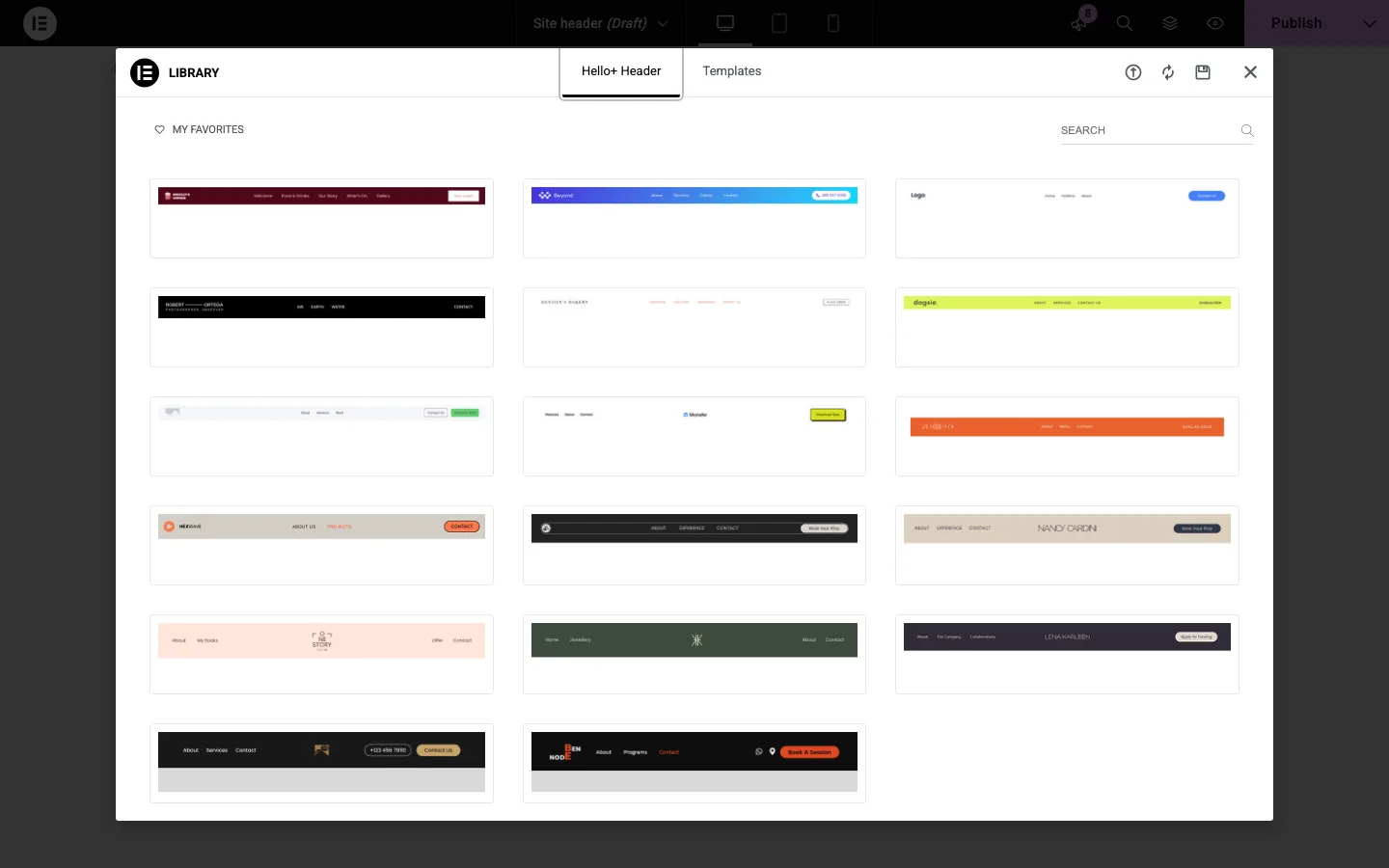
The template library that opens when you create a Hello+ Header.
Creating a Hello+ Header opened a library of 17 header designs. Choosing one asked us to “Connect to Template Library” by “creating a free personal account”. We did not create one. Closing the library returned us to the templates list, so we could not start a Hello+ header without that account.
Our take: Hello Plus is optional. If you want a nicer header than Hello’s built-in one and don’t want to pay for Pro, it is worth a try, but you will need a free Elementor account. Since Hello Biz is being wound down and Hello Plus has not been updated since May, we would not build a long-term site around either one. Plain Hello Elementor is still the theme Elementor actively updates.
Do You Need Elementor Pro?
For Hello to make sense on a real site, you need Elementor. Free Elementor builds pages. Elementor Pro adds the Theme Builder, which lets you design headers, footers, blog post templates and archive pages. Without it, Hello’s header and footer are limited to the options above.
Elementor Pro plans, billed yearly, as listed on Elementor’s pricing page in October 2026:
Essential costs $60 a year for one site and includes the Theme Builder and Form Builder. Advanced Solo costs $84 and adds popups, custom CSS and eCommerce features. The same broader features cost $108 for three sites on Advanced or $204 for twenty-five sites on Expert.
The Elementor One bundle costs $180 for the first year and renews at $228. It adds AI credits, image optimization and accessibility tools. All plans have a 30-day money-back guarantee. If you only need a header with a button or a phone number, Essential at $60 a year covers it.
Hello Elementor Alternatives
Astra and Kadence offer free header builders and more theme-level controls while still working with Elementor. For a site built mainly in the block editor, compare GeneratePress or a free block theme such as Twenty Twenty-Five.