Sela Theme Review (2026): Is This Free Business Theme Still Worth It?
Sela can still run a simple existing site, but its dated layout and sparse controls make it a weak starting point for a new one. A maintained modern theme such as GeneratePress, Kadence or Astra gives you more flexibility without needing to rebuild around an old design.
What is Sela?
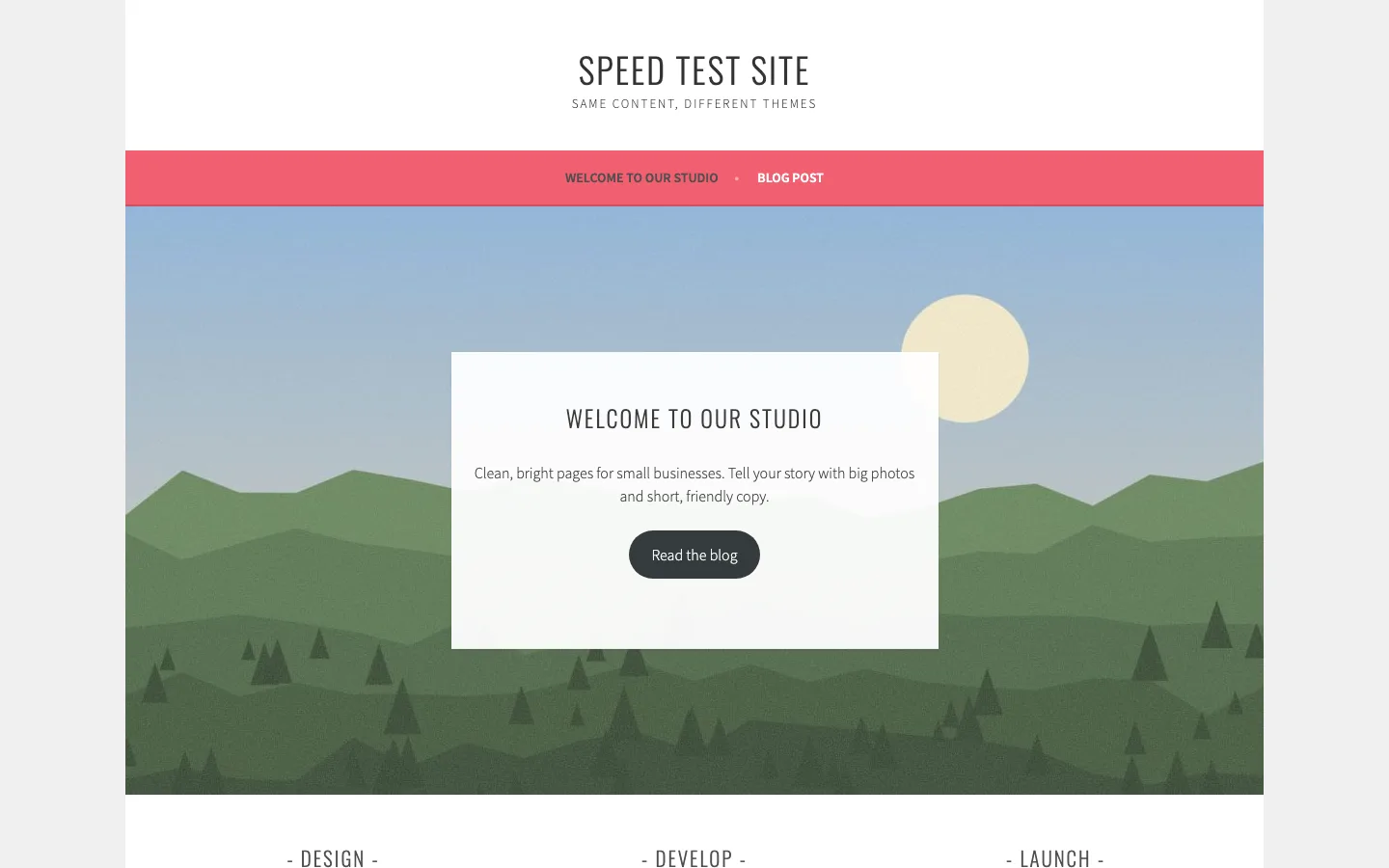
Sela is a free business theme made by Automattic, the company behind WordPress.com, WooCommerce and Jetpack. It was released in 2015. The look is bright and simple: a centered site title, a pink menu bar, a large photo on the homepage with a white text box over it, and thin, upper-case Oswald headings.
Its main feature is a Front Page page template. Pick it for your homepage and Sela shows the page’s featured image as a wide hero, the page text in a box on top, three widget areas below, and a testimonials strip if you use Jetpack’s testimonials. Other templates include Full Width Page and Grid Page.
Is Sela still maintained?
WordPress.com marks Sela as retired and limits it to existing users, with security updates only. A self-hosted download remains available, and WordPress.org lists a September 2026 update. Retired on WordPress.com does not mean the self-hosted package has disappeared.
The older readme and sparse changelog are less reassuring than that recent directory date. Sela remains a classic theme without the Site Editor or a modern block-based design system. Existing owners may prefer its familiar layout, but a new site has little reason to choose it over a maintained theme with more control.
What worked and what needs attention
Our earlier compatibility test found no PHP warnings in the pages and editing screens we checked. That limited result is encouraging for an existing site, but does not establish long-term compatibility.
Two things did not work as smoothly as we would like.
Images uploaded before activation looked wrong. Sela adds its own image sizes, including a 1180 x 610 pixel hero size. Our test image was uploaded before Sela was active, so that size did not exist yet. The hero photo stopped short of the right edge until we regenerated the image sizes. New uploads are fine. If you switch an existing site to Sela, run a thumbnail regeneration plugin first.
Long homepage text needs its own scrolling panel. The Front Page template keeps the introduction inside a fixed-height box over the hero image. Longer content and the button remain available, but you have to scroll within that box to reach them. A short paragraph and button fit more comfortably and are easier to browse.
The block editor does not match the front end either. When editing the homepage, headings and text showed in the browser’s default serif font, not Sela’s Oswald and Source Sans Pro. You have to preview to see what visitors get.
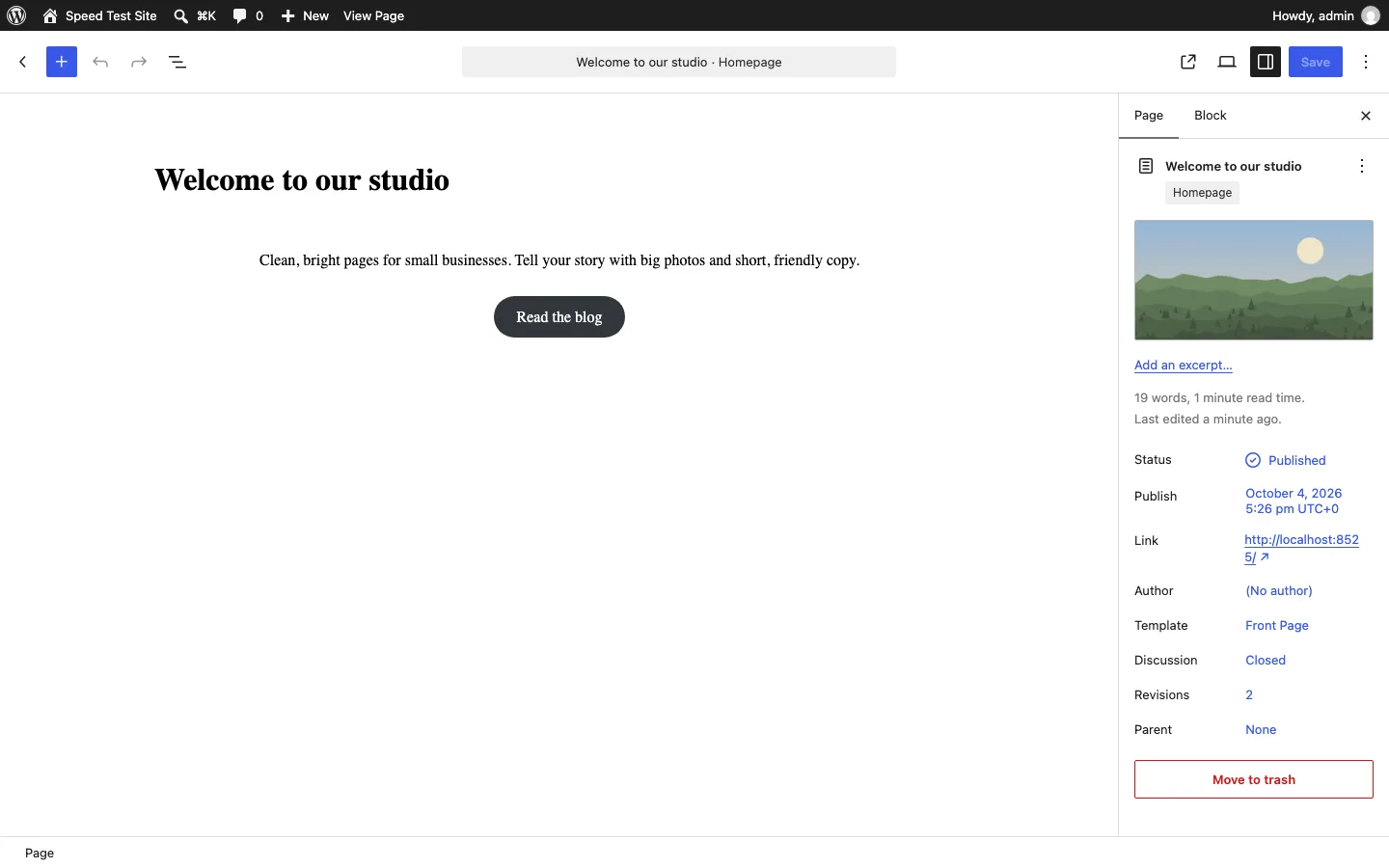
Editing the homepage in the block editor with Sela’s Front Page template selected.
A homepage with little design freedom
Sela has no starter import or setup wizard. Its homepage uses a static page with the Front Page template, a wide featured image and three widget areas. You need your own copy and images before it looks finished. That is a quiet setup, but offers less help than a modern starter library. Keep the hero text short so the message and button stay in view together.
Sela settings and customization
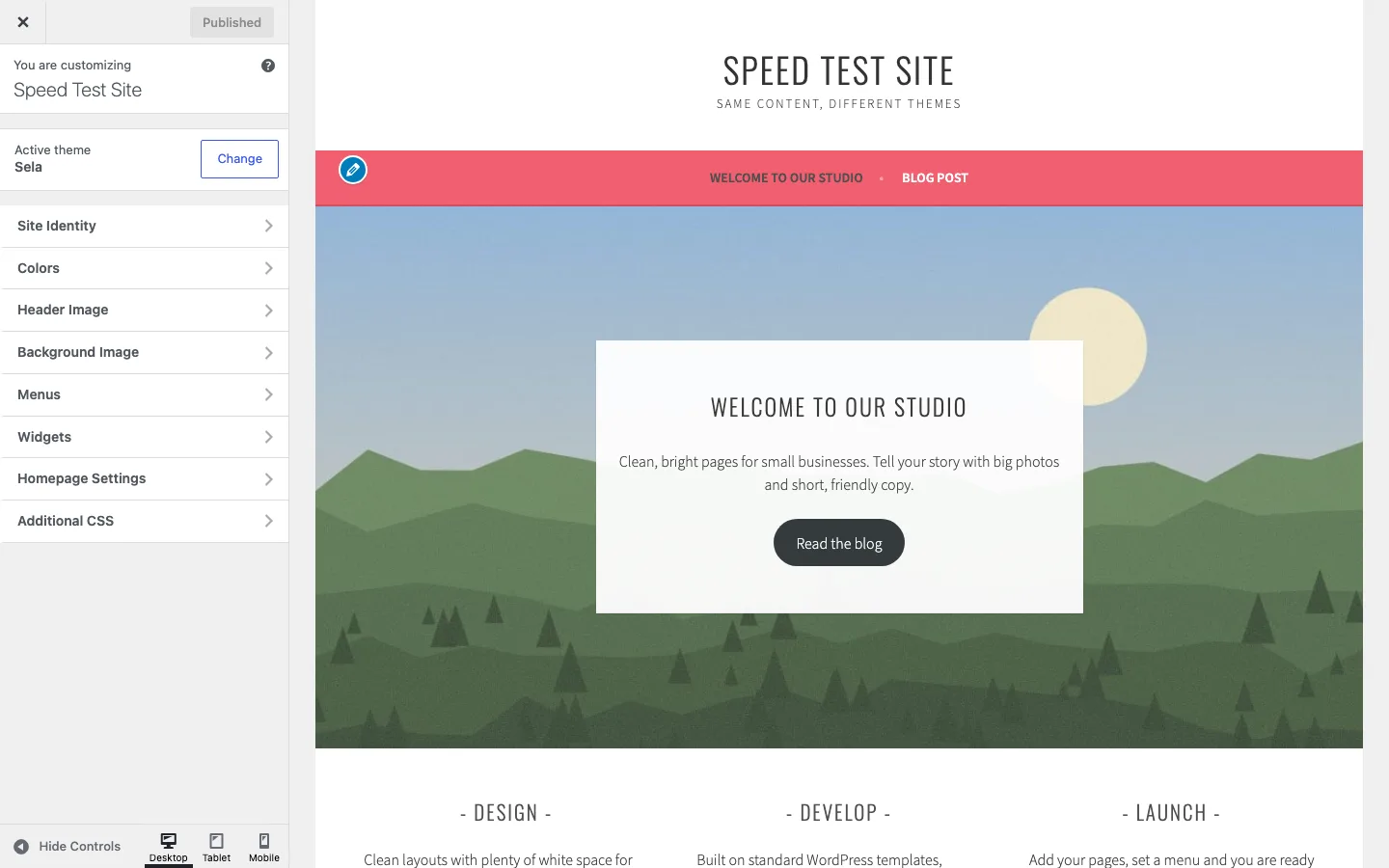
The Customizer provides standard WordPress settings rather than a theme-specific design panel.
The available controls cover the site title, a few colors, header and background images, menus and widget areas. There is no logo uploader or built-in choice of fonts, button styling or accent color. Changing the pink navigation bar needs CSS.
That simplicity keeps the settings quiet and free of upsells, but it also means small design changes can require technical work. The block editor did not reproduce the front-end typography in our earlier check, so previewing the saved page remains necessary.
Sela speed: page weight and requests
Our earlier theme speed comparison used matching content on uncached pages. These are lab comparisons of page weight and loading behavior, rather than predictions for a finished website.
Sela’s default homepage used 157 KB and 17 requests; its post used 169 KB and 19 requests. The Front Page-template homepage used 158 KB and 17 requests. All three scored 99 on mobile with a 1.66-second largest-content time.
Our GeneratePress homepage used 51 KB and seven requests, scored 100 and reached largest content at 1.06 seconds. Twenty Twenty-Five used 117 KB and nine requests, scored 100 and reached 1.65 seconds. Sela is usable at this scale, but its similar score masks a larger request count than the lighter alternatives.
Sela scores well because it does little. Its own stylesheet is only 9 KB. The weight comes from three places:
- Google Fonts. Sela requests Source Sans Pro, Droid Serif and Oswald from Google’s servers. The homepage downloaded about 52 KB of font files. None of the nine themes in our speed test loaded fonts from Google by default.
- jQuery and jQuery Migrate, about 36 KB, for very little theme JavaScript (three small scripts under 1.1 KB each).
- The Genericons icon font stylesheet, about 17 KB.
So Sela is light, but not as light as it looks. It sends three times what GeneratePress sends, and it is heavier than Twenty Twenty-Five, the current default WordPress theme.
Support
Sela has no paid support. Your options are the WordPress.org support forum for Sela and general WordPress help. With the theme retired on WordPress.com and its changelog stopped in 2018, we would not count on fixes for new problems.
Sela alternatives
Sela was a good free business theme in 2015. Today, these maintained free themes do the same job with far more control:
GeneratePress is the lightest full theme we measured, at 51 KB and seven requests. Kadence adds business starters and a header builder with a 70 KB, ten-request homepage; Astra offers a large starter library at 68 KB and seven requests.
OceanWP provides more business extensions but used 182 KB and 22 requests. The default Twenty Twenty-Five is built for the Site Editor and used 117 KB across nine requests.
If you like Sela because it comes from Automattic and stays out of your way, Twenty Twenty-Five is its natural replacement. It ships with WordPress and is updated with it. See how all of these compare in our fastest WordPress theme test.