Hestia Theme Review (2026): Free vs Pro, Speed and Price
Hestia remains a usable theme for an existing one-page business site, but its older design and heavier default pages make it a weaker choice for a new project. GeneratePress, Kadence and Astra offer lighter starting points with more room to grow.
What is Hestia?
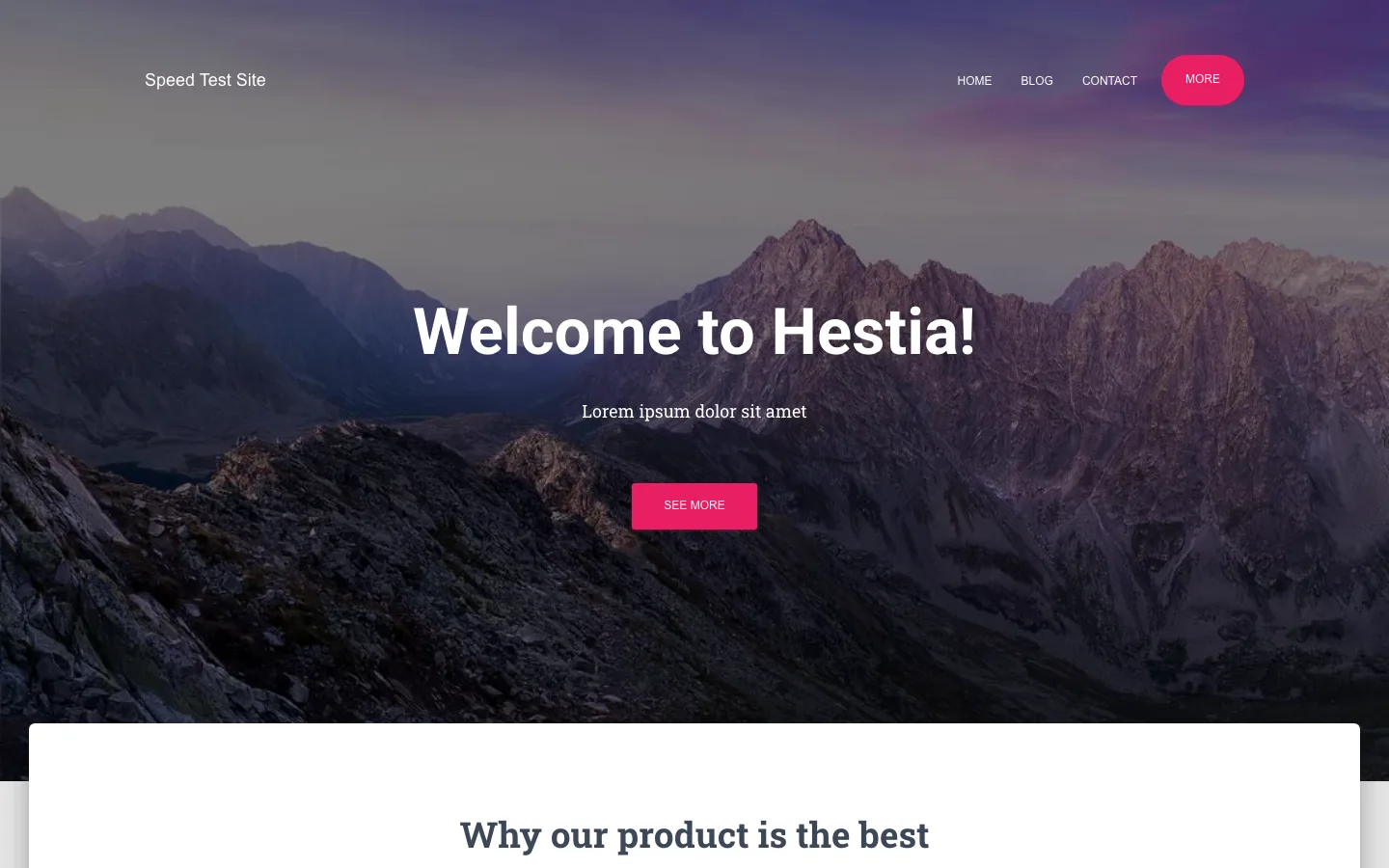
Hestia is a free one-page theme from Themeisle, the company behind Neve. It uses a Material Design look: a large photo header, white content cards that sit over it, and the Roboto font family. The homepage is a stack of sections you switch on and fill in from the Customizer: a big title, features, about, team, testimonials, a blog feed, contact details and so on.
It is a classic theme, so you change the design in Appearance > Customize, not in the Site Editor. Themeisle says it works with Elementor, Beaver Builder, Brizy and other page builders.
Themeisle’s newer theme, Neve, gets most of its attention now. Hestia has not been abandoned, though. Its changelog shows four releases in 2026 so far, mostly bug fixes. Version 3.3.4 in May 2026 lists “Improved compatibility with WP 7.0”, and 3.3.7 added a way for AI assistants to read and change Hestia settings. One detail looks dated: the theme’s own header file still says “Tested up to: 5.8.2”. The code is current even though that line is not.
Is Hestia still maintained, and does it work on WordPress 7.1?
Yes to both, based on what we could check.
- Updates. Releases came in May, July and twice in September 2026. The fixes cover real problems like a crash when changing the footer layout and a sticky menu covering the admin bar.
- Our test install. We installed Hestia 3.3.7 on WordPress 7.1.2 with PHP 8.3 and turned on WordPress debug logging. We then browsed the front end, the admin pages, the setup wizard and the Customizer. The log stayed empty, so the theme raised no PHP notices, warnings or errors during that session.
- What we could not check. One session says nothing about support or long-term use with many plugins.
Setup and starter content
Hestia’s wizard can create a homepage, but running it again created duplicate Home pages. Its recommended-plugin choices were preselected and installed four extra plugins, bringing their own notices and upgrade links. Skip those choices if you only want the theme.
The free install did not expose the advertised starter-site importer because its onboarding dependency was absent. WordPress starter content did provide a sample homepage through the Customizer, but the sections were placeholder copy. Treat it as a layout guide, rather than a finished site or proof that all premium starter sites are included.
What the free version includes
The Customizer has seven Hestia panels: View PRO Features, Appearance Settings, Frontpage Sections, Header Options, Footer Options, Blog Settings, and Header/Footer scripts.
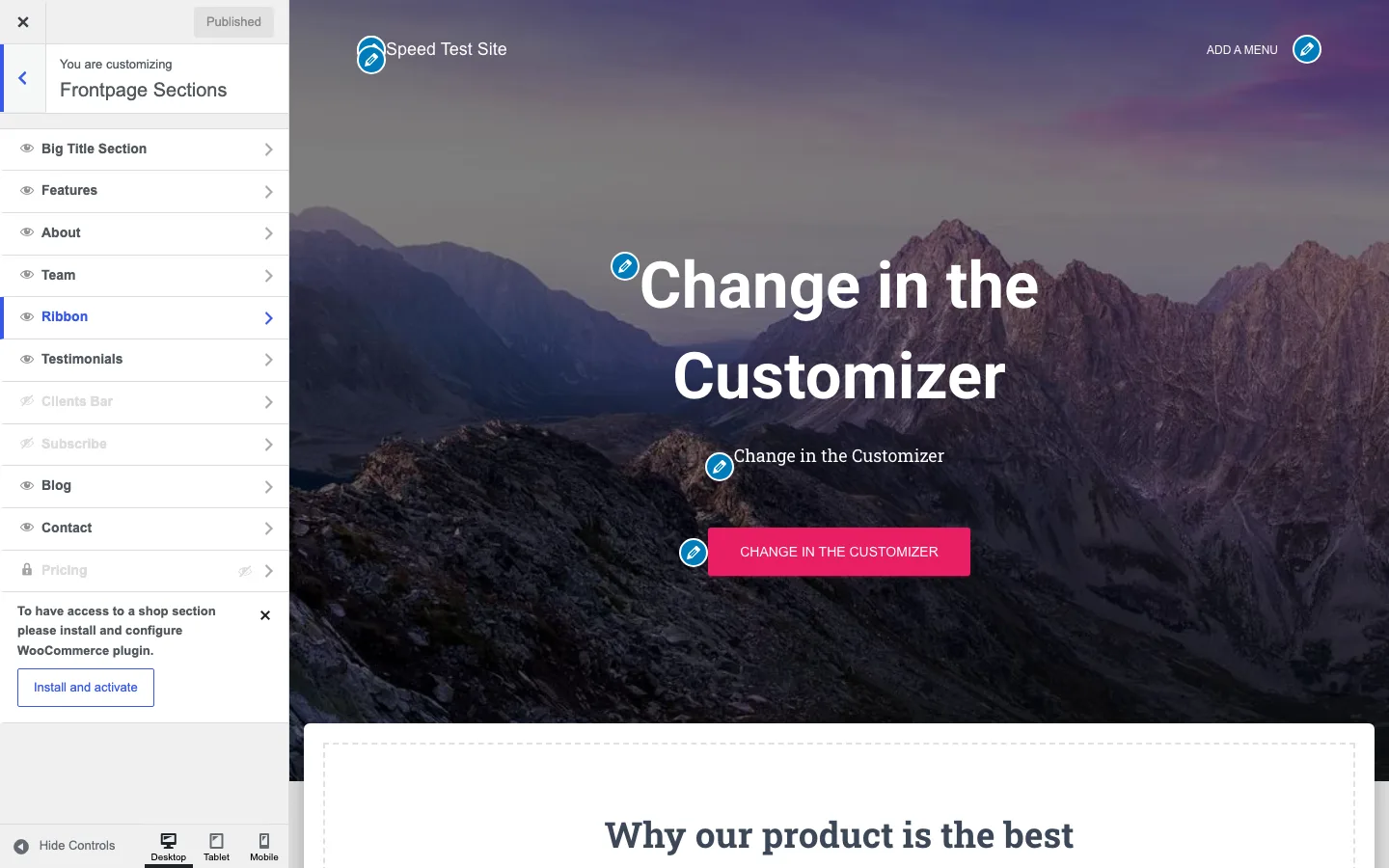
The Frontpage Sections panel in the Hestia Customizer, with Pricing locked to Pro.
Here is what you get for free:
- Ten homepage sections. Big Title, Features, About, Team, Ribbon, Testimonials, Clients Bar, Subscribe, Blog and Contact. Each can be hidden with an eye icon. A Shop section appears once WooCommerce is installed.
- Appearance settings. General layout, typography (with a Google Fonts list), a few colors, background image and button style.
- Header options. A very top bar, navigation settings, and separate header settings for posts and pages. Themeisle says the free theme includes a mega menu.
- Blog settings. Separate settings for the blog index and for posts and pages.
- WooCommerce support. Product and shop page styling, plus a WooCommerce sidebar.
- A Header/Footer scripts panel for adding code to every page without a plugin.
Upsells are present but not pushy: a View PRO Features panel, seven “PRO” labels, a locked Pricing section and two “Upgrade to Unlock” buttons in the Customizer, plus a Free vs PRO tab in Hestia Options.
What Hestia Pro adds
According to that Free vs PRO tab and Themeisle’s upgrade page, Pro adds:
- Section reordering and a shortcode for each homepage section
- A header slider, more color controls and a Pricing section
- A Jetpack portfolio section and extra WooCommerce features (Business and Agency plans)
- Starter sites, and white label on the Agency plan
- Support from Themeisle by email
The free version cannot reorder homepage sections. That is the limit most owners will hit first.
Hestia Pro pricing
Themeisle sells Hestia Pro as a yearly license. Prices below are from Themeisle’s upgrade page as of October 2026.
Hestia Pro Personal covers one site for $69 in year one, then $139 annually. Business covers three sites for $129 initially, then $259. Agency covers unlimited client sites for $249 initially, renewing at $499.
The page labels these “special introductory pricing” and says “all renewals are at full price”. So the real cost of a single site is $139 a year from year two. The $69 headline price for Personal is the same as it was in 2020. The renewal is what makes Pro hard to justify. GP Premium costs $59 a year for up to 500 sites, as our GeneratePress review explains, and many of Hestia Pro’s extras are things the block editor now does for free.
Hestia speed: how heavy is it?
We measured Hestia with the same method as our fastest WordPress theme test: WordPress 7.1.2, PHP 8.3, no plugins, no page cache, the same test homepage and blog post, default theme settings, and the median of three Lighthouse 13.5 runs. This is a local lab measurement on one machine. It shows how much code the theme sends, not how fast a live site will be.
The default Hestia homepage transferred 275 KB across 17 requests, scored 76 on mobile and showed its largest content at 2.26 seconds. Its post transferred 215 KB across 18 requests, scored 90 and reached largest content at 2.96 seconds. Adding starter content and the wizard’s plugins raised the homepage to 802 KB and 25 requests, with a score of 75 and a 4.88-second largest-content time.
For context, our GeneratePress homepage used 51 KB and seven requests, scored 100 and reached largest content at 1.06 seconds. OceanWP used 182 KB and 22 requests, scored 99 and reached 1.96 seconds. The starter setup adds substantially more weight than the bare Hestia theme.
LCP (Largest Contentful Paint) is when the biggest thing on screen finishes loading, in Lighthouse’s simulated slow phone.
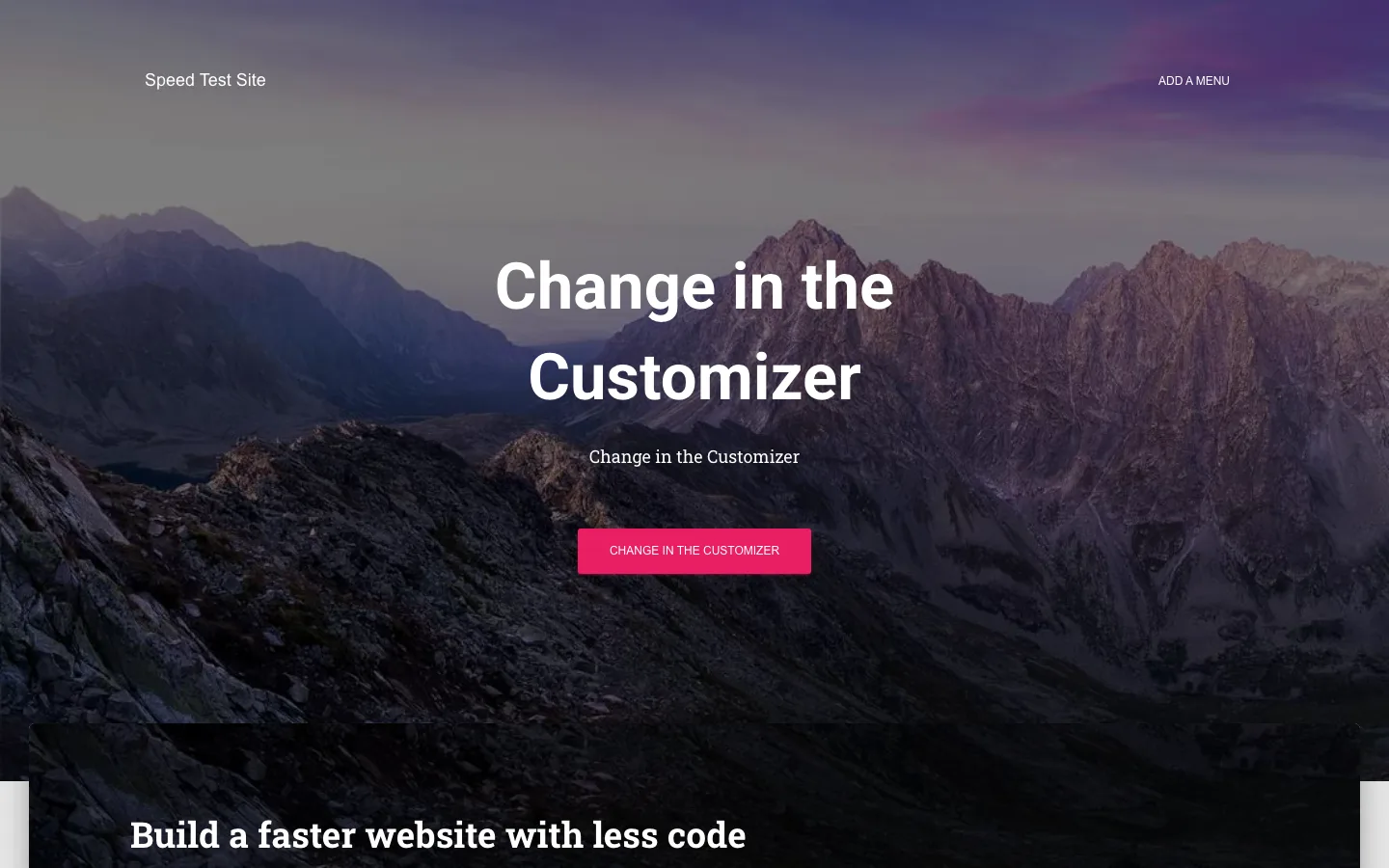
Hestia’s default homepage on a test install before any setup, with the theme’s built-in header photo.
Hestia’s default homepage was heavier than all nine themes in our fastest theme test, including OceanWP. A few things explain it:
- A built-in header photo. With a static front page, Hestia shows its Big Title section with a 101 KB mountain photo, even before you add anything. That one image is more than a third of the page.
- jQuery. Hestia loads jQuery, jQuery Migrate and jQuery UI Core, plus Bootstrap’s JavaScript. The page carried about 62 KB of JavaScript in total.
- Google Fonts from Google’s servers. Roboto Slab loaded on the homepage, and Roboto plus Roboto Slab on posts, all from fonts.gstatic.com. None of the nine themes in our speed test did this by default.
- Bootstrap CSS. About 41 KB of CSS in total.
With the starter content published and the wizard’s four plugins active, the homepage grew to 802 KB. Most of that was sample photos and Font Awesome, whose icon font alone was 157 KB.
None of this makes Hestia unusable. Page caching, smaller images and locally hosted fonts would cut a lot of it, but you start further behind than with a modern theme.
Hestia alternatives
All of these are actively maintained, free on WordPress.org, and lighter than Hestia on our test site.
GeneratePress was the lightest full theme in our test at 51 KB and seven requests, and its Premium license covers 500 sites. Astra offers a larger free starter-site library with a 68 KB, seven-request homepage.
Kadence pairs a strong header builder and free starters with a 70 KB homepage across ten requests. OceanWP has more extensions and a heavier default footprint, 182 KB and 22 requests, but its Performance panel can trim that.
See the full numbers in our fastest WordPress theme comparison, and current plans on the GeneratePress, Astra and Kadence sites.
If you want a premium design toolkit instead of a light theme, our Divi review and X theme review cover two popular options.