X Theme Review (2026): Features, Pricing and X vs Pro
X suits a single business site if you want Cornerstone, ready-made designs and bundled plugins in one purchase. Themeco’s Pro is the better fit for custom headers, footers and templates. A lighter theme is easier to justify if you mainly need a blog or a simple set of pages.
What Is the X Theme Today?
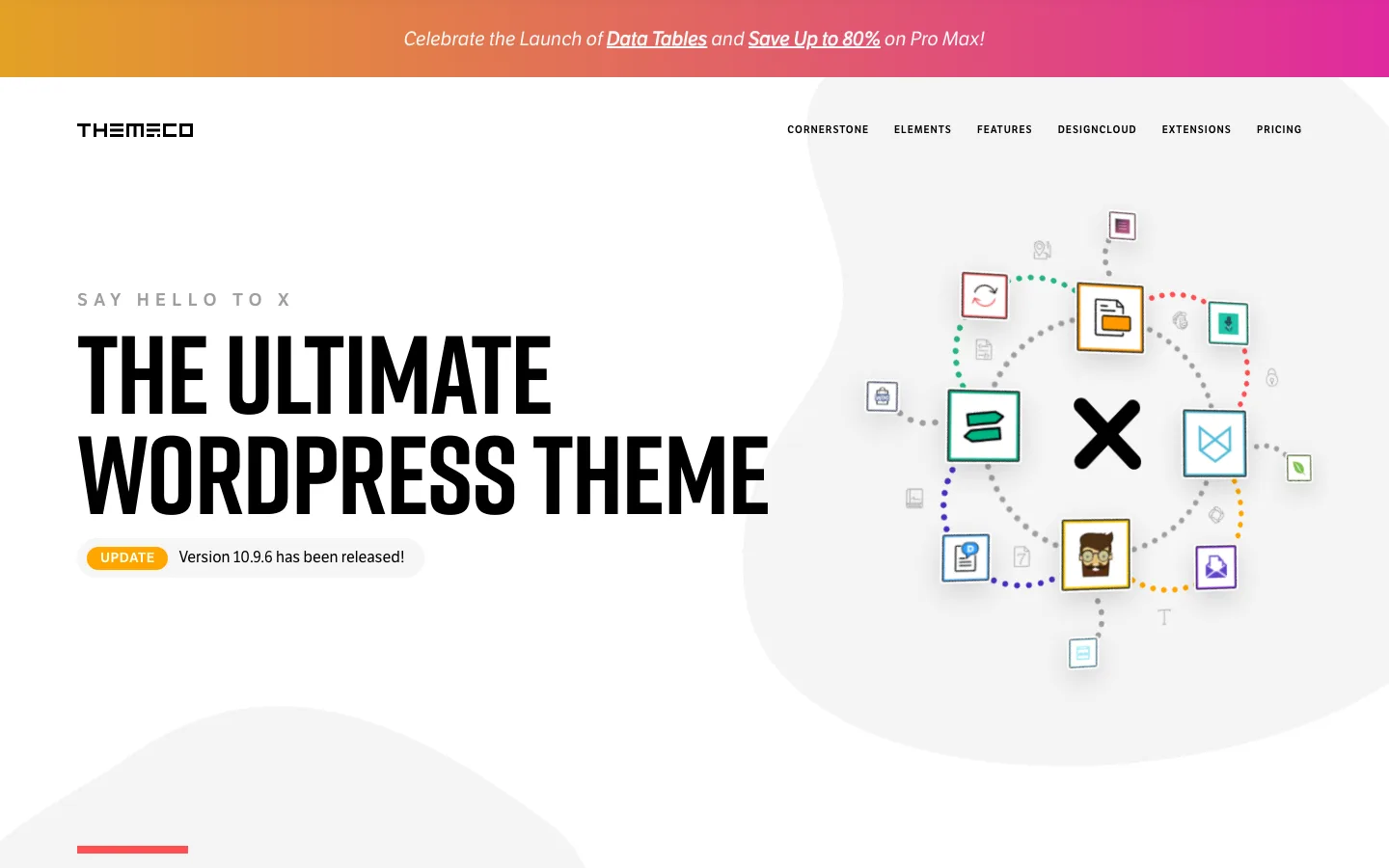
The X product page on theme.co with the release notice.
X is a multipurpose WordPress theme from Themeco. It launched in 2013 and became one of the best-selling themes ever on ThemeForest. Themeco says it has sold more than $10 million worth of X.
The theme is far from abandoned. Themeco ships X, Pro and the Cornerstone builder together on a shared release cycle, with a new feature release every few months and bug-fix releases every week or two in between. The 10.9 cycle, released in August and September 2026, added a Table element, global CSS variables, a view that shows every setting you changed from its default, and per-breakpoint values in Theme Options.
Three names cause most of the confusion, so here is how they fit together:
- X is the theme. You buy it on ThemeForest for a one-time fee.
- Cornerstone is Themeco’s visual builder. X users install it as a separate plugin that comes with the purchase.
- Pro is Themeco’s other theme. It has Cornerstone built in, unlocks every builder, and is sold as a subscription on theme.co.
One more thing to know: a third-party plugin also called “Cornerstone” sits in the WordPress.org plugin directory. Themeco says it is not their product. The real builder only comes from your Themeco account.
X vs Pro: Which One Should You Buy?
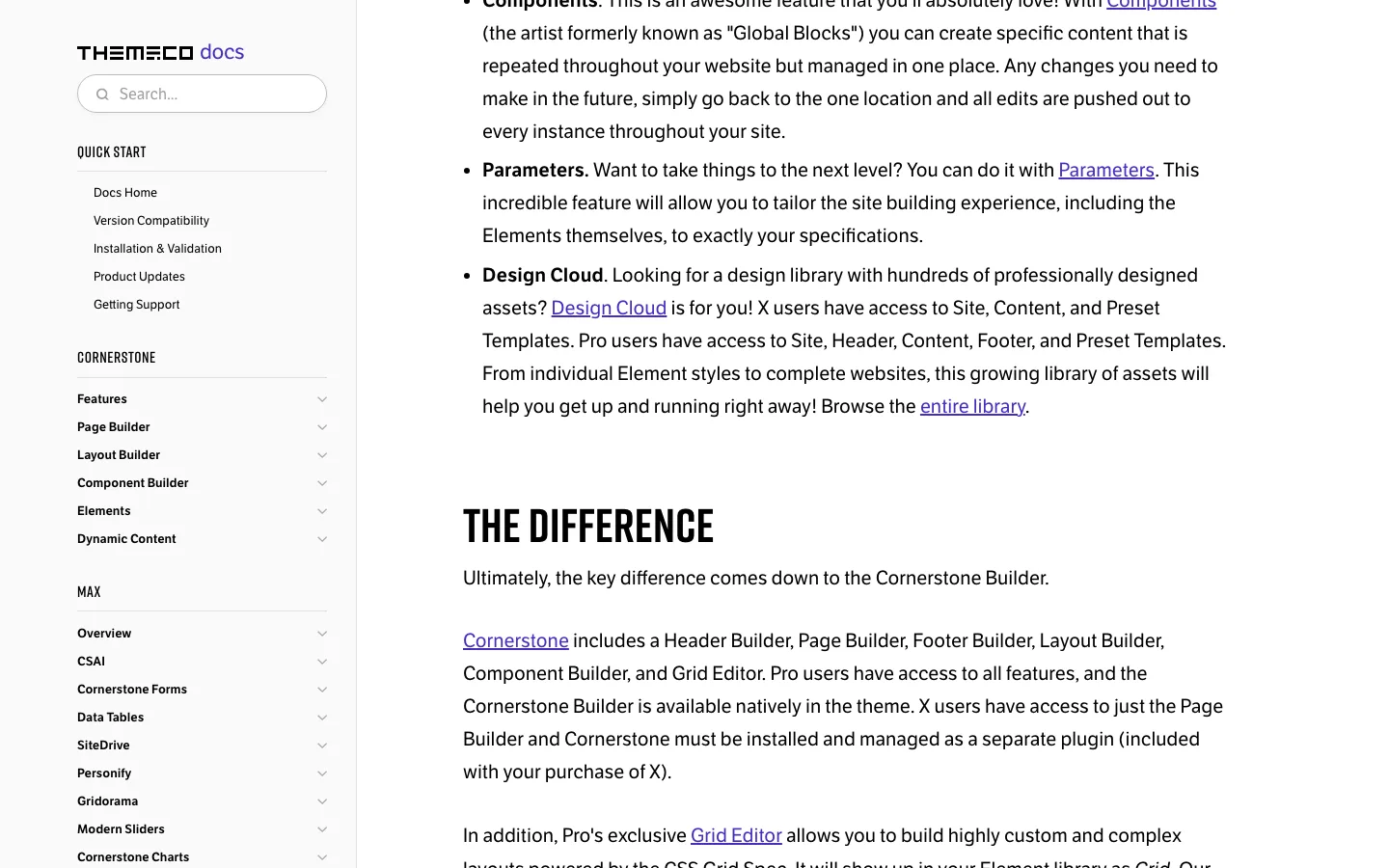
Themeco’s own docs say the main difference between X and Pro is how much of Cornerstone you get.
This is the question most “x theme vs pro” searches are asking. Both themes share the same four Stacks, Theme Options, portfolios, one-page navigation, font and color managers, Components and Design Cloud. The difference is how much of Cornerstone you get.
X costs $89 once for one site with lifetime updates, while Pro starts at $99 annually for one site or $249 for unlimited sites, with updates dependent on an active subscription. Both provide Page and Component Builders, but X installs Cornerstone separately and Pro builds it into the theme.
Pro adds custom header/footer builders, single/archive/shop/product layouts and the CSS Grid editor. X instead uses predefined header/footer options. Both have site, content and preset templates in Design Cloud; Pro adds header/footer templates, and Pro Max plans add the Max tools.
In plain terms: X gives you a styled theme and a page builder for the content area of your pages. Pro lets you design the whole site, including headers, footers, blog post layouts and WooCommerce product pages, without writing code.
Themeco’s docs give a clear example. In X, changing the layout of single blog posts means a child theme and editing PHP template files. In Pro, you design that template in Cornerstone and assign it to posts from inside the builder.
Pick X if you run one site, like starting from a finished design, and prefer to pay once.
Pick Pro if you want full control over every template or build many sites for clients.
Can you upgrade from X to Pro later?
Yes. Themeco’s account dashboard has an option to convert an X license to a Pro license. Your Theme Options carry over when you switch themes, and Pro turns off the separate Cornerstone plugin because it is no longer needed. Two warnings from Themeco’s docs: the conversion is one-way, and child theme customizations may need fixes because Pro’s header and footer builder adds new markup. Test the switch on a staging copy of your site first.
The Cornerstone Builder in X
Cornerstone is a front-end builder. You edit the page you see, with a control panel on one side and a live preview on the other. In X, it covers the content area of pages and posts.
What X users get from Cornerstone, according to Themeco:
- More than 100 prefab elements, including layout, standard, dynamic and WooCommerce elements
- Responsive styling, so you can set different values for desktop, tablet and mobile
- Components (formerly Global Blocks) and Parameters for reusable, site-wide design pieces
- Dynamic content and Loopers to pull in post data, Advanced Custom Fields data and external API data
- An Effects module for animations, transforms and scroll effects
- Code editors for custom CSS and JavaScript, with a live preview
- A role manager, so a client can edit text without touching the layout
- Undo and redo, dark mode and a template manager
Reviews agree on one point: Cornerstone is powerful but has a learning curve. Its controls are deep, and long-time users say it takes time to get comfortable with flexbox layouts, headers and off-canvas elements. If you have never used a page builder before, expect to spend some time with Themeco’s video tutorials. For a different take on front-end editing, see our Divi review.
Stacks, Demos and Design Cloud

The Agency demo, one of the starter sites linked from the X product page.
X has always been built around “Stacks.” A Stack is a theme within the theme. Switching Stacks changes the whole look of your site without changing themes. There are still four:
- Integrity: the default. A clean, business-style design with light and dark modes. A safe pick for most sites.
- Renew: a flat design with bold colors and simple shapes.
- Icon: very minimal, with the focus on text. Good for blogs and simple portfolios.
- Ethos: a magazine-style design with a post carousel and featured post sliders.
On top of the Stacks, Design Cloud gives you starter sites and templates you can import in a click. The X product page shows 15 demo sites as of October 2026, including Agency, Restaurant, Church, Gym, Lawyer, Nonprofit, Spa and Wedding.
The demo designs are older in style than what you see from Divi or Kadence today. Some reviewers have said they were not impressed by them. Treat them as starting points rather than finished sites.
WooCommerce Support
X works with WooCommerce out of the box. Each Stack has its own shop design, so you get four store looks to choose from. Theme Options let you set shop columns, products per page, product tabs, related products, upsells and cross-sells. ThemeForest lists the theme as compatible with WooCommerce 9.x.
Cornerstone also includes WooCommerce elements such as products, add-to-cart forms, mini carts and cart drop-downs. The bundled Woo Checkout Editor plugin lets you change checkout fields.
The limit is templates. In X you cannot design a custom single product page or shop archive in the builder. That is a Pro feature. For a small store that is happy with the Stack’s shop design, X is enough. For a store that wants a custom product page layout, Pro is the better fit.
Performance and SEO
We have not run our own speed tests on X, so we cannot give you load-time numbers we stand behind.
Here is what other sources say. An independent developer who has used Themeco’s themes for over a decade reports that a near-blank Pro page loads in well under a second on shared hosting. Other reviewers say X is fine for most sites but will not match very lightweight themes such as GeneratePress or Kadence. Both can be true: the builder’s code is efficient, but stacks, sliders and bundled plugins add weight if you use many of them.
Some practical points:
- In 2025 Cornerstone moved from shortcode-based storage to plain HTML storage. Developers who use it say this is better for speed and plugin compatibility, but the change is one-way, so test it on a staging site.
- Each Stack loads its own CSS file. Users on Themeco’s forum still ask how to trim it for PageSpeed scores.
- Install only the bundled extensions you need. Slider Revolution, LayerSlider and similar plugins can slow a page down.
- Use a caching plugin and decent hosting. Theme choice matters less than these two.
For SEO, X outputs semantic HTML5 markup, leaves meta tags to an SEO plugin of your choice, and the 10.7 release improved the FAQ schema that Cornerstone’s accordion element can output.
Customization and Theme Options
Beyond the builder, X has a large Theme Options panel with live preview. You can set:
- Site layout (full width or boxed), max width and content width
- Fonts for logo, navigation, headings and body text, with a font manager for custom fonts
- Button style, shape and size
- Header position (top, fixed top, fixed left or fixed right), logo and menu layout, top bar and widget areas
- Footer widget areas, footer menu and bottom footer content
- Blog and archive styles, including masonry layouts
- Portfolio, bbPress, BuddyPress and WooCommerce settings
- Custom CSS and JavaScript
As of version 10.9, some of these values, such as site max width, can differ by breakpoint. X also supports child themes, and Themeco provides a starter child theme.
Bundled extensions
Every X purchase includes access to about two dozen extensions. As of October 2026, the X page lists plugins such as Slider Revolution, LayerSlider, Essential Grid, Envira Gallery, Soliloquy, UberMenu, ConvertPlus, Modern Events Calendar, WPBakery Page Builder, Woo Checkout Editor, Estimation and Payment Forms, Email Forms, Custom 404, Under Construction, White Label and Smooth Scroll.
Themeco values this bundle at over $1,000. That number assumes you would buy each plugin yourself, which most people would not. Treat the extensions as a useful bonus, not as the main reason to buy.
Pricing and Support
What X costs
As of October 2026, X costs $89 for a Regular License on ThemeForest. That covers one site, lifetime updates and 6 months of support from Themeco. You can extend support to 12 months at checkout for $28.88. Adding it later costs more. The Extended License, needed if end users pay for the product you build with it, is listed at $2,900.
There is no free version of X and no multi-site license. If you run four sites, you need four licenses, which comes to $356.
What Pro costs
Pro is sold only on theme.co as a yearly subscription or a one-time lifetime purchase. As of October 2026, with limited-time discounts running, Themeco lists:
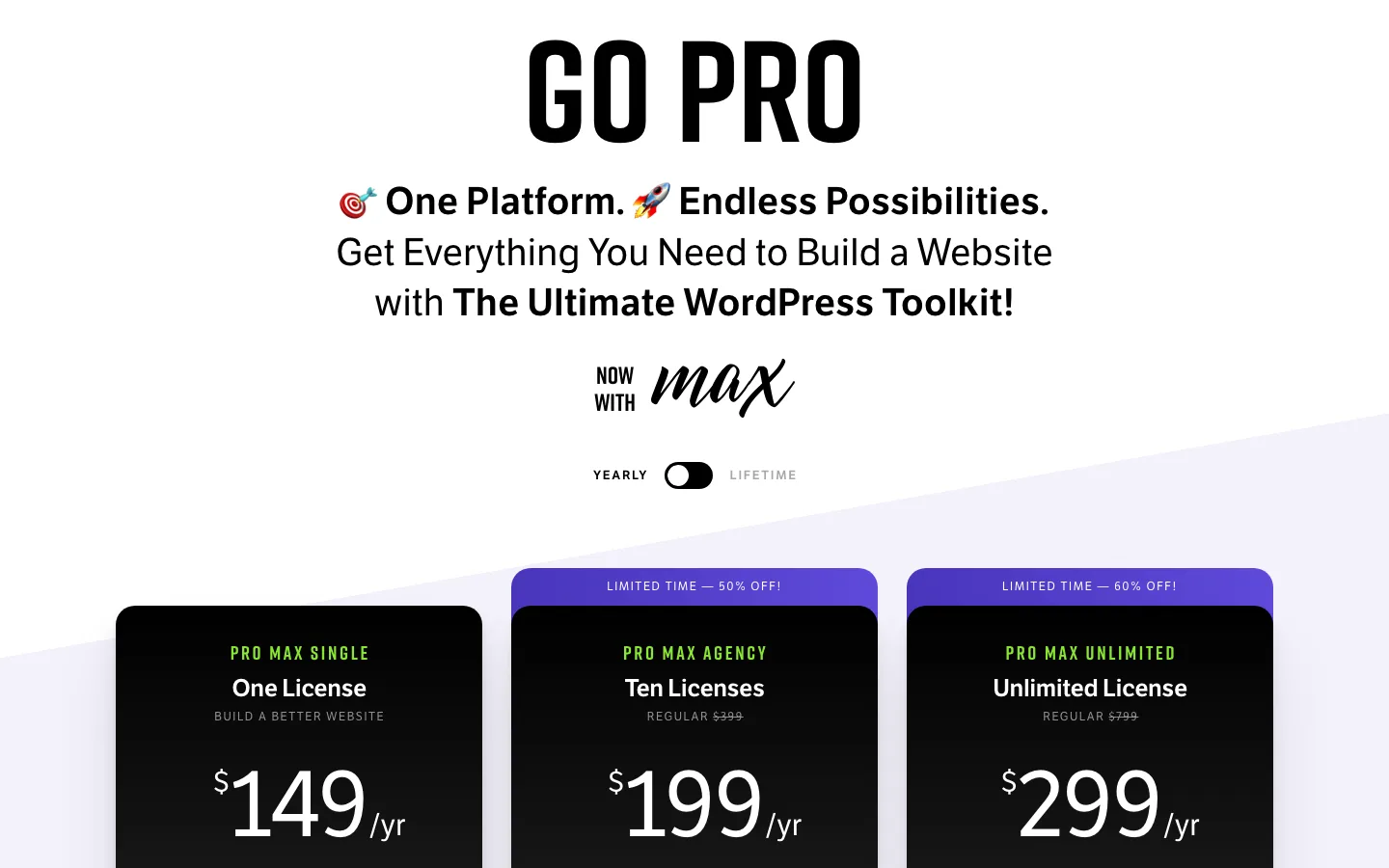
Themeco’s Pro Max yearly plans on the pricing page. A toggle switches to lifetime prices.
Pro Single costs $99 annually and Pro Unlimited $249, without listed lifetime options for those non-Max plans. Pro Max Single costs $149 annually or $495 once.
Pro Max Agency covers ten sites for a listed promotional $199 annually, normally $399, or $648 once, normally $1,295. Pro Max Unlimited lists at $299 annually, normally $799, or $979 once, normally $4,989. Distinguish the discount from regular pricing before comparing annual and lifetime offers.
Max is Themeco’s bundle of extra plugins, courses and templates made for Cornerstone, including Cornerstone Forms, Cornerstone Charts, Data Tables, Gridorama, CSAI (an AI assistant inside Cornerstone) and SiteDrive. If you cancel a Pro subscription, Themeco says you keep using the builder but lose updates, support and Max products.
Support
Themeco advertises 24/7 product support for X buyers during the support period. There is also a public forum and documentation that Themeco says adds up to more than 250,000 articles, questions and videos. Reviews and user comments on support are mostly positive. Help with custom code or third-party plugins falls outside standard support; Themeco sells a separate paid service called One for that.
One habit worth building: Themeco ships updates often, and its release notes warn that if you update Cornerstone, you must update X too. Back up your site and test big updates on a staging copy before running them on your live site.
X Theme Alternatives
- Themeco Pro: the obvious step up if you want the full Cornerstone builder. One unlimited plan covers every site you build, though it is a yearly fee.
- Divi: another all-in-one theme and visual builder, with a large layout library and an unlimited-sites license. Read our Divi review.
- Avada: a ThemeForest best-seller with its own builder and many prebuilt sites. See our full Avada review.
- Kadence: a lighter, block-editor-first theme with a free version and strong header and footer controls. See our Kadence review.
- GeneratePress: a very lightweight theme for people who care most about speed and clean code. See our GeneratePress review.
- Astra: a popular free theme that pairs well with Elementor or the block editor. See our Astra review.
- Jupiter: another multipurpose theme worth a look. See our Jupiter review.