AAWP Review: Worth It for an Established Amazon Site?
AAWP is worth considering once an Amazon affiliate site makes steady sales. It automates product boxes and price updates, but the license and API requirements make it harder to justify for a new site. Start with simpler links or free blocks if you have not yet qualified for Amazon’s API.
This review uses AAWP’s official documentation and demo, rather than a hands-on installation of the paid plugin. We tested the free alternatives separately.
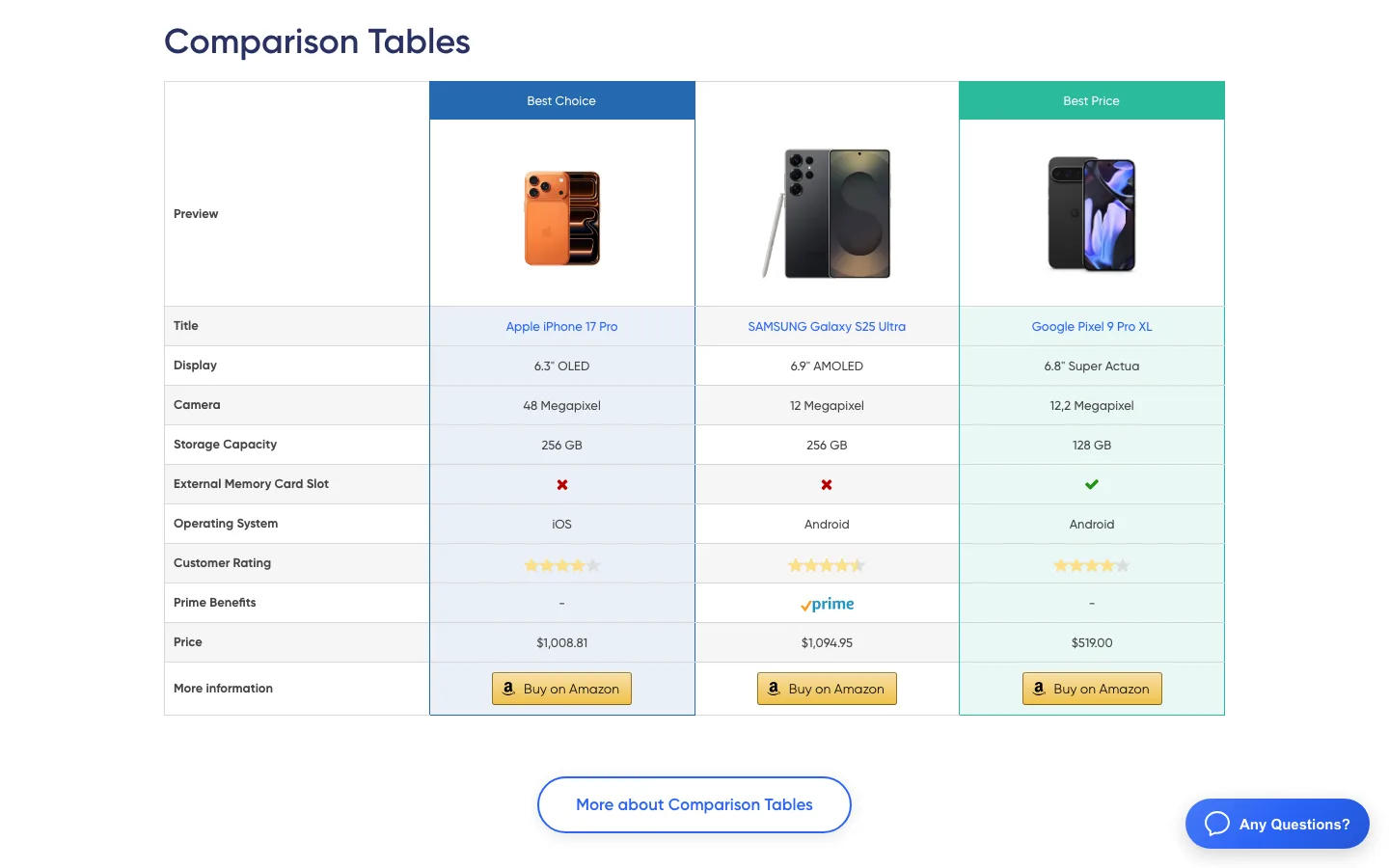
A comparison table on AAWP’s official demo page, with live prices pulled from Amazon.
What Is AAWP?
AAWP stands for Amazon Affiliate WordPress Plugin. It is made by fdmedia, and the copyright line on its site goes back to 2015. You paste in an Amazon product ID (called an ASIN), and AAWP builds a product box, table or link with the current title, image, price and rating. It adds your Associates tracking ID to every link and refreshes the product data on a schedule, so prices on your page don’t go stale.
That last part is the main reason people pay for it. Amazon’s rules don’t let you type prices in by hand. The Associates Program Policies (updated April 14, 2026) say your site may only show prices and availability if Amazon serves the link that shows them, or if you get the data from the Creators API or PA-API. A plugin that pulls prices from the API keeps you inside that rule without manual work.
If you used EasyAzon years ago, AAWP is where it went. The old EasyAzon site now redirects to AAWP, which says “EasyAzon has been replaced by AAWP.”
The Amazon API Situation in 2026
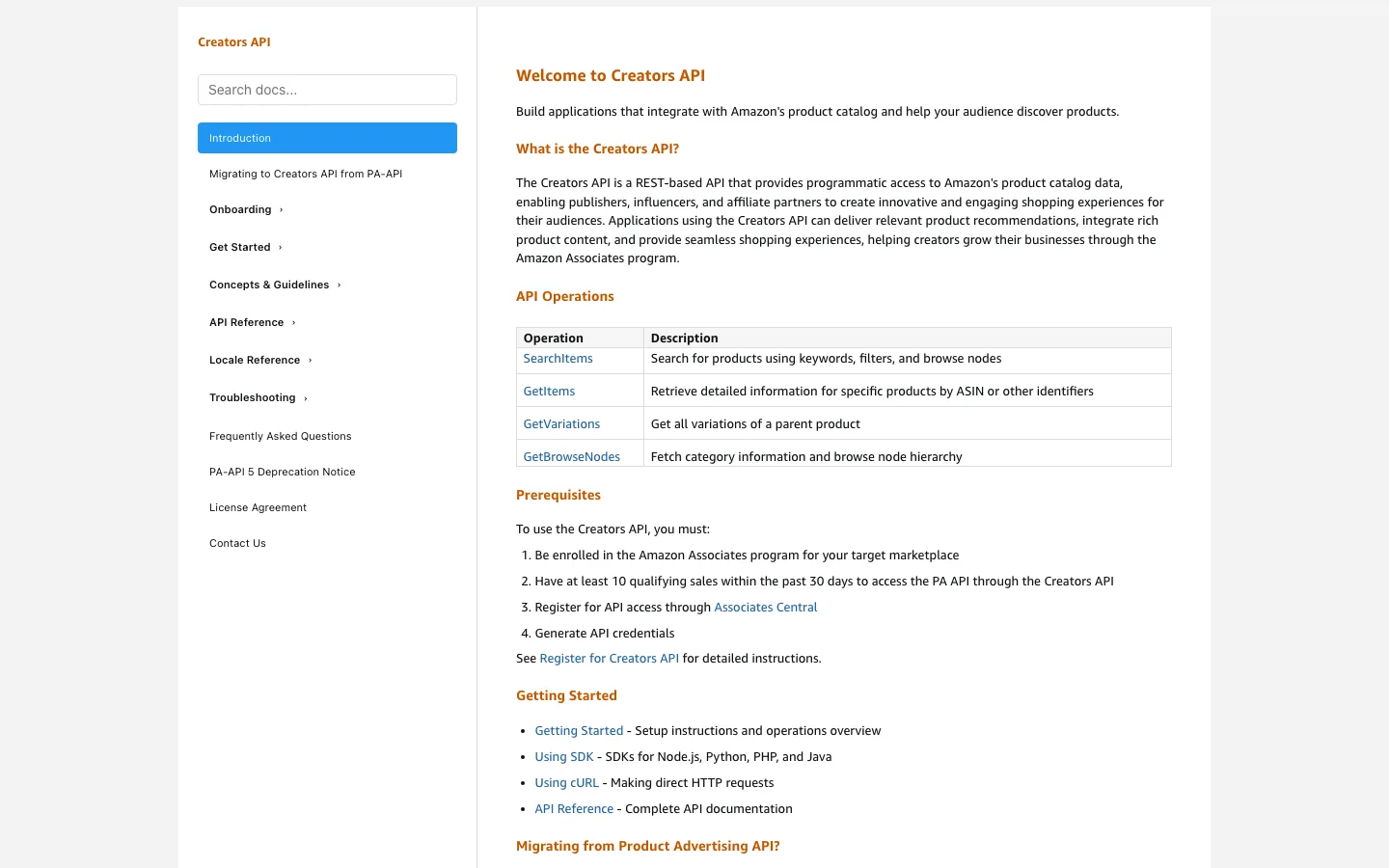
Amazon’s Creators API documentation, with the 10-sale requirement under “Prerequisites”.
PA-API 5 is gone. Amazon’s deprecation notice says the Product Advertising API 5.0 “has been deprecated and is being replaced by the Creators API.” Apps that still call it now get a “403 Forbidden” error. Any Amazon plugin that hasn’t been updated has stopped pulling product data.
The Creators API has a higher bar. Amazon’s documentation lists these prerequisites:
- You are enrolled in Amazon Associates for the store you want to promote, and your account has received final acceptance.
- You have at least 10 qualifying sales within the past 30 days.
- You register under Tools > Creators API in Associates Central. Only the primary account owner can do this.
- You create an application (up to two per store) and generate a Credential ID and Credential Secret. Old PA-API keys don’t carry over.
Access can lapse. AAWP’s documentation says Amazon temporarily revokes Creators API access when your account stops generating qualified sales over a 30-day period, and restores it within about two days after your referred sales ship again. For a seasonal site, that means product boxes can lose their data during a slow month.
AAWP handled the switch early. Version 5.0.0 (January 29, 2026) added Creators API support, and later updates fixed Creators API problems such as custom tracking IDs that didn’t work, missing product groups, and products that failed to save. You enter the new credentials under AAWP > Settings > Amazon API and pick your Amazon store.
How AAWP Works
AAWP is a paid plugin installed from your account download. Connect Amazon Creators API credentials or the paid AAWP API, add your tracking ID, then place products through blocks or shortcodes. You choose the Amazon product IDs; AAWP retrieves and caches their data.
AAWP Features
These are the display types and tools listed on AAWP’s features page and shown on its demo:
- Product boxes. A single product with image, title, short description, price, rating, Prime badge and a “Buy on Amazon” button. You can show one box or several in a row.
- Bestseller and new release lists. Automatic top-3 or top-10 lists for a keyword or product category, which update on their own. These need the Creators API; they don’t work through the AAWP API.
- Comparison tables. A table builder where you pick the products and rows, and label columns like “Best Choice” and “Best Price.” On a phone-width screen, the demo table switches to a single-product layout instead of making the page scroll sideways.
- Data fields and text links. Drop a single live value, like the current price or a button, into a sentence.
- Geotargeting. Sends visitors to their own country’s Amazon store. You need a tracking ID for each country, which means joining each country’s Associates program.
- Click tracking. Shows which products get clicked, which part of the box was clicked (image, title or button), and the device and browser. You can exclude logged-in roles like admins.
- Templates and styling. Horizontal, vertical, list and table templates, custom CSS, and your own templates for developers.
- Migration tools. Version 4.3.3 added an importer for AmaLinks Pro, and version 5.0.6 added one for Lasso, two other paid Amazon plugins.
AAWP also runs on WordPress.com, but only on a plan that allows third-party plugins (AAWP names the Business plan). Our guide to what WordPress actually costs explains how those plans compare with self-hosting.
The AAWP API: A Paid Fallback for Sites Without Amazon Access
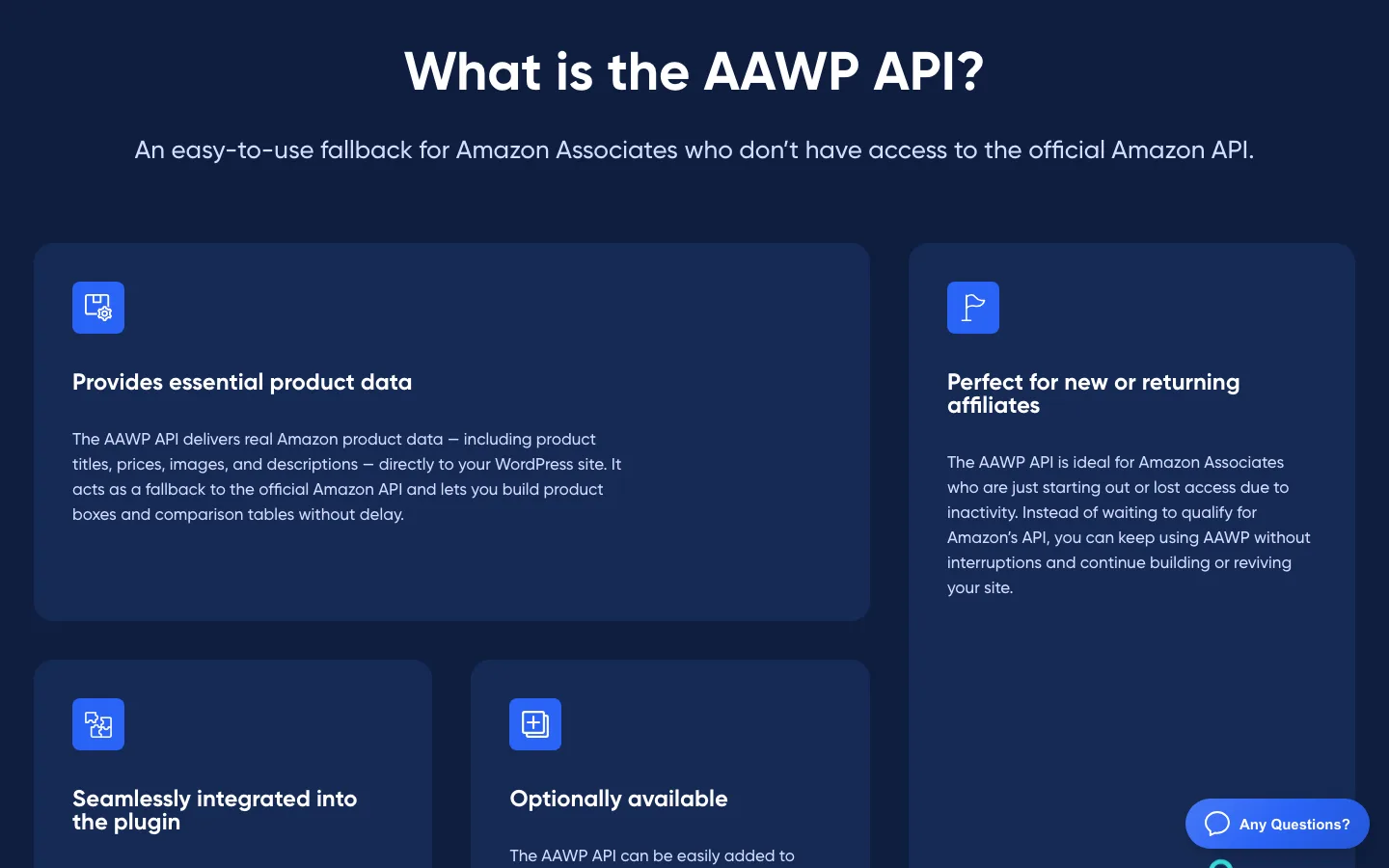
The “What is the AAWP API?” section on getaawp.com.
The AAWP API is AAWP’s answer to the 10-sale rule. Instead of Amazon’s API, AAWP fetches product data from its own service, so you can build boxes and tables before you qualify or while your access is paused.
What the vendor says you get:
- Product titles, prices, images and descriptions.
- Plans for 150, 250, 500, 750 or 1,000 products a month, starting at €7 a month for 150. Monthly or discounted annual billing, and you can change plans at any time.
- One product allowance shared across all your sites.
- You can switch between the AAWP API and Amazon’s API in the settings.
The limits matter. Bestseller and new release lists don’t work through it, and AAWP itself says it is not a full replacement for Amazon’s API. Prices for the bigger plans aren’t listed on the feature page.
Two things to ask AAWP before you rely on it. First, its pages disagree on whether you need a plugin license: the FAQ says you can buy a standalone API plan if your plugin license expires, while a note on the same page says a valid plugin license is required. Second, Amazon’s price rule names only Amazon’s own links and APIs as approved sources for prices. It doesn’t mention third-party data services, so check with AAWP how it handles this for your account.
AAWP Pricing (October 2026)
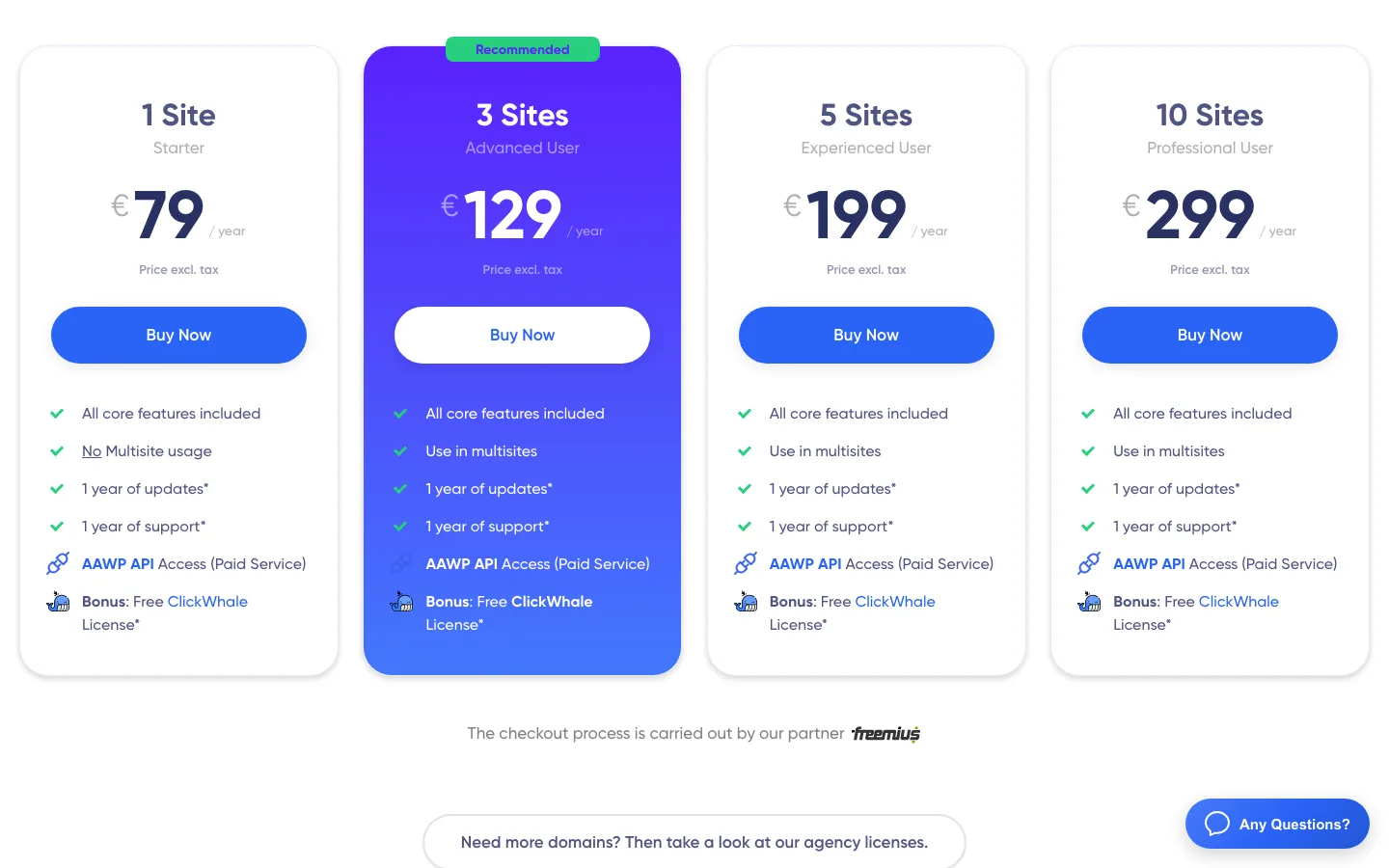
AAWP’s annual plans on getaawp.com. Prices exclude tax.
Starter covers one site for €79 a year or €299 once. Three sites cost €129 a year or €499 once; five sites cost €199 or €699; ten sites cost €299 or €899. Prices exclude tax, and Starter does not cover multisite.
A few details from the pricing page and its FAQ:
- Prices are in euros and exclude tax, so expect VAT or sales tax at checkout. The checkout runs through Freemius, a payment service for plugin sellers.
- Annual licenses renew automatically. If you cancel, you keep updates and support until the year ends, then they stop. Given how often Amazon’s API changes, running AAWP without updates is risky.
- There is no trial. AAWP offers a 30-day full refund instead.
- A subdomain counts as a site. Multisite use needs the 3-site plan or higher.
- New customers get a free one-year license for ClickWhale Pro, the same team’s link manager. Its free version was closed on WordPress.org on December 4, 2025, for a guideline violation, so look at that bonus as a nice extra, not a reason to buy.
- The AAWP API costs extra on every plan.
The 1-site lifetime license costs about as much as four years of the annual plan, so it only makes sense for a site you plan to keep.
Updates and Security Track Record
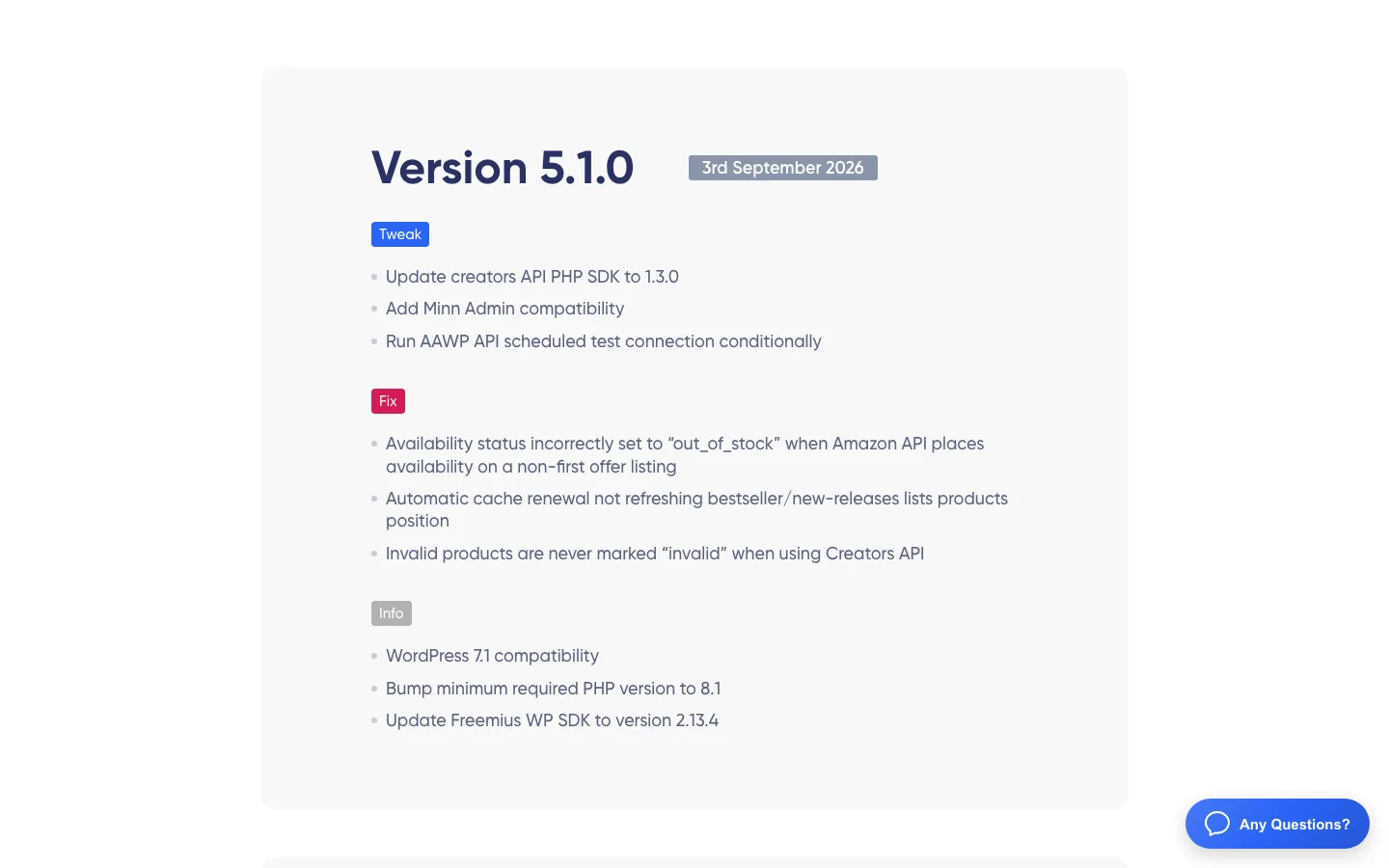
AAWP’s public changelog and recent compatibility updates.
AAWP’s public changelog shows 14 releases between January and September 2026, a healthy pace for a plugin that depends on an API Amazon keeps changing. Two entries stand out:
- Version 5.0.9 (July 9, 2026) fixed an “Unauthenticated SQL Injection via Click Tracking.” An unauthenticated SQL injection is a serious bug, because an attacker doesn’t need to log in to try it. If you run an older version, update now.
- Version 5.1.0 (September 3, 2026) raised the minimum PHP version to 8.1. Check your host’s PHP version before you update.
Because AAWP touches every product page on your site, try big updates on a copy first. Our roundup of the best WordPress staging plugins covers free ways to do that.
Free Alternatives: What You Can Do Without AAWP
Before qualifying for Amazon’s API, a free plugin can build manually maintained product boxes and comparisons. Leave Amazon prices out unless they come from a permitted source.
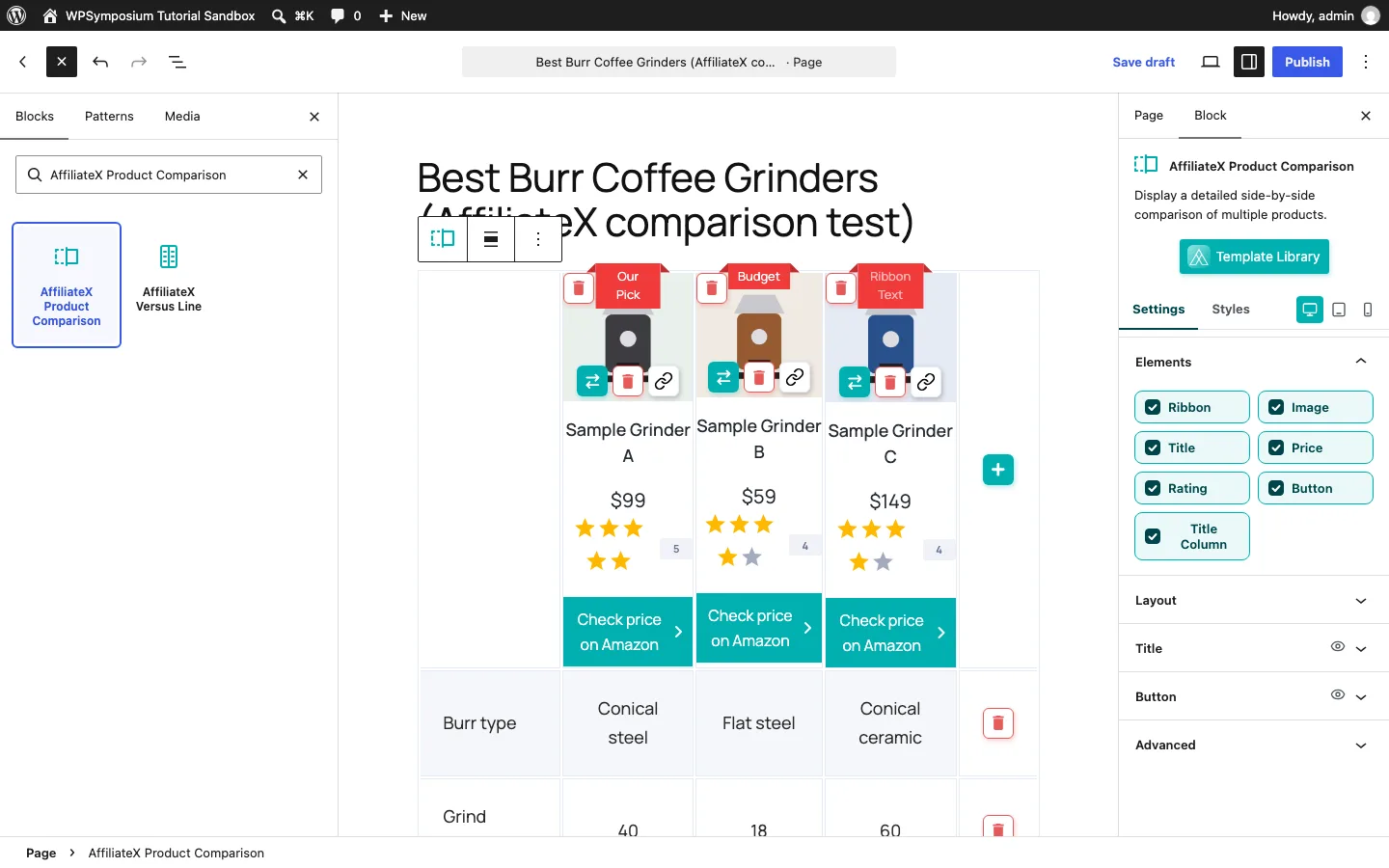
Editing an AffiliateX Product Comparison block on our WordPress test site.
AffiliateX’s free comparison block was capable, but every value had to be entered by hand. Its price field could be hidden. Two problems limited our recommendation: sponsored and nofollow link attributes were malformed, and the comparison overflowed both our theme’s content area and a phone screen.
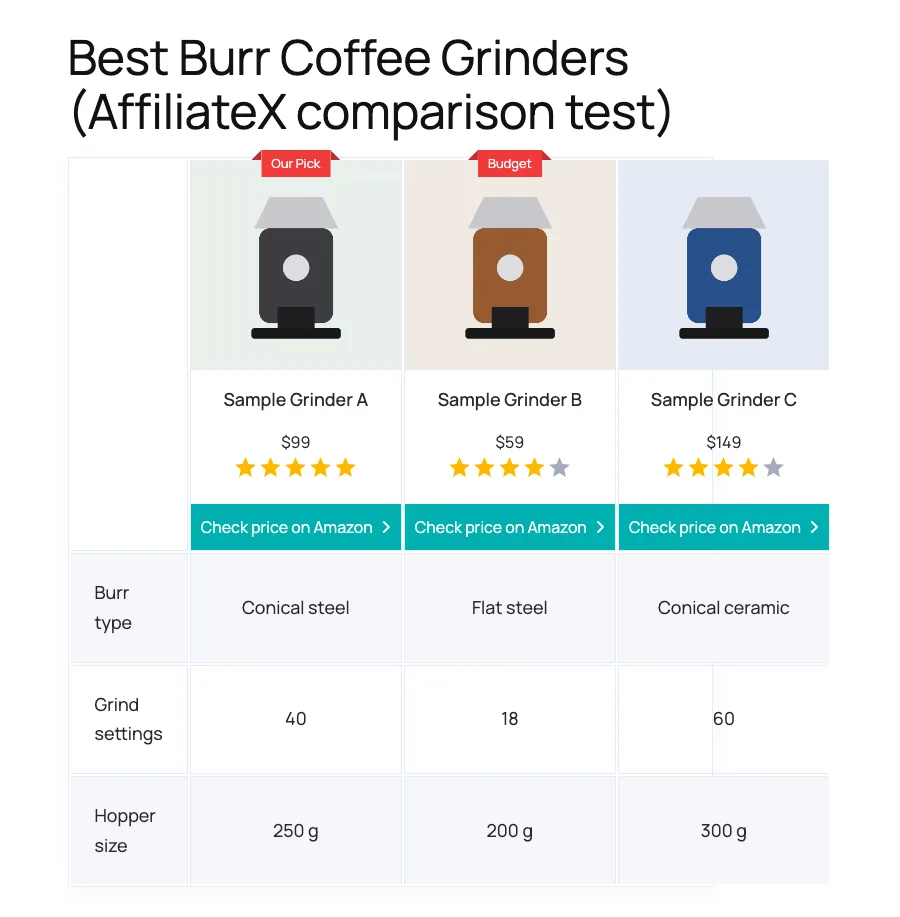
The finished AffiliateX comparison table with hand-typed sample data. The third column runs past the table’s border.
For basic link management, ThirstyAffiliates is another free option. Among paid alternatives, AzonPress starts at $39 a year and uses the Creators API, while WooZone imports products into WooCommerce.
AffiliateX Pro’s Zero API feature fetched product data without Amazon credentials in our test, but the data came through its own server. We would still leave prices out because Amazon restricts which sources can supply them. Our Amazon plugin comparison covers these alternatives in more detail.