8 Best Gravity Forms Alternatives for 2026: Free and Paid Compared
Forminator is our best free Gravity Forms alternative: conditional fields, saved entries and exports worked without an upgrade. Fluent Forms is a close second with attractive paid options. Keep Gravity Forms if its integrations already support a workflow that would be costly to rebuild.
Test results at a glance
Forminator, Fluent Forms and Form Maker all hid the conditional field and saved entries with CSV export for free. Forminator had only one of 28 fields locked and a dashboard notice; Pro starts at $50 annually for one site. Fluent Forms locked 21 of 56 field buttons and costs $63 initially, then $79 annually. Form Maker showed a builder banner and limits free forms to seven fields; its $30 license covers one site and six months of updates.
Contact Form 7 needed free add-ons for both conditional logic and entry storage, but showed no upsells and has no paid edition. Formidable Lite saved entries but reserved logic for Pro, with 25 of 44 field types locked; Basic costs $39.50 initially, then $79. Everest also saved entries but required payment for logic, with 18 of 48 field types locked and all integrations paid; Personal costs $49 initially, then $69.
Ninja Forms saved entries but required its $49 logic add-on or a paid bundle. Its notices appeared throughout admin, and the three-site bundle costs $59.40 initially, then $99. WPForms Lite neither hid the field nor saved entries locally, sending email instead, with 26 of 44 field buttons locked; Basic costs $49.50 initially, then $99. Gravity Forms was not installed in this test, but its $59 one-site license includes both logic and entry storage.
Prices are for one site unless noted, as of October 2026. Every plugin installed and activated in seconds; the differences showed up once we started building.
We built and submitted the same contact form in each free plugin, including a field that should appear only for one dropdown choice. We checked whether entries were saved and exportable. Paid features and prices come from vendor plans; the comparison does not verify every integration.
Why people look for a Gravity Forms alternative
Gravity Forms is a strong plugin, but a few things send people shopping:
- There is no free version or trial. You pay $59/year before you can use it, and the online demo asks for an email address first.
- Payments cost more. Stripe and PayPal need the $159/year Pro license.
- Simple sites don’t need it. A contact or quote form with one conditional field is something several free plugins now handle, as our test shows.
If you are comparing all form plugins, not only replacements, see our guide to the best WordPress form plugins.
The 8 best Gravity Forms alternatives
1. Forminator: best free alternative
Forminator is made by WPMU DEV. Version 1.57.3 has 600,000+ active installs on WordPress.org and a 4.8 out of 5 rating.
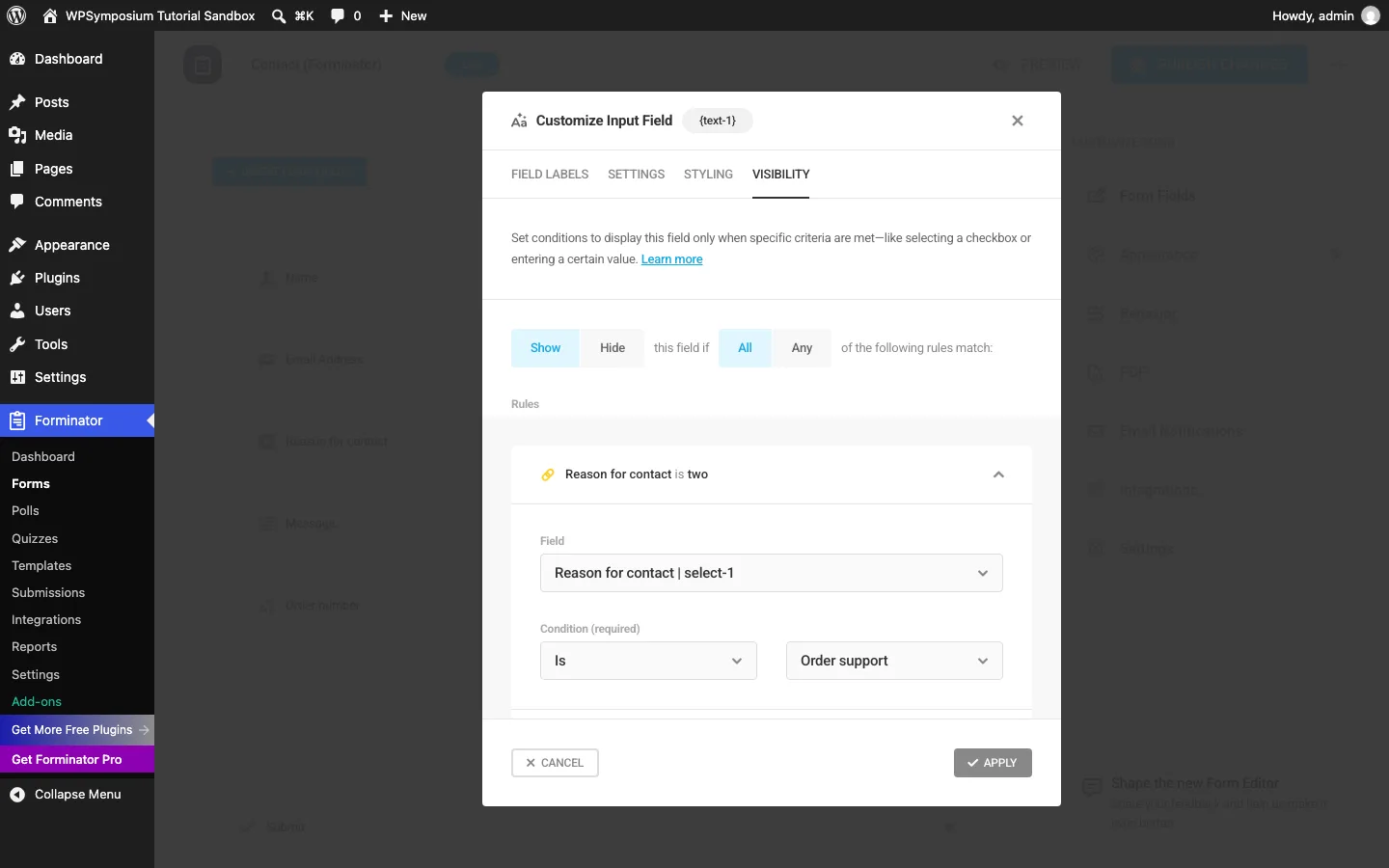
On our test site. There was no setup wizard and no request to share usage data. You tick the fields you want in an “Insert Form Fields” box, then open each field’s settings to rename it. Of 28 field types, only E-Signature was marked Pro; File Upload, Page Break, Calculations, Stripe and PayPal were free.
The conditional field worked. In the Order number field’s Visibility tab, we added one rule: show this field if Reason for contact is Order support. On the live page, the field stayed hidden for “General question” and “Something else” and appeared for “Order support”. One quirk: the rule summary read “Reason for contact is two”, because renamed dropdown options keep their old internal values. It worked, but it is confusing.
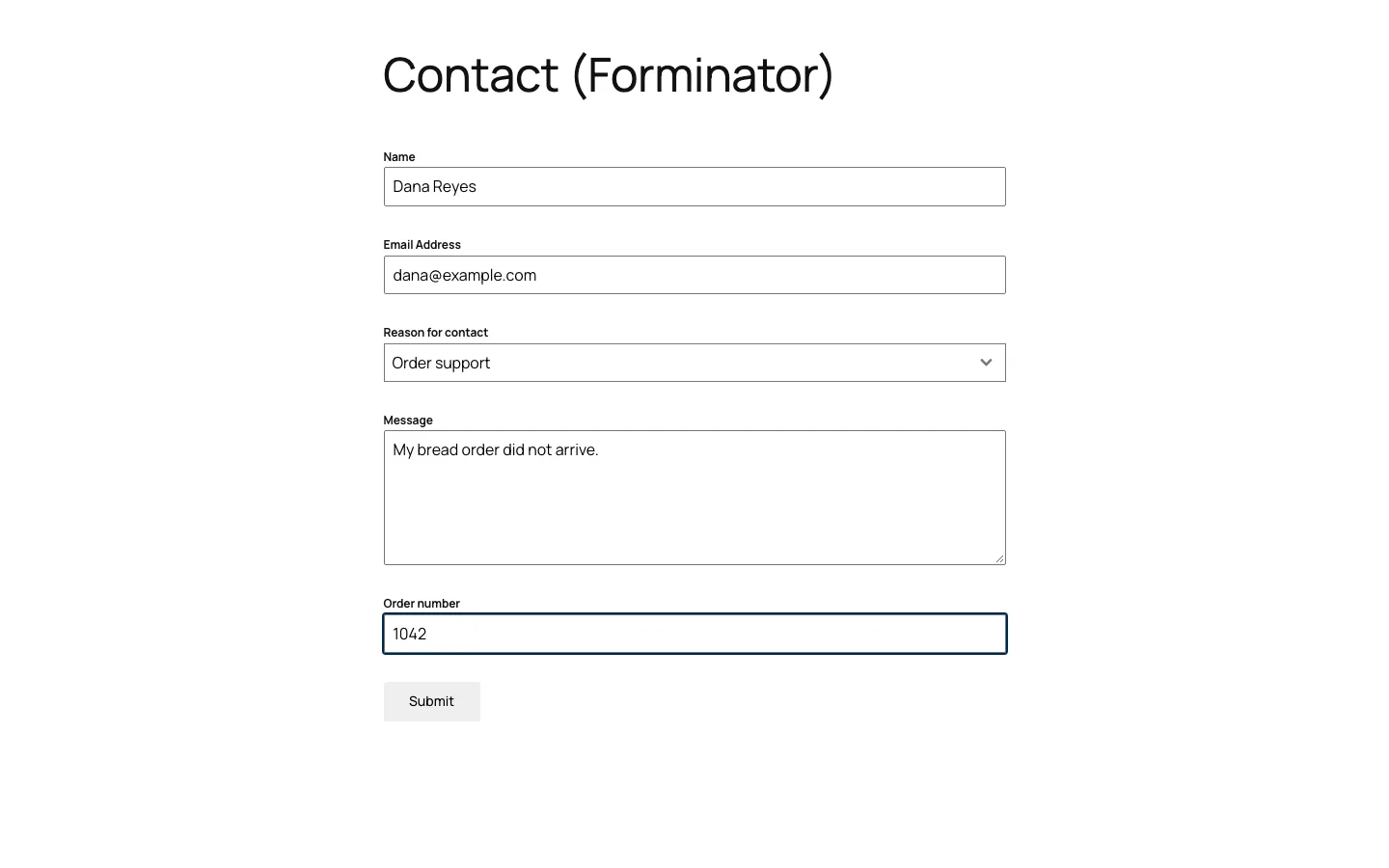
Our test form in Forminator with the conditional Order number field showing.
The submission showed a thank-you message in about a tenth of a second and was saved on the Submissions screen. The Export button offered a CSV download and scheduled email exports. An admin email notification was set up by default, but the honeypot (a hidden field that catches bots) was off; switch it on under Behavior, then Security.
Free vs Pro. The free plugin includes 11 integrations, among them Mailchimp, HubSpot, Google Sheets, Slack and a webhook for tools like Zapier. Pro adds Stripe subscriptions, PDF generation, geolocation and the e-signature field. Pro comes as part of WPMU DEV’s Pro plans, from $50/year for one site, $75 for three or $100 for ten, with a 30-day refund window.
Upsells: a “Get Forminator Pro” menu link and one dismissible dashboard notice about connecting to WPMU DEV for more templates.
Best for: anyone who wants smart forms, file uploads or payments without paying for a form plugin.
2. Fluent Forms: best value if you upgrade
Our Fluent Forms review ran the same test on version 6.2.15 (700,000+ active installs). The free version hid the Order number field and saved every entry, with CSV, Excel and JSON export. It also sells lifetime licenses, which few form plugins offer.
Its free limits are a little tighter than Forminator’s: Phone, File Upload and multi-step forms are Pro, and only Mailchimp and Slack are free integrations. Free Stripe payments carry a 2.5% platform fee. Two defaults caught us out in that review: email notifications and the honeypot were both off.
Pricing. Pro costs $79/year for one site, $159 for five and $299 for unlimited sites, with a first-year coupon taking 20% off when we checked. Lifetime licenses cost $349, $599 and $899. The refund window is 14 days.
Best for: a free conditional contact or quote form today, and a one-time payment if you outgrow it.
3. Formidable Forms: best for calculators and data apps
Formidable Forms (Lite version 6.35, 300,000+ active installs) is aimed at forms that do more than collect messages: calculators, quizzes, directories and front-end listings through its paid Views add-on.
On our test site. A three-screen onboarding wizard asks you to opt in to emails and usage tracking and offers to install add-ons; both steps can be skipped. The template library listed 413 templates, with a note to “Upgrade to get all 411 templates”. Building was quick: click a field type and edit its label in the left panel.
The conditional field was locked. The Conditional Logic section was greyed out, and clicking it opened a box titled “Conditional Logic options are not available” with an Upgrade to Pro button. The Order number field showed for every visitor.
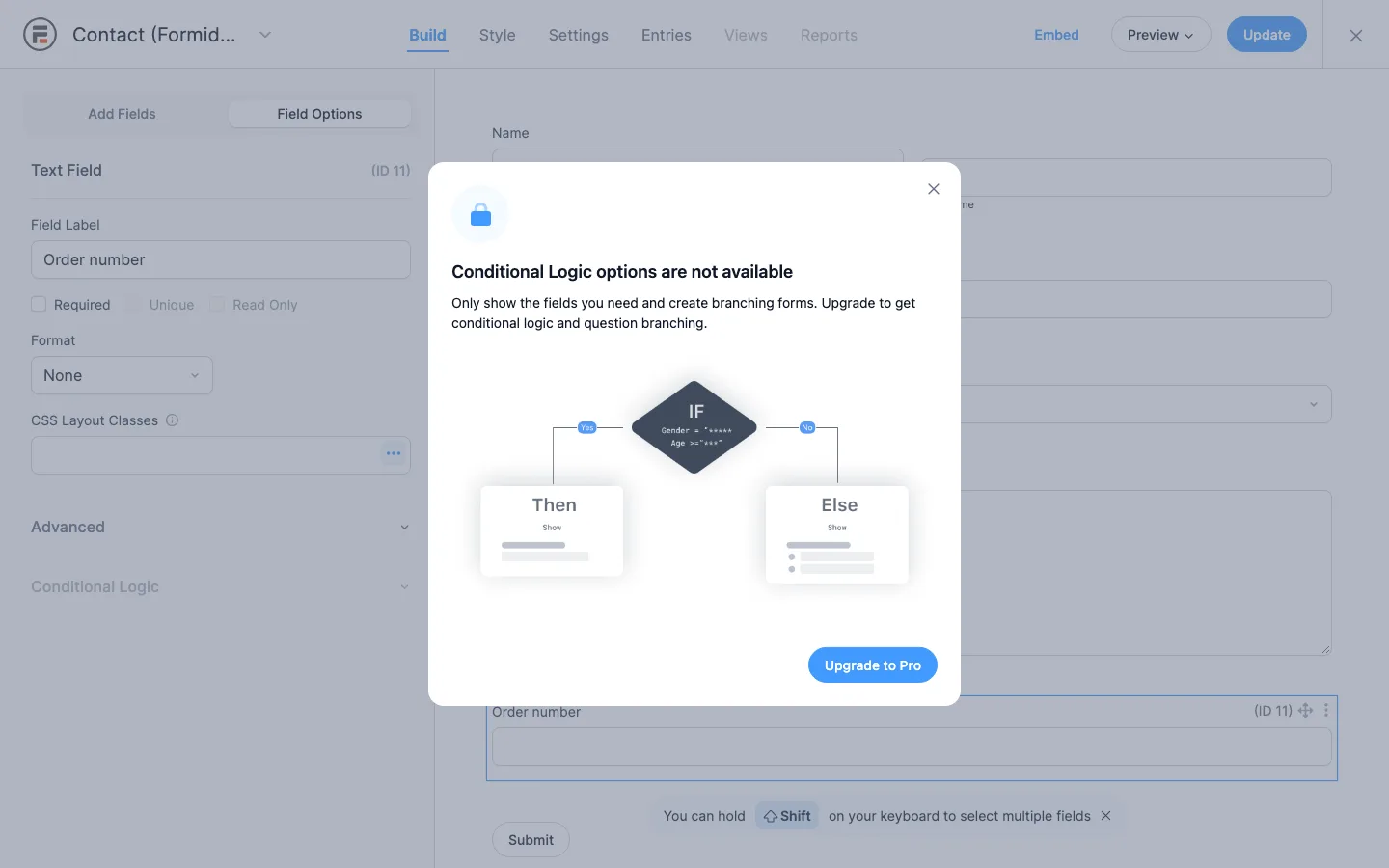
Formidable Forms Lite blocking conditional logic on our test install.
Entries were saved, and the free Import/Export screen exported them to CSV; searching entries is Pro. Email notifications were on by default. Stripe, Square and PayPal work in Lite with a 3% fee per transaction on top of the processor’s fees, according to the plugin’s settings screen.
Upsells: a “You’re using Formidable Forms Lite” bar on every Formidable screen, an upgrade box offering 50% off on its dashboard, and 25 of 44 field types locked, including File Upload, Date, Page Break and Repeater. Email marketing, Zapier and Google Sheets actions are Pro.
Pricing. Basic is $39.50 for the first year, then $79/year for one site, and includes conditional logic, file uploads, multi-page forms and calculations. The 3% payment fee stays until the Business plan ($199.50 first year, then $399, 7 sites). The refund window is 14 days.
Best for: calculators, quote estimators and form-driven directories, if you plan to pay.
4. WPForms: easiest paid builder
WPForms (Lite version 2.0.2.1, 5,000,000+ active installs) has the most polished, guided builder of the group and a template library of 2,179 templates, 72 of them free.
In our Gravity Forms review test, WPForms Lite could not hide the conditional field (“Smart Conditional Logic is a Pro Feature”) and did not save the entry; Lite only emails it to you. Free Stripe payments carry a 3% fee.
Pricing. Basic is $49.50 for the first year, then $99/year for one site, and adds conditional logic and saved entries. The refund window is 14 days.
Best for: beginners who plan to pay and want the gentlest learning curve.
5. Ninja Forms: pay only for the features you need
Ninja Forms (version 3.15.5, 500,000+ active installs) keeps one free plugin and sells features as add-ons. Our hands-on Ninja Forms review found the free version saves entries, runs live calculations and blocks bots with a built-in honeypot.
Conditional logic is not free: the Conditional Logic box was greyed out and asked for the add-on. A large “How’s It Going?” notice also appeared on every admin screen until dismissed.
Pricing. The Conditional Logic add-on alone is $49/year for one site. Plans start with Plus at $59.40 for the first year, then $99/year for three sites. The refund window is 14 days.
Best for: sites that need one paid feature, not a whole plan.
6. Contact Form 7: free and code-friendly
Contact Form 7 (version 6.1.7) has 10+ million active installs and no paid version at all. You build forms by editing a text template with short “form-tags”, helped by buttons that generate each tag.
On our test site. The plain plugin failed our test. It has no conditional logic, and its own screen warns that it “does not store submitted messages anywhere.” Our test site cannot send email, so the form showed “There was an error trying to send your message” and the message was lost. A broken mail setup on a live site would do the same.
Two free plugins fixed both gaps. Flamingo, from the same developer (800,000+ installs), saved the next submission with every field, even though the email still failed. Conditional Fields for Contact Form 7 by Jules Colle (100,000+ installs) added a “Conditional fields” tab. We wrapped the Order number field in a group and set the rule: show it if reason-for-contact equals Order support. It worked on the live page.
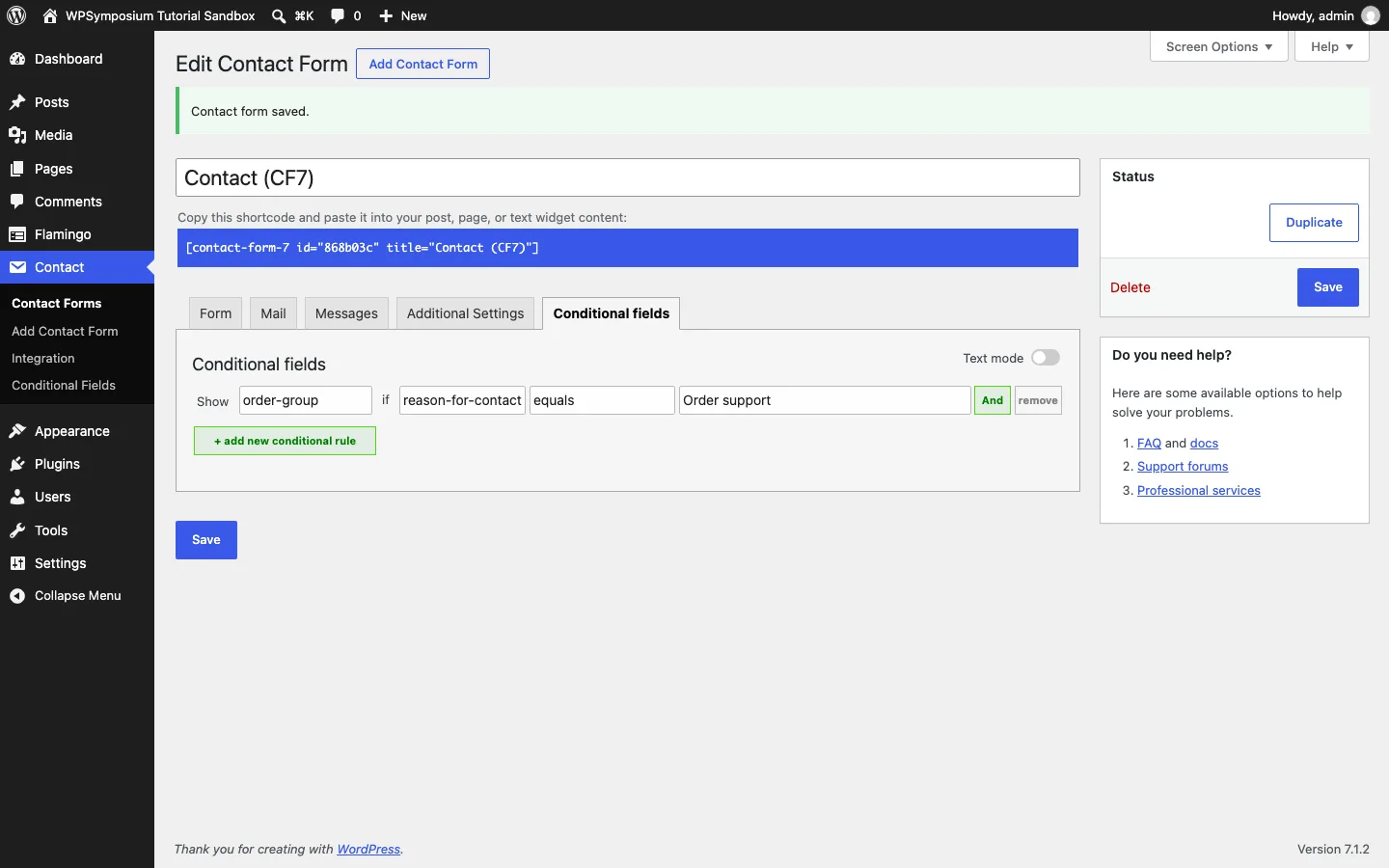
The free Conditional Fields add-on rule in Contact Form 7 with add-on.
One gotcha: when we changed the fields, the Mail tab still referenced the old “[your-subject]” tag, so Flamingo listed our message with that literal text as its subject. Update the Mail tab whenever you change a form.
Upsells: none, apart from a tip to install Flamingo.
Best for: developers and people comfortable editing markup who want a free plugin with no upsells.
7. Everest Forms: budget paid plans with file uploads free
Everest Forms (version 3.6.2, 90,000+ active installs, 4.9 out of 5) comes from WPEverest.
On our test site. A “Site Assistant” page suggested sending a test email and setting up spam protection. The template picker listed 49 templates; the Free filter showed 5. A blank form started with a two-column row, so our first fields landed in the right-hand column until we switched the row to one column.
Conditional logic is Pro. The section carries a crown icon and says, “Upgrade to Pro to use conditional logic in your forms.”
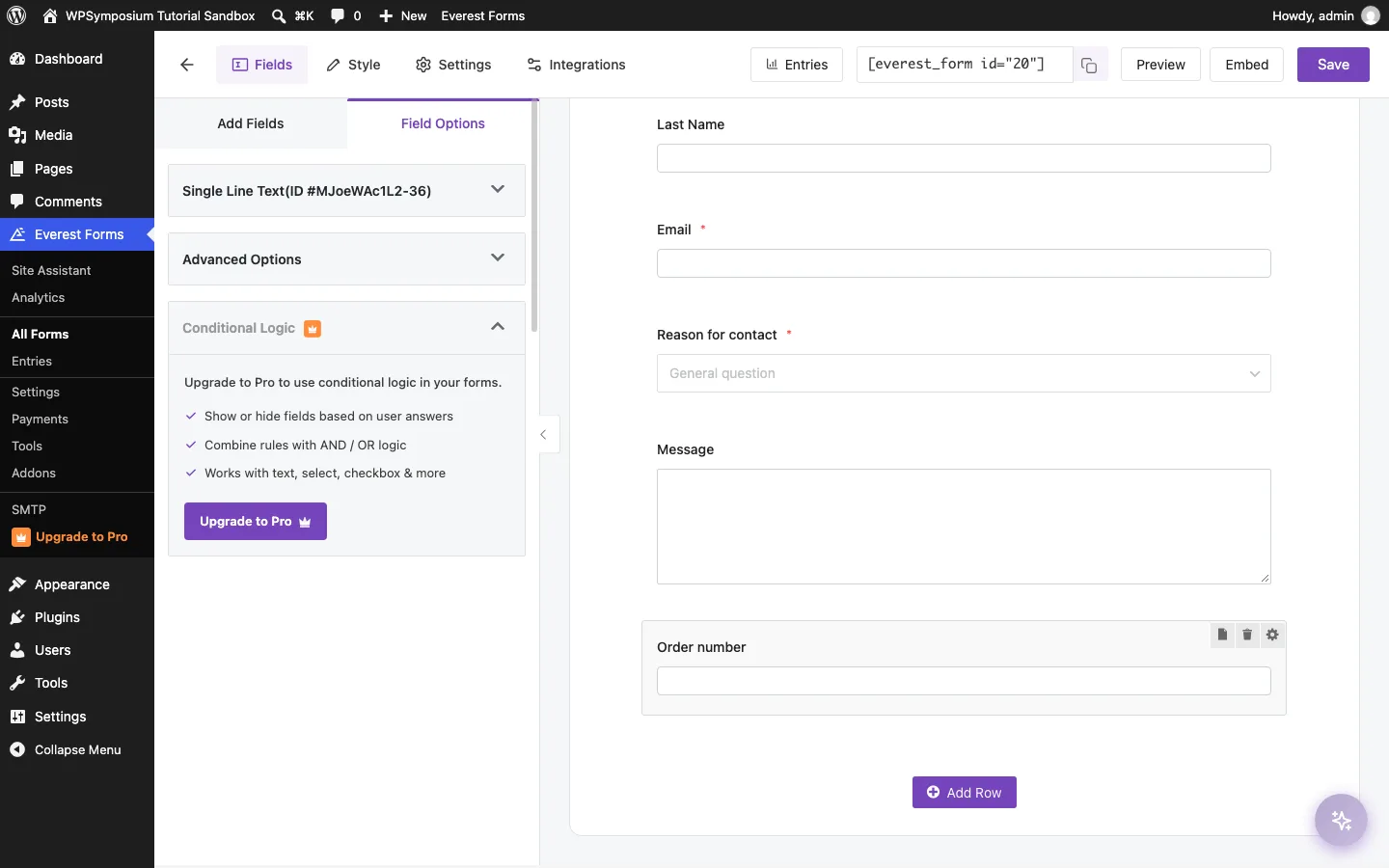
Everest Forms asking for Pro to use conditional logic on our test install.
The entry was saved and could be exported to CSV. Email notifications and the honeypot were on by default, and File Upload and Phone fields were free. All 28 integrations, including Mailchimp and Zapier, and all payment fields need Pro.
Pricing. Personal is $49 for the first year, then $69/year for one site, and the vendor lists conditional logic among the features in every plan. Lifetime plans start at $199. The refund window is 14 days.
Best for: small sites that want file uploads for free and a cheap first paid plan.
8. Form Maker by 10Web: free conditional logic on small forms
Form Maker by 10Web (version 1.15.48, 30,000+ active installs) has an older-style builder, but its free version did our test.
On our test site. You add each field from a pop-up with 42 field types (9 locked, mostly payment fields and File Upload), set its label and options, then click Add. Conditional fields sit under Settings, then Conditional Fields: show Order number if all of these match, Reason for contact is Order support. On the live page it worked exactly as intended.
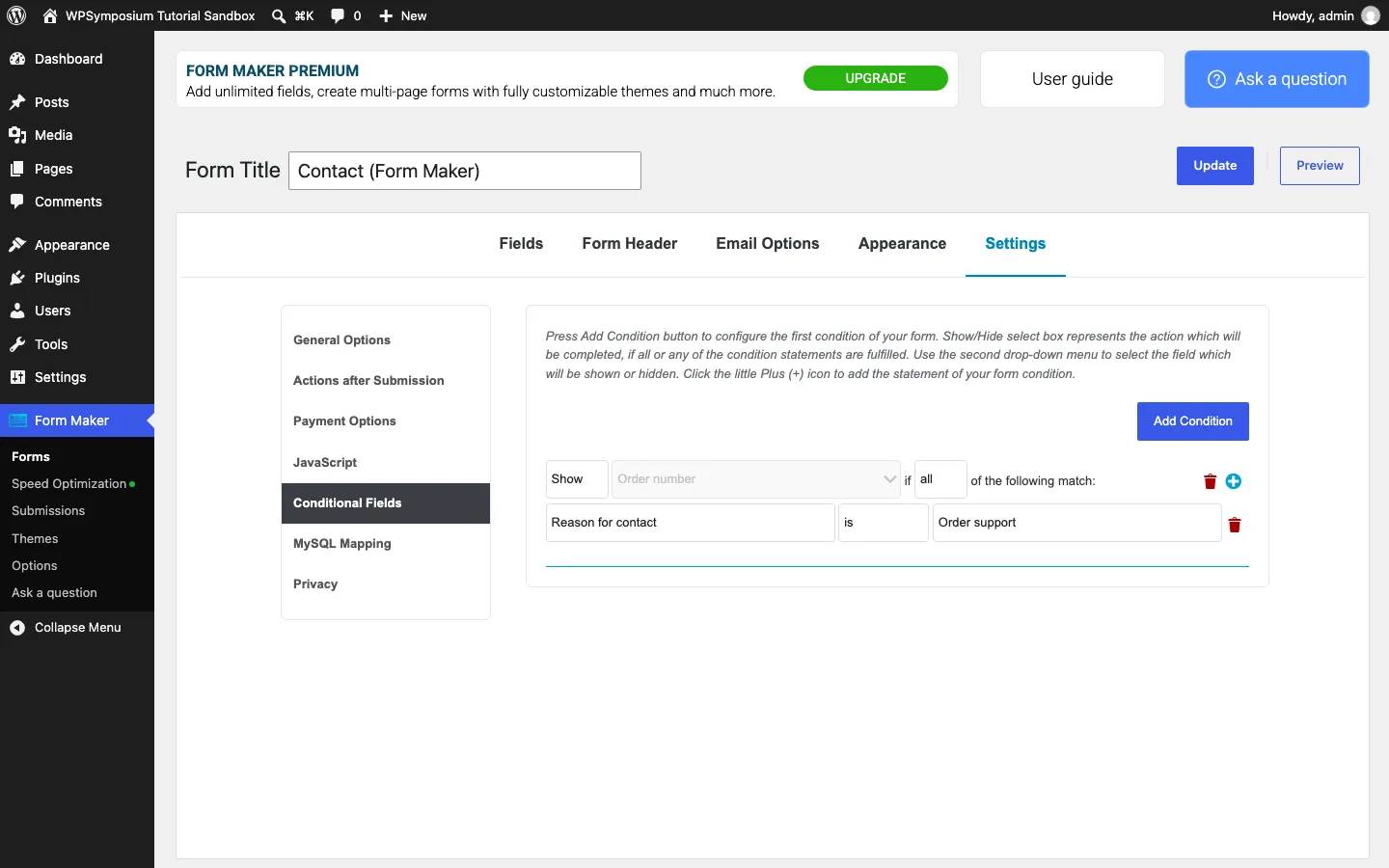
Form Maker’s free conditional fields rule on our test install.
The entry was saved, and the Submissions screen offered CSV and XML export plus simple statistics per dropdown answer. The form reloads the page on submit, which took about two seconds on our test site, and the email field is a plain text box.
The catch. 10Web’s pricing page says the free version is limited to 7 fields per form and one-page forms. Our test form fit, but a longer quote form would not.
Pricing. Basic is $30 for one site and Pro is $60 for five sites, each with six months of updates and support, according to 10Web.
Best for: short forms with one or two conditional rules on a tight budget.
What about OptinMonster and MetForm?
Earlier versions of this list included OptinMonster. It is a popup and lead-capture service, not a replacement for Gravity Forms. The vendor sells it for growing email lists with popups, exit-intent targeting and A/B testing, not for contact, quote or order forms like the plugins above. If popups are what you need, OptinMonster Basic costs $108 for the first year, then $210/year.
MetForm (600,000+ installs) is another popular free option, but it is an add-on for the Elementor page builder, so it only makes sense if you already build with Elementor. Our page builder comparison covers that choice.
Price comparison: cheapest way to get conditional logic
For one site, as of October 2026, assuming prices stay the same:
Forminator, Fluent Forms, Contact Form 7 with free add-ons and Form Maker within its seven-field cap provide conditional logic for no license cost over two years. Ninja Forms’ separate logic add-on costs $49 each year, totaling $98.
Everest Personal costs $49 then $69, totaling $118, the same two-year total as Gravity Forms Basic at $59 each year. Formidable Basic costs $39.50 then $79, totaling $118.50. WPForms Basic costs $49.50 then $99, totaling $148.50.
In year two, Gravity Forms Basic ($59) costs less than every paid option here except the single $49 Ninja Forms add-on, and its license also includes file uploads, multi-page forms and calculations. If a free plugin passes your own test, though, nothing beats $0.
When Gravity Forms is still worth it
Gravity Forms remains the better buy in a few cases:
- You need several advanced features at once. Conditional logic, file uploads, multi-page forms, calculations and saved entries all come with the $59 Basic license.
- You care about long-term cost. Its price does not jump after year one, so it costs less than WPForms or Formidable Forms from the second year.
- You rely on its ecosystem. Third-party add-ons for approval workflows, front-end entry tables and PDFs, plus support in many themes and builders, are hard to replace.
- You build client sites. Elite ($259/year) covers unlimited sites and every official add-on, with a 30-day refund window.
Before you switch
Plan to rebuild each form by hand. Export your Gravity Forms entries to CSV first, recreate each form and its notifications, and test them on a staging site before you replace the live shortcodes. Then submit a real test entry and check that the email arrives.