Magaziner Theme Review: Best Modern Blog Theme?
Magaziner gives a blog a colorful magazine layout without a page builder. Its main drawback is maintenance: the listed update history has a long gap. That makes it a cautious choice for an existing site and a harder recommendation for a new one.
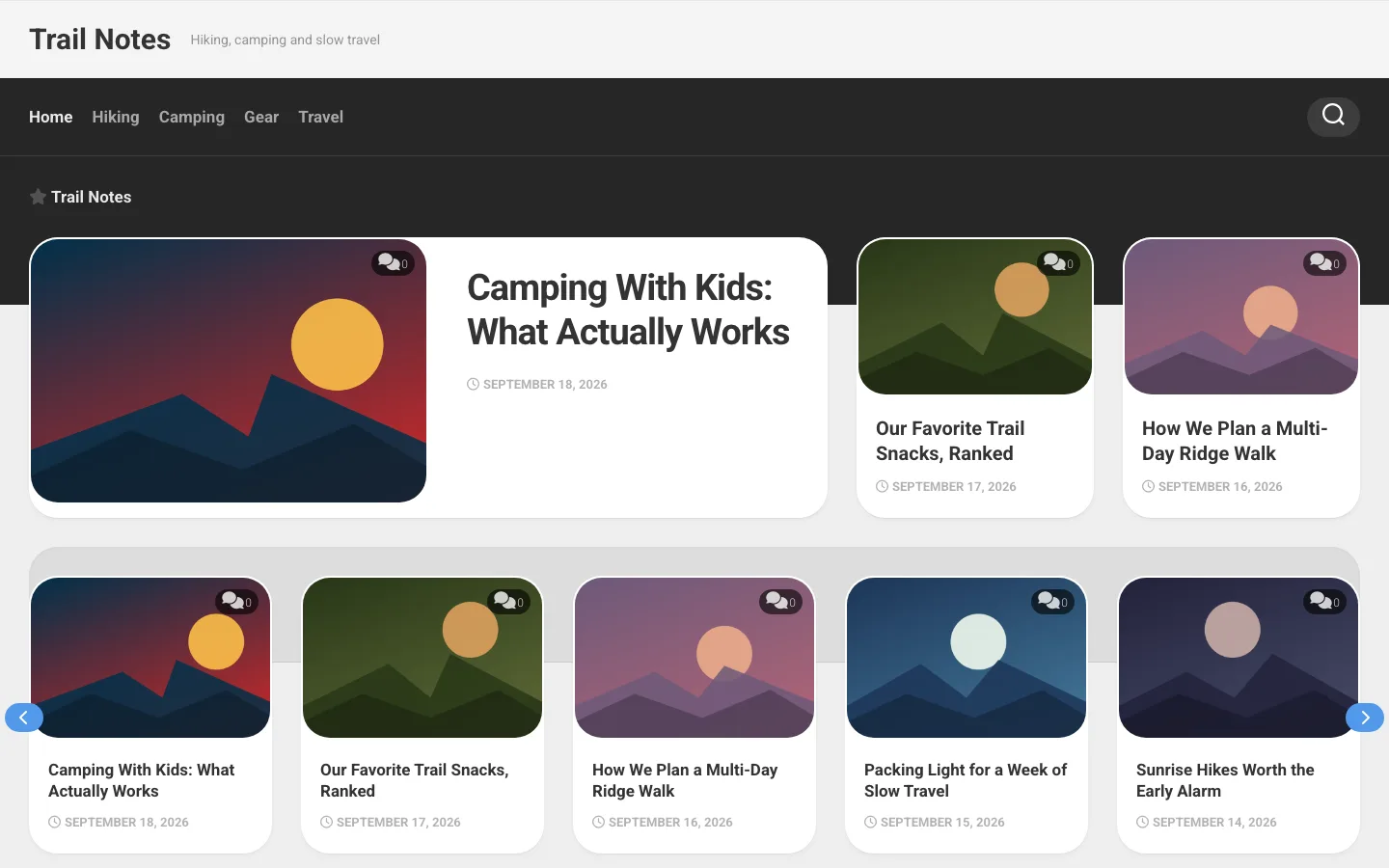
What Is Magaziner About?
The Magaziner theme from AlxMedia is the perfect theme for a blog or website in any niche.
AlxMedia is run by Swedish developer Alexander Agnarson, who maintains more than 50 free WordPress themes on WordPress.org, including Magaziner.
Magaziner is now distributed as a free theme through the WordPress.org theme directory. AlxMedia sold it as a $49 premium product in 2020; today it’s a free download, with no premium tier or license fee attached.
The theme is 100% GPL compliant, meaning anyone with the skills can modify the code and improve it, and even redistribute it.
AlxMedia’s current lineup is entirely free, and Magaziner remains one of the more polished magazine-style designs in the portfolio.
Design and customization
Magaziner uses large post cards, color and image-led sections to give a blog a magazine feel. Related posts and previous-post navigation encourage browsing without needing separate plugins. Boxed layouts and collapsible sidebars offer some control over the page shape.
The theme includes accent colors, Google Fonts, social icons and several post formats. Widget areas can be assigned to different pages and include space for header and footer advertisements. You can adjust the maximum width and arrange up to four widget columns.
Those controls are useful for a conventional blog, but they do not establish a speed or search-ranking advantage. Hosting, images, plugins and content still determine much of the result. Check the maintenance concerns below before investing in a new design around it.
Additional Features of Magaziner
High Resolution
The theme ensures that your blog will look great even on retina screens and other devices with high-resolution displays.
Ultra-Responsive
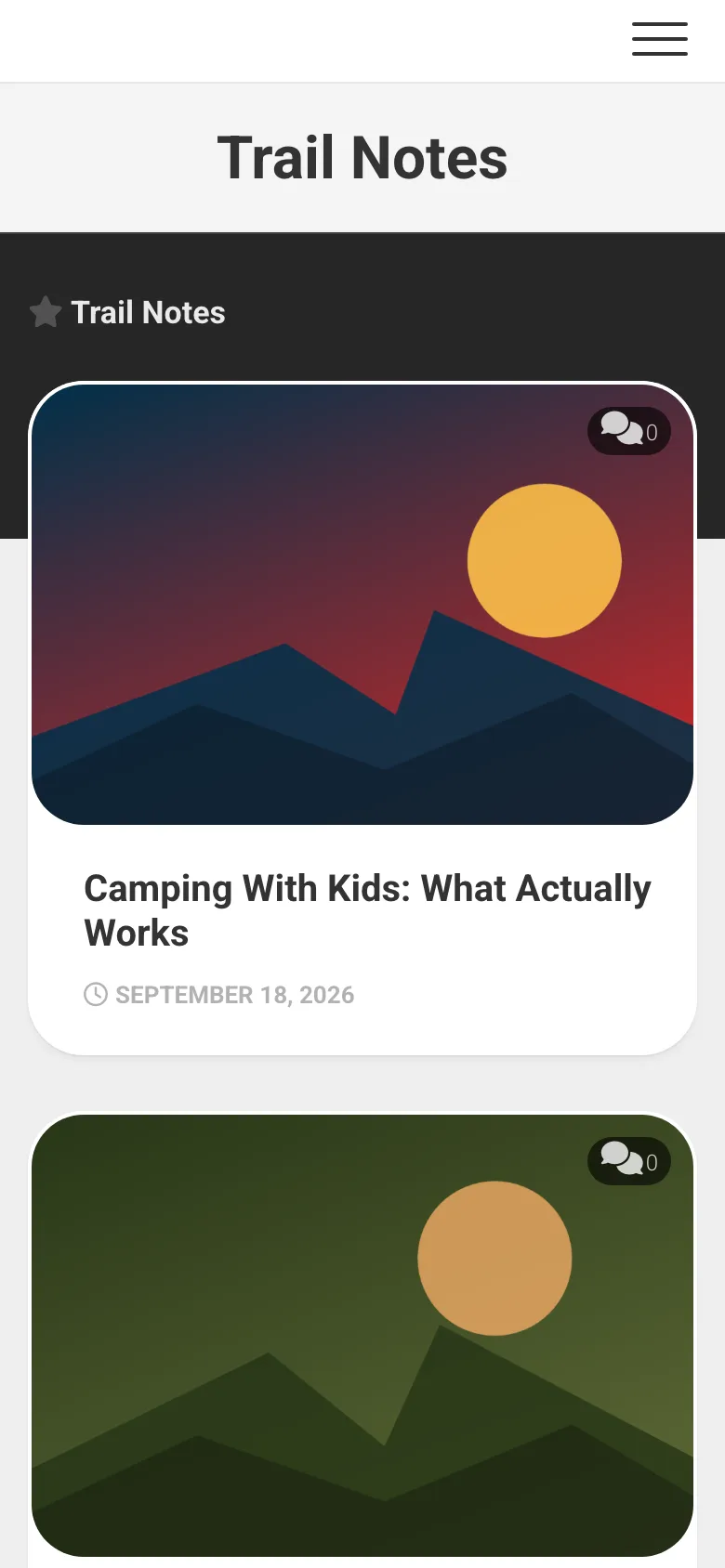
The Magaziner homepage at phone width, with the menu folded into a hamburger button.
The theme scales down flawlessly from Full-HD screens down to low-res mobile phone displays.
Integrated Share Counts
The Sharrre plugin comes integrated into the theme, giving you access to beautiful-looking share buttons with counts on each post. You can disable these if you don’t need them.
Backend Options
You can customize the theme from the options panel directly without needing to fiddle with any code.
Refined Code
The code’s structure is easy to work with – you won’t find any layer upon another layer with bloated code.
Custom-Built Widgets
Magaziner comes with widgets that enable displaying responsive videos, tabbed content, post lists, and much more.
Easy Logo Upload
You can upload your logo in just a few clicks, or use the plain-text logo option instead.
Extensive Selection of Page Templates
It comes with multiple layout options, many of which have child-page menus included.
Cross-Browser Support
The theme works perfectly across modern browsers, including Firefox, Safari, Chrome, and Edge.
Translation Support
You can translate your blog into any language using the .po/.mo files that come included with the theme.
Live Customizer
You can change the look and feel of your blog using the WordPress Live Customizer and see the changes you make in real-time.
Full-Child Theme Support
The theme is built with the development of child themes as a priority and not an afterthought. All of the files and functions are pluggable, making the theme easy to work with.
Support and Documentation
Since Magaziner moved from a premium to a free theme, support now runs through the WordPress.org support forum rather than a priority ticket queue. You can also reach AlxMedia through the developer’s WordPress.org profile.
The theme’s WordPress.org listing flags that Magaziner hasn’t shipped an update since August 2023 (version 3.2.2). That doesn’t mean it’s broken, but it does mean two-plus years of WordPress core changes, security hardening, and compatibility fixes haven’t been folded in.
The gap shows on current PHP. On a fresh install running PHP 8.3 with WordPress debug output switched on, Magaziner’s bundled Kirki customizer library printed “Creation of dynamic property” deprecation warnings, and that extra output was enough to break the wp-admin login. Live sites normally keep debug output off, so most owners won’t see these warnings, but it is the kind of issue an actively maintained theme would already have patched.
If you’re starting a new site today, test the theme on a staging install before committing to it, and keep a fallback plan in case AlxMedia doesn’t resume active development. One fallback worth reading about is GeneratePress.
Magaziner Pricing
Magaziner is free. AlxMedia no longer sells a separate premium version; the $49 price tag it carried in 2020 no longer applies, and the theme now lives permanently in the WordPress.org directory alongside AlxMedia’s other free themes.
That makes it easy to try with zero financial risk. The trade-off is the slower update cadence that comes with a free, single-developer project rather than a funded commercial theme with a support contract.