ThriveCart Review (2026): Pricing, Fees, Features and WordPress Fit
ThriveCart suits sellers who want checkout, order bumps, upsells and affiliates without building a full store. Compare its subscription and lifetime options carefully. If you already run WordPress and sell only a few digital products, a simpler plugin may cost less and do enough.
What Is ThriveCart?
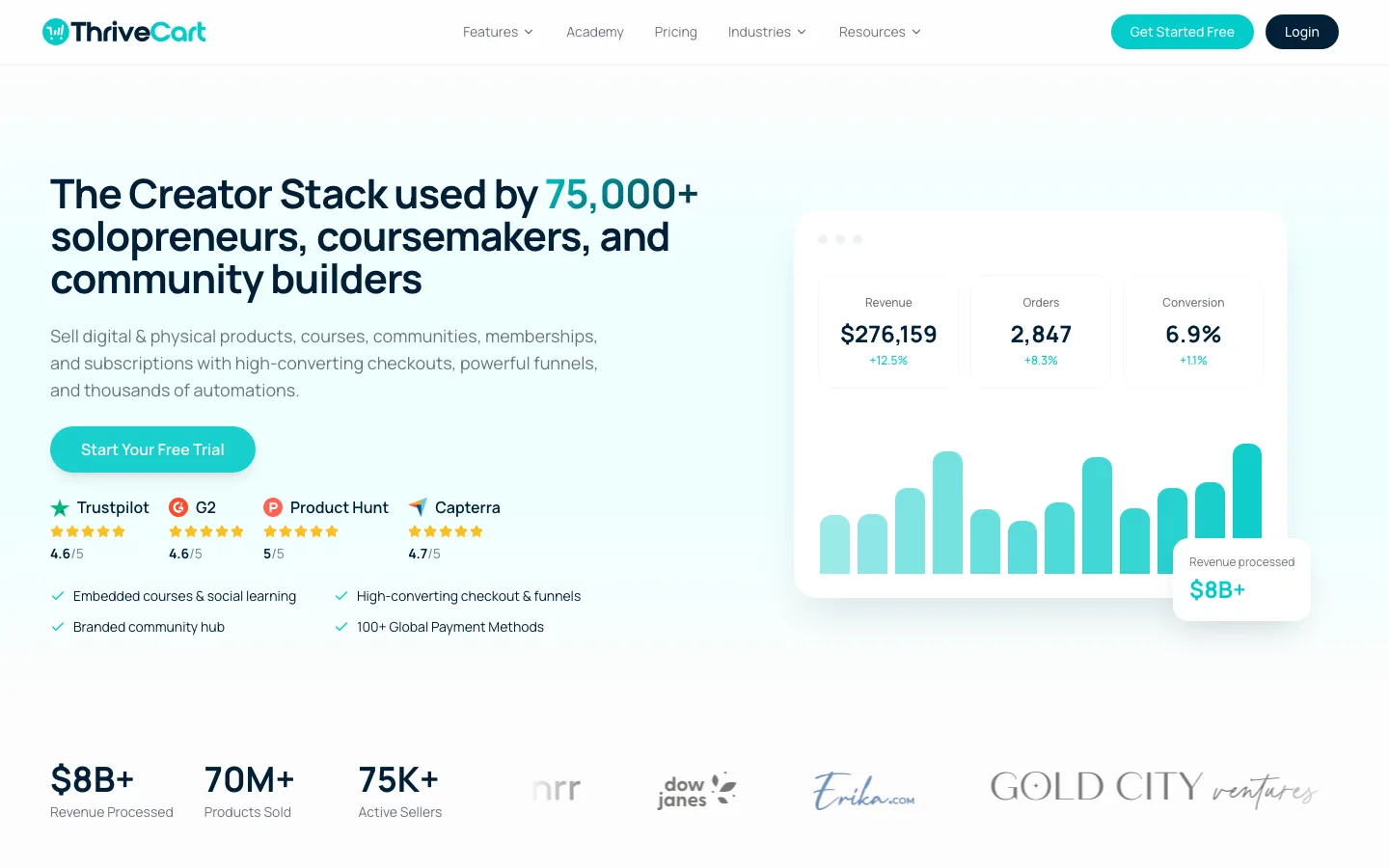
The ThriveCart homepage.
ThriveCart is a hosted shopping cart. You create products, design a checkout page in its editor, and link to it or embed it on your site. Payments go straight to your Stripe, PayPal or Authorize.net account, and ThriveCart handles the rest: upsells, email list tags, course access, affiliate commissions and receipts.
Because the checkout lives on ThriveCart’s servers, it works with any website, including WordPress, Squarespace and Wix. WordPress plugins like WooCommerce or Easy Digital Downloads, by contrast, run inside your own site.
The fit is a small number of offers with a more involved checkout, rather than a large catalog with inventory and shipping rules. For the latter, compare a store platform in our Shopify vs WordPress guide.
We assessed ThriveCart’s published offers and documentation, not an authenticated trial or live payment. The WordPress checkout test later in this review is a separate point of comparison, not proof of ThriveCart delivery or payment behavior.
Subscription and lifetime offers are different
ThriveCart now advertises monthly and annual plans alongside a lifetime checkout option. Its Academy course and community service also has plan-specific allowances. A historical Learn or Pro purchase should not be assumed to include every current service or avoid every recurring charge.
ThriveCart Pricing in 2026
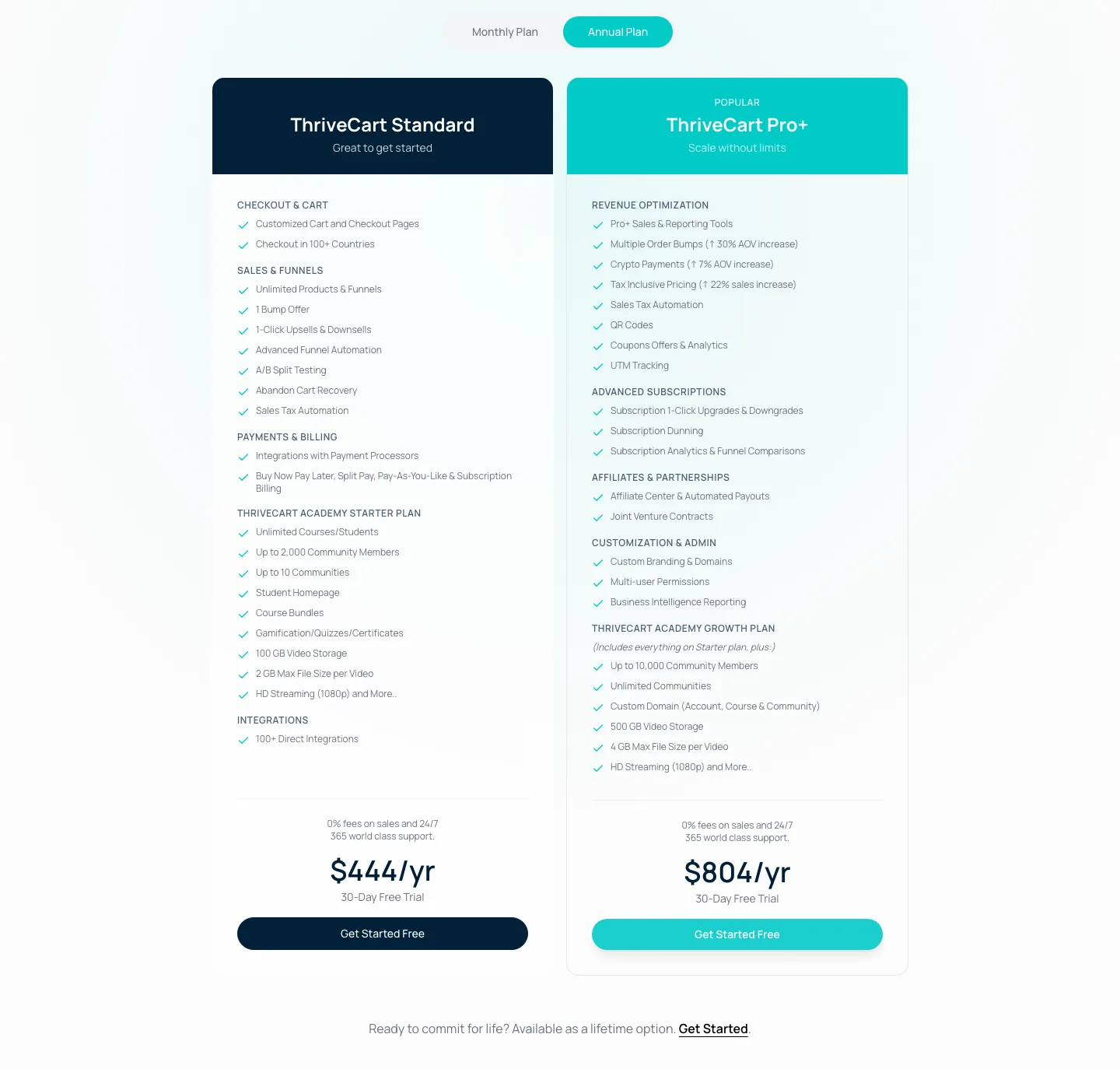
ThriveCart’s pricing table with annual billing selected.
As of October 2026, ThriveCart has three subscription plans:
Standard costs $47 month to month or $444 annually, equivalent to $37 monthly, and includes Academy Starter. Pro+ costs $87 monthly or $804 annually, equivalent to $67 monthly, and includes Academy Growth. Enterprise is quote-based and includes Academy Scale.
Both published plans offer a 30-day trial. The public checkout requests payment details and displays future billing, so a free opening period is not a billing-free account.
The lifetime license
The homepage still links to a lifetime purchase, and the vendor’s published comparison lists Standard at $495 once. Confirm the exact selected offer and included services before treating that as an alternative to every subscription feature.
The vendor’s published comparison describes the Pro+ lifetime offer as $790 upfront plus $295 annually. That recurring charge is important: it is not the same kind of one-time purchase as base Standard. Confirm the selected offer before buying.
Is the lifetime deal still worth it?
At $47/month, Standard costs $564 a year, so the $495 license pays for itself in under a year (or just over a year against annual billing).
The catch is that “lifetime” covers less than it used to. Community features, video hosting and sales tax now sit on subscription plans or carry per-order fees. If you mainly need checkouts, bumps and upsells, the lifetime license is still good value.
Standard vs Pro+
Based on ThriveCart’s pricing table and features page in October 2026:
Both plans include unlimited products and funnels, hosted or embedded multi-step checkouts, one-click upsells and downsells, A/B tests, abandoned-cart recovery, coupons, a customer hub and cancellation-save offers. Standard allows one order bump per checkout; Pro+ adds multiple conditional bumps and coupon analytics.
Pro+ also adds subscription changes and prorating, failed-payment recovery, affiliates and automated payouts, joint-venture contracts, tax-inclusive prices, crypto, UTM tracking, custom domains and multi-user permissions. Standard tax calculation has a 0.5% surcharge. The vendor lists a 0.35% surcharge for qualifying newer Pro+ accounts; confirm the treatment of an older account.
Academy allowances are 2,000 community members and 100 GB video on Standard, compared with 10,000 members and 500 GB on Pro+.
One confusing detail: the pricing table lists sales tax under Standard, while the features page marks tax automation as Pro+. The help center explains it. Standard can collect sales tax, but with a 0.5% surcharge on taxed orders.
Who needs Pro+: anyone running an affiliate program, selling subscriptions where failed payments matter, or using several bumps per checkout. For one-time products without affiliates, Standard is enough.
Checkout and Funnel Features
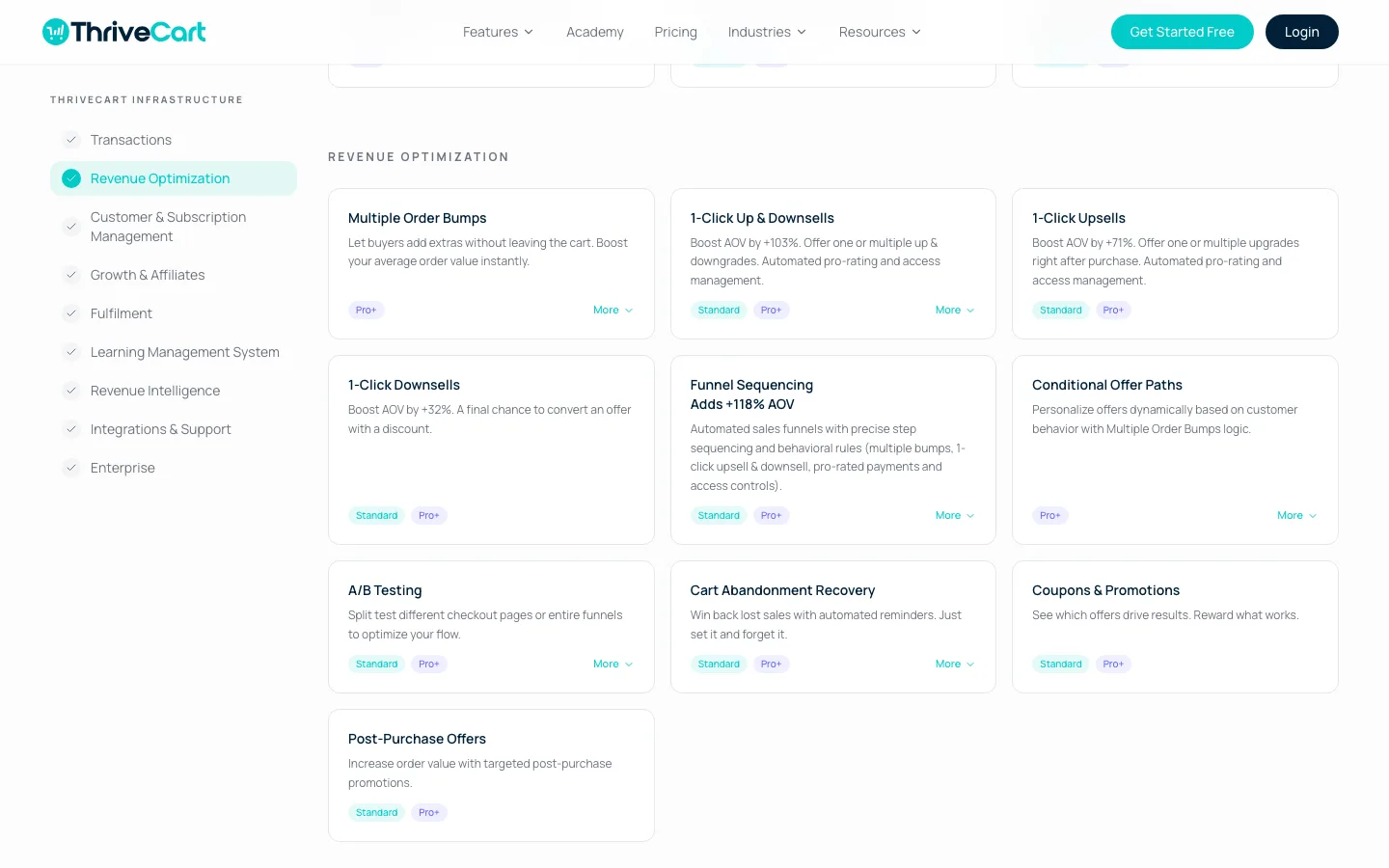
The Revenue Optimization section of ThriveCart’s features page, with plan labels on each feature.
ThriveCart offers hosted checkout pages, embeddable checkouts, popup carts and multi-step checkouts, all built in a drag-and-drop editor. The vendor says checkouts work in 100+ countries with multi-currency pricing.
Order bumps
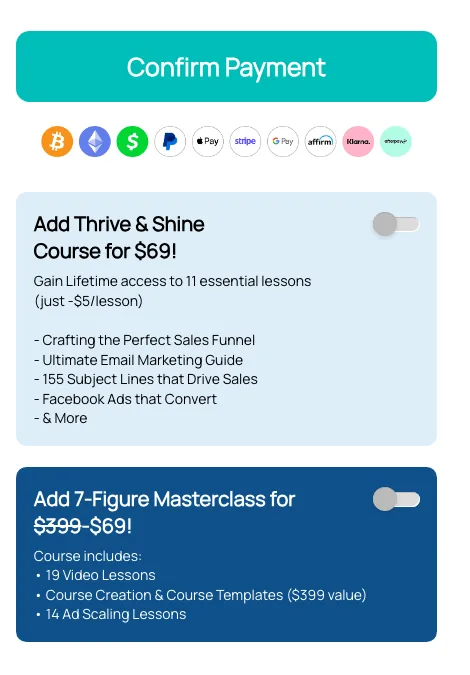
Two order bumps on ThriveCart’s own public checkout for its lifetime license.
A bump is a small extra offer that buyers add with one click before paying. ThriveCart’s own lifetime checkout shows two, both add-on courses at $69. Standard gets one bump per checkout; Pro+ allows several and can change them based on what the buyer picked.
One-click upsells and downsells
Upsells appear after the first payment. The buyer adds another product with one click, without retyping card details, and a decline can trigger a cheaper downsell. Whether those offers improve revenue depends on the products and customers; we have not measured a conversion lift.
A/B testing, coupons, cart recovery and subscriptions
Both plans include split tests of checkouts or whole funnels, coupons and abandoned cart emails. ThriveCart supports one-time payments, subscriptions, time-limited subscriptions, split pay, pay what you want and buy now, pay later. Dunning (automatic retries and emails when a renewal fails), plan switching and pro-rating are Pro+ only. Cancellation save offers are on both plans.
Affiliate center
Pro+ includes a built-in affiliate program: approve affiliates, set commissions per product, track sales and pay out automatically. We have not tested affiliate delivery, commission calculations or payouts. JV contracts split revenue with partners. If you want to earn as an affiliate yourself rather than run a program, see our list of the best Amazon affiliate plugins for WordPress.
ThriveCart Academy (courses and communities)
Every plan includes ThriveCart Academy for courses and communities, with quizzes, certificates and video hosting (Starter on Standard, Growth on Pro+).
For older customers, ThriveCart’s help center says Learn and Learn+ will be retired at the end of 2026. Lifetime Learn licenses keep course-only access in Academy; community features and hosted video need a paid plan. An earlier help-center notice paused migration because of missing-content problems. Check the current migration status for your account and retain a backup before depending on an automatic transfer.
If you would rather keep courses on your own WordPress site, a plugin like WP Courseware can handle the lessons while ThriveCart or a WordPress checkout handles payment.
Integrations
Native integrations cover email tools (ActiveCampaign, Kit, Mailchimp, MailerLite, Drip, AWeber, HubSpot), membership and course platforms (MemberPress, LifterLMS, WishList Member, Paid Memberships Pro, MemberMouse, Thrive Apprentice, Kajabi, Teachable), webinar tools (Demio, StealthSeminar) and Zapier.
ThriveCart Fees: What You Actually Pay
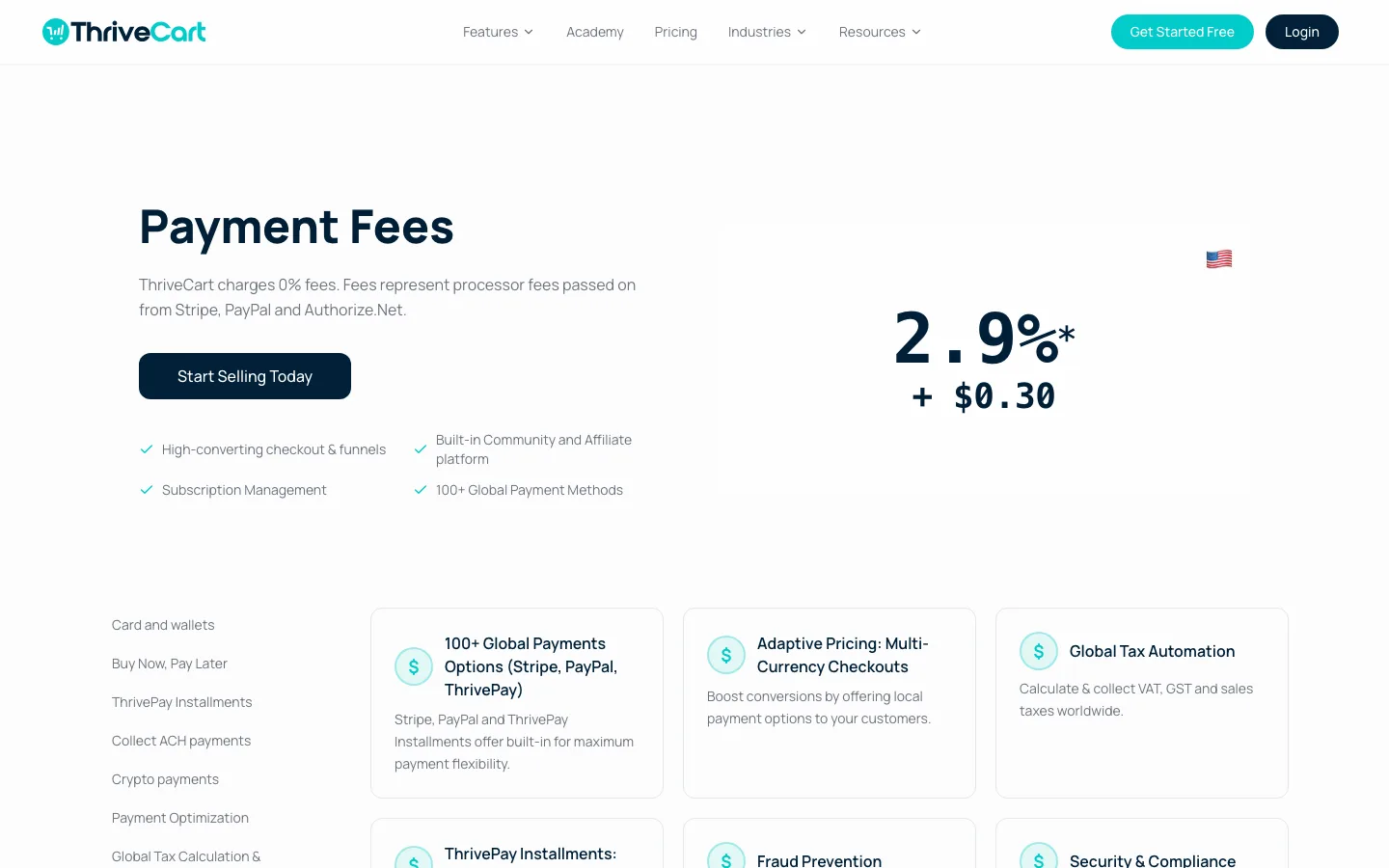
ThriveCart’s Payment Fees page.
ThriveCart advertises zero platform fees on supported payment routes. Processor charges still apply, and the current help center lists exceptions and extra fees for some integrations and services.
The current help center gives a US domestic-card example of 2.9% plus $0.30, with a 0.7% Stripe Billing charge on recurring payments, $0.07 for Radar and a 0.08% Adaptive Acceptance charge where applicable. Stripe Connect+ groups applicable charges into an Application Fee line. Rates vary by card, country, transaction and account, so it is not a universal all-in quote.
The help center also lists a 0.5% external integration fee for supported Stripe Legacy and Enhanced connections, effective October 8, 2026. Those checkouts continue working; moving to Connect+ changes the platform-fee treatment but does not remove processor fees.
Sales-tax handling can add another charge: the published surcharge is 0.5% on Standard and 0.35% on qualifying newer Pro+ accounts. Financing and installment products have separate fees and possible reserve holds. Check the exact payment route before comparing the cost of a subscription or high-ticket offer.
A claim of zero platform fees is therefore different from zero payment costs. Use the transaction types your business actually sells to estimate the bill.
ThriveCart and WordPress
ThriveCart is a hosted checkout service rather than a WordPress store plugin. A WordPress page can link to a checkout or embed it, while a supported membership or course integration grants access after purchase.
That can separate the payment page from WordPress maintenance, but the whole workflow still depends on the website, service availability, payment provider and any access-granting integration. A hosted checkout does not guarantee that a buyer can reach a page on a site that is down.
Confirm the required integration before purchasing. Third-party connector plugins have their own update and support history, and a listed integration is not the same as a verified paid order and successful enrollment.
How a WordPress checkout compares
ThriveCart’s features here come from its published plans and documentation; we did not open a trial requiring an account and card. For a reference point, we tested a simple digital-download checkout in free Easy Digital Downloads.
An EDD test-mode purchase delivered a download link, but the free edition did not include bumps, one-click upsells, A/B testing or affiliates. It also adds a 3% fee to Stripe payments, above processor charges. This is a workable basic checkout, rather than a direct substitute for ThriveCart’s funnel tools.
SureCart required a cloud account before setup, so we stopped there. Its published free plan charges 2.9%, Pro costs $199 a year and a lifetime option is $699. It advertises bumps, upsells and affiliates across plans, but we did not test them. Although its interface lives in WordPress, store data relies on the vendor’s service.
ThriveCart vs WordPress Alternatives
ThriveCart keeps funnels hosted and includes bumps and upsells, with affiliates on Pro+. Easy Digital Downloads instead runs on your WordPress site and suits downloads and software licenses, with cross-sells, upsells and affiliates on higher paid passes.
SureCart combines a WordPress plugin and cloud service, including bumps, upsells and affiliates on every plan. WooCommerce plus CartFlows or FunnelKit keeps a broader physical-and-digital store on your site, with funnels through the add-on and affiliates through a separate plugin. MemberPress is more focused on memberships and gated content, with its beta Funnels add-on and Easy Affiliate on Scale.
A WordPress checkout is worth considering when the site already has the content and customer workflow you need. It can keep more management in one dashboard, while adding funnel and affiliate features may require paid extensions.
ThriveCart is worth comparing when the hosted checkout and funnel tools are the main requirement. We have not verified that a complete setup takes an afternoon or that it costs less for every seller. Compare the license, processor charges, tax fees and integration work for the actual offer.
Our ClickFunnels vs WordPress comparison covers the wider funnel-platform choice; WP Courseware is a different route for keeping course delivery inside WordPress.
Refund Policy
- Lifetime deals: refund requests within 7 days, reviewed case by case. Valid reasons include a duplicate purchase or a verified technical problem support cannot fix.
- Monthly and annual plans: cancel anytime to stop future charges, with no refund for the current period unless the law requires it.
- Concierge services: ThriveCart keeps 25% on an approved refund.
Use the 30-day trial to test. Do not count on a refund after buying the lifetime license.