Best WordPress Podcast Plugins (2026): PowerPress, SSP and Podlove Tested
Seriously Simple Podcasting is the easiest free starting point for most shows. PowerPress gives you more feed controls, while Podlove suits podcasters who want chapters, multiple formats and more technical options. If your show already lives on Buzzsprout, its embed plugin may be all you need.
A Podcast Plugin Is Not a Podcast Host
A podcast plugin builds your feed, episode pages and player. A podcast host stores the MP3 files and serves every download. You can keep files in your WordPress Media Library, and the three self-publishing plugins below all support that, but every download then comes from your web server. That is fine for a small show and risky for a popular one, which is why each plugin maker also sells hosting. If you self-host, a solid host from our managed WordPress hosting roundup helps. The other route is a dedicated host such as Buzzsprout or Libsyn, with only the player embedded on WordPress.
1. Seriously Simple Podcasting: Best Overall
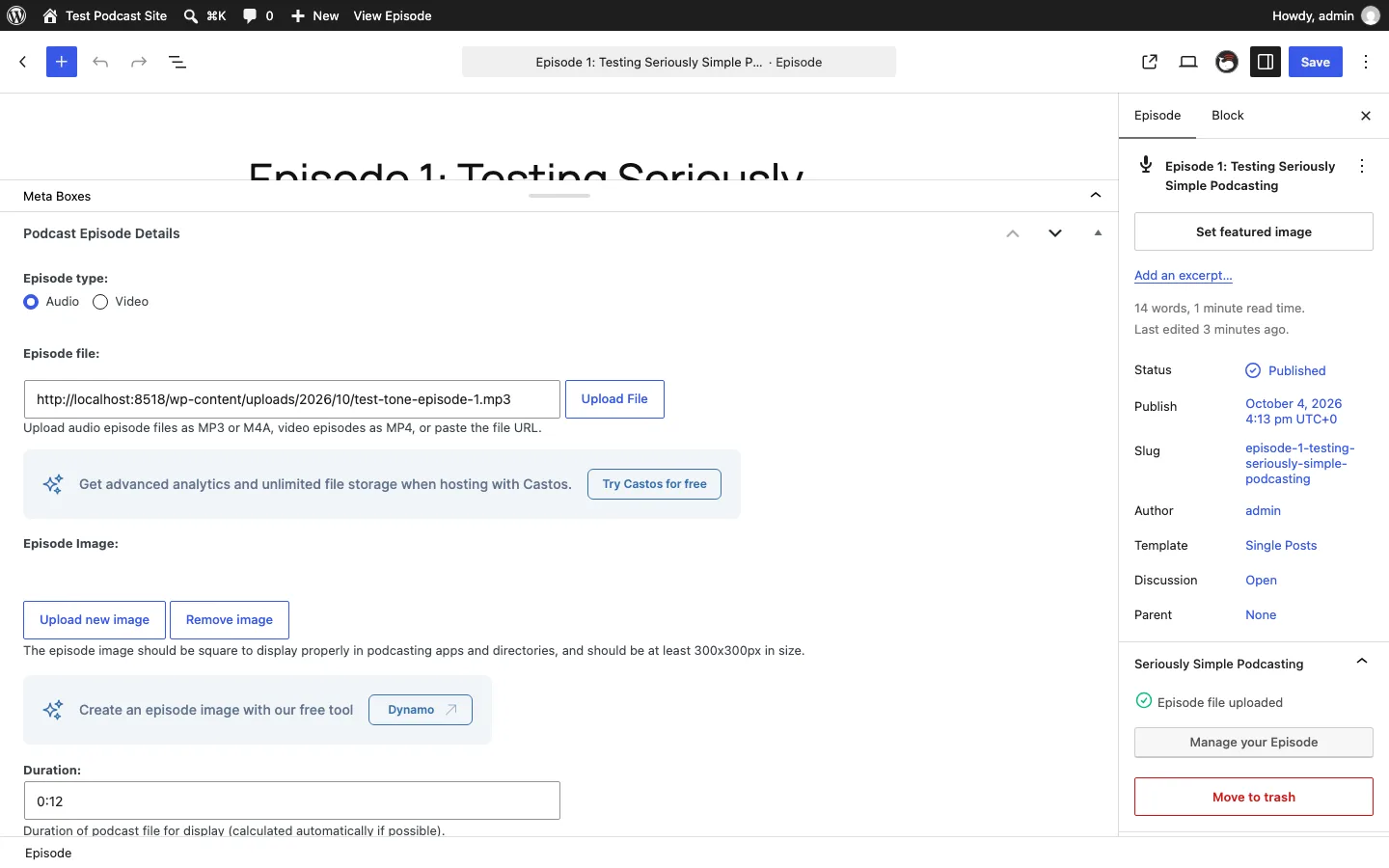
The Seriously Simple Podcasting episode screen on a test install.
Seriously Simple Podcasting (SSP) is made by Castos, a podcast host. The plugin is free, and Castos says every feature works no matter which host you use.
Setup. Activating SSP opened a five-step wizard: show name and description, cover image, category, a Castos hosting pitch (which we skipped), and a “you’re all set” screen. It took a couple of minutes. SSP also created an “Episode List” page, which showed up in our theme’s menu.
Creating an episode. Episodes live in their own Podcasting menu, separate from blog posts (you can switch that on for posts too). The Upload File button opens the normal Media Library. Once we picked our MP3, SSP filled in the duration (0:12) and file size (94.4k) by itself. There are fields for episode number, season, explicit and Apple’s “block” flag.
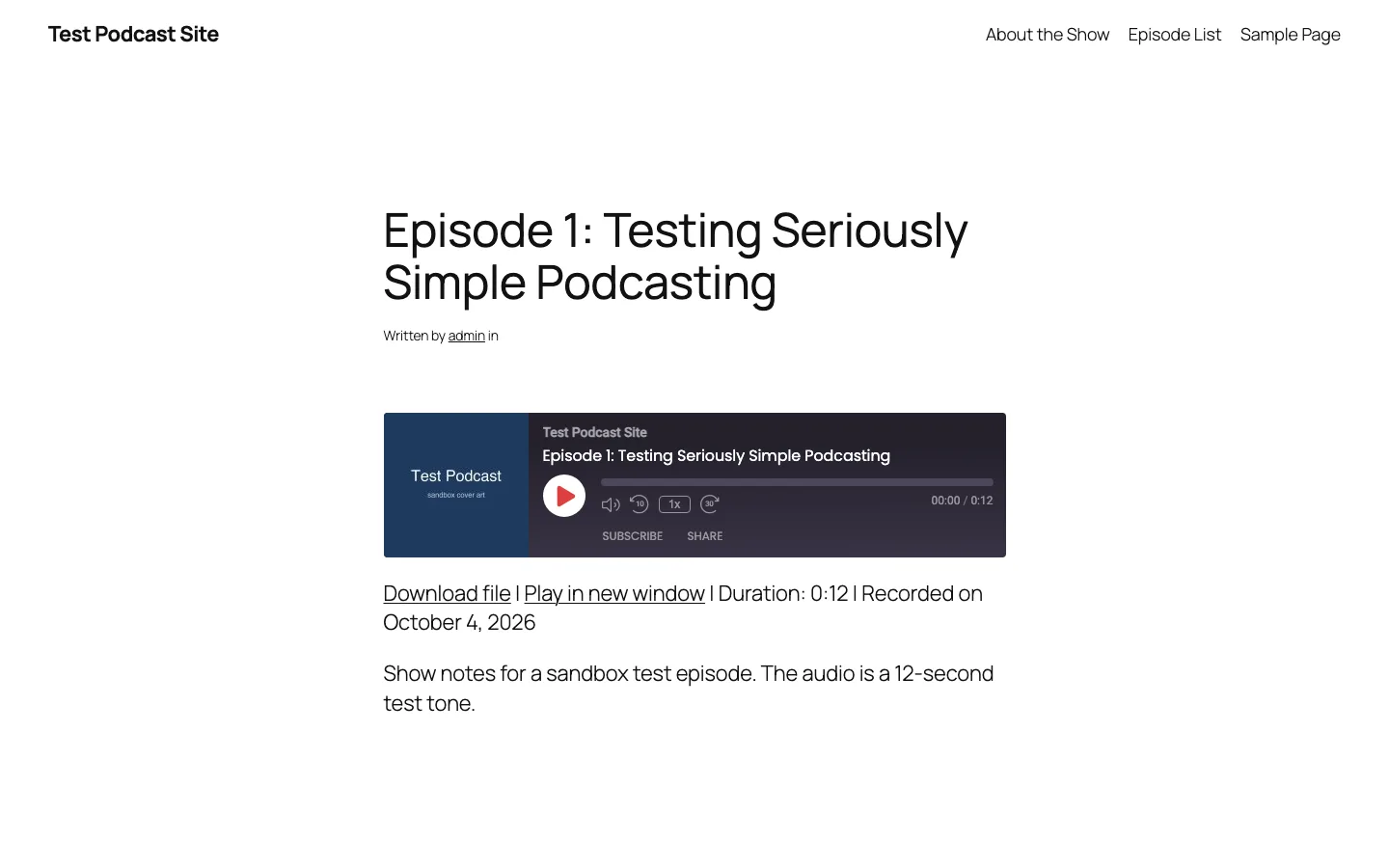
The free SSP player (“HTML5 Player With Album Art”, dark mode) on our test site.
The player. This was the best free player of the three. It shows the cover, title, speed control, 10-second back and 30-second forward buttons, plus Subscribe and Share. A Standard Compact Player and a light mode are also available.
The feed. SSP’s feed sits at /feed/podcast/your-show-name/, and /feed/podcast/ redirects there. It had the show image, category, itunes:explicit set to false, a duration, and an enclosure with the correct length (96662) and type (audio/mpeg). One gap: the wizard never asks for an owner email, so the feed had no itunes:email until we added one under Podcasting, Settings, Feed details. Spotify, for one, sends a verification code to that address, so fill it in before you submit. The same screen still has URL fields for Stitcher and Google Podcasts, two apps that have since shut down.
Free vs paid. Everything we used was free, and Castos has free add-ons on WordPress.org for stats, transcripts and speakers. The upsells are steady but polite: the wizard’s hosting step, a “Try Castos for free” box on every episode, a 20% coupon form beside every settings tab, and a Castos News dashboard widget. Castos hosting costs $19, $49 or $99 a month, with a 14-day trial.
2. PowerPress by Blubrry: Best for Feed Control
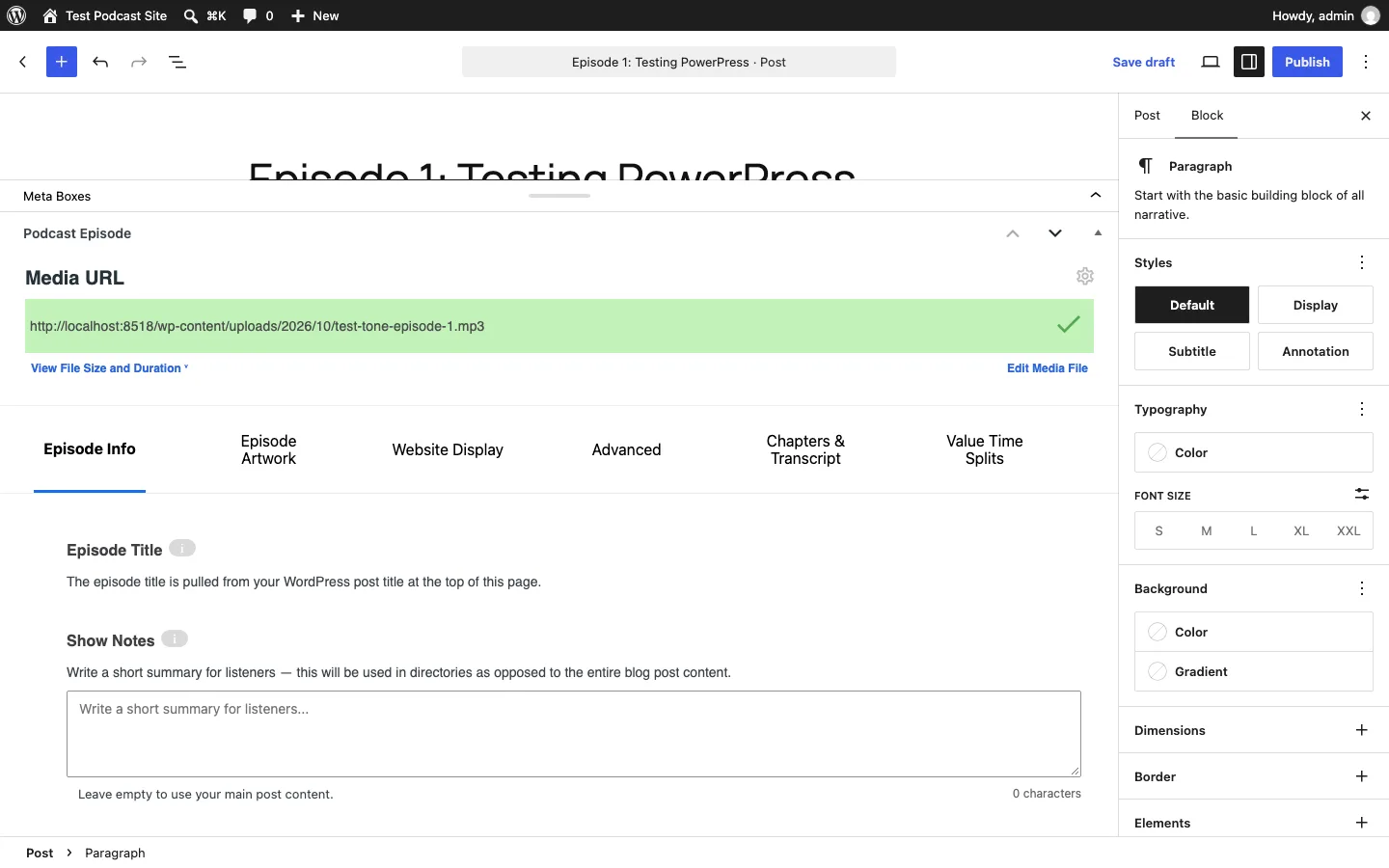
The PowerPress Podcast Episode box after verifying our test MP3.
PowerPress is Blubrry’s free podcast plugin, on WordPress.org since 2008 (see our full PowerPress review for feed and setup findings). WordPress.org shows 20,000+ active installs; Blubrry says 100,000 active users. It is the most feature-heavy plugin here: Podcasting 2.0 tags (transcripts, chapters, funding, live items, value splits), several shows per site, import tools and subscribe pages.
Setup. The Get Started screen offers Create Podcast, Import RSS Feed, or Skip. Create Podcast asks for host name, email, show name, description, Apple category, explicit rating and artwork. Two sales screens follow (Blubrry hosting, then Blubrry stats), each with a “No Thanks” button.
We hit a real bug here. We chose “No” for explicit content and uploaded artwork, but PowerPress saved the show as explicit. In the form’s code, the artwork Yes/No buttons share the explicit setting’s field name, so the artwork answer overwrites it. We fixed it under Settings, Feeds, Apple Settings. Check that setting before you submit your feed.
Creating an episode. Episodes are normal blog posts with a Podcast Episode box under the editor. Without Blubrry hosting there is no upload button: you upload the MP3 to the Media Library, paste its URL, and click Verify, which read the file size and duration for us. Because our test site ran on a local address, Verify first rejected the file as an “Invalid media url” until we ticked a setting under Advanced meant for media on your own server or network. A normal public site should not need it. The episode box has six tabs, up to Chapters & Transcript and Value Time Splits, and the settings page has eight. That depth is the reason to pick PowerPress, and why beginners find it busy.
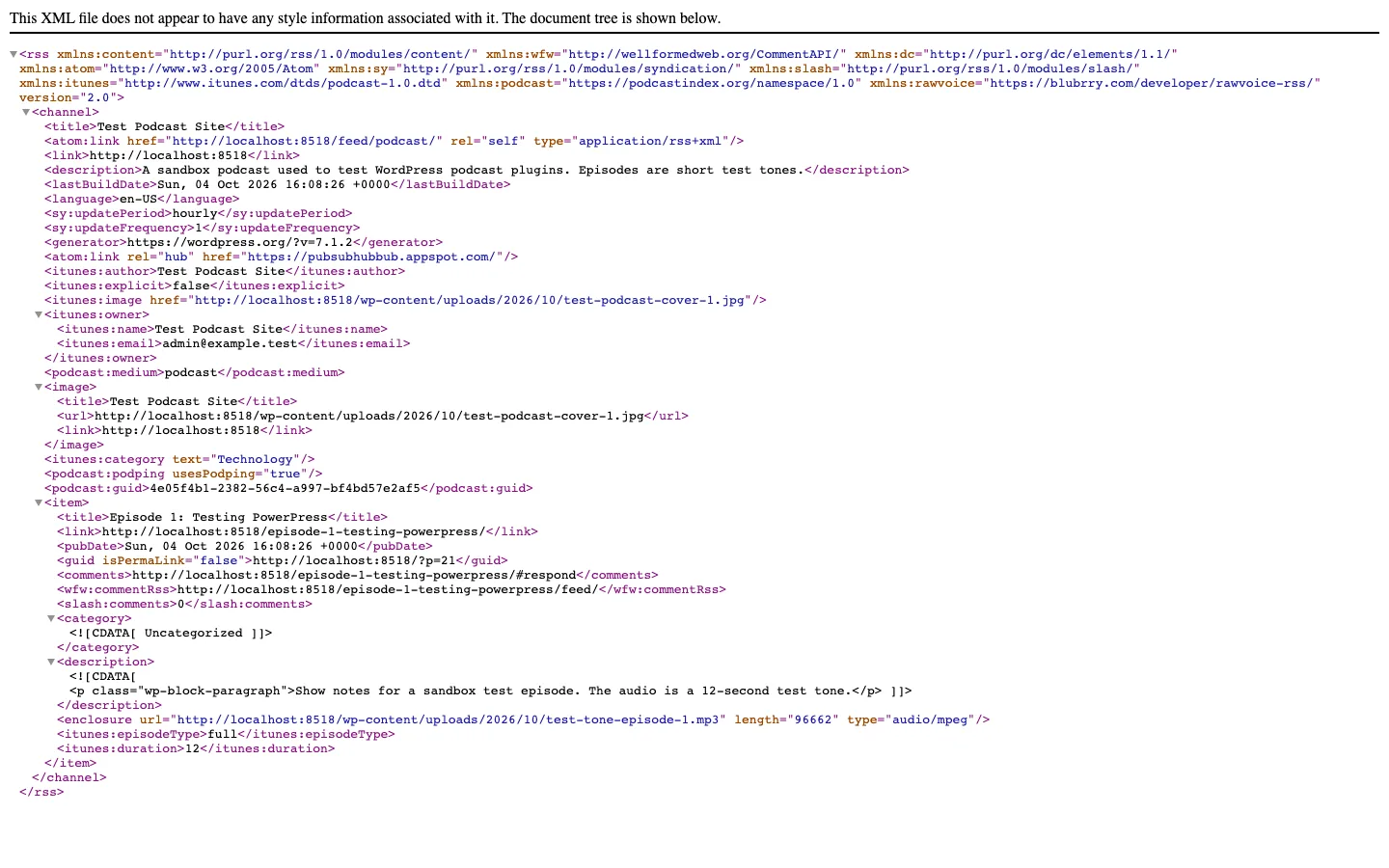
The podcast feed PowerPress generated on our test install.
The feed. The feed at /feed/podcast/ passed every check on our list once the explicit setting was fixed, including the owner email, a podcast:guid, and an enclosure with length 96662 and type audio/mpeg. itunes:author used the site title rather than the host name we typed in the wizard.
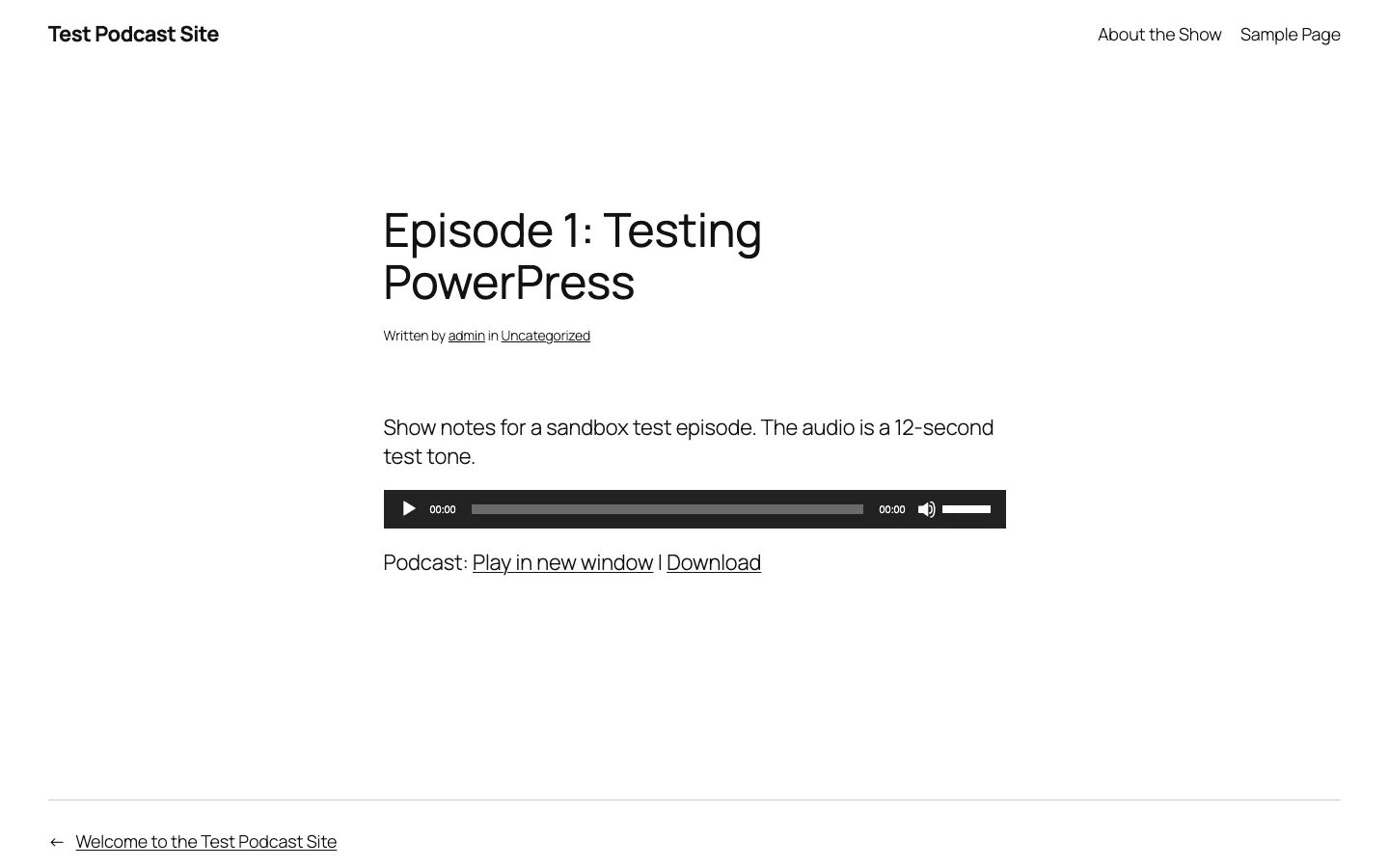
The default PowerPress player (MediaElement.js) on our test site.
The player. The free choices are MediaElement.js (the default, shown above) and the plain HTML5 player. Both are basic. The nicer Blubrry Player is only for Blubrry hosting customers.
Free vs paid. The plugin is free with any host. The prompts: two wizard sales screens, a “PowerPress works best with Blubrry” box on the settings pages, a “Connect to Blubrry” box in every episode, and two Blubrry dashboard widgets. Blubrry hosting starts at $7/month for 1.5 hours of new audio a month; basic stats are free and Standard stats cost $5/month.
3. Podlove Podcast Publisher: Best for Technical Podcasters
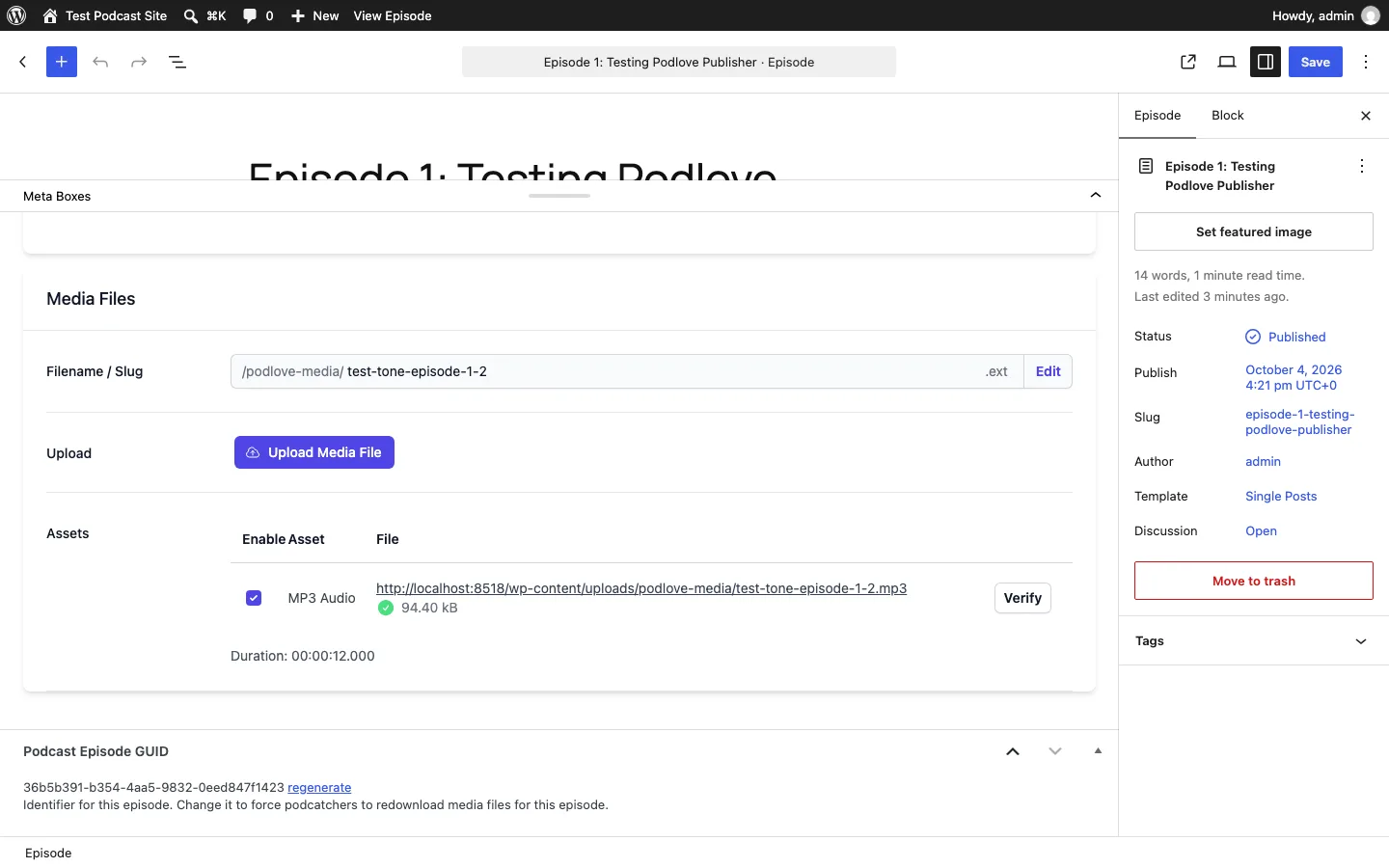
Podlove’s Media Files section after uploading our test MP3.
Podlove is a free, MIT-licensed plugin from a German open source project that started in 2012. It is built for people who care about clean feeds: multiple audio formats, chapters, contributors, transcripts, seasons, and listener stats that the project says store no personal data.
Setup. On activation, Podlove linked to its Onboarding Assistant and warned that you need a second plugin, Podlove Web Player, to show a player. The assistant runs on Podlove’s own server and needs HTTPS and WordPress application passwords. Our test site used plain HTTP, so we set things up by hand across the Description, Directory and Media tabs. A default MP3 asset and an MP3 feed (/feed/mp3/) were already in place.
Creating an episode. Podlove thinks in file names: each episode has a filename slug, and the plugin looks for a file with that name. When our uploaded file name didn’t match the slug, it offered to rename the slug. Verify then found the file (94.40 kB) and read the 12-second duration. Uploads go to a podlove-media folder.
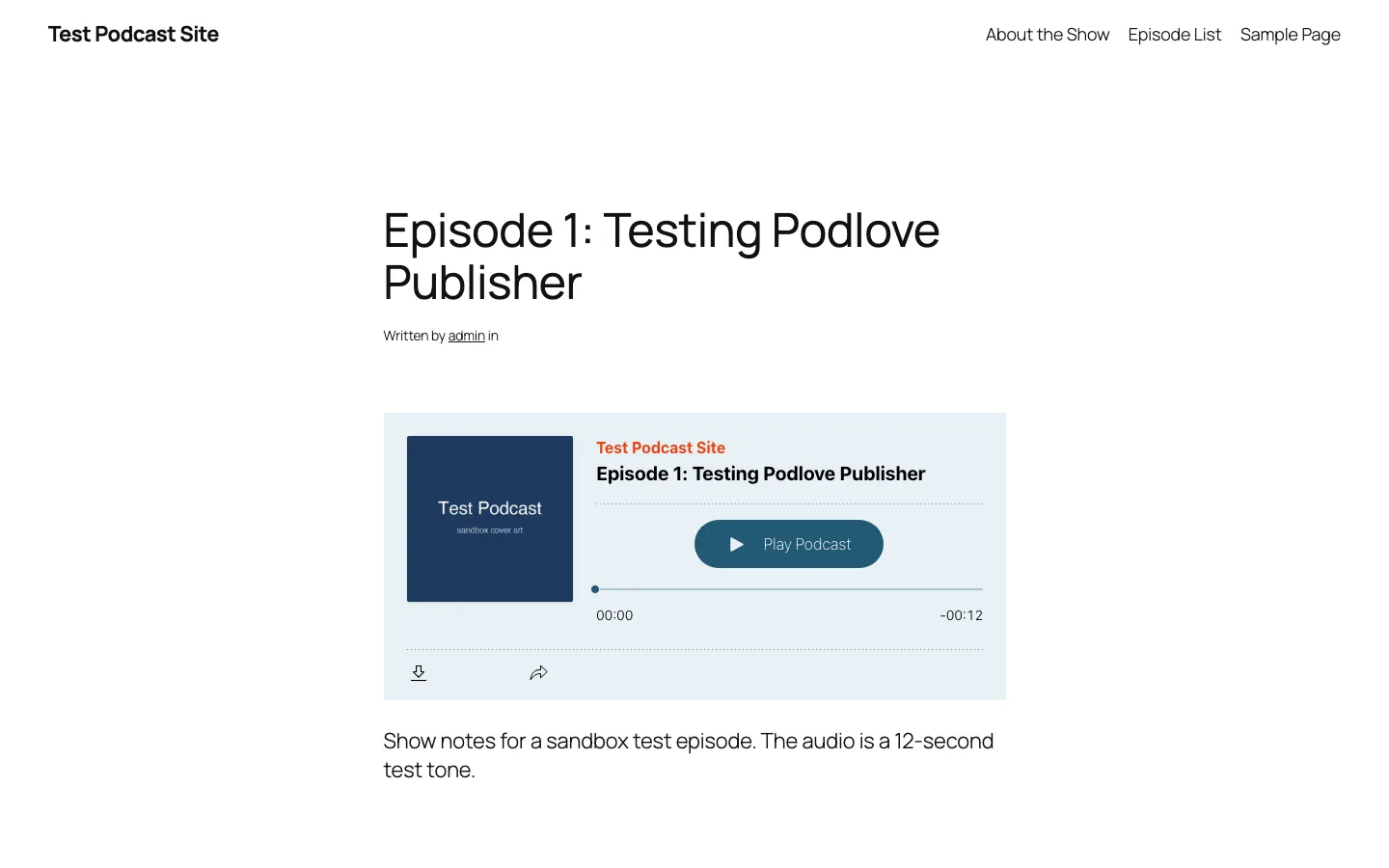
Podlove Web Player 5 on our test site.
The feed and player. Podlove’s feed was the most complete of the three and the only one with itunes:type out of the box. The enclosure had the right length and type, but its URL points to a Podlove tracking address so the plugin can count downloads. The web player loads from Podlove’s CDN by default; a module setting turns that off.
Free vs paid. Podlove promotes its paid Publisher PLUS service (file hosting and feed delivery) with a banner on settings pages, a menu item, and boxes on the Episode Assets and Feeds screens. Its public page lists no prices. Support for the free plugin is a community forum.
4. Buzzsprout Podcasting: Best If You Host on Buzzsprout
Buzzsprout is a podcast host, and its free plugin only embeds episodes from a Buzzsprout show. We installed it: one settings page with three options (feed URL, show player by default, number of episodes), plus a Buzzsprout Player block that can always play your latest episode and an Episode List block. We did not create a Buzzsprout account, so we could not show a live embed. Feed settings live in your Buzzsprout dashboard, not WordPress. Buzzsprout’s free plan allows 2 hours of uploads a month but keeps episodes for only 90 days; paid plans start at $15/month billed annually.
5. Simple Podcast Press: Paid Feed-to-Post Importer
Simple Podcast Press reads the feed from any host and turns each episode into a WordPress post with a player, call-to-action buttons, clickable timestamps, email opt-ins and Apple Podcasts reviews. It has no free version, so this section is based on the vendor’s site. Prices: $67 for one site, $97 for three, $147 for ten, each with a year of updates; the vendor says the plugin keeps working if you don’t renew. The site is run by Repurpose.io, and its footer still read “Copyright 2024” when we checked, with no public changelog. Ask about active development before you buy.
6. Fusebox: A Player Service, No Longer a Free Plugin
Fusebox (formerly Smart Podcast Player) used to be a WordPress plugin. It is now a hosting and player service: you style players in its dashboard and paste an embed code into WordPress. Plans are $7.50/month (Starter) or $15.83/month (Pro), billed annually, with a 14-day trial and no free plan. Hosting is included, and the vendor lists single-track, archive, sticky and full-page players, a WordPress transcripts plugin and API access. The old plugin, now Fusebox Classic, is only for existing subscribers. We did not start a trial, so this is based on Fusebox’s pages.
Feed Check Results
Here is what each feed contained on our test site after setup (the explicit fix for PowerPress included).
All three tested feeds included author, image and category tags, plus correct enclosure length and type. PowerPress used the site title as its author. Podlove’s enclosure used a tracking URL. Owner email was present in PowerPress and Podlove, but Seriously Simple Podcasting needed it added in settings.
Seriously Simple Podcasting and Podlove correctly marked the episode as not explicit. PowerPress did so after we corrected the wizard bug described here. The same twelve-second episode appeared as 0:12, 12 and 00:00:12 respectively, all different representations of the same duration. Podlove alone included itunes:type.
All three feeds were well-formed XML. itunes:type is optional, so its absence won’t block a submission.
Before submitting a feed to Apple Podcasts or Spotify, confirm its artwork, category, explicit status and owner email, then submit the feed address through the directory’s dashboard. A working player alone does not prove the feed is ready.
We published a sample episode with each free self-publishing plugin and checked its player and RSS feed, including artwork, category, explicit status and audio enclosure. Paid-only tools are covered from vendor documentation. This was a short local test, not a reliability or traffic benchmark.
Podcast Hosts Mentioned in This Guide
If you decide not to keep audio on your web server, these are the hosts tied to the plugins above. Prices are each vendor’s starting price as of October 2026.
Blubrry starts at $7 a month and integrates most deeply through PowerPress. Basic statistics are free, and its wizard advertises a hosting trial. Castos starts at $19 a month with a 14-day trial and connects through Seriously Simple Podcasting.
Buzzsprout costs from $15 a month billed annually, with a free plan that keeps episodes for 90 days and its own WordPress plugin. Libsyn starts at $8 a month with the first 30 days free; WordPress publishing is configured in its Destinations settings. Fusebox starts at $7.50 a month billed annually, offers a 14-day trial and connects through embeds.
A note on Libsyn: its Libsyn Publisher Hub plugin was closed on WordPress.org on March 7, 2024, listed under “Security Issue”. Libsyn’s help pages now describe posting episodes to WordPress from Libsyn itself, which needs XML-RPC turned on, the iFrame plugin, and your WordPress username and password entered in Libsyn. Many hosts block XML-RPC, so check first.